
There are many risk assessment tools available, each with its own strengths and weaknesses. Some of the most popular risk assessment tools include:
- Risk matrix: A risk matrix is a simple table that helps you to visualize the likelihood and impact of risks. It is a good tool for quickly assessing a large number of risks.
- Decision tree: A decision tree is a more complex tool that helps you to analyze the risks associated with different decisions. It is a good tool for making decisions under uncertainty.

- Failure modes and effects analysis (FMEA): FMEA is a tool that helps you to identify and analyze the potential failures of a system. It is a good tool for preventing problems before they occur.
- Bowtie model: The bowtie model is a graphical tool that helps you to understand the causes and consequences of risks. It is a good tool for visualizing the risk management process.
- Cause and effect analysis: Cause and effect analysis is a tool that helps you to identify the root causes of problems. It is a good tool for improving processes and preventing problems from happening again.
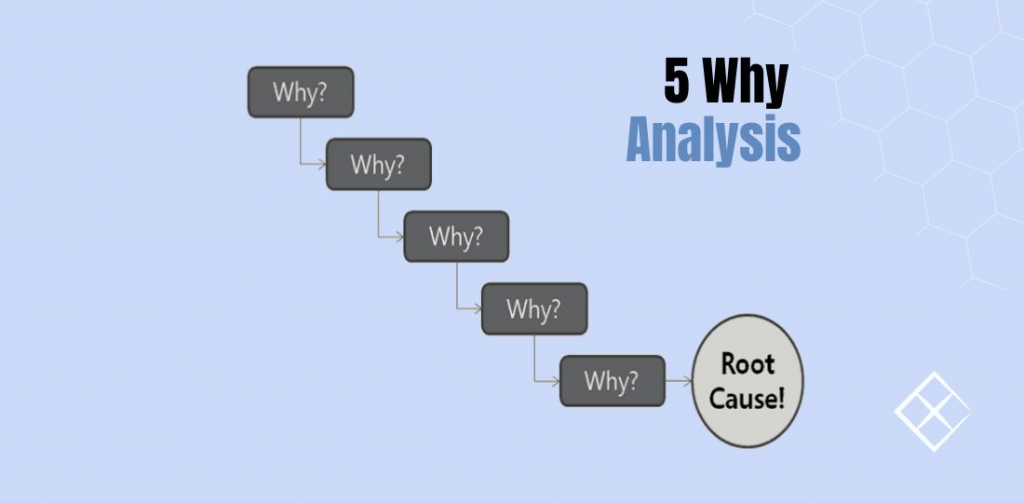
- The ‘Five Whys’: The ‘Five Whys’ is a simple technique that helps you to drill down to the root cause of a problem. It is a good tool for getting to the heart of the issue.
The best risk assessment tool for you will depend on the specific needs of your organization. Consider the size and complexity of your organization, the types of risks you are facing, and your budget when choosing a risk assessment tool.
In addition to the above tools, there are also a number of risk assessment software applications available. These applications can automate many of the tasks involved in risk assessment, such as data collection, analysis, and reporting.
Some of the most popular risk assessment software applications include:
- LogicManager: LogicManager is a comprehensive risk management software solution that helps organizations to identify, assess, and manage risks.
- AuditBoard: AuditBoard is a risk management software application that helps organizations to track and manage risks throughout the organization.
- A1 Tracker: A1 Tracker is a risk management software application that helps organizations to automate their risk management processes.
- Riskonnect: Riskonnect is a risk management software application that helps organizations to collaborate on risk management activities.
- Enablon: Enablon is a risk management software application that helps organizations to comply with regulations.
When choosing a risk assessment software application, consider the features that are important to you, such as the ability to automate tasks, the ability to collaborate with others, and the ability to comply with regulations.

👤 About the Author
Ashwani is passionate about DevOps, DevSecOps, SRE, MLOps, and AiOps, with a strong drive to simplify and scale modern IT operations. Through continuous learning and sharing, Ashwani helps organizations and engineers adopt best practices for automation, security, reliability, and AI-driven operations.
🌐 Connect & Follow:
Website: WizBrand.com
Facebook: facebook.com/DevOpsSchool
X (Twitter): x.com/DevOpsSchools
LinkedIn: linkedin.com/company/devopsschool
YouTube: youtube.com/@TheDevOpsSchool
Instagram: instagram.com/devopsschool
Quora: devopsschool.quora.com
Email– contact@devopsschool.com
Find Trusted Cardiac Hospitals
Compare heart hospitals by city and services — all in one place.
Explore Hospitals