
Are you tired of overspending on your cloud infrastructure? Do you want to optimize your cloud expenses and save money? If yes, then you need to start using FinOps. FinOps, short for Financial Operations, is the practice of managing cloud finances to optimize costs. In this article, we’ll explore the top 10 use cases of FinOps and how you can use it to optimize your cloud costs.
Understanding FinOps
Before delving into the use cases of FinOps, it’s important to understand what it is and how it works. FinOps is a methodology that brings together finance, operations, and engineering teams to manage cloud costs. With FinOps, you can monitor your cloud usage, analyze your spending patterns, and identify areas where you can save money. It’s a collaborative approach that helps businesses make informed decisions about their cloud infrastructure.
Top 10 Use Cases of FinOps
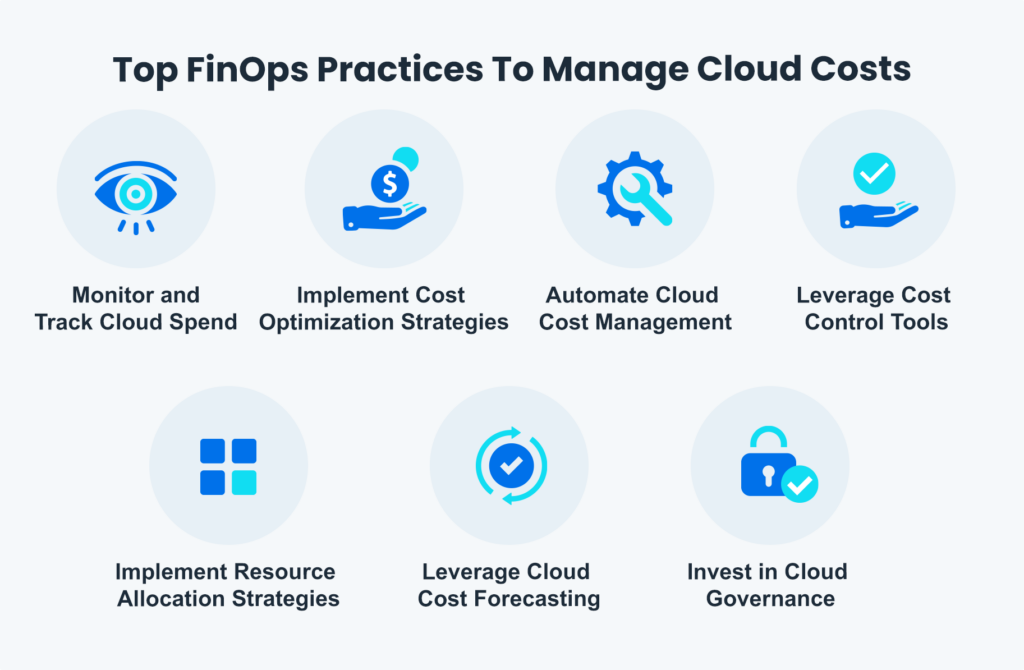
- Cost Optimization: The primary use case of FinOps is cost optimization. By monitoring your cloud usage and spending patterns, you can identify areas where you’re overspending and take corrective actions to reduce costs. FinOps provides you with the visibility you need to optimize your cloud expenses.
- Resource Allocation: With FinOps, you can allocate resources based on your business needs. By analyzing your usage patterns, you can identify underutilized resources and reallocate them to other areas where you need more capacity. This helps you optimize your resource allocation and reduce wastage.
- Vendor Management: FinOps helps you manage your cloud vendors effectively. By monitoring your vendor spend and negotiating better rates, you can reduce your cloud costs significantly. FinOps provides you with the data you need to negotiate better contracts with your vendors.
- Forecasting: By analyzing your cloud usage patterns, you can forecast your future usage and plan your budget accordingly. This helps you avoid unexpected expenses and optimize your cloud costs.
- Cost Allocation: With FinOps, you can allocate costs to different departments and teams based on their usage. This helps you track your expenses and identify areas where you need to reduce costs. FinOps provides you with the data you need to allocate costs accurately.
- Policy Enforcement: FinOps helps you enforce policies and guidelines related to cloud usage. By monitoring your usage patterns, you can identify violations and take corrective actions to ensure compliance. This helps you reduce your risks and avoid unexpected expenses.
- Benchmarking: With FinOps, you can benchmark your cloud costs against industry standards. This helps you identify areas where you’re overspending and take corrective actions to reduce costs. FinOps provides you with the data you need to benchmark your costs accurately.
- Optimizing Containerization: FinOps helps you optimize your containerization costs. By monitoring your container usage and identifying areas where you can optimize, you can reduce your containerization costs significantly. FinOps provides you with the data you need to optimize your containerization costs effectively.
- Reducing Idle Resources: FinOps helps you reduce your idle resources. By identifying idle resources and taking corrective actions, you can optimize your resource usage and reduce your cloud costs. FinOps provides you with the visibility you need to reduce your idle resources effectively.
- Optimizing Serverless Usage: FinOps helps you optimize your serverless usage. By monitoring your serverless usage and identifying areas where you can optimize, you can reduce your serverless costs significantly. FinOps provides you with the data you need to optimize your serverless costs effectively.
Conclusion
FinOps is a powerful methodology that can help you optimize your cloud costs effectively. By monitoring your cloud usage and spending patterns, you can identify areas where you’re overspending and take corrective actions to reduce costs. With FinOps, you can allocate resources effectively, manage your vendors, enforce policies, benchmark your costs, and optimize your containerization and serverless usage. If you want to optimize your cloud costs, then you need to start using FinOps.

👤 About the Author
Ashwani is passionate about DevOps, DevSecOps, SRE, MLOps, and AiOps, with a strong drive to simplify and scale modern IT operations. Through continuous learning and sharing, Ashwani helps organizations and engineers adopt best practices for automation, security, reliability, and AI-driven operations.
🌐 Connect & Follow:
Website: WizBrand.com
Facebook: facebook.com/DevOpsSchool
X (Twitter): x.com/DevOpsSchools
LinkedIn: linkedin.com/company/devopsschool
YouTube: youtube.com/@TheDevOpsSchool
Instagram: instagram.com/devopsschool
Quora: devopsschool.quora.com
Email– contact@devopsschool.com
Find Trusted Cardiac Hospitals
Compare heart hospitals by city and services — all in one place.
Explore Hospitals