
Introduction
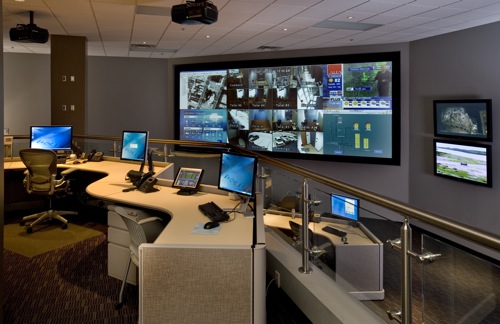
Video Surveillance Management Software (often called VMS) is the central brain behind modern video security systems. It is the software layer that connects cameras, storage, analytics, users, and security policies into one unified platform. Instead of simply recording footage, today’s VMS solutions enable real-time monitoring, intelligent alerts, forensic search, remote access, and compliance-ready audit trails.
The importance of video surveillance management software has grown rapidly due to rising security concerns, smart city initiatives, retail loss prevention, workplace safety requirements, and regulatory compliance needs. From small retail stores monitoring entrances to airports managing thousands of cameras, VMS plays a critical role in preventing incidents, investigating events, and ensuring operational transparency.
Real-world use cases include theft prevention, crowd management, traffic monitoring, employee safety, access control integration, and even AI-driven behavior analysis. When choosing a VMS, users should evaluate factors such as scalability, camera compatibility, ease of use, analytics capabilities, security standards, performance under load, and long-term cost.
Best for:
Video Surveillance Management Software is best suited for security managers, IT administrators, facilities teams, retail owners, logistics operators, healthcare institutions, educational campuses, industrial plants, and enterprises managing physical security across single or multiple locations.
Not ideal for:
These tools may be overkill for individuals needing only a single home camera or very basic recording without monitoring, analytics, or compliance needs. In such cases, simple consumer camera apps or standalone DVR solutions may be more practical.
Top 10 Video Surveillance Management Software Tools
1 — Genetec Security Center
Short description:
A unified, enterprise-grade security platform that combines video surveillance, access control, and analytics. Designed for large organizations and mission-critical environments.
Key features:
- Unified platform for video, access control, and ALPR
- Advanced video analytics and AI-powered insights
- Centralized monitoring with role-based access
- Scalable architecture for thousands of cameras
- Strong redundancy and failover mechanisms
- Real-time alerts and forensic search
- Extensive third-party hardware integration
Pros:
- Highly scalable and enterprise-ready
- Strong analytics and situational awareness
- Excellent integration ecosystem
Cons:
- High licensing and implementation cost
- Requires trained administrators
Security & compliance:
SSO support, encryption, audit logs, GDPR alignment, ISO standards support.
Support & community:
Comprehensive documentation, enterprise support plans, certified partner ecosystem, professional training.
2 — Milestone XProtect
Short description:
A flexible and widely adopted VMS platform known for its open architecture and reliability across industries.
Key features:
- Open platform supporting thousands of camera models
- Centralized and distributed system options
- Smart search and motion detection
- Mobile and web client access
- Modular licensing for scalability
- Edge and server-based recording
- Integration with access control systems
Pros:
- Hardware-agnostic flexibility
- Stable performance at scale
- Large global user base
Cons:
- Advanced analytics may require add-ons
- Interface can feel complex for new users
Security & compliance:
Encryption, audit logging, role-based access, GDPR-ready configurations.
Support & community:
Strong documentation, active user community, global partner and support network.
3 — Avigilon Control Center
Short description:
A high-performance VMS with strong AI analytics, designed for proactive threat detection and rapid investigations.
Key features:
- AI-powered object and facial recognition
- High-definition video optimization
- Appearance search across video footage
- Centralized management dashboard
- Edge analytics on cameras
- Secure remote access
- Scalable multi-site support
Pros:
- Excellent video analytics accuracy
- Fast forensic search
- Optimized for high-resolution cameras
Cons:
- Best features tied to proprietary hardware
- Premium pricing
Security & compliance:
Encryption, secure authentication, detailed audit trails, GDPR support.
Support & community:
Professional enterprise support, training programs, strong vendor-led ecosystem.
4 — HikCentral Professional
Short description:
An all-in-one video management platform designed for mid to large-scale deployments, particularly in commercial and city surveillance.
Key features:
- Centralized video and device management
- AI-based analytics and alerts
- Multi-site and multi-user support
- Integrated storage management
- Real-time monitoring dashboards
- Event and alarm management
- Flexible deployment models
Pros:
- Cost-effective for large deployments
- Strong analytics capabilities
- Broad hardware compatibility within ecosystem
Cons:
- Limited openness outside ecosystem
- Compliance acceptance varies by region
Security & compliance:
Encryption, role-based access, audit logs, compliance varies by jurisdiction.
Support & community:
Good documentation, regional support partners, structured onboarding.
5 — Bosch Video Management System
Short description:
A robust and secure VMS tailored for critical infrastructure, transportation, and industrial environments.
Key features:
- High-reliability video recording and playback
- Intelligent video analytics
- Centralized and distributed architecture
- Integration with building management systems
- Advanced alarm management
- Redundant storage options
- Long-term system stability
Pros:
- Exceptional reliability
- Strong analytics for security operations
- Trusted in critical environments
Cons:
- Interface feels dated
- Higher deployment complexity
Security & compliance:
Strong encryption, ISO-aligned security practices, GDPR-ready.
Support & community:
Enterprise-grade support, certified integrators, detailed technical documentation.
6 — Axis Camera Companion / Camera Station
Short description:
A professional VMS optimized for Axis hardware, balancing ease of use with advanced surveillance capabilities.
Key features:
- Tight integration with Axis cameras
- Edge recording and analytics
- Clean and intuitive user interface
- Mobile and remote access
- Secure device management
- Scalable from small to enterprise
- Built-in cybersecurity features
Pros:
- User-friendly interface
- Strong cybersecurity focus
- Reliable performance
Cons:
- Limited to Axis ecosystem
- Analytics depth varies by camera model
Security & compliance:
Strong encryption, secure boot, GDPR-focused data handling.
Support & community:
High-quality documentation, strong partner support, active professional community.
7 — Verkada Command
Short description:
A cloud-managed video surveillance platform designed for simplicity, scalability, and remote management.
Key features:
- Cloud-based centralized management
- Built-in AI analytics and alerts
- Easy deployment with minimal infrastructure
- Secure remote access
- Automatic updates
- Scalable multi-location support
- Integrated hardware and software
Pros:
- Extremely easy to manage
- Fast deployment
- Strong analytics out of the box
Cons:
- Requires ongoing subscription
- Limited customization compared to on-prem VMS
Security & compliance:
Encryption, SSO, audit logs, GDPR and SOC-style controls.
Support & community:
Responsive vendor support, guided onboarding, growing user base.
8— Nx Witness (Network Optix)
Short description:
A lightweight yet powerful VMS known for performance efficiency and modern user experience.
Key features:
- Fast and responsive video playback
- Cross-platform client support
- Smart motion and metadata search
- Scalable server architecture
- Open API for integrations
- Edge analytics support
- Low hardware footprint
Pros:
- Excellent performance
- Clean and modern UI
- Flexible deployment options
Cons:
- Fewer native analytics compared to top-tier tools
- Smaller enterprise ecosystem
Security & compliance:
Encryption, user access control, audit logs, GDPR-ready configurations.
Support & community:
Good documentation, responsive support, active integrator community.
9 — OpenEye Web Services
Short description:
A cloud-managed VMS focused on ease of use, health monitoring, and multi-site retail environments.
Key features:
- Cloud-based device management
- Centralized video access
- System health monitoring
- Remote firmware updates
- POS and access control integrations
- Mobile-friendly access
- Scalable storage options
Pros:
- Strong remote management features
- Ideal for multi-site operations
- Reduced IT overhead
Cons:
- Cloud dependency
- Limited advanced analytics
Security & compliance:
Encryption, role-based access, audit logging, GDPR-aligned.
Support & community:
Vendor-led support, structured onboarding, helpful documentation.
10 — ZoneMinder
Short description:
An open-source video surveillance platform offering flexibility and cost control for technical users.
Key features:
- Open-source and self-hosted
- Supports multiple camera protocols
- Motion detection and recording
- Customizable alerts
- Web-based interface
- Community-driven development
- No licensing fees
Pros:
- Free and customizable
- Full control over data
- Strong community involvement
Cons:
- Requires technical expertise
- Limited enterprise features
Security & compliance:
Varies based on configuration; depends on self-managed security practices.
Support & community:
Active open-source community, forums, and community documentation.
Comparison Table
| Tool Name | Best For | Platform(s) Supported | Standout Feature | Rating |
|---|---|---|---|---|
| Genetec Security Center | Large enterprises | Windows, hybrid | Unified security platform | N/A |
| Milestone XProtect | Flexible deployments | Windows | Open architecture | N/A |
| Avigilon Control Center | AI-driven security | Windows | Appearance search | N/A |
| HikCentral Professional | City-scale surveillance | Windows | Cost-effective scaling | N/A |
| Bosch VMS | Critical infrastructure | Windows | Reliability | N/A |
| Axis Camera Station | Axis camera users | Windows, mobile | Cybersecurity focus | N/A |
| Verkada Command | Cloud-first teams | Web, mobile | Cloud management | N/A |
| Nx Witness | Performance-focused users | Windows, macOS, Linux | Speed and UI | N/A |
| OpenEye | Multi-site retail | Web, mobile | Health monitoring | N/A |
| ZoneMinder | Technical teams | Linux, web | Open-source control | N/A |
Evaluation & Scoring of Video Surveillance Management Software
| Criteria | Weight | Evaluation Notes |
|---|---|---|
| Core features | 25% | Camera support, recording, analytics, alerts |
| Ease of use | 15% | UI clarity, learning curve, daily operations |
| Integrations & ecosystem | 15% | Hardware, APIs, access control |
| Security & compliance | 10% | Encryption, access control, audits |
| Performance & reliability | 10% | Uptime, playback speed, scalability |
| Support & community | 10% | Vendor support, documentation |
| Price / value | 15% | Licensing, infrastructure, ROI |
Which Video Surveillance Management Software Tool Is Right for You?
Choosing the right VMS depends on balancing scale, budget, and security needs.
- Solo users or small businesses benefit from simple, cloud-managed or lightweight systems with minimal setup.
- SMBs and mid-market organizations should prioritize scalability, ease of use, and flexible licensing.
- Enterprises and government bodies require advanced analytics, redundancy, compliance, and centralized control.
- Budget-conscious teams may favor open-source or modular licensing models.
- Security-focused environments should emphasize encryption, audit logs, and compliance readiness.
- High-growth organizations need tools that scale smoothly without frequent re-architecture.
Frequently Asked Questions (FAQs)
1. What is Video Surveillance Management Software?
It is software that manages cameras, recordings, users, analytics, and security policies from a centralized platform.
2. Is VMS only for large enterprises?
No. Solutions range from small business tools to large enterprise platforms.
3. Can VMS work with existing cameras?
Many platforms support third-party cameras, but compatibility should be verified.
4. Cloud-based or on-premise: which is better?
Cloud offers ease and scalability, while on-prem provides full data control.
5. How important are video analytics?
Analytics reduce manual monitoring and enable proactive security responses.
6. Is video data encrypted?
Most modern VMS tools support encryption at rest and in transit.
7. What are common mistakes when choosing a VMS?
Underestimating scalability, ignoring compliance, and overlooking usability.
8. Can VMS integrate with access control systems?
Yes, many platforms offer access control and alarm integrations.
9. Does VMS require constant internet access?
Only cloud-based systems rely heavily on internet connectivity.
10. How long does implementation take?
It can range from hours for small setups to weeks for enterprise deployments.
Conclusion
Video Surveillance Management Software has evolved from simple recording tools into intelligent security platforms that support prevention, compliance, and operational insights. The right choice depends on understanding your environment, scale, budget, and security priorities.
There is no single “best” VMS for everyone. Some excel in enterprise analytics, others in simplicity or cost efficiency. By carefully evaluating features, usability, integrations, and security requirements, organizations can select a solution that delivers long-term value and peace of mind.

Find Trusted Cardiac Hospitals
Compare heart hospitals by city and services — all in one place.
Explore Hospitals
