
Introduction
AI Vulnerability Prioritization Platforms help security teams decide which vulnerabilities should be fixed first. Traditional vulnerability scanners often produce thousands of findings, but not every vulnerability creates the same business risk. Some are exposed to the internet, some affect critical assets, some have active exploits, and some are technically severe but not reachable in the real environment. AI vulnerability prioritization platforms use asset context, exploit intelligence, business importance, attack path analysis, runtime signals, cloud exposure, identity risk, and remediation data to help teams focus on the vulnerabilities that matter most.
Why It Matters
Security teams are under pressure to reduce risk faster while managing limited engineering, IT, and DevOps capacity. A long list of vulnerabilities is not useful if teams cannot understand which issues are exploitable, which systems are critical, and which fixes will reduce the most risk. AI-driven prioritization matters because it reduces noise, improves patch planning, supports risk-based remediation, and helps security leaders explain exposure in business terms. It also helps teams move from reactive patching to continuous exposure management, where vulnerabilities are prioritized based on real-world risk instead of only technical severity.
Real World Use Cases
- Risk-based patch planning: Prioritize vulnerabilities based on exploitability, asset criticality, exposure, and business impact.
- Cloud vulnerability prioritization: Identify which cloud workload vulnerabilities are reachable, internet-facing, or connected to sensitive data.
- Application security triage: Help developers focus on high-risk open-source, container, code, and dependency vulnerabilities.
- Endpoint exposure reduction: Prioritize vulnerabilities on laptops, servers, and workloads based on device importance and threat context.
- Attack path analysis: Find vulnerability chains that could lead to privilege escalation, lateral movement, or sensitive data access.
- Executive risk reporting: Translate technical vulnerability data into risk scores, trends, and remediation progress.
- SLA management: Assign remediation timelines based on actual risk rather than generic severity.
- Security operations alignment: Connect vulnerability findings with SIEM, SOAR, ITSM, EDR, CNAPP, and ticketing workflows.
Evaluation Criteria for Buyers
- Risk scoring quality: The platform should combine severity, exploit activity, asset importance, exposure, and business context.
- AI prioritization depth: Buyers should assess whether AI is used for real prioritization, noise reduction, remediation guidance, or only marketing.
- Asset context: The platform should understand endpoints, servers, cloud assets, containers, identities, applications, and business ownership.
- Exploit intelligence: Prioritization should include known exploited vulnerabilities, exploit availability, threat activity, and attacker behavior.
- Reachability analysis: Cloud and application teams should check whether the tool identifies whether vulnerable code or services are actually reachable.
- Remediation workflows: The platform should assign owners, create tickets, track SLAs, and measure fix progress.
- Integrations: Strong tools connect with scanners, CNAPP, EDR, SIEM, SOAR, ITSM, CI CD, ticketing, and asset inventory systems.
- Reporting and dashboards: Security leaders need risk trends, remediation progress, business unit views, and executive summaries.
- Deployment flexibility: Buyers should evaluate cloud, hybrid, agent-based, agentless, and API-based deployment options.
- Governance controls: Role-based access, audit logs, ownership mapping, and exception management are important.
- Cost and scalability: The platform should handle large asset volumes without hidden complexity.
- Developer experience: For AppSec use cases, remediation guidance must be clear, contextual, and easy for engineering teams to act on.
Best for: SOC teams, vulnerability management teams, cloud security teams, application security teams, DevSecOps teams, IT operations teams, MSSPs, regulated enterprises, and organizations managing large vulnerability backlogs across endpoints, cloud, containers, code, and third-party systems.
Not ideal for: Very small teams with limited assets, organizations that only need a basic scanner, teams without remediation ownership, or companies that do not have enough vulnerability volume to justify a dedicated prioritization platform.
What Changed in AI Vulnerability Prioritization Platforms
- Risk-based vulnerability management is replacing severity-only patching: Teams now prioritize based on real exploit likelihood, exposure, business criticality, and asset context.
- Cloud exposure is now central: Vulnerabilities in cloud workloads, containers, Kubernetes, and internet-facing services need different prioritization than internal-only systems.
- Attack path analysis is becoming more important: Buyers want to know whether a vulnerability can help attackers reach sensitive systems, identities, or data.
- AI is being used to reduce noise: Platforms increasingly summarize findings, cluster duplicates, suggest owners, and recommend remediation steps.
- Remediation ownership is a key feature: Teams need clear accountability across IT, DevOps, AppSec, platform engineering, and cloud operations.
- Runtime context is gaining value: A vulnerability that exists but is not loaded, reachable, or exposed may be lower priority than one actively reachable in production.
- Exploit intelligence is expected: Prioritization should consider active exploitation, public exploit availability, threat actor activity, and ransomware relevance.
- Governance and auditability matter more: Security leaders need evidence of prioritization logic, exceptions, SLA tracking, and remediation progress.
- Developer-first workflows are expanding: AppSec teams want integrations with repositories, pull requests, CI pipelines, and issue trackers.
- Exposure management is merging categories: Vulnerability prioritization now overlaps with CNAPP, CTEM, external attack surface management, asset intelligence, and security posture management.
- Business risk reporting is improving: Security teams need board-level views, business unit risk scores, and measurable risk reduction.
- Human review is still required: AI can prioritize and recommend, but teams still need validation for business-critical systems and production changes.
Quick Buyer Checklist
- Check whether the platform supports risk-based prioritization, not only CVSS sorting.
- Confirm whether it includes exploit intelligence and known exploited vulnerability context.
- Review whether it maps vulnerabilities to asset criticality and business ownership.
- Check support for cloud, container, endpoint, application, and identity context.
- Test whether it reduces duplicate findings from multiple scanners.
- Confirm whether it supports ticket creation, SLA tracking, and remediation workflows.
- Review integrations with SIEM, SOAR, ITSM, EDR, CNAPP, CI CD, and source code tools.
- Check whether AI recommendations are explainable and auditable.
- Validate data privacy, retention, encryption, access control, and admin permissions.
- Review whether it supports exceptions, risk acceptance, and governance reporting.
- Test dashboards for executives, security teams, and remediation owners.
- Confirm whether the platform can scale across your asset volume.
- Check export options and vendor lock-in risk.
- Run a pilot using real vulnerability data before making a final decision.
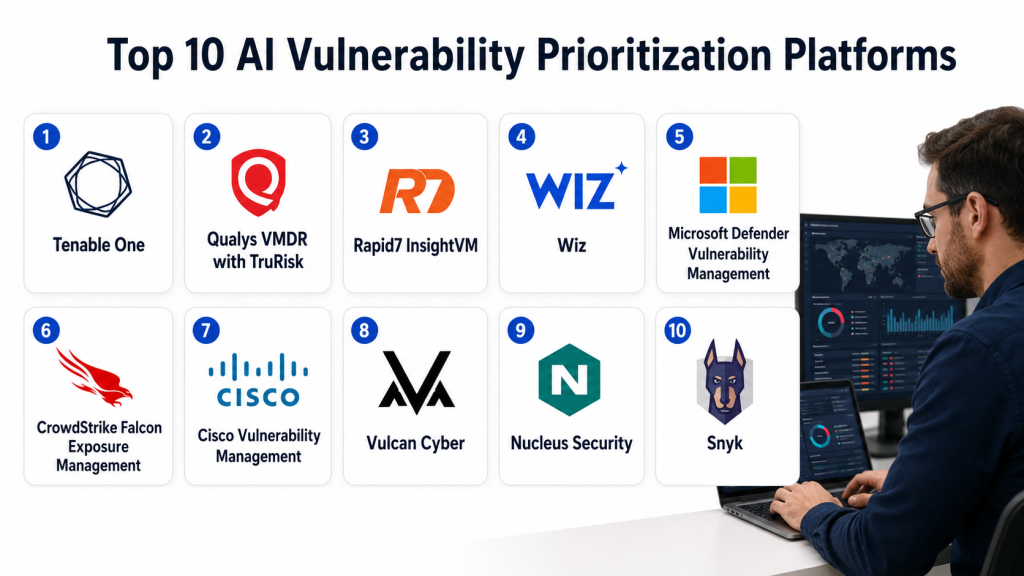
Top 10 AI Vulnerability Prioritization Platforms
1- Tenable One
2- Qualys VMDR with TruRisk
3- Rapid7 InsightVM
4- Wiz
5- Microsoft Defender Vulnerability Management
6- CrowdStrike Falcon Exposure Management
7- Cisco Vulnerability Management
8- Vulcan Cyber
9- Nucleus Security
10- Snyk
1- Tenable One
One-line verdict: Best for enterprises needing broad exposure management and risk-based vulnerability prioritization.
Short description:
Tenable One is an exposure management platform that helps organizations understand cyber risk across IT assets, cloud environments, identities, and attack paths. It is useful for enterprises that want vulnerability prioritization connected with asset exposure, business risk, and executive reporting.
Standout Capabilities
- Risk-based vulnerability prioritization
- Exposure management across multiple asset types
- Asset criticality and risk scoring
- Attack path visibility
- Executive risk dashboards
- Integration with vulnerability scanning and cloud security workflows
- Security posture reporting
- Prioritization based on exposure and business impact
AI-Specific Depth
- Model support: Proprietary analytics and risk models
- RAG and knowledge integration: Varies / N/A
- Evaluation: Not publicly stated
- Guardrails: Role-based controls and policy workflows vary by configuration
- Observability: Risk dashboards, asset exposure views, prioritization evidence, and reporting metrics
Pros
- Strong enterprise exposure management approach
- Useful for prioritizing vulnerabilities across complex environments
- Good fit for executive cyber risk reporting
Cons
- May be more platform than small teams need
- Best value depends on broad asset coverage and clean data
- Advanced deployment may require security program maturity
Security and Compliance
Tenable provides enterprise security controls across its products, including administrative access controls and security governance features. Exact SSO, RBAC, audit logging, data retention, residency, and certification details should be verified during procurement. If not confirmed, write Not publicly stated.
Deployment and Platforms
- Cloud-based platform
- Enterprise security management interface
- Supports vulnerability, cloud, identity, and exposure workflows
- Deployment details vary by product package and environment
Integrations and Ecosystem
Tenable One is designed to connect vulnerability management with exposure management and risk reporting.
- Tenable vulnerability products
- Cloud security workflows
- Identity exposure context
- SIEM integrations
- ITSM and ticketing workflows
- API access
- Executive reporting and dashboards
Pricing Model
Typically enterprise subscription-based. Pricing varies by asset volume, modules, and contract. Exact pricing is Not publicly stated.
Best-Fit Scenarios
- Enterprises building a formal exposure management program
- Security teams needing business-risk-based vulnerability prioritization
- Organizations wanting executive dashboards and cross-environment visibility
2- Qualys VMDR with TruRisk
One-line verdict: Best for enterprises needing cloud-based vulnerability management with risk scoring and remediation tracking.
Short description:
Qualys VMDR with TruRisk helps organizations discover assets, detect vulnerabilities, prioritize risk, and track remediation across large environments. It is commonly used by enterprises that need scalable vulnerability management, asset inventory, risk scoring, and compliance-focused reporting.
Standout Capabilities
- Asset discovery and inventory
- Vulnerability detection and prioritization
- TruRisk-based scoring
- Patch and remediation workflow support
- Cloud agent and scanner options
- Compliance and reporting capabilities
- External and internal asset visibility
- Scalable enterprise vulnerability management
AI-Specific Depth
- Model support: Proprietary scoring and analytics
- RAG and knowledge integration: Varies / N/A
- Evaluation: Not publicly stated
- Guardrails: Policy-based controls and administrative access vary by configuration
- Observability: Risk scores, dashboards, vulnerability trends, remediation status, and asset context
Pros
- Strong asset inventory and vulnerability management foundation
- Useful for large-scale enterprise environments
- Good reporting and remediation tracking capabilities
Cons
- User experience may feel complex for smaller teams
- Requires careful configuration to get accurate prioritization
- Full value depends on asset coverage and workflow adoption
Security and Compliance
Qualys provides enterprise-grade platform security capabilities, including administrative controls and security management features. Exact SSO, RBAC, audit logs, encryption, data residency, retention, and certifications should be confirmed directly. If unverified, use Not publicly stated.
Deployment and Platforms
- Cloud-based platform
- Cloud agents
- Scanner appliances
- API-based workflows
- Enterprise dashboards and reporting
Integrations and Ecosystem
Qualys VMDR fits into vulnerability management, compliance, remediation, and IT operations workflows.
- Patch management workflows
- ITSM and ticketing systems
- SIEM integrations
- Cloud asset inventory
- API integrations
- Compliance reporting
- Remediation tracking workflows
Pricing Model
Typically subscription-based and asset-based. Exact pricing varies by module, asset count, and enterprise agreement. Exact pricing is Not publicly stated.
Best-Fit Scenarios
- Enterprises needing scalable vulnerability and asset management
- Teams that want risk scoring connected to remediation workflows
- Organizations with compliance reporting requirements
3- Rapid7 InsightVM
One-line verdict: Best for teams needing practical risk-based vulnerability management with remediation workflows.
Short description:
Rapid7 InsightVM helps teams identify, prioritize, assign, and track vulnerabilities across IT environments. It is useful for security teams that want vulnerability prioritization, live dashboards, remediation projects, risk scoring, and integrations with IT and security workflows.
Standout Capabilities
- Risk-based vulnerability scoring
- Live dashboards and remediation views
- Asset discovery and vulnerability assessment
- Remediation project tracking
- Policy and compliance reporting
- Integration with Rapid7 ecosystem
- Prioritization based on exploitability and asset context
- Clear workflow support for security and IT teams
AI-Specific Depth
- Model support: Proprietary analytics and prioritization logic
- RAG and knowledge integration: Varies / N/A
- Evaluation: Not publicly stated
- Guardrails: Workflow controls and administrative settings vary by deployment
- Observability: Risk dashboards, remediation projects, vulnerability trends, and asset-level findings
Pros
- Strong practical workflows for vulnerability remediation
- Good dashboards for security and IT collaboration
- Useful for teams moving beyond scanner-only processes
Cons
- Requires integration and process design for best results
- Advanced cloud-native prioritization may require additional tools
- Asset data quality affects prioritization accuracy
Security and Compliance
Rapid7 provides enterprise security features across its platform. Exact SSO, RBAC, audit logs, encryption, retention, residency, and compliance certifications should be verified during procurement. If not confirmed, write Not publicly stated.
Deployment and Platforms
- Cloud-based platform
- Scanning engines and agents vary by configuration
- Web-based dashboards
- API and integration support
Integrations and Ecosystem
Rapid7 InsightVM connects vulnerability management with security operations and remediation workflows.
- Rapid7 Insight platform
- SIEM workflows
- SOAR workflows
- ITSM and ticketing integrations
- Patch management workflows
- API access
- Reporting and dashboard exports
Pricing Model
Typically subscription-based and asset-based. Exact pricing varies by environment size and contract. Exact pricing is Not publicly stated.
Best-Fit Scenarios
- Security teams needing remediation project tracking
- Mid-market and enterprise vulnerability management programs
- Organizations that want practical risk-based workflows
4- Wiz
One-line verdict: Best for cloud security teams prioritizing vulnerabilities using exposure and attack path context.
Short description:
Wiz is a cloud security platform that helps teams identify and prioritize risks across cloud workloads, containers, Kubernetes, identities, data, and configurations. It is especially useful for cloud-native organizations that need vulnerability prioritization based on exposure, reachability, toxic combinations, and attack paths.
Standout Capabilities
- Cloud vulnerability prioritization
- Agentless cloud visibility
- Attack path analysis
- Exposure and reachability context
- Kubernetes and container risk visibility
- Identity and data risk correlation
- Cloud security posture context
- Developer and cloud team remediation workflows
AI-Specific Depth
- Model support: Proprietary analytics and security graph-based prioritization
- RAG and knowledge integration: Varies / N/A
- Evaluation: Not publicly stated
- Guardrails: Policy controls and risk rules vary by configuration
- Observability: Cloud risk graph, vulnerability context, attack paths, exposure views, and remediation tracking
Pros
- Strong cloud-native vulnerability prioritization
- Helps teams focus on exposed and reachable risks
- Useful security graph approach for attack path context
Cons
- Best fit is cloud and cloud-native environments
- Not a replacement for every traditional endpoint vulnerability scanner
- Requires cloud permissions and configuration for full visibility
Security and Compliance
Wiz provides enterprise cloud security controls and administrative features. Exact SSO, RBAC, audit logs, encryption, retention, data residency, and certifications should be verified during procurement. If unverified, use Not publicly stated.
Deployment and Platforms
- Cloud-based platform
- Agentless cloud scanning
- Kubernetes and container support
- API-based integrations
- Deployment varies by cloud provider and configuration
Integrations and Ecosystem
Wiz integrates with cloud, DevOps, and security workflows to support prioritized remediation.
- Cloud providers
- Kubernetes environments
- CI CD workflows
- Ticketing systems
- SIEM integrations
- SOAR workflows
- Developer and cloud team workflows
Pricing Model
Typically subscription-based and cloud-environment based. Exact pricing varies by scope, assets, and enterprise agreement. Exact pricing is Not publicly stated.
Best-Fit Scenarios
- Cloud-native organizations prioritizing vulnerable workloads
- Teams needing attack path-based cloud risk reduction
- Enterprises connecting vulnerability risk with identities, data, and exposure
5- Microsoft Defender Vulnerability Management
One-line verdict: Best for Microsoft-centered organizations needing endpoint and software vulnerability prioritization.
Short description:
Microsoft Defender Vulnerability Management helps organizations identify, assess, prioritize, and remediate vulnerabilities across endpoints and software. It is useful for teams already using Microsoft Defender because vulnerability insights can connect with endpoint risk, device exposure, security recommendations, and broader Microsoft security workflows.
Standout Capabilities
- Endpoint vulnerability discovery
- Software inventory and exposure insights
- Risk-based security recommendations
- Integration with Microsoft Defender ecosystem
- Device-level vulnerability context
- Remediation tracking
- Threat-informed prioritization
- Security posture dashboards
AI-Specific Depth
- Model support: Proprietary Microsoft analytics and risk scoring
- RAG and knowledge integration: Varies / N/A
- Evaluation: Not publicly stated
- Guardrails: Security policies, admin controls, and workflow permissions vary by configuration
- Observability: Device exposure scores, vulnerability dashboards, recommendation tracking, and endpoint telemetry
Pros
- Strong fit for Microsoft endpoint environments
- Useful vulnerability context from endpoint telemetry
- Good connection with Defender security operations workflows
Cons
- Best value depends on Microsoft security adoption
- May not cover every cloud-native or application security use case
- Licensing details can vary by plan
Security and Compliance
Microsoft provides enterprise security controls across its platform, including access controls, encryption, and administrative governance. Exact compliance certifications, retention, residency, and audit capabilities depend on plan and configuration. If unverified, use Not publicly stated.
Deployment and Platforms
- Cloud-managed Microsoft security platform
- Endpoint-based visibility
- Windows support
- macOS, Linux, and other support varies by plan
- Integrated management portal
Integrations and Ecosystem
Microsoft Defender Vulnerability Management fits closely with Microsoft security and IT workflows.
- Microsoft Defender for Endpoint
- Microsoft Defender XDR
- Microsoft Sentinel
- Microsoft Entra
- Endpoint management workflows
- APIs and reporting
- Security recommendations and remediation tracking
Pricing Model
Typically subscription-based through Microsoft security licensing. Exact pricing depends on plan, bundle, and agreement. Exact pricing is Not publicly stated.
Best-Fit Scenarios
- Enterprises using Microsoft Defender for Endpoint
- Endpoint vulnerability prioritization and remediation tracking
- Teams wanting vulnerability context inside Microsoft security operations
6- CrowdStrike Falcon Exposure Management
One-line verdict: Best for Falcon customers needing risk-based exposure and vulnerability prioritization.
Short description:
CrowdStrike Falcon Exposure Management helps organizations identify, prioritize, and reduce exposure across assets and vulnerabilities. It is useful for security teams that want vulnerability prioritization connected with endpoint context, threat intelligence, asset visibility, and modern exposure management workflows.
Standout Capabilities
- Risk-based vulnerability prioritization
- Asset and exposure visibility
- Threat intelligence context
- Endpoint-driven risk insights
- Integration with Falcon security ecosystem
- Remediation guidance
- Attack surface and exposure context
- Security operations alignment
AI-Specific Depth
- Model support: Proprietary analytics and intelligence-driven scoring
- RAG and knowledge integration: Varies / N/A
- Evaluation: Not publicly stated
- Guardrails: Administrative controls and workflow permissions vary by configuration
- Observability: Exposure dashboards, asset risk context, vulnerability findings, and remediation metrics
Pros
- Strong fit for organizations using CrowdStrike Falcon
- Useful combination of endpoint and threat intelligence context
- Helps security teams move toward exposure-based prioritization
Cons
- Best value depends on Falcon ecosystem adoption
- May require mature security operations processes
- Pricing and package details vary
Security and Compliance
CrowdStrike provides enterprise security capabilities across its platform. Exact SSO, RBAC, audit logs, encryption, data retention, residency, and certification details should be verified directly. If unconfirmed, use Not publicly stated.
Deployment and Platforms
- Cloud-based platform
- Endpoint and exposure management workflows
- Web console
- API and integration options
- Deployment depends on Falcon environment
Integrations and Ecosystem
CrowdStrike Falcon Exposure Management integrates with Falcon security operations and broader enterprise workflows.
- CrowdStrike Falcon platform
- EDR and XDR workflows
- Threat intelligence context
- SIEM integrations
- SOAR workflows
- ITSM and ticketing systems
- API-based automation
Pricing Model
Typically subscription-based and enterprise-tiered. Exact pricing depends on package and agreement. Exact pricing is Not publicly stated.
Best-Fit Scenarios
- Enterprises using CrowdStrike endpoint security
- Security teams prioritizing vulnerabilities with threat intelligence context
- Organizations moving from vulnerability management to exposure management
7- Cisco Vulnerability Management
One-line verdict: Best for teams needing risk-based vulnerability prioritization with strong remediation analytics.
Short description:
Cisco Vulnerability Management helps organizations prioritize vulnerabilities based on risk, exploit context, asset importance, and remediation impact. It is useful for vulnerability management teams that need to reduce large vulnerability backlogs, support remediation planning, and communicate risk clearly.
Standout Capabilities
- Risk-based vulnerability prioritization
- Predictive and exploit-aware scoring
- Asset and business context
- Remediation planning
- Risk reduction reporting
- Integration with scanner data
- SLA and workflow support
- Executive and operational dashboards
AI-Specific Depth
- Model support: Proprietary analytics and risk models
- RAG and knowledge integration: Varies / N/A
- Evaluation: Not publicly stated
- Guardrails: Role-based workflows and administrative controls vary by configuration
- Observability: Risk scores, remediation metrics, vulnerability trends, and prioritization evidence
Pros
- Strong risk-based prioritization focus
- Useful for reducing vulnerability backlog noise
- Good fit for remediation planning and executive reporting
Cons
- Requires quality asset and scanner data
- Best value depends on integration with existing vulnerability sources
- Platform fit should be tested against current security workflows
Security and Compliance
Cisco provides enterprise security controls across its security portfolio. Exact SSO, RBAC, audit logs, encryption, retention, residency, and certification details for this platform should be verified during procurement. If unverified, use Not publicly stated.
Deployment and Platforms
- Cloud-based platform
- Web-based dashboards
- Integration with scanner data
- API and workflow support
- Deployment details vary by customer environment
Integrations and Ecosystem
Cisco Vulnerability Management is designed to improve prioritization using data from existing scanners and security systems.
- Vulnerability scanners
- ITSM and ticketing tools
- SIEM workflows
- Remediation workflows
- API integrations
- Reporting dashboards
- Cisco security ecosystem options
Pricing Model
Typically subscription-based and enterprise-focused. Exact pricing depends on contract and scope. Exact pricing is Not publicly stated.
Best-Fit Scenarios
- Organizations with large vulnerability backlogs
- Teams needing risk-based remediation planning
- Security leaders needing clear risk reduction reporting
8- Vulcan Cyber
One-line verdict: Best for teams that want vulnerability prioritization connected with remediation orchestration.
Short description:
Vulcan Cyber is a vulnerability risk management and remediation orchestration platform. It helps teams aggregate vulnerability findings, prioritize risks, assign remediation actions, and track progress across security, IT, and engineering workflows.
Standout Capabilities
- Vulnerability aggregation from multiple tools
- Risk-based prioritization
- Remediation orchestration
- Ticketing and workflow automation
- Asset and ownership context
- SLA tracking and reporting
- Integration with scanners and security tools
- Collaboration between security and remediation teams
AI-Specific Depth
- Model support: Proprietary analytics and automation capabilities
- RAG and knowledge integration: Varies / N/A
- Evaluation: Not publicly stated
- Guardrails: Workflow controls and remediation approval processes vary by configuration
- Observability: Remediation dashboards, SLA metrics, risk trends, and workflow status
Pros
- Strong remediation workflow focus
- Useful for unifying findings from multiple scanners
- Good fit for teams that need operational ownership and tracking
Cons
- Effectiveness depends on integration quality
- Prioritization requires clean asset and ownership data
- May need process maturity to get full value
Security and Compliance
Vulcan Cyber offers enterprise-oriented controls for vulnerability risk workflows. Exact SSO, RBAC, audit logging, encryption, retention, residency, and certifications should be confirmed during procurement. If details are not verified, write Not publicly stated.
Deployment and Platforms
- Cloud-based platform
- Web interface
- API and integrations
- Workflow automation across security and IT tools
- Deployment varies by customer environment
Integrations and Ecosystem
Vulcan Cyber is designed to connect vulnerability data with remediation operations.
- Vulnerability scanners
- Cloud security tools
- ITSM platforms
- Ticketing systems
- SIEM workflows
- SOAR workflows
- API-based automation
Pricing Model
Typically subscription-based and enterprise-oriented. Exact pricing varies by usage, modules, and contract. Exact pricing is Not publicly stated.
Best-Fit Scenarios
- Teams needing remediation orchestration
- Organizations aggregating vulnerability data from multiple scanners
- Security teams wanting better SLA and ownership tracking
9- Nucleus Security
One-line verdict: Best for vulnerability operations teams consolidating scanner findings and remediation workflows.
Short description:
Nucleus Security is a vulnerability management and operations platform that centralizes findings from multiple scanners, prioritizes risk, and supports remediation workflows. It is useful for enterprises and security teams that already use many scanning tools and need one place to normalize, prioritize, assign, and track vulnerabilities.
Standout Capabilities
- Centralized vulnerability aggregation
- Scanner data normalization
- Risk-based prioritization
- Remediation workflow management
- Asset ownership and assignment
- SLA tracking and reporting
- Enterprise dashboards
- API and integration support
AI-Specific Depth
- Model support: Proprietary analytics and workflow intelligence
- RAG and knowledge integration: Varies / N/A
- Evaluation: Not publicly stated
- Guardrails: Role-based workflow controls vary by configuration
- Observability: Central dashboards, remediation metrics, SLA tracking, risk views, and scanner data visibility
Pros
- Strong for consolidating vulnerability data from many tools
- Useful for remediation operations and ownership tracking
- Good fit for mature vulnerability management teams
Cons
- Requires existing scanner data and integrations
- Best value depends on process discipline and ownership mapping
- Not primarily a scanner replacement
Security and Compliance
Nucleus Security provides enterprise workflow and vulnerability operations capabilities. Exact SSO, RBAC, audit logs, encryption, data retention, data residency, and certifications should be validated during procurement. If not verified, write Not publicly stated.
Deployment and Platforms
- Cloud-based platform
- Web interface
- API integrations
- Scanner aggregation workflows
- Deployment details vary by enterprise requirements
Integrations and Ecosystem
Nucleus Security is built to integrate multiple vulnerability and security data sources into one operational workflow.
- Vulnerability scanners
- Cloud security platforms
- Application security tools
- Ticketing systems
- ITSM platforms
- SIEM and SOAR workflows
- API-based automation
Pricing Model
Typically subscription-based and enterprise-focused. Exact pricing depends on scope, integrations, and contract. Exact pricing is Not publicly stated.
Best-Fit Scenarios
- Enterprises using multiple vulnerability scanners
- Vulnerability operations teams needing centralized prioritization
- Organizations focused on remediation tracking and SLA management
10- Snyk
One-line verdict: Best for developer-first vulnerability prioritization across code, open-source, containers, and cloud.
Short description:
Snyk helps development and security teams find, prioritize, and fix vulnerabilities across open-source dependencies, containers, infrastructure as code, code, and cloud environments. It is especially useful for AppSec and DevSecOps teams that want vulnerability prioritization built into developer workflows.
Standout Capabilities
- Open-source dependency vulnerability detection
- Container vulnerability prioritization
- Infrastructure as code scanning
- Code security analysis
- Developer workflow integration
- Pull request and repository support
- Fix guidance and remediation suggestions
- Cloud and application security context
AI-Specific Depth
- Model support: Proprietary analytics and AI-assisted remediation capabilities vary by product
- RAG and knowledge integration: Varies / N/A
- Evaluation: Not publicly stated
- Guardrails: Policy controls and workflow rules vary by configuration
- Observability: Project dashboards, vulnerability trends, fix status, repository views, and remediation tracking
Pros
- Strong developer-first experience
- Good fit for AppSec and DevSecOps workflows
- Helps prioritize and fix vulnerabilities earlier in the software lifecycle
Cons
- Best for application and developer security use cases
- May need other tools for full enterprise endpoint vulnerability management
- Pricing and feature access vary by plan
Security and Compliance
Snyk provides enterprise security features such as access controls and administrative policies. Exact SSO, RBAC, audit logs, encryption, data retention, residency, and certifications should be verified during procurement. If details are not confirmed, use Not publicly stated.
Deployment and Platforms
- Cloud-based platform
- Developer workflow integrations
- Repository and CI CD integrations
- CLI support
- IDE and pipeline integrations vary by product and plan
Integrations and Ecosystem
Snyk is designed for developer and AppSec workflows.
- Git repositories
- CI CD pipelines
- IDE workflows
- Container registries
- Ticketing systems
- Cloud and infrastructure workflows
- API and automation options
Pricing Model
Typically tiered subscription with team, business, and enterprise options. Exact pricing varies by plan and usage. Exact pricing is Not publicly stated.
Best-Fit Scenarios
- DevSecOps teams prioritizing code and dependency vulnerabilities
- Application security teams embedding security into developer workflows
- Cloud-native teams managing containers, IaC, and open-source risk
Comparison Table
| Tool Name | Best For | Deployment | Model Flexibility | Strength | Watch Out | Public Rating |
|---|---|---|---|---|---|---|
| Tenable One | Enterprise exposure management | Cloud | Hosted proprietary | Broad exposure context | Needs mature asset data | N/A |
| Qualys VMDR with TruRisk | Scalable vulnerability management | Cloud | Hosted proprietary | Asset inventory and risk scoring | Can be complex to configure | N/A |
| Rapid7 InsightVM | Practical remediation workflows | Cloud and scanner based | Hosted proprietary | Remediation project tracking | Needs process design | N/A |
| Wiz | Cloud vulnerability prioritization | Cloud | Hosted proprietary | Cloud attack path context | Best for cloud environments | N/A |
| Microsoft Defender Vulnerability Management | Microsoft endpoint environments | Cloud | Hosted proprietary | Endpoint vulnerability context | Best inside Microsoft stack | N/A |
| CrowdStrike Falcon Exposure Management | Falcon security teams | Cloud | Hosted proprietary | Threat-informed exposure visibility | Ecosystem dependent | N/A |
| Cisco Vulnerability Management | Risk-based remediation planning | Cloud | Hosted proprietary | Predictive risk prioritization | Needs strong data inputs | N/A |
| Vulcan Cyber | Remediation orchestration | Cloud | Hosted proprietary | Workflow and SLA tracking | Needs integration maturity | N/A |
| Nucleus Security | Vulnerability operations | Cloud | Hosted proprietary | Scanner aggregation | Not a scanner replacement | N/A |
| Snyk | Developer-first vulnerability prioritization | Cloud and developer tools | Hosted proprietary | Code and dependency workflows | Not full endpoint VM | N/A |
Scoring and Evaluation
This scoring is comparative, not absolute. It is based on practical fit for vulnerability prioritization, remediation workflow, AI-assisted risk analysis, integrations, ease of use, performance, security controls, and support ecosystem. Scores may vary based on company size, asset quality, cloud adoption, developer workflows, and existing security tools. Public ratings are not guessed. Buyers should use this table as a shortlist guide and validate final decisions through a pilot using real vulnerability data.
| Tool | Core | Reliability and Eval | Guardrails | Integrations | Ease | Performance and Cost | Security and Admin | Support | Weighted Total |
| Tenable One | 9.2 | 8.7 | 8.5 | 9.0 | 8.0 | 8.2 | 8.8 | 8.7 | 8.7 |
| Qualys VMDR with TruRisk | 9.0 | 8.5 | 8.3 | 8.8 | 7.8 | 8.5 | 8.8 | 8.5 | 8.5 |
| Rapid7 InsightVM | 8.6 | 8.2 | 8.0 | 8.5 | 8.3 | 8.2 | 8.3 | 8.4 | 8.3 |
| Wiz | 9.0 | 8.5 | 8.4 | 8.8 | 8.8 | 8.5 | 8.7 | 8.5 | 8.7 |
| Microsoft Defender Vulnerability Management | 8.7 | 8.3 | 8.4 | 9.0 | 8.5 | 8.5 | 8.8 | 8.8 | 8.6 |
| CrowdStrike Falcon Exposure Management | 8.8 | 8.4 | 8.4 | 8.8 | 8.3 | 8.4 | 8.7 | 8.7 | 8.6 |
| Cisco Vulnerability Management | 8.7 | 8.6 | 8.2 | 8.4 | 8.2 | 8.3 | 8.4 | 8.4 | 8.4 |
| Vulcan Cyber | 8.4 | 8.2 | 8.2 | 8.7 | 8.4 | 8.2 | 8.2 | 8.2 | 8.3 |
| Nucleus Security | 8.3 | 8.1 | 8.1 | 8.8 | 8.2 | 8.2 | 8.2 | 8.2 | 8.3 |
| Snyk | 8.6 | 8.2 | 8.2 | 9.0 | 8.8 | 8.4 | 8.4 | 8.5 | 8.5 |
Top 3 for Enterprise
1- Tenable One
2- Qualys VMDR with TruRisk
3- Microsoft Defender Vulnerability Management
Top 3 for SMB
1- Rapid7 InsightVM
2- Vulcan Cyber
3- Snyk
Top 3 for Developers
1- Snyk
2- Wiz
3- Nucleus Security
Which AI Vulnerability Prioritization Platform Is Right for You
Solo / Freelancer
Solo security consultants and independent practitioners usually do not need a heavy enterprise exposure management platform. A developer-first or focused tool such as Snyk may be enough for code, dependency, and container vulnerabilities. If the work involves client vulnerability reporting, a platform that supports clear dashboards and exports may be useful, but cost and complexity should stay low.
SMB
SMBs should focus on tools that are easy to deploy, easy to understand, and strong in remediation tracking. Rapid7 InsightVM is useful for practical vulnerability management workflows, while Vulcan Cyber can help teams organize remediation across multiple tools. Snyk is a strong option for SMBs with software development teams.
Mid-Market
Mid-market organizations usually need stronger integrations, more formal remediation ownership, and better reporting. Qualys VMDR with TruRisk, Rapid7 InsightVM, Vulcan Cyber, and Nucleus Security can help centralize vulnerability data and prioritize remediation. Cloud-heavy mid-market teams should also evaluate Wiz.
Enterprise
Large enterprises should prioritize scalability, governance, asset context, exposure management, and executive reporting. Tenable One, Qualys VMDR with TruRisk, Microsoft Defender Vulnerability Management, CrowdStrike Falcon Exposure Management, and Wiz are strong options depending on the existing security stack and asset mix.
Regulated Industries
Finance, healthcare, government, and public sector teams should prioritize private data handling, audit logs, access controls, exception management, evidence reporting, and remediation SLAs. Tenable One, Qualys VMDR with TruRisk, Microsoft Defender Vulnerability Management, and Cisco Vulnerability Management may fit well, but buyers should verify all compliance and retention claims directly.
Budget vs Premium
Budget-conscious teams should avoid buying a large platform before defining remediation ownership. Start with the tool that fits the highest-risk environment, such as Snyk for AppSec, Rapid7 InsightVM for general vulnerability management, or Vulcan Cyber for remediation workflow. Premium enterprise teams may get more value from Tenable One, Qualys VMDR with TruRisk, Wiz, or Microsoft Defender Vulnerability Management.
Build vs Buy
Building internal prioritization logic can work for mature teams with strong data engineering, security research, and automation skills. However, most organizations should buy a platform because vulnerability prioritization requires updated exploit intelligence, asset context, scanner normalization, workflow automation, and governance. A hybrid approach can work where internal risk logic is combined with commercial platforms through APIs.
Implementation Playbook
First 30 Days
- Define what vulnerability prioritization means for your organization.
- Identify the top asset groups such as endpoints, servers, cloud workloads, containers, applications, and critical business systems.
- Select two or three platforms for pilot testing.
- Import real vulnerability data from existing scanners.
- Map asset ownership and business criticality.
- Test risk scoring against known high-risk and low-risk findings.
- Review how the tool handles exploit intelligence and exposure context.
- Define success metrics such as reduced backlog, faster SLA completion, fewer critical open risks, and improved ownership.
- Create a small pilot group with security, IT, DevOps, and AppSec stakeholders.
- Validate data privacy, retention, and administrative access controls.
First 60 Days
- Connect the selected platform with ticketing, ITSM, SIEM, SOAR, EDR, CNAPP, or CI CD workflows.
- Build remediation workflows for critical, high, medium, and accepted risks.
- Create risk acceptance and exception processes.
- Configure dashboards for security teams, engineering teams, business owners, and executives.
- Set up SLA rules based on risk score, exploit activity, asset criticality, and exposure.
- Test AI recommendations against human analyst review.
- Build an evaluation process for false positives, duplicates, and incorrect ownership.
- Train remediation owners on how to read risk scores and fix guidance.
- Define escalation paths for internet-facing and actively exploited vulnerabilities.
- Document governance rules for vulnerability prioritization decisions.
First 90 Days
- Expand coverage to additional business units, cloud accounts, applications, and asset groups.
- Optimize dashboards and reports based on stakeholder feedback.
- Measure risk reduction, remediation speed, SLA performance, and backlog quality.
- Tune prioritization rules to reflect your business context.
- Automate ticket routing and status synchronization.
- Add recurring review meetings for accepted risk and overdue remediation.
- Improve cost and performance by removing duplicate scanner data and unnecessary workflows.
- Build executive reporting around risk reduction rather than vulnerability count alone.
- Create an incident handling process for actively exploited vulnerabilities.
- Establish continuous improvement for vulnerability prioritization, ownership, and remediation quality.
Common Mistakes and How to Avoid Them
- Sorting only by CVSS: Use exploitability, exposure, asset criticality, and business impact instead of severity alone.
- Ignoring asset ownership: Vulnerabilities cannot be fixed quickly if nobody owns the affected asset.
- Not validating scanner data: Duplicate, stale, or incorrect findings can damage prioritization quality.
- Over-trusting AI recommendations: Use human review for critical systems and high-impact remediation decisions.
- Forgetting business context: A medium vulnerability on a critical internet-facing system may matter more than a critical issue on an isolated test machine.
- Skipping exploit intelligence: Prioritization should include active exploitation and known attacker interest.
- Not integrating with ticketing: Prioritization has limited value if remediation teams do not receive clear tasks.
- Creating too many dashboards: Focus on a few role-specific dashboards instead of overwhelming users.
- Ignoring cloud reachability: Cloud vulnerabilities should be evaluated based on exposure, identity access, network paths, and data sensitivity.
- Not tracking exceptions: Risk acceptance should have owners, reasons, expiry dates, and audit trails.
- Poor SLA design: SLA rules should be risk-based, realistic, and aligned with engineering capacity.
- No remediation feedback loop: Security teams should learn which fixes are delayed, blocked, or repeatedly reopened.
- Overlooking developer experience: AppSec prioritization must fit repositories, pull requests, CI CD, and developer tools.
- Buying before piloting: Always test tools with real vulnerability data, real owners, and real remediation workflows.
FAQs
1- What are AI Vulnerability Prioritization Platforms?
AI Vulnerability Prioritization Platforms help security teams decide which vulnerabilities should be fixed first. They combine severity, exploit intelligence, asset criticality, exposure, business context, and remediation data to reduce noise and focus teams on real risk.
2- How are these platforms different from vulnerability scanners?
Vulnerability scanners find issues, while prioritization platforms help decide which issues matter most. Many platforms also aggregate scanner data, assign ownership, create remediation workflows, track SLAs, and provide risk dashboards.
3- Why is CVSS not enough for prioritization?
CVSS measures technical severity, but it does not fully explain real business risk. A vulnerability may be technically severe but not exposed, while a lower-severity issue may be internet-facing, actively exploited, and present on a critical asset.
4- What data is needed for good vulnerability prioritization?
Good prioritization needs vulnerability data, asset inventory, exploit intelligence, exposure status, business criticality, ownership, remediation status, and environment context. Cloud, identity, and application data can improve prioritization further.
5- Can these platforms reduce vulnerability backlog?
Yes, they can reduce backlog noise by grouping duplicates, identifying high-risk issues, showing remediation impact, and helping teams focus on the vulnerabilities that reduce the most risk. However, backlog reduction also requires clear ownership and remediation processes.
6- Are AI recommendations always accurate?
No. AI recommendations can improve triage, but they should not be treated as final truth. Security teams should validate high-risk findings, review business context, and maintain human oversight for critical decisions.
7- Which platform is best for cloud vulnerability prioritization?
Wiz is a strong option for cloud-native vulnerability prioritization because it focuses on cloud exposure, attack paths, workload context, and reachable risk. Tenable One and Qualys can also support broader enterprise environments that include cloud assets.
8- Which platform is best for developer-first prioritization?
Snyk is a strong fit for developer-first prioritization because it integrates with repositories, pipelines, containers, code workflows, and developer remediation processes. It works well for AppSec and DevSecOps teams.
9- Which platform is best for enterprise exposure management?
Tenable One, Qualys VMDR with TruRisk, Microsoft Defender Vulnerability Management, CrowdStrike Falcon Exposure Management, and Wiz are strong enterprise options. The best choice depends on the existing security ecosystem and asset coverage needs.
10- Do these tools replace patch management tools?
No. They help decide what should be fixed first and can create remediation workflows, but patch deployment still usually happens through patch management, endpoint management, IT operations, DevOps, or cloud automation tools.
11- What security controls should buyers check?
Buyers should check SSO, RBAC, audit logs, encryption, data retention, data residency, admin controls, exception workflows, and export options. Any compliance certification should be verified directly with the vendor.
12- How should a team start with vulnerability prioritization?
Start with a pilot using real vulnerability data and a limited set of critical assets. Define risk scoring rules, assign owners, connect ticketing, measure remediation progress, and gradually expand to more systems once the workflow is proven.
Conclusion
AI Vulnerability Prioritization Platforms are essential for security teams that want to move beyond long vulnerability lists and focus on real risk reduction. The best platform depends on your environment, team structure, security stack, cloud maturity, developer workflow, and remediation ownership model. Tenable One is strong for broad exposure management, Qualys VMDR with TruRisk is strong for enterprise-scale vulnerability management, Rapid7 InsightVM is practical for remediation workflows, Wiz is excellent for cloud risk prioritization, Microsoft Defender Vulnerability Management fits Microsoft-centered endpoint environments, CrowdStrike Falcon Exposure Management supports Falcon-based security teams, Cisco Vulnerability Management is useful for risk-based remediation planning, Vulcan Cyber is strong for remediation orchestration, Nucleus Security is valuable for vulnerability operations, and Snyk is a top fit for developer-first security. To choose wisely, shortlist tools based on your asset types and remediation process, run a pilot with real vulnerability data, verify security and evaluation controls, then scale with governance, automation, and continuous risk reporting.

Find Trusted Cardiac Hospitals
Compare heart hospitals by city and services — all in one place.
Explore Hospitals
A useful aspect not fully covered is how AI-based vulnerability prioritization actually translates into enforceable policies in real DevSecOps pipelines. In practice, the challenge isn’t just ranking risks but aligning those scores with CI/CD gates, Kubernetes admission controls, and developer workflows without creating bypass pressure. It would also help to discuss how these tools handle continuous feedback from production environments—especially when teams accept certain risks due to compensating controls or time-bound exceptions—and how that affects the accuracy of future prioritization.