
Introduction
Corporate Performance Management (CPM) refers to a category of software solutions designed to help organizations plan, measure, monitor, and optimize business performance. CPM tools bring together financial planning, budgeting, forecasting, consolidation, reporting, and strategic analysis into a single, structured framework. Instead of relying on disconnected spreadsheets and manual reporting, CPM systems provide a central source of truth for decision-makers.
In today’s volatile business environment, CPM has become critical. Organizations face constant pressure from market uncertainty, regulatory requirements, cost controls, and growth expectations. CPM tools enable leadership teams to connect strategy to execution, align financial and operational goals, and respond quickly to change with data-backed insights.
Common real-world use cases include annual budgeting and rolling forecasts, scenario modeling, financial consolidation across entities, KPI tracking, board-level reporting, and performance scorecards. Modern CPM platforms increasingly leverage automation, analytics, and AI-driven forecasting to reduce manual effort and improve accuracy.
When choosing a CPM tool, buyers should evaluate planning depth, reporting flexibility, integration capabilities, scalability, security, usability, and total cost of ownership. The right solution should support both today’s needs and future growth without adding unnecessary complexity.
Best for:
Corporate Performance Management (CPM) tools are best suited for finance leaders (CFOs, FP&A teams), controllers, finance managers, strategy teams, and operations leaders in mid-sized to large organizations, especially in industries such as manufacturing, healthcare, BFSI, SaaS, retail, telecom, and global enterprises with multi-entity operations.
Not ideal for:
CPM tools may not be ideal for solo founders, freelancers, or very small businesses with simple accounting needs. In such cases, basic accounting or budgeting tools may offer better value without the overhead of enterprise-grade CPM systems.
Top 10 Corporate Performance Management (CPM) Tools
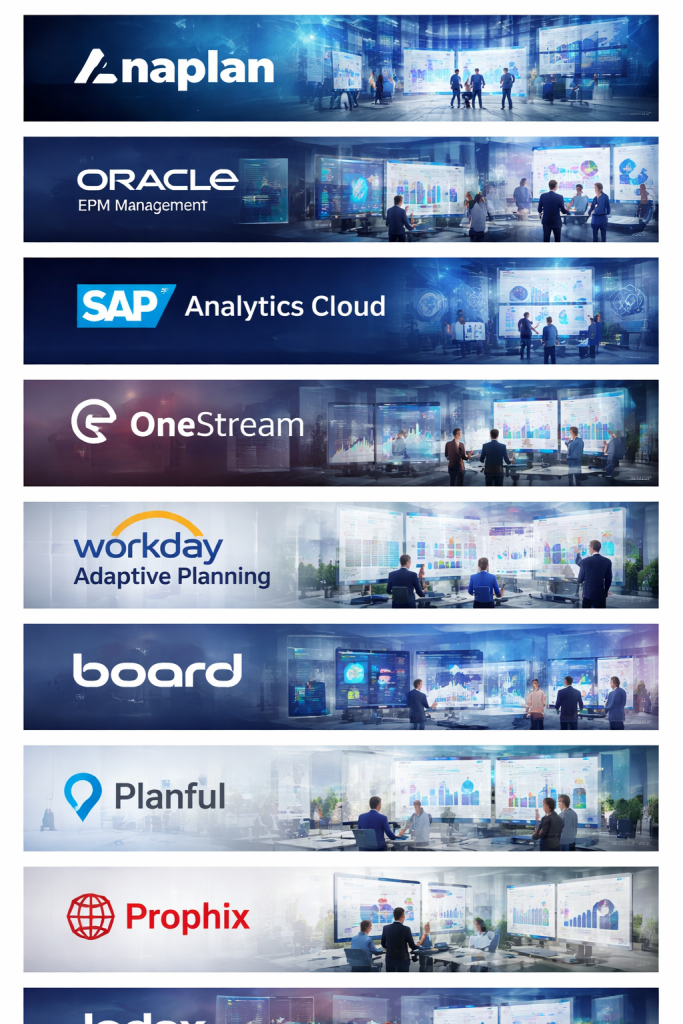
1 — Anaplan
Short description:
Anaplan is a cloud-native CPM platform designed for enterprise-scale planning, forecasting, and performance modeling across finance, sales, and operations.
Key features:
- Connected planning across finance, workforce, and supply chain
- Real-time scenario modeling
- In-memory calculation engine
- Collaborative planning workflows
- Advanced forecasting and modeling
- Role-based access control
- Enterprise-grade scalability
Pros:
- Extremely powerful for complex, multi-department planning
- Real-time updates improve decision speed
- Highly scalable for global enterprises
Cons:
- Steep learning curve for new users
- Higher cost compared to mid-market tools
- Requires dedicated implementation effort
Security & compliance:
SSO, encryption at rest and in transit, SOC 2, ISO standards, GDPR compliance.
Support & community:
Strong enterprise support, structured onboarding, certification programs, and an active global user community.
2 — Oracle EPM Cloud
Short description:
Oracle EPM Cloud delivers a comprehensive CPM suite for financial planning, consolidation, close management, and enterprise reporting.
Key features:
- Financial planning and budgeting
- Financial consolidation and close
- Account reconciliation
- Strategic modeling
- Built-in analytics and dashboards
- Tight integration with ERP systems
- Multi-currency and multi-entity support
Pros:
- End-to-end CPM functionality
- Strong compliance and audit capabilities
- Ideal for complex financial structures
Cons:
- Interface can feel complex
- Implementation may be lengthy
- Best suited for Oracle-centric environments
Security & compliance:
Advanced access controls, encryption, audit trails, SOC, ISO, GDPR.
Support & community:
Enterprise-grade global support, extensive documentation, and large professional ecosystem.
3 — SAP Analytics Cloud (Planning)
Short description:
SAP Analytics Cloud combines planning, analytics, and business intelligence in a single CPM platform.
Key features:
- Integrated financial and operational planning
- Predictive analytics and AI insights
- Real-time dashboards and visualization
- Scenario analysis
- SAP ecosystem integration
- Collaboration and commenting
- Mobile access
Pros:
- Unified analytics and planning
- Strong AI-driven forecasting
- Seamless for SAP users
Cons:
- Less flexible outside SAP environments
- Performance can vary with large datasets
- Licensing complexity
Security & compliance:
Enterprise security, SSO, encryption, GDPR, ISO standards.
Support & community:
Robust enterprise support and a strong SAP user community.
4 — OneStream
Short description:
OneStream is a unified CPM platform focusing on financial consolidation, reporting, and planning with a single data model.
Key features:
- Financial consolidation and close
- Budgeting and forecasting
- Extensible marketplace solutions
- Unified data architecture
- Workflow automation
- Detailed financial reporting
- Audit-ready processes
Pros:
- Single platform reduces complexity
- Strong consolidation capabilities
- Highly extensible architecture
Cons:
- Less intuitive for non-finance users
- Implementation requires expertise
- Higher cost for advanced modules
Security & compliance:
SSO, role-based security, audit logs, SOC compliance.
Support & community:
High-touch enterprise support and a growing partner ecosystem.
5 — Workday Adaptive Planning
Short description:
Workday Adaptive Planning is a user-friendly CPM solution designed for agile budgeting, forecasting, and reporting.
Key features:
- Driver-based planning
- Rolling forecasts
- Scenario modeling
- Workforce planning
- Cloud-based dashboards
- Excel and ERP integrations
- Collaboration features
Pros:
- Easy to use and fast to deploy
- Strong forecasting capabilities
- Excellent for finance teams
Cons:
- Less powerful for deep consolidation
- Advanced customization can be limited
- Reporting flexibility varies
Security & compliance:
Workday-grade security, encryption, SOC, GDPR.
Support & community:
Strong documentation, onboarding resources, and active user forums.
6 — Board
Short description:
Board is an intelligent planning and analytics platform combining CPM, BI, and predictive analytics.
Key features:
- Integrated planning and analytics
- Predictive modeling
- Custom dashboards
- Workflow management
- Scenario simulation
- Data consolidation
- No-code/low-code environment
Pros:
- Combines CPM and BI effectively
- Flexible modeling capabilities
- Strong visualization tools
Cons:
- Interface may feel dated
- Performance tuning required for large models
- Learning curve for advanced use
Security & compliance:
Encryption, access controls, GDPR compliance.
Support & community:
Good documentation, partner-led implementations, and enterprise support.
7 — CCH Tagetik
Short description:
CCH Tagetik is a finance-focused CPM platform known for compliance, regulatory reporting, and consolidation.
Key features:
- Financial consolidation
- Budgeting and forecasting
- Regulatory and statutory reporting
- ESG and sustainability reporting
- Workflow-driven close
- Advanced analytics
- Multi-GAAP support
Pros:
- Excellent compliance capabilities
- Strong financial close processes
- Suitable for regulated industries
Cons:
- Less intuitive UI
- Implementation can be complex
- Primarily finance-centric
Security & compliance:
Audit trails, encryption, GDPR, SOC, regulatory-grade controls.
Support & community:
Strong professional services and enterprise customer support.
8 — Planful
Short description:
Planful is a modern CPM platform aimed at mid-market organizations seeking fast planning and reporting.
Key features:
- Budgeting and forecasting
- Financial consolidation
- Reporting and dashboards
- AI-driven forecasting
- Pre-built templates
- Integration with ERP systems
- Workflow automation
Pros:
- Faster deployment than enterprise CPMs
- Good balance of features and usability
- Strong mid-market focus
Cons:
- Less scalable for very large enterprises
- Limited advanced customization
- Reporting depth may vary
Security & compliance:
Encryption, access controls, GDPR compliance.
Support & community:
Responsive customer support and growing user community.
9 — Prophix
Short description:
Prophix is a CPM solution tailored for mid-sized finance teams focused on budgeting, forecasting, and reporting.
Key features:
- Financial planning and budgeting
- Forecasting and scenario analysis
- Financial reporting
- Workflow approvals
- Excel integration
- Automation tools
- Role-based access
Pros:
- Finance-friendly interface
- Strong Excel integration
- Affordable compared to enterprise tools
Cons:
- Limited enterprise scalability
- UI feels traditional
- Fewer advanced analytics features
Security & compliance:
SSO, encryption, GDPR, standard audit controls.
Support & community:
Good customer support and practical onboarding resources.
10 — Jedox
Short description:
Jedox is a flexible CPM and planning platform combining spreadsheet-like usability with enterprise performance management.
Key features:
- Integrated planning and forecasting
- Excel-like modeling
- Financial consolidation
- Pre-built CPM templates
- In-memory database
- Workflow management
- Custom dashboards
Pros:
- Familiar spreadsheet-style experience
- Flexible modeling
- Competitive pricing
Cons:
- Less polished UI
- Requires careful model design
- Smaller ecosystem
Security & compliance:
Encryption, access controls, GDPR compliance.
Support & community:
Decent documentation and partner-based support model.
Comparison Table
| Tool Name | Best For | Platform(s) Supported | Standout Feature | Rating |
|---|---|---|---|---|
| Anaplan | Large enterprises | Cloud | Real-time connected planning | N/A |
| Oracle EPM Cloud | Global finance teams | Cloud | End-to-end CPM suite | N/A |
| SAP Analytics Cloud | SAP-centric orgs | Cloud | Integrated BI + planning | N/A |
| OneStream | Complex consolidation | Cloud / Hybrid | Single data model | N/A |
| Workday Adaptive Planning | Agile finance teams | Cloud | Ease of use | N/A |
| Board | Planning + analytics | Cloud / On-prem | Unified CPM + BI | N/A |
| CCH Tagetik | Regulated industries | Cloud / On-prem | Compliance reporting | N/A |
| Planful | Mid-market | Cloud | Fast deployment | N/A |
| Prophix | Mid-sized finance | Cloud / On-prem | Excel-centric CPM | N/A |
| Jedox | Flexible modeling | Cloud / On-prem | Spreadsheet-like CPM | N/A |
Evaluation & Scoring of Corporate Performance Management (CPM)
| Criteria | Weight | Evaluation Focus |
|---|---|---|
| Core features | 25% | Planning, consolidation, reporting depth |
| Ease of use | 15% | UI, learning curve, adoption |
| Integrations & ecosystem | 15% | ERP, CRM, data sources |
| Security & compliance | 10% | Controls, certifications |
| Performance & reliability | 10% | Speed, scalability |
| Support & community | 10% | Documentation, support quality |
| Price / value | 15% | ROI, licensing flexibility |
Which Corporate Performance Management (CPM) Tool Is Right for You?
- Solo users / SMBs: Lightweight CPM or budgeting tools may suffice; full CPM may be overkill.
- Mid-market organizations: Planful, Prophix, Jedox, or Adaptive Planning offer strong value.
- Enterprises: Anaplan, Oracle EPM, SAP Analytics Cloud, or OneStream are better suited.
- Budget-conscious teams: Mid-market CPMs provide essential features without enterprise pricing.
- Feature depth seekers: Enterprise CPM platforms offer advanced modeling and consolidation.
- Integration-heavy environments: Choose tools aligned with your ERP ecosystem.
- Security-driven industries: Prioritize platforms with strong audit and compliance controls.
Frequently Asked Questions (FAQs)
1. What is CPM software used for?
CPM software helps organizations plan, monitor, and optimize financial and operational performance.
2. Is CPM only for finance teams?
Primarily yes, but modern CPM tools support operations, HR, and strategy teams as well.
3. How long does CPM implementation take?
It can range from a few weeks for mid-market tools to several months for enterprise platforms.
4. Are CPM tools replacing spreadsheets?
They reduce spreadsheet reliance but often integrate with them for flexibility.
5. Is CPM suitable for small businesses?
Usually not; simpler tools are often more cost-effective for small teams.
6. How secure are CPM platforms?
Most enterprise CPM tools offer strong encryption, access controls, and compliance features.
7. Can CPM tools integrate with ERP systems?
Yes, ERP integration is a core requirement for most CPM solutions.
8. What is rolling forecasting?
It is a continuous forecasting approach that updates projections regularly.
9. Are CPM tools customizable?
Most offer configurable models, workflows, and dashboards.
10. What is the biggest mistake when choosing CPM software?
Overbuying complexity without clear business requirements.
Conclusion
Corporate Performance Management (CPM) tools play a vital role in transforming how organizations plan, measure, and execute their strategies. From budgeting and forecasting to consolidation and reporting, CPM platforms provide clarity, control, and confidence in decision-making.
The most important factors when choosing a CPM tool include business size, planning complexity, integration needs, usability, security, and total cost of ownership. There is no single “best” CPM solution for everyone. The right choice depends on your organization’s structure, maturity, and strategic goals.
By aligning tool capabilities with real business needs, organizations can unlock the full value of CPM and drive sustainable, data-driven performance.

Find Trusted Cardiac Hospitals
Compare heart hospitals by city and services — all in one place.
Explore Hospitals
This is a really useful overview of corporate performance management tools! I like how the article not only lists the top options but also compares their key features, pros, and cons in a straightforward way. It makes it much easier to understand which tool might fit different business needs, whether someone is focusing on planning, analytics, or reporting. The balanced breakdown helps professionals make informed decisions without the overwhelm. Great work!