MYHOSPITALNOW.COM

Find Trusted Doctors & Hospitals

Discover healthcare providers, compare hospitals, and explore treatment options worldwide.

Free Treatment Quotes • Doctor Search • Hospital Comparison

Find Healthcare Options

www.myhospitalnow.com

Bootstrap 4 upgrade in laravel 5.5

Introduction

Hello Friends,
In this article I will describe how to create a Laravel 5.5 application from scratch and also I am going to describe how you can upgrade from default Bootstrap 3 to Bootstrap 4.

I. Creating a Laravel 5.5 application from scratch

Step 1: Let’s create a new Laravel 5.5 App from scratch using command:
composer create-project laravel/laravel5.5app "5.5.*" --prefer-dist

Git Bash terminal running composer create-project laravel/laravel laravel5.5app 5.5.* --prefer-dist

As we can see It has created a laravel5.5app directory and installed all the Laravel specific dependencies.
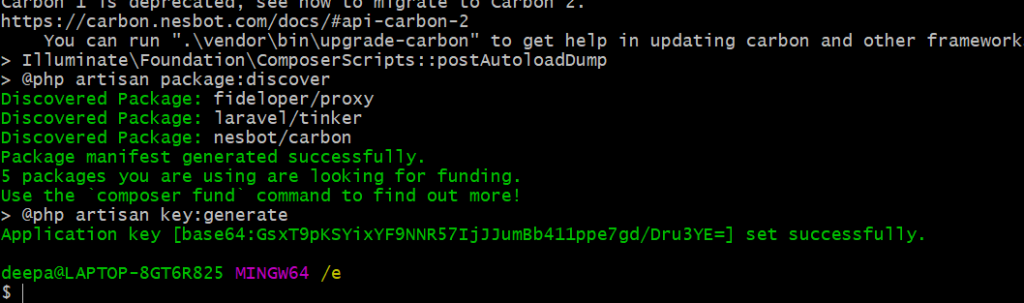
Composer output showing package discovery and the application key set successfully

Go to directory path using command cd laravel5.5app

Terminal running cd laravel5.5app to enter the new project directory

Step 2: run command composer install to create a composer folder under \laravel5.5app\vendor with all required dependencies
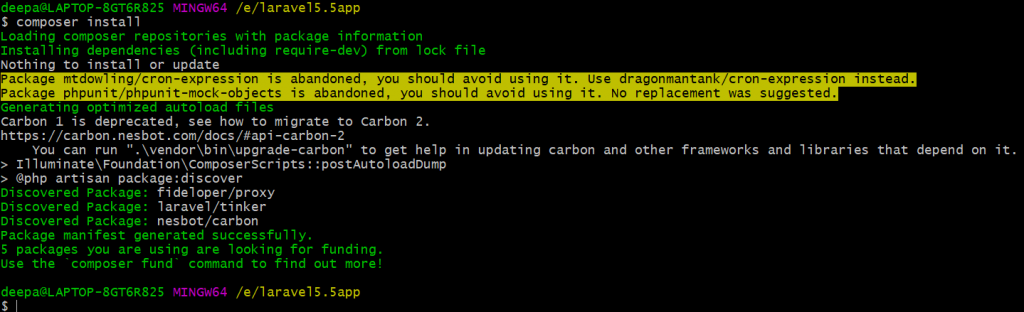
Composer install output generating autoload files and discovering packages in laravel5.5app

Step 3: Creating node module with all required node dependencies using command npm install

Git Bash terminal running npm install in the laravel5.5app directory

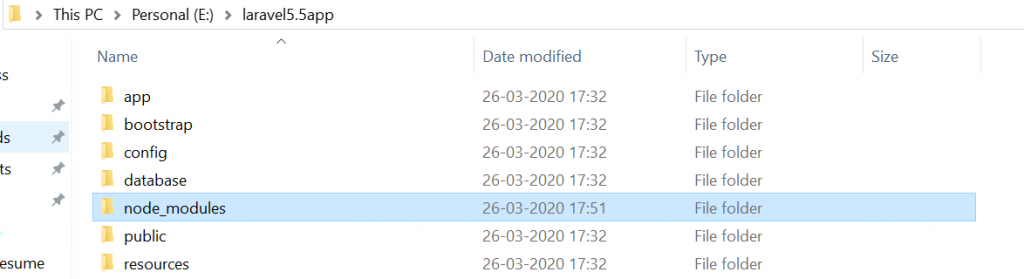
As we can see there is not any node_module folder in my project directory. Once we run npm install it will create node module folder with all required node packages.
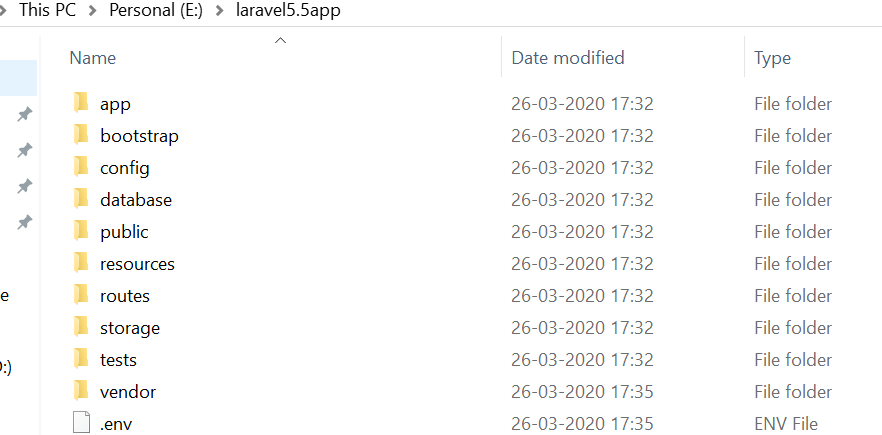
File Explorer view of the laravel5.5app folder before npm install, with no node_modules folder

All node packages has been installed successfully. Now check your project directory whether node_module folder created or not.
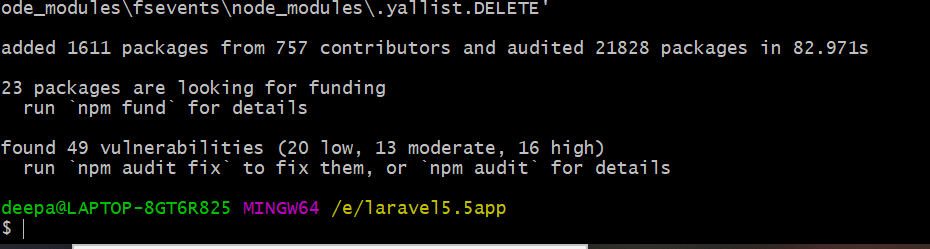
Npm install output: 1611 packages added, with 49 vulnerabilities reported

Yeh, its created Right…….!

File Explorer showing the new node_modules folder highlighted in laravel5.5app

Step 4: Now our project is ready to run over server. Use command php artisan serve to run the project and hit Enter button.

Boom.. Guys our laravel5.5app project is up and running on localhost:8000
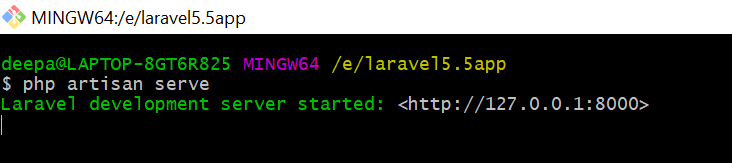
Php artisan serve output showing the Laravel development server started at http://127.0.0.1:8000

Step 5: Open your browser and hit url http://localhost:8000/ and your application is ready.
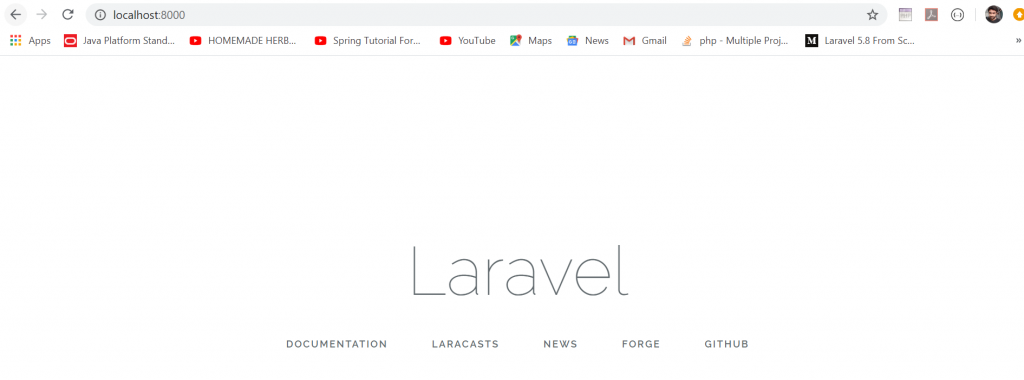
Browser at localhost:8000 showing the default Laravel welcome page

II. Steps to upgrade from default Bootstrap 3 to Bootstrap 4.

Step 1: Open Code editor and import the created laravel5.5app project directory into it. (Here i am using visual studio IDE)
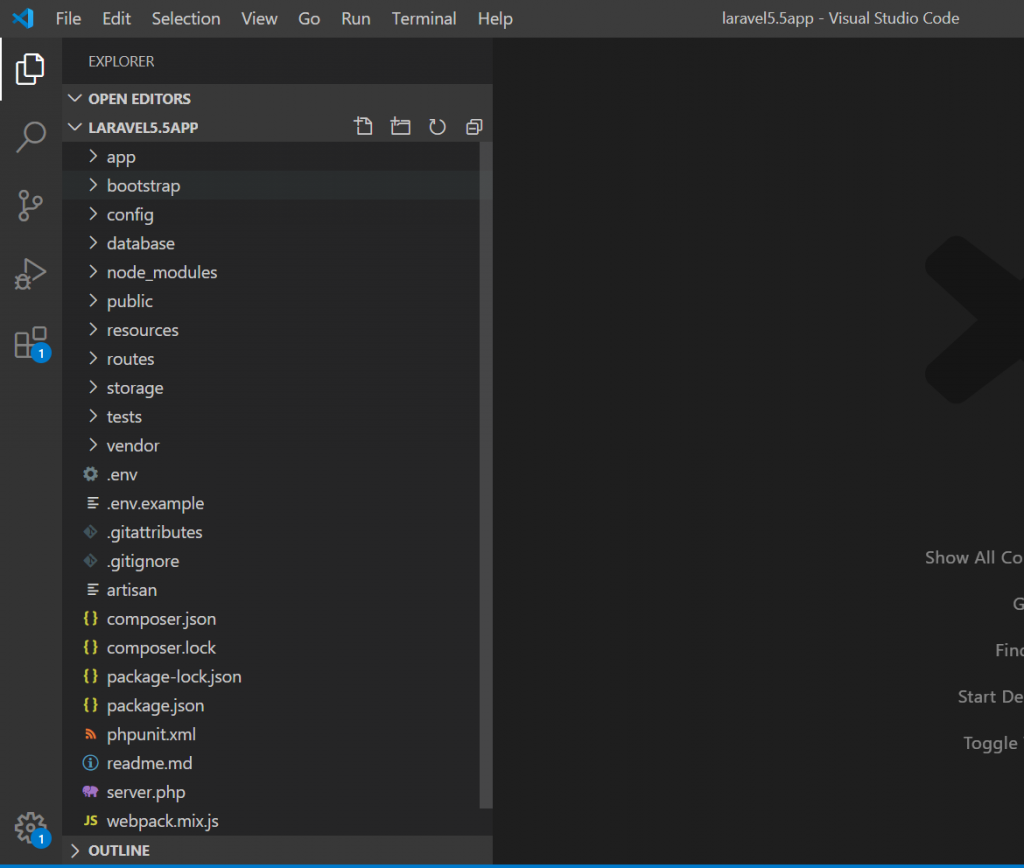
Visual Studio Code Explorer showing the laravel5.5app project folders and files

As we know laravel application uses public folder to use css and javascript. So open public/css/app.css to check the default version of Bootstrap. Here it shows v3.3.7. Now our target is to upgrade it to latest version which is 4.4.1
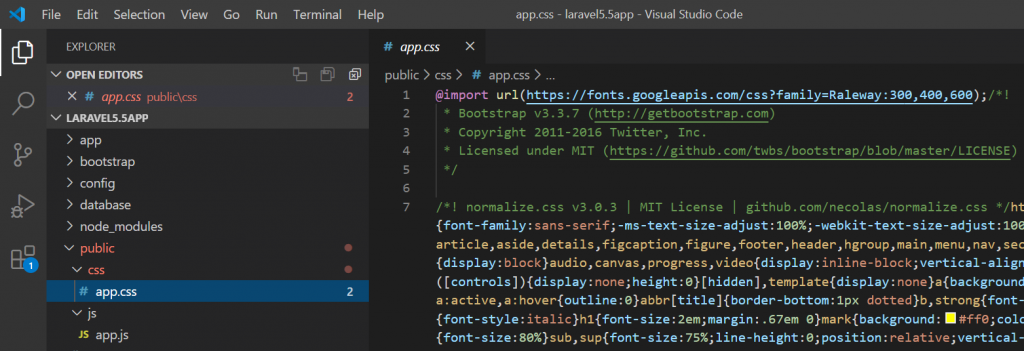
Public/css/app.css open in VS Code with a header showing Bootstrap v3.3.7

Step 2: To download latest version of bootstrap package in node_module folder in project directory run npm install bootstrap@4.4.1 or npm i bootstrap@4.4.1
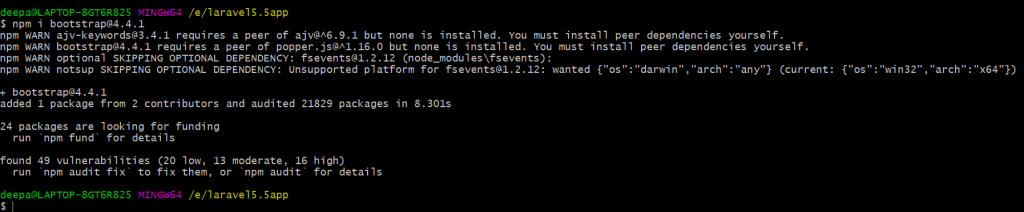
Terminal output of npm i bootstrap@4.4.1 adding the Bootstrap 4.4.1 package, with peer dependency warnings

we can see a bootstrap package with version 4 in laravel5.5app/node_module has been created.
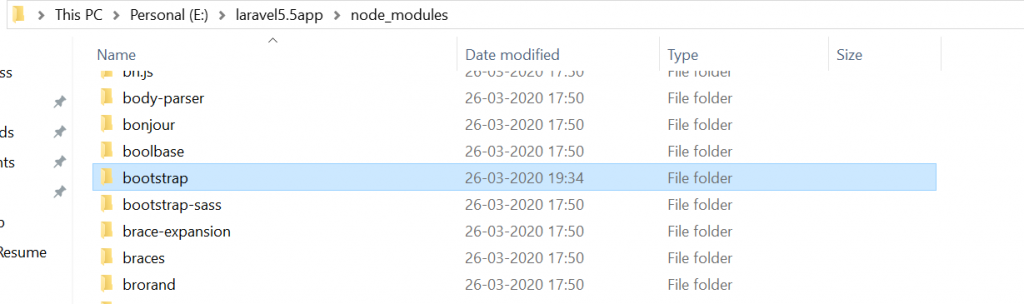
Windows Explorer showing the bootstrap folder in laravel5.5app node_modules after installing Bootstrap 4.4.1

Step 3: Open resources/assets/sass/app.scss

replace the import of older path with new path of bootstrap.scss as: @import "~bootstrap/scss/bootstrap.scss"; I have commented line no. 9 and wrote line no. 10 with latest import of bootstrap 4.
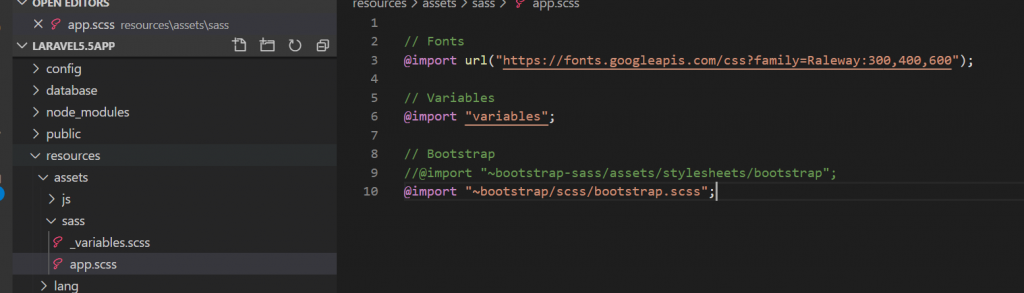
VS Code app.scss with the old bootstrap-sass import commented out and the new bootstrap.scss import added

Step 4: Open resources/assets/sass/_variables.scss convert 'px' to 'rem'(because ‘px’ unit is incompatible in bootstrap 4). Here 14px = 0.875rem.

Refer: laravel5.5app\resources\assets\sass\_variables.scss
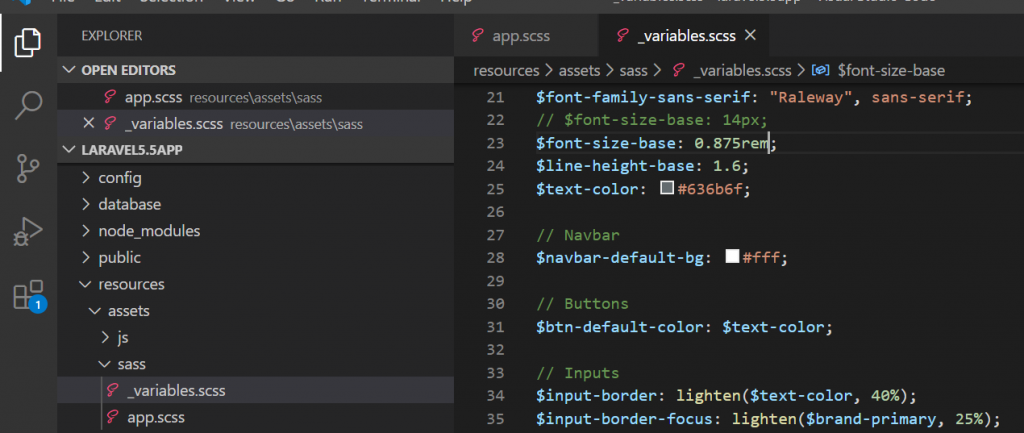
VS Code _variables.scss with font-size-base changed from 14px to 0.875rem for Bootstrap 4

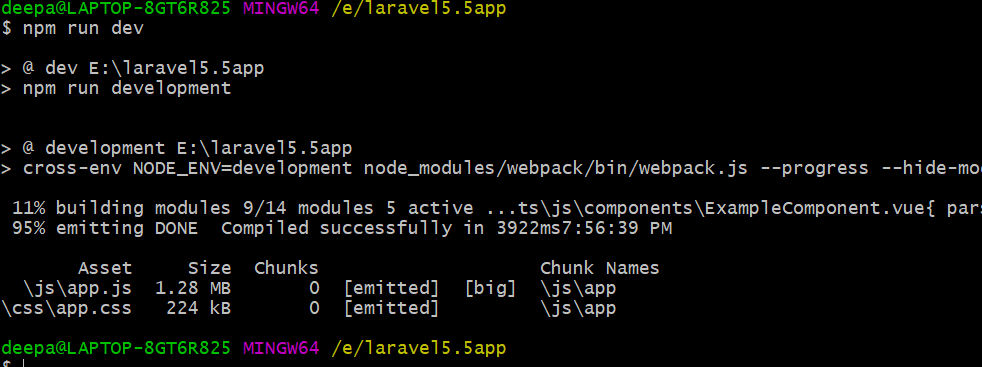
Step 5: run npm run dev to exicute webpack.mix.js file.

This File will Compile 'resources/assets/js/app.js', and make a copy in 'public/js' and also Compile 'resources/assets/sass/app.scss', and make a copy with .css extension in 'public/css'
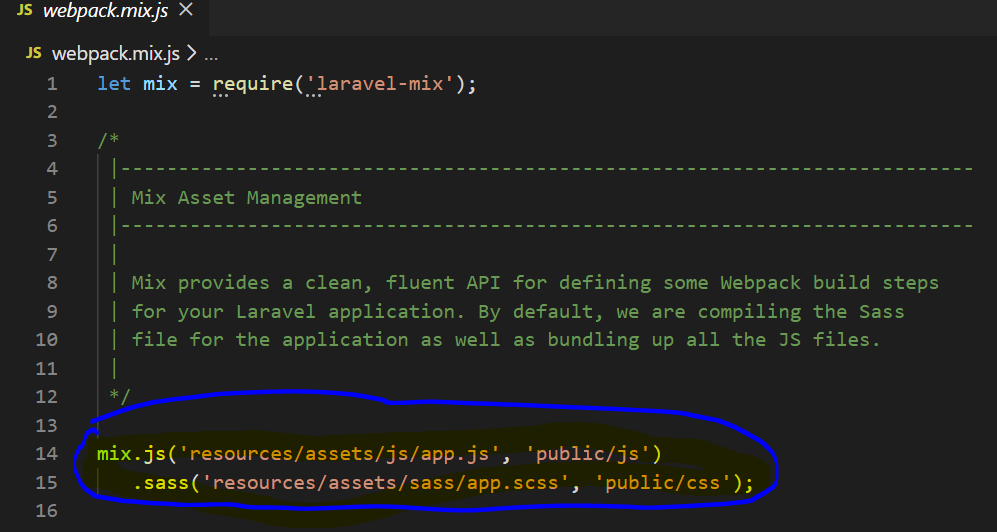
Webpack.mix.js with mix.js and .sass lines compiling app.js and app.scss into public folders highlighted
Terminal output of npm run dev compiling app.js and app.css successfully with webpack

Step 6: Repeat 1st step and check the version of Bootstrap in public/css/app.css .

Boom…., It is upgraded to Bootstrap v4..4.1
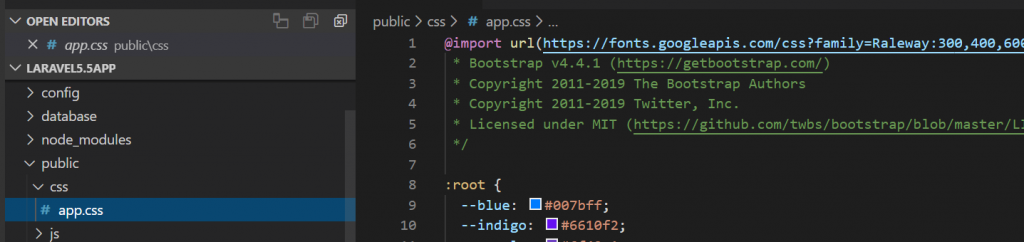
Compiled public/css/app.css in VS Code showing the Bootstrap v4.4.1 header comment

Find Trusted Cardiac Hospitals

Compare heart hospitals by city and services — all in one place.

Explore Hospitals
MotoShare.in is your go-to platform for adventure and exploration. Rent premium bikes for epic journeys or simple scooters for your daily errands—all with the MotoShare.in advantage of affordability and ease.

Related Posts

Dependency Management Tools

Have you ever struggled with managing dependencies in your project? Fear not, for there are many tools available to make your life easier. In this blog post,…

Read More

How to configure Laravel 5.5 with Bootstrap 4

Bootstrap 3 to bootstrap 4.3.1 upgrade in Laravel 5.5 Note: Laravel 5.5 uses bootstrap 3 by default Steps involved in the upgrade Open gitbash in the home…

Read More

Major programming languages, the common package tool(s), and the central community package repository.

Most programming languages pair a command-line package tool with a public registry it downloads dependencies from. Examples are cargo with crates.io, pip with PyPI, Maven with Maven…

Read More

Best Software Supply Chain Malware Detection Tools

A malicious dependency presents a different question from an ordinary vulnerable library: should this package be allowed to run at all? A tool that reports a problem…

Read More

Web Development Toolkit for DevOps Teams: Visualization, UI, Realtime, and Monitoring Tools

This revised toolkit organizes the original tool list into practical categories for modern engineering teams. It includes a comparison table, a tool-selection workflow, and setup commands for commonly used components.

Read More

Grunt Training Guide: Course Outline, Hands-On Labs, and CI Workflow

This updated guide turns a legacy Grunt course post into a practical training reference for developers and DevOps teams. It includes a structured curriculum, build workflow, sample Grunt configuration, CI example, and tool comparisons.

Read More