
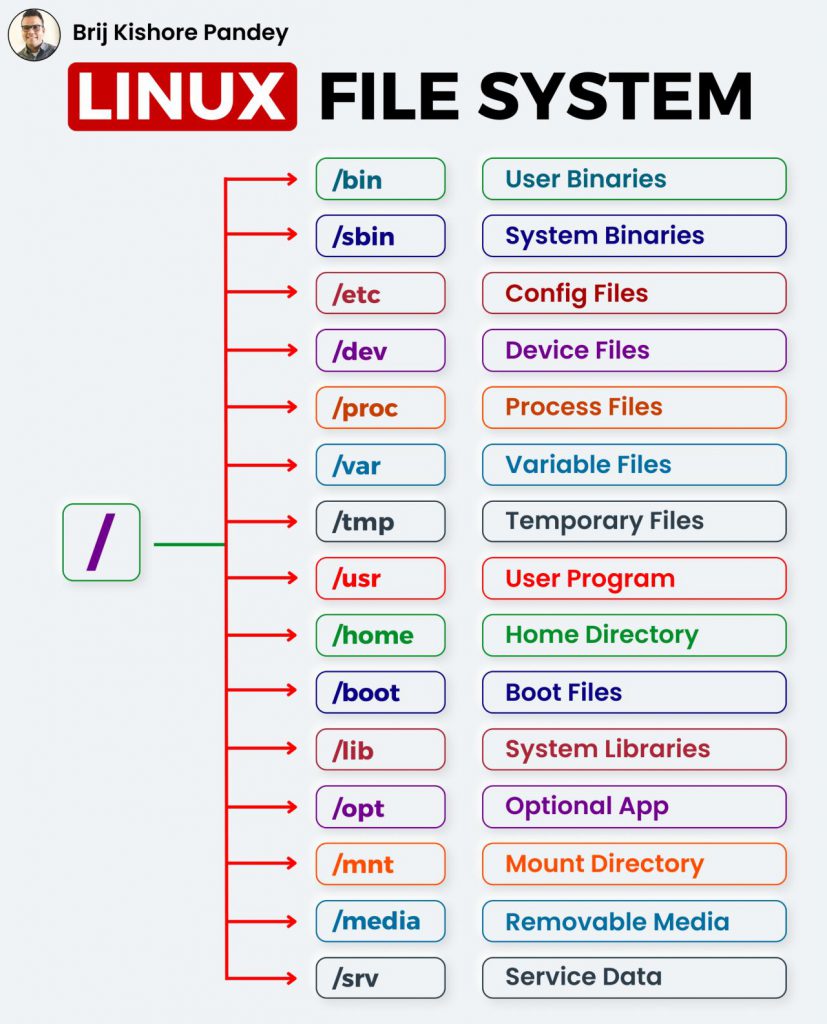
/: The root directory where it all begins. Every other directory is a subdirectory of this one.
/𝗯𝗶𝗻: Contains fundamental binary files, necessary for minimal system functioning.
/𝘀𝗯𝗶𝗻: Similar to /bin, but contains binaries essential for system bootup and repair.
/𝗲𝘁𝗰: Holds system-wide configuration files. It’s the go-to place for system administrators.
/𝗵𝗼𝗺𝗲: A personal space for users. Think of it as your work desk, containing your documents, downloads, and more.
/𝘃𝗮𝗿: Stores variable data files such as logs, emails, print queues, and most notably databases.
/𝘂𝘀𝗿: Holds user-related programs, libraries, and files.
/𝗹𝗶𝗯: Contains shared library files supporting the binaries in /bin and /sbin.
/𝗼𝗽𝘁: Optional or add-on software packages are located here.
/𝘁𝗺𝗽: A place for temporary files used by the system, cleared upon reboot.
/𝗯𝗼𝗼𝘁: All the files necessary for booting the system are here.
/𝗱𝗲𝘃: Contains device files for all hardware devices on the system.
/𝗽𝗿𝗼𝗰: An interesting directory that doesn’t contain files but system and process information.
/𝗿𝗼𝗼𝘁: This is the home directory for the root user, not to be confused with the root (/) directory at the top of the filesystem.
/𝗿𝘂𝗻: This directory hosts temporary files (like /tmp) but these are specifically related to running processes and are created at an early stage of the boot process.
/𝘀𝗿𝘃: This directory contains data for services provided by the system.
/𝘀𝘆𝘀: Similar to /proc, this is a virtual filesystem providing a unified interface through which the kernel provides information about devices, drivers, and some kernel features.
/𝗺𝗻𝘁: This is a generic mount point under which you mount filesystems or devices.
/𝗺𝗲𝗱𝗶𝗮: This directory is generally used by the system as a mount point for removable media like CDs, digital cameras, or other media devices.

I’m Rajesh Kumar, a DevOps, SRE, DevSecOps, Cloud, and Platform Engineering expert passionate about sharing practical knowledge, real-world experiences, and industry best practices. I have worked at Cotocus and regularly write about technology, travel, investing, health, product reviews, and digital marketing through my various platforms.
I publish technical articles at DevOps School, travel stories at Holiday Landmark, stock market insights at Stocks Mantra, health and fitness guidance at My Medic Plus, product reviews at TrueReviewNow, and SEO and digital marketing strategies at Wizbrand.
Find Trusted Cardiac Hospitals
Compare heart hospitals by city and services — all in one place.
Explore Hospitals

