
Monitoring a Windows service with a changing name using Zabbix can be complex due to the changing service name. One approach is to use Zabbix’s LLD (Low-Level Discovery) feature along with scripting to dynamically discover and monitor the changing service.
Method – 1
Here’s a step-by-step guide:
Create a PowerShell Script:
Write a PowerShell script that discovers the service name each time it’s executed. The script should output JSON in a specific format that Zabbix understands for LLD.
$services = Get-Service | Where-Object { $_.Status -eq "Running" } | Select-Object -Property DisplayName

$discoveryResult = @()
foreach ($service in $services) {
    $discoveryResult += @{
        "{#SERVICE_NAME}" = $service.DisplayName
    }
}

$discoveryResult | ConvertTo-Json
Code language: PHP (php)- Configure LLD Rule in Zabbix: In Zabbix, create a discovery rule that uses the PowerShell script to discover the running services. Define a LLD rule that processes the JSON output from the script.
- Create Item Prototypes: Once services are discovered, you can create item prototypes based on the discovered services. These item prototypes will monitor the status of each service.
- Create Trigger Prototypes: Similarly, create trigger prototypes for each item prototype to raise alerts based on the service status.
- Configure Host: Set up a Zabbix host for the Windows machine you’re monitoring. Associate the discovery rule and item prototypes with this host.
- Schedule Discovery: Configure a schedule for the discovery rule so that Zabbix runs the PowerShell script at regular intervals.
With this setup, Zabbix will dynamically discover the running services and monitor them accordingly, even if the service name changes on every restart.
Method – 2
There are a few ways to monitor a service of Windows where the service name changes on every restart in Zabbix.
One way is to use the service.active item key. The service.active item key returns the name of the service that is currently running. So, if the service name changes, the Zabbix item will also change.
To do this, you can create a Zabbix item that monitors the service using the service.active item key. In the Params field, specify the name of the service that you want to monitor.
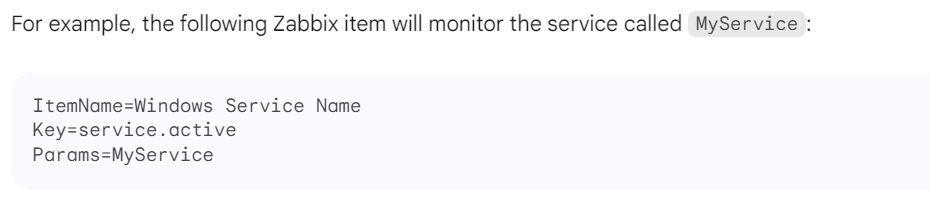
You can also create a Zabbix trigger that is based on the service.active item. The trigger will be triggered if the service name changes.

Method -3
Another way to monitor a service of Windows where the service name changes on every restart in Zabbix is to use the service.info item key. The service.info item key returns the current name of the service. So, if the service name changes, the Zabbix item will also change.
To do this, you can create a Zabbix item that monitors the service using the service.info item key. In the Params field, specify the name of the service that you want to monitor.
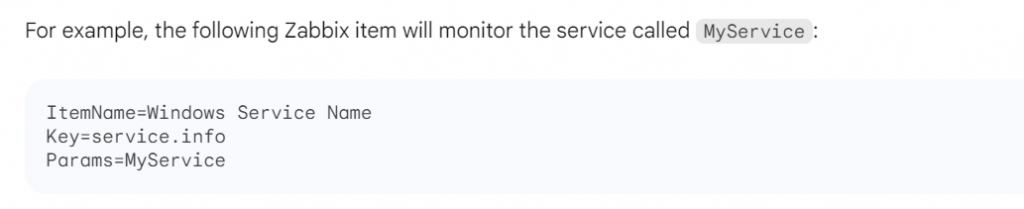
You can also create a Zabbix trigger that is based on the service.info item. The trigger will be triggered if the service name changes.

Finally, you can also use the service.state item key to monitor a service of Windows where the service name changes on every restart in Zabbix. The service.state item key returns the state of the service as a number. The following values are possible:
- 0: The service is not running.
- 1: The service is running.
- 2: The service is starting.
- 3: The service is stopping.
You can use the service.state item key to create a Zabbix trigger that monitors the state of the service and generates an alert if the state changes.

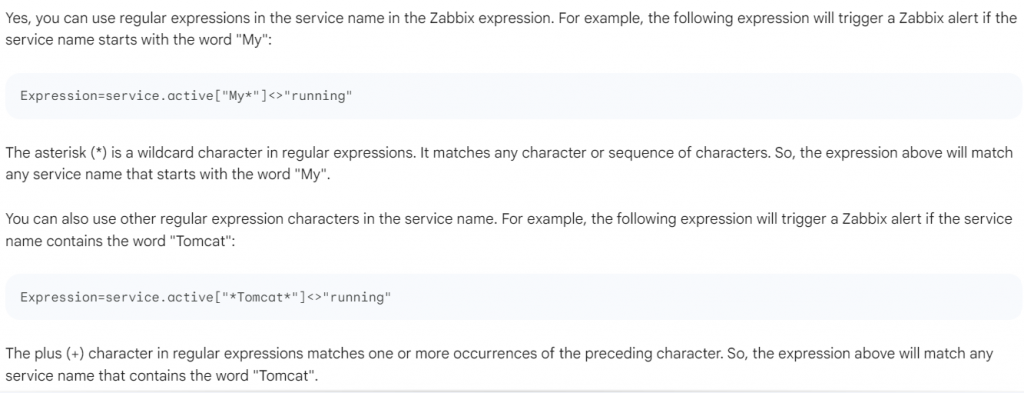
Can you use regular expression in service name?

I’m Rajesh Kumar, a DevOps, SRE, DevSecOps, Cloud, and Platform Engineering expert passionate about sharing practical knowledge, real-world experiences, and industry best practices. I have worked at Cotocus and regularly write about technology, travel, investing, health, product reviews, and digital marketing through my various platforms.
I publish technical articles at DevOps School, travel stories at Holiday Landmark, stock market insights at Stocks Mantra, health and fitness guidance at My Medic Plus, product reviews at TrueReviewNow, and SEO and digital marketing strategies at Wizbrand.
Find Trusted Cardiac Hospitals
Compare heart hospitals by city and services — all in one place.
Explore Hospitals




