
Why Does Invoice Data Look Correct in QuickBooks but Wrong in Salesforce?
You open a Salesforce Account or Opportunity and review the related payment or billing information. Salesforce indicates that the invoice has not yet been paid. A quick check with the finance team shows a different picture: the payment was recorded in QuickBooks several days ago. Reports continue to show outstanding balances, and automated reminders are triggered for customers who have already paid, putting sales teams in an awkward position.
Insight:
- Statistics from IBM show that 82% of large organizations report data silos disrupting critical workflows, leading to delays, errors, and inefficiencies when teams can’t access or share data across systems, and 68% of enterprise data remains unanalyzed.
This type of mismatch usually does not appear all at once. At first, only small details are missing:
- A payment date is not visible,
- A balance looks slightly off.
Over time, these gaps grow into real problems:
- Sales teams hesitate before contacting customers,
- Finance questions Salesforce reports,
- Managers lose confidence in dashboards that should reflect revenue accurately.
The issue is rarely caused by user error. In many cases, the root cause is how Salesforce and QuickBooks are connected. When the integration is not designed to handle accounting records inside Salesforce, data may move, but it does not always stay consistent.
That is where deeper problems begin to surface.
Why Teams Start with Zapier QuickBooks Salesforce Integration
When Salesforce teams first look for a way to connect accounting data, Zapier often appears as a reasonable starting point. It promises quick setup, no code, and flexibility. For teams under time pressure, this matters. A few workflows can be built in hours, not weeks, and early results look encouraging:
- An invoice is created,
- A customer record appears,
- Data starts moving.
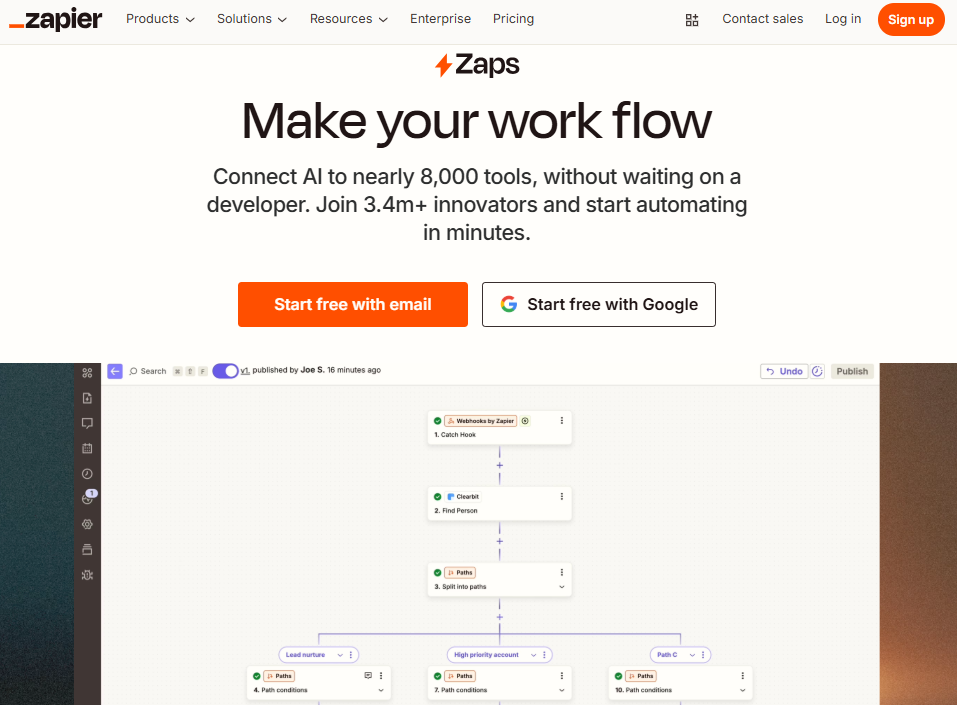
Zapier QuickBooks Salesforce integrations also feel familiar. A well-known and widely used product that is often already part of the company’s existing integrations. Zapier reports that over 3.4 million businesses use its platform, connecting workflows across nearly 8,000 applications. With that level of reach, it is often already present in a company’s tech stack. Extending that approach to accounting workflows seems like a natural step. The assumption is that invoices and payments behave like other records and can be handled in the same way.
At the initial stage, expectations are usually low. Teams are not trying to rebuild accounting inside Salesforce. They want visibility, basic automation, and fewer manual updates. The problem is that accounting data brings different requirements. Those differences are easy to underestimate at the beginning, but they become much harder to ignore once Salesforce reports and automations depend on that data.
Salesforce Accounting Data vs Event-Based Automation
Salesforce is built around structured records that are meant to be reported on, filtered, and reused across automation. Opportunities, Accounts, and related objects represent an ongoing state of the business. Accounting data follows a similar pattern. Invoices change status, balances are adjusted by payments or credits, and historical accuracy matters for reporting and audits.
Event-based automation takes a different approach. It reacts to individual moments in time, such as a record being created or updated. That works well for alerts or simple data movement, but it becomes fragile when Salesforce users expect accounting data to behave like native records.
The difference becomes clearer when comparing the two models:
| Salesforce Accounting Data vs Event-Based Automation | |
| Salesforce and Accounting Data | Event-Based Automation |
| Represents the current and historical state | Reacts to individual actions or changes (events) |
| Designed for reporting and forecasting | Designed to execute workflows automatically |
| Maintains relationships between records | Acts on one record or event at a time |
| Tracks ongoing changes over time | Focuses on what happens at a specific moment |
| Supports queries and summaries across multiple records | Activates based on specific triggers (record created, updated, deleted, or scheduled) |
Sales teams often want invoice status visible on Accounts, accurate balances in reports, and automation that reacts to real financial conditions. That is why many organizations look for tighter connections between QuickBooks and Salesforce, rather than relying only on event-driven workflows.
When accounting data is treated as a series of events instead of a structured dataset, Salesforce may receive updates, but users do not always get a complete or reliable financial picture.
What Breaks First in a Zapier Salesforce QuickBooks Setup
The first signs of trouble usually appear in areas Salesforce users rely on every day. Reports begin to show invoice balances that do not match what finance sees in QuickBooks. Some invoices lack payment context. Others update once and never reflect later changes. Because the integration is still running, these issues are often overlooked at first.
Reporting inconsistencies are usually the earliest warning sign:
- Invoice balances in Salesforce do not match accounting records.
- Payment dates are missing or outdated.
- Dashboards mix paid and unpaid invoices.
Automation issues tend to follow. Salesforce Flows logic triggers actions based on stale data:
- Payment reminders are sent at the wrong time.
- Opportunities stay open after revenue is collected.
- Follow-up tasks are created unnecessarily.
Data from Quickbooks Invoices often break next. Invoices with multiple products lose structure when synced through event-driven workflows:
- Items arrive as flattened text.
- Product references are missing.
- Reporting on quantities or revenue by product becomes unreliable.
In a Zapier Salesforce-QuickBooks setup, these failures share a common cause. Data is passed as individual events rather than maintained as a complete accounting record inside Salesforce. Updates arrive, but the full financial context does not persist.
When teams start exporting data to spreadsheets to confirm invoice status, it is usually a sign that the integration is no longer supporting daily work.
The Ongoing Maintenance of Salesforce QuickBooks Integration
The long-term effort behind an event-driven integration usually becomes visible only after the initial setup phase. Early on, workflows appear stable. Over time, routine changes start to expose structural weaknesses that are harder to address than expected.
Maintenance is triggered by normal system changes:
- New custom fields or validation rules in Salesforce.
- Updates to automation logic or reporting requirements.
- Changes to invoice structure or payment behavior in QuickBooks.
Each change increases the risk that existing workflows no longer behave as intended.
When issues appear, fixing them is rarely straightforward. Logs may show that a Zap ran, but they do not confirm whether Salesforce reflects the current financial state. Accounting data continues to change after the original event through payments, credits, or adjustments. Event-based automation responds to moments in time, not to the evolving state of a record.
Ownership adds another layer of complexity. Salesforce admins do not manage QuickBooks settings. Finance teams do not control automation logic. As a result, troubleshooting depends on coordination across teams and systems.
In a Salesforce QuickBooks integration built around event-driven workflows, maintenance is not an occasional task. It becomes part of daily operations, and each fix adds complexity instead of restoring long-term confidence in the data.
How Specialized Salesforce-Native Connectors Change the Salesforce QuickBooks Relationship
Unlike intermediary tools such as Zapier, Salesforce AppExchange offers native applications that can be installed directly from this marketplace. These apps run inside the Salesforce platform and follow its data model, security rules, and customization patterns. Among them are specialized solutions designed specifically to connect Salesforce organizations with QuickBooks in a deeper and more controlled way.
This distinction matters. Cross-platform connectors focus on moving data between systems. Native, specialized solutions focus on how that data lives and behaves inside Salesforce. That difference removes many of the limitations discussed earlier, especially around reporting, automation, and long-term data consistency.
From Cross-Platform Automation to Salesforce-Native Design
To better illustrate this approach, it helps to look at a concrete example. When reviewing the available options on Salesforce AppExchange, a search for “QuickBooks connectors” highlights solutions built specifically for this use case.
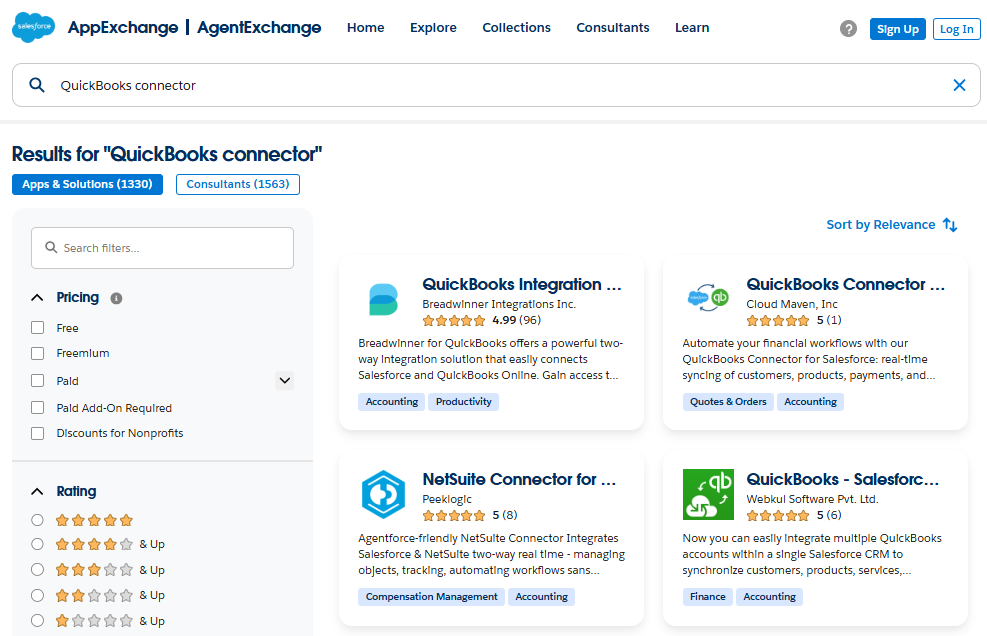
As an example, for the purposes of this article, we will use the first application suggested to us: Breadwinner for QuickBooks. This makes it possible to compare how specialized tools approach the Salesforce–QuickBooks connection versus large, cross-platform integration platforms.
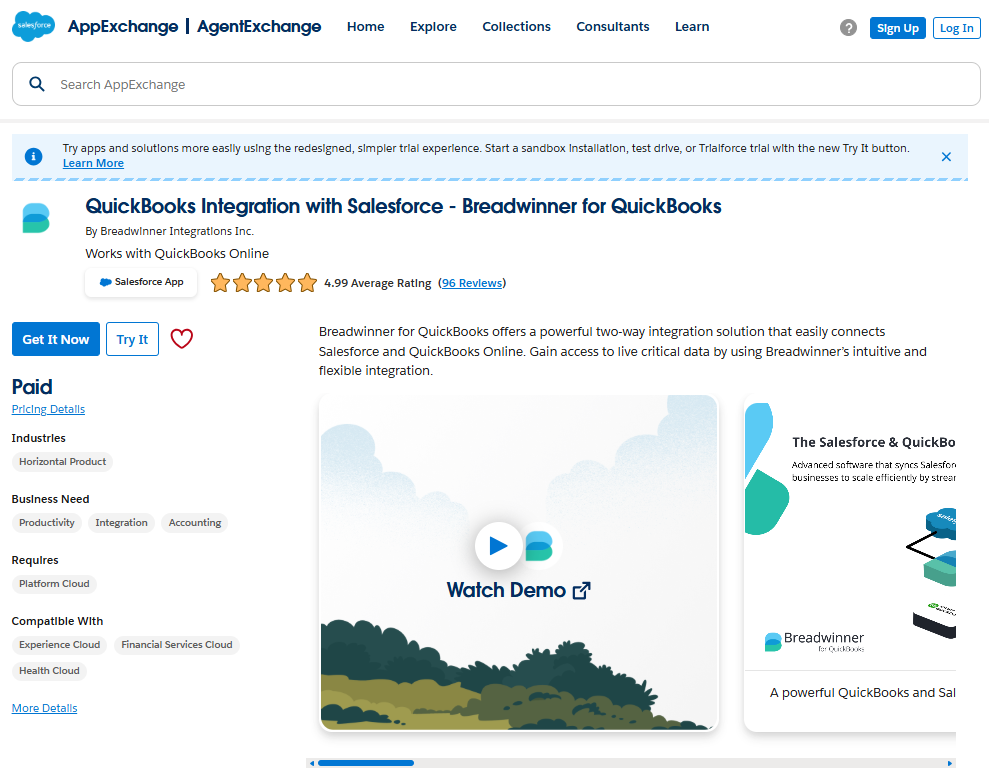
In solutions like Breadwinner for QuickBooks, accounting data is replicated inside the Salesforce organization as structured records. Invoices, payments, items, and related details behave like native Salesforce data. They can be reported on, filtered, and referenced in Flows, dashboards, and analytics without relying on external automation layers. This approach also makes financial data available for newer platform capabilities, including Agentforce workflows, in the same way as other Salesforce records.
That architectural choice changes how teams work. Salesforce becomes a reliable place to understand customer financial status, not just a mirror of past events.
Why Specialization Changes Both Setup and Daily Use
An important note is that the specialized QuickBooks and Salesforce connector, which provides deep integration between these two systems, does not always involve a lengthy configuration process. For example, the specific solution from Breadwinner can be configured and implemented even faster than the solution from Zapier, in hours, precisely because it was created and evolved as a solution for one specific task and therefore handles this task more efficiently than multipurpose software.
Support for specialized applications is also simpler because, as we have already mentioned, they are native to Salesforce. This means it is configured, managed, and maintained directly within your Salesforce org, without the need to involve an additional specialist with the necessary qualifications to configure a cross-platform software solution.
Cross-platform tools still have a place for simple notifications or lightweight data movement. But when Salesforce reporting, automation, and revenue visibility depend on QuickBooks data, specialized native solutions provide a more predictable and scalable foundation.
When Salesforce QuickBooks Zapier Still Makes Sense
Despite its limitations, Zapier is not always the wrong choice. There are cases where a lightweight approach is enough and where a deeper accounting context inside Salesforce is not required. The key is understanding what problem you are trying to solve and how Salesforce is expected to use QuickBooks data.
The table below summarizes when an event-based tool and when a specialized native solution is a better fit.
| Use Case | Zapier | Specialized Native Solution (e.g., Breadwinner) |
| Simple notifications or alerts | ✅ Good fit | ❌ Not required |
| One-time or temporary workflows | ✅ Good fit | ❌ Not required |
| Low data volume, minimal reporting | ✅ Acceptable | ✅ Acceptable when future growth or accuracy matters |
| Salesforce reporting on invoices and payments | ❌ Limited suitability | ✅ Good fit |
| Automation based on financial status | ❌ Limited suitability | ✅ Good fit |
| Long-term scalability and data accuracy | ❌ Limited suitability | ✅ Best fit for long-term use |
A Salesforce QuickBooks Zapier setup can work when the goal is basic visibility or simple automation with limited expectations. It becomes a challenge when Salesforce is expected to act as a reliable source for financial insight, reporting, and automation. That distinction helps teams avoid choosing the wrong tool for the job.
To Sum Up: Choosing an Integration Approach That Fits Your Salesforce Use Case
Salesforce teams rely on consistent data to support daily work, reporting, and collaboration between sales and finance. When accounting data is part of that picture, differences between systems tend to surface quickly and become harder to ignore over time.
Throughout this article, we looked at how event-based integrations work and why they often struggle when Salesforce is expected to reflect the ongoing financial state rather than isolated updates. We also discussed a different category of solutions available directly from Salesforce AppExchange and how different tools can be used in different scenarios:
- Event-based integrations focus on individual updates and are often useful in simple scenarios. Their limits become more noticeable when Salesforce is expected to reflect an ongoing financial state, support detailed reporting, or drive automation based on accurate accounting data.
- Native applications from Salesforce AppExchange operate directly inside the Salesforce Org and are designed for deeper integration with accounting systems such as QuickBooks. They follow a different model for how data is stored, updated, and used within Salesforce, which affects reporting and automation behavior.
There is no single correct choice for every organization. The right integration depends on how Salesforce is used, how important financial accuracy is, and how much automation and reporting the business relies on. Since both approaches typically offer free trials, teams can test them in real scenarios and choose the option that best supports their processes and long-term goals.

Find Trusted Cardiac Hospitals
Compare heart hospitals by city and services — all in one place.
Explore Hospitals
This is a very practical and insightful guide on mitigating Zapier-QuickBooks-Salesforce integration gaps, especially for teams relying on these tools to automate core business processes. The article clearly explains common pain points — like data mismatches, trigger delays, and record sync issues — and pairs them with actionable strategies such as validation rules, error handling workflows, and intermediary data checks. Highlighting real-world scenarios where integrations can break down and offering concrete steps to make them more reliable helps readers go beyond basic automation and build systems that scale without data loss or manual fixes. For businesses looking to streamline finance and CRM workflows with minimal technical overhead, these tips are particularly useful and relevant.