
Introduction
AI Computer-Aided Engineering (CAE) Assistants combine artificial intelligence, machine learning, automation, and engineering knowledge to help engineers improve design, simulation, analysis, and optimization workflows. These assistants support engineers by reducing repetitive tasks, accelerating calculations, improving design exploration, and providing intelligent recommendations during product development.
Traditional CAE workflows often require specialized expertise, long simulation cycles, and manual analysis. AI-powered CAE assistants help organizations automate engineering processes, analyze complex datasets, optimize designs, and improve decision-making across product lifecycles.
As industries adopt digital twins, generative engineering, simulation automation, and AI-driven product development, CAE assistants are becoming important tools for aerospace, automotive, manufacturing, robotics, energy, and industrial engineering teams.
Common use cases include:
- AI-assisted CAD and engineering design
- Simulation setup and optimization
- Structural and thermal analysis assistance
- Product performance prediction
- Design validation automation
- Engineering knowledge management
When evaluating AI Computer-Aided Engineering Assistants, organizations should consider engineering workflow compatibility, CAD and simulation integration, AI model capabilities, automation features, design accuracy, collaboration support, deployment options, security controls, explainability, and scalability.
Best for: Engineering teams, product designers, aerospace organizations, automotive companies, manufacturing businesses, robotics companies, industrial R&D departments, and organizations looking to improve engineering productivity.
Not ideal for: Teams without engineering workflows, organizations needing only basic design tools, or projects where traditional CAD and simulation processes already meet requirements.
What’s Changed in AI Computer-Aided Engineering Assistants in 2026+
AI-powered CAE workflows are evolving as organizations seek faster product development, better simulation accuracy, and more automated engineering processes.
Key trends include:
- Generative AI for engineering design: AI assistants are increasingly helping engineers generate design concepts, suggest improvements, and explore alternative solutions.
- AI-assisted CAD modeling: Modern engineering workflows are moving toward natural language-driven design assistance and automated modeling operations.
- Natural language engineering workflows: Engineers can increasingly interact with design and simulation systems using conversational instructions.
- Automated design optimization: AI helps evaluate multiple design possibilities and identify solutions based on engineering requirements.
- AI simulation assistance: Machine learning approaches are being used to accelerate simulation setup, analysis, and optimization.
- Digital twin integration: CAE assistants are becoming part of digital engineering environments where real-world data and simulation models work together.
- Multimodal engineering inputs: AI systems are increasingly combining text instructions, CAD models, simulation data, images, and sensor information.
- Design validation automation: AI helps identify potential issues earlier in the product development process.
- Knowledge-based engineering automation: Organizations are using AI to capture engineering expertise and improve repeatability.
- Engineering AI governance and explainability: Companies are focusing on understanding AI recommendations, maintaining design records, and ensuring responsible engineering decisions.
Quick Buyer Checklist (Scan-Friendly)
Before selecting an AI Computer-Aided Engineering Assistant, evaluate:
- CAD software compatibility
- Simulation platform integration
- Engineering workflow support
- Generative design capabilities
- AI design recommendations
- Natural language interaction
- Multimodal input support
- Structural analysis support
- Thermal and fluid simulation compatibility
- Optimization capabilities
- Design automation features
- Engineering knowledge integration
- Data privacy controls
- Model evaluation methods
- Explainability of AI suggestions
- Collaboration features
- Version tracking
- Cloud deployment options
- Self-hosted deployment support
- API availability
- Enterprise security controls
- Workflow customization
- Scalability
- Vendor ecosystem maturity
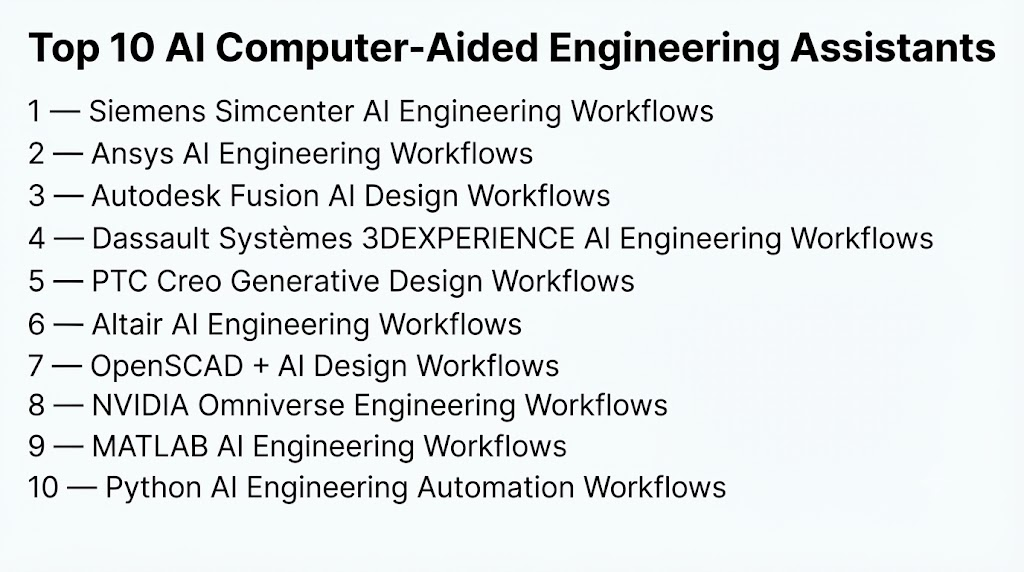
Top 10 AI Computer-Aided Engineering Assistants
#1 — Siemens Simcenter AI Engineering Workflows
One-line verdict: Best for enterprises combining AI with advanced engineering simulation and product development.
Short description (2–3 lines):
Siemens Simcenter provides engineering simulation and analysis capabilities that can be enhanced with AI-driven workflows.
It supports organizations working on complex product development, simulation, and engineering optimization processes.
Standout Capabilities
- Engineering simulation support
- Product performance analysis
- Simulation automation
- Digital engineering workflows
- Design optimization
- Multiphysics analysis
- Engineering data integration
AI-Specific Depth (Must Include)
- Model support: AI capabilities depend on connected engineering workflows and selected solutions.
- RAG / knowledge integration: Depends on integration with engineering knowledge systems.
- Evaluation: Requires validation against engineering simulations and physical testing.
- Guardrails: Engineering validation processes help control AI recommendations.
- Observability: Depends on connected monitoring and workflow tracking systems.
Pros
- Strong engineering simulation ecosystem.
- Suitable for complex industrial workflows.
- Supports enterprise engineering processes.
Cons
- Requires engineering expertise.
- Enterprise implementation can be complex.
- AI capabilities vary by workflow.
Security & Compliance
Not publicly stated.
Deployment & Platforms
- Platforms: Engineering and enterprise computing environments.
- Deployment: Cloud, desktop, and enterprise options vary.
Integrations & Ecosystem
Supports:
- CAD workflows
- Simulation platforms
- Engineering data systems
- Digital engineering environments
- Industrial applications
Pricing Model
Not publicly stated.
Best-Fit Scenarios
- Enterprise product engineering
- Simulation-driven design
- Industrial optimization
#2 — Ansys AI Engineering Workflows
One-line verdict: Best for engineering teams using AI-assisted simulation and product optimization.
Short description (2–3 lines):
Ansys provides simulation and engineering analysis solutions that can integrate AI approaches for optimization and workflow acceleration.
It supports industries that rely on physics-based engineering and simulation-driven development.
Standout Capabilities
- Engineering simulation
- Multiphysics analysis
- Design optimization
- Simulation automation
- Virtual testing
- Product validation
- Engineering workflows
AI-Specific Depth (Must Include)
- Model support: AI capabilities depend on selected engineering workflows.
- RAG / knowledge integration: Depends on connected engineering data sources.
- Evaluation: Requires comparison with simulation and physical validation.
- Guardrails: Physics-based simulation provides validation mechanisms.
- Observability: Depends on configured monitoring workflows.
Pros
- Strong simulation capabilities.
- Useful for industrial engineering teams.
- Supports complex engineering problems.
Cons
- Requires specialized knowledge.
- Advanced workflows may require customization.
- Implementation complexity varies.
Security & Compliance
Not publicly stated.
Deployment & Platforms
- Platforms: Engineering environments.
- Deployment: Desktop, cloud, and enterprise options vary.
Integrations & Ecosystem
Supports:
- CAD systems
- Simulation workflows
- Engineering analysis
- Optimization tools
- Industrial applications
Pricing Model
Not publicly stated.
Best-Fit Scenarios
- Aerospace engineering
- Automotive development
- Industrial simulation
#3 — Autodesk Fusion AI Design Workflows
One-line verdict: Best for designers and engineers using AI-assisted product development workflows.
Short description (2–3 lines):
Autodesk Fusion provides cloud-connected design and engineering workflows that include automation and AI-assisted capabilities.
It supports product designers and engineers working on digital design, manufacturing, and engineering processes.
Standout Capabilities
- CAD design workflows
- Generative design
- Manufacturing support
- Design automation
- Engineering collaboration
- Product development workflows
- Cloud-based engineering tools
AI-Specific Depth (Must Include)
- Model support: AI capabilities depend on available design workflows.
- RAG / knowledge integration: Depends on connected project and engineering data.
- Evaluation: Requires engineering review and design validation.
- Guardrails: Design constraints and engineering requirements guide AI outputs.
- Observability: Depends on platform workflow tracking.
Pros
- Accessible engineering design environment.
- Supports design automation.
- Useful for product development teams.
Cons
- Advanced engineering workflows may require expertise.
- AI capabilities vary by feature.
- Complex simulation needs may require specialized tools.
Security & Compliance
Not publicly stated.
Deployment & Platforms
- Platforms: Web-connected desktop environments.
- Deployment: Cloud-based workflows vary.
Integrations & Ecosystem
Supports:
- CAD workflows
- Manufacturing tools
- Engineering collaboration
- Product development systems
- Design applications
Pricing Model
Not publicly stated.
Best-Fit Scenarios
- Product design
- Manufacturing workflows
- Engineering collaboration
#4 — Dassault Systèmes 3DEXPERIENCE AI Engineering Workflows
One-line verdict: Best for enterprises managing complex product lifecycle engineering with AI-assisted workflows.
Short description (2–3 lines):
Dassault Systèmes provides engineering and product lifecycle management solutions through the 3DEXPERIENCE environment.
AI capabilities can support engineering collaboration, design optimization, simulation workflows, and product development processes.
Standout Capabilities
- Product lifecycle management
- Engineering collaboration
- Simulation workflows
- Design optimization
- Digital engineering environments
- Product development management
- Enterprise engineering data management
AI-Specific Depth (Must Include)
- Model support: AI capabilities depend on selected engineering applications and workflows.
- RAG / knowledge integration: Depends on connected engineering knowledge repositories.
- Evaluation: Requires engineering validation and simulation verification.
- Guardrails: Engineering rules and validation processes guide AI-assisted decisions.
- Observability: Depends on platform monitoring and lifecycle tracking capabilities.
Pros
- Strong enterprise engineering ecosystem.
- Supports complex product development workflows.
- Useful for large engineering organizations.
Cons
- Requires enterprise-level implementation.
- Can be complex for smaller teams.
- AI capabilities vary across workflows.
Security & Compliance
Not publicly stated.
Deployment & Platforms
- Platforms: Enterprise engineering environments.
- Deployment: Cloud, hybrid, and enterprise options vary.
Integrations & Ecosystem
Supports:
- CAD systems
- Simulation tools
- Product lifecycle workflows
- Engineering data platforms
- Manufacturing processes
Pricing Model
Not publicly stated.
Best-Fit Scenarios
- Enterprise product development
- Aerospace engineering
- Industrial manufacturing
#5 — PTC Creo Generative Design Workflows
One-line verdict: Best for engineers using AI-assisted design optimization within CAD workflows.
Short description (2–3 lines):
PTC Creo provides computer-aided design capabilities with generative design and engineering optimization workflows.
It helps engineers explore alternative designs while considering manufacturing and performance requirements.
Standout Capabilities
- Generative design
- CAD modeling
- Design optimization
- Engineering automation
- Manufacturing-aware design
- Product development workflows
- Design iteration support
AI-Specific Depth (Must Include)
- Model support: AI capabilities depend on design optimization features.
- RAG / knowledge integration: Depends on connected engineering information systems.
- Evaluation: Requires engineering review and design validation.
- Guardrails: Design constraints and manufacturing requirements guide outputs.
- Observability: Depends on engineering workflow tracking.
Pros
- Strong CAD-focused workflow.
- Supports design exploration.
- Useful for engineering teams.
Cons
- Requires CAD expertise.
- Advanced AI workflows may need training.
- Simulation integration varies.
Security & Compliance
Not publicly stated.
Deployment & Platforms
- Platforms: Engineering desktop environments.
- Deployment: Desktop and enterprise options vary.
Integrations & Ecosystem
Supports:
- CAD workflows
- Manufacturing systems
- Engineering applications
- Product development processes
- Simulation environments
Pricing Model
Not publicly stated.
Best-Fit Scenarios
- Mechanical design
- Product engineering
- Manufacturing optimization
#6 — Altair AI Engineering Workflows
One-line verdict: Best for simulation-driven engineering teams combining AI with optimization.
Short description (2–3 lines):
Altair provides engineering simulation, optimization, and data analytics solutions that can support AI-assisted engineering workflows.
It helps organizations improve design decisions using simulation and advanced analytics.
Standout Capabilities
- Engineering simulation
- Optimization workflows
- Data analytics
- Simulation automation
- Product performance analysis
- Design exploration
- Engineering collaboration
AI-Specific Depth (Must Include)
- Model support: AI capabilities depend on selected engineering solutions.
- RAG / knowledge integration: Depends on connected engineering data sources.
- Evaluation: Requires simulation and engineering validation.
- Guardrails: Engineering constraints guide optimization results.
- Observability: Depends on analytics and monitoring workflows.
Pros
- Strong simulation and optimization capabilities.
- Useful for engineering analysis.
- Supports multiple engineering domains.
Cons
- Requires technical expertise.
- Implementation complexity varies.
- AI workflows may require configuration.
Security & Compliance
Not publicly stated.
Deployment & Platforms
- Platforms: Engineering environments.
- Deployment: Cloud, desktop, and enterprise options vary.
Integrations & Ecosystem
Supports:
- Simulation platforms
- Engineering data systems
- Optimization workflows
- CAD environments
- Manufacturing applications
Pricing Model
Not publicly stated.
Best-Fit Scenarios
- Engineering optimization
- Simulation analysis
- Product performance improvement
#7 — OpenSCAD + AI Design Workflows
One-line verdict: Best for developers creating customizable AI-assisted parametric design workflows.
Short description (2–3 lines):
OpenSCAD is an open-source CAD modeling environment that can be combined with AI tools for automated design generation and scripting workflows.
It is commonly used by developers and makers who require programmable design approaches.
Standout Capabilities
- Parametric CAD modeling
- Script-based design
- Open-source workflows
- Automated geometry generation
- Custom engineering workflows
- Design experimentation
- Developer flexibility
AI-Specific Depth (Must Include)
- Model support: AI capabilities depend on connected AI development workflows.
- RAG / knowledge integration: Requires external implementation.
- Evaluation: Requires engineering validation of generated designs.
- Guardrails: Design rules must be manually implemented.
- Observability: Requires external tracking tools.
Pros
- Highly customizable.
- Open-source ecosystem.
- Useful for experimental workflows.
Cons
- Requires programming skills.
- Limited enterprise capabilities.
- AI integration requires development effort.
Security & Compliance
Not publicly stated.
Deployment & Platforms
- Platforms: Desktop development environments.
- Deployment: Self-managed.
Integrations & Ecosystem
Supports:
- CAD scripting
- Developer workflows
- Custom automation
- Engineering experiments
- Open-source tools
Pricing Model
Open-source.
Best-Fit Scenarios
- Developer experimentation
- Parametric design
- Custom engineering automation
#8 — NVIDIA Omniverse Engineering Workflows
One-line verdict: Best for teams building AI-enhanced digital engineering and simulation environments.
Short description (2–3 lines):
NVIDIA Omniverse provides a platform for connecting 3D workflows, simulation environments, and digital engineering applications.
AI capabilities can support visualization, simulation collaboration, and advanced engineering workflows.
Standout Capabilities
- 3D collaboration
- Digital twin workflows
- Simulation visualization
- Engineering data integration
- AI-assisted environments
- Virtual testing
- Real-time collaboration
AI-Specific Depth (Must Include)
- Model support: Supports AI-enabled workflows depending on connected applications.
- RAG / knowledge integration: Depends on connected engineering data sources.
- Evaluation: Requires engineering validation.
- Guardrails: Depends on workflow rules and simulation constraints.
- Observability: Depends on connected monitoring systems.
Pros
- Strong 3D engineering ecosystem.
- Supports digital engineering workflows.
- Useful for simulation visualization.
Cons
- Requires powerful computing resources.
- Complex implementation.
- Not a traditional CAE solver.
Security & Compliance
Not publicly stated.
Deployment & Platforms
- Platforms: Desktop and enterprise computing environments.
- Deployment: Cloud and self-managed options vary.
Integrations & Ecosystem
Supports:
- 3D applications
- Simulation workflows
- Digital twins
- Engineering visualization
- AI development environments
Pricing Model
Not publicly stated.
Best-Fit Scenarios
- Digital engineering
- Simulation visualization
- Virtual product development
#9 — MATLAB AI Engineering Workflows
One-line verdict: Best for engineers building custom AI-assisted analysis and optimization workflows.
Short description (2–3 lines):
MATLAB provides mathematical computing, simulation, machine learning, and optimization capabilities used across engineering disciplines.
Engineers use MATLAB-based workflows to develop custom CAE analysis and AI-assisted solutions.
Standout Capabilities
- Mathematical modeling
- Engineering analysis
- Machine learning integration
- Optimization algorithms
- Simulation workflows
- Data processing
- Custom engineering applications
AI-Specific Depth (Must Include)
- Model support: Supports custom machine learning model development.
- RAG / knowledge integration: Requires external implementation.
- Evaluation: Supports engineering analysis and model comparison.
- Guardrails: Engineering validation methods guide outputs.
- Observability: Depends on configured monitoring workflows.
Pros
- Flexible engineering environment.
- Strong mathematical capabilities.
- Useful for custom workflows.
Cons
- Requires technical expertise.
- Advanced CAE workflows need customization.
- Licensing requirements vary.
Security & Compliance
Not publicly stated.
Deployment & Platforms
- Platforms: Engineering desktop environments.
- Deployment: Desktop, cloud, and enterprise options vary.
Integrations & Ecosystem
Supports:
- Engineering simulations
- Machine learning tools
- Data analysis workflows
- Research environments
- Control systems
Pricing Model
Varies.
Best-Fit Scenarios
- Engineering research
- Custom AI workflows
- Optimization problems
#10 — Python AI Engineering Automation Workflows
One-line verdict: Best for developers building custom AI-powered CAE automation systems.
Short description (2–3 lines):
Python-based engineering workflows combine machine learning libraries, simulation tools, and automation frameworks to create customized CAE assistants.
They provide flexibility for organizations developing specialized engineering solutions.
Standout Capabilities
- Custom AI development
- Engineering automation
- Data processing
- Simulation integration
- Machine learning workflows
- Workflow scripting
- Research flexibility
AI-Specific Depth (Must Include)
- Model support: Supports custom AI models and machine learning frameworks.
- RAG / knowledge integration: Requires external implementation.
- Evaluation: Depends on engineering validation workflows.
- Guardrails: Must be designed into custom applications.
- Observability: Requires additional monitoring systems.
Pros
- Maximum customization.
- Large developer ecosystem.
- Suitable for advanced automation.
Cons
- Requires programming expertise.
- Requires maintenance effort.
- No single integrated CAE platform.
Security & Compliance
Not publicly stated.
Deployment & Platforms
- Platforms: Development environments.
- Deployment: Cloud, edge, and self-managed options.
Integrations & Ecosystem
Supports:
- Engineering APIs
- Machine learning libraries
- Simulation tools
- CAD automation
- Custom applications
Pricing Model
Open-source components with infrastructure costs varying.
Best-Fit Scenarios
- Custom CAE assistants
- Engineering automation
- AI research workflows
Comparison Table
| Tool Name | Best For | Deployment (Cloud/Self-hosted/Hybrid) | Model Flexibility (Hosted / BYO / Multi-model / Open-source) | Strength | Watch-Out | Public Rating |
|---|---|---|---|---|---|---|
| Siemens Simcenter AI Workflows | Enterprise engineering simulation | Cloud/Desktop/Enterprise | Enterprise AI workflows | Simulation-driven engineering | Complex implementation | N/A |
| Ansys AI Engineering Workflows | AI-assisted engineering simulation | Cloud/Desktop/Enterprise | Enterprise simulation workflows | Engineering accuracy | Requires expertise | N/A |
| Autodesk Fusion AI Workflows | AI-assisted product design | Cloud/Desktop | Integrated design AI workflows | Accessible design automation | Advanced workflows vary | N/A |
| Dassault Systèmes 3DEXPERIENCE | Enterprise product lifecycle engineering | Cloud/Hybrid/Enterprise | Enterprise engineering ecosystem | PLM integration | Higher complexity | N/A |
| PTC Creo Generative Design | CAD-based design optimization | Desktop/Enterprise | Engineering AI workflows | Generative design | CAD expertise needed | N/A |
| Altair AI Engineering Workflows | Simulation optimization | Cloud/Desktop | AI and engineering workflows | Engineering analytics | Configuration complexity | N/A |
| OpenSCAD + AI Workflows | Developer-driven CAD automation | Self-managed | Open-source/BYO models | Customization | Limited enterprise features | N/A |
| NVIDIA Omniverse Engineering Workflows | Digital engineering environments | Cloud/Self-managed | Multi-application AI workflows | 3D simulation collaboration | Infrastructure needs | N/A |
| MATLAB AI Engineering Workflows | Custom engineering analysis | Desktop/Cloud | BYO/custom models | Mathematical flexibility | Requires expertise | N/A |
| Python AI Engineering Automation | Custom CAE development | Cloud/Self-managed | Open-source/BYO models | Maximum flexibility | Requires development effort | N/A |
Scoring & Evaluation (Transparent Rubric)
The following evaluation compares AI Computer-Aided Engineering Assistants based on engineering capabilities, AI reliability, safety controls, integrations, usability, performance, security, and ecosystem maturity.
The scoring is comparative rather than absolute. Different organizations may prioritize CAD automation, simulation acceleration, customization, enterprise integration, or research flexibility depending on their engineering requirements.
| Tool | Core | Reliability/Eval | Guardrails | Integrations | Ease | Perf/Cost | Security/Admin | Support | Weighted Total |
|---|---|---|---|---|---|---|---|---|---|
| Siemens Simcenter AI Workflows | 10 | 9 | 10 | 10 | 7 | 8 | 9 | 9 | 9.1 |
| Ansys AI Engineering Workflows | 10 | 10 | 10 | 10 | 7 | 8 | 9 | 9 | 9.3 |
| Autodesk Fusion AI Workflows | 9 | 8 | 9 | 9 | 9 | 8 | 8 | 9 | 8.7 |
| Dassault Systèmes 3DEXPERIENCE | 10 | 9 | 10 | 10 | 6 | 8 | 9 | 9 | 9.0 |
| PTC Creo Generative Design | 9 | 9 | 9 | 9 | 8 | 8 | 8 | 9 | 8.8 |
| Altair AI Engineering Workflows | 9 | 9 | 9 | 9 | 7 | 8 | 8 | 9 | 8.6 |
| OpenSCAD + AI Workflows | 7 | 8 | 7 | 8 | 6 | 9 | 7 | 8 | 7.6 |
| NVIDIA Omniverse Engineering Workflows | 9 | 8 | 8 | 10 | 7 | 9 | 8 | 9 | 8.7 |
| MATLAB AI Engineering Workflows | 9 | 9 | 9 | 9 | 8 | 8 | 8 | 9 | 8.8 |
| Python AI Engineering Automation | 9 | 9 | 8 | 10 | 6 | 10 | 8 | 10 | 8.9 |
Top 3 for Enterprise
1. Ansys AI Engineering Workflows
Best suited for enterprises that require engineering simulation, validation, and AI-assisted optimization workflows.
2. Siemens Simcenter AI Workflows
A strong option for organizations managing complex engineering simulations and industrial product development.
3. Dassault Systèmes 3DEXPERIENCE
Useful for enterprises requiring product lifecycle management and collaborative engineering workflows.
Top 3 for SMB
1. Autodesk Fusion AI Workflows
Best for smaller engineering teams needing accessible AI-assisted design workflows.
2. PTC Creo Generative Design
Suitable for companies focused on CAD-driven product development.
3. MATLAB AI Engineering Workflows
Useful for engineering teams creating customized analysis and optimization workflows.
Top 3 for Developers
1. Python AI Engineering Automation
Best for developers building custom AI-powered CAE solutions.
2. MATLAB AI Engineering Workflows
Useful for engineers creating mathematical and simulation-based applications.
3. OpenSCAD + AI Workflows
Suitable for developers exploring programmable CAD automation.
Which AI Computer-Aided Engineering Assistant Is Right for You?
Solo / Freelancer
Individual engineers, designers, and developers should focus on:
- Ease of learning
- Flexible workflows
- Affordable experimentation
- Customization options
Recommended options:
- Autodesk Fusion AI Workflows
- MATLAB AI Engineering Workflows
- OpenSCAD + AI Workflows
Solo users should prioritize tools that improve productivity without requiring large engineering infrastructure.
Important considerations:
- Engineering background
- CAD experience
- Programming skills
- Project complexity
SMB
Small and medium organizations should prioritize:
- Faster product development
- Design automation
- Lower implementation complexity
- Collaboration features
Recommended options:
- Autodesk Fusion AI Workflows
- PTC Creo Generative Design
- MATLAB AI Engineering Workflows
SMBs should evaluate:
- Existing CAD tools
- Engineering team skills
- Simulation requirements
- Budget constraints
The ideal solution should improve engineering productivity without creating unnecessary complexity.
Mid-Market
Growing organizations need better scalability and engineering integration.
Recommended options:
- Siemens Simcenter AI Workflows
- Altair AI Engineering Workflows
- PTC Creo Generative Design
Important requirements:
- Simulation integration
- Engineering collaboration
- Design automation
- Data management
- Workflow standardization
Mid-market teams should establish repeatable AI engineering processes before scaling across departments.
Enterprise
Large engineering organizations require secure, scalable, and validated AI-assisted engineering workflows.
Recommended options:
- Ansys AI Engineering Workflows
- Siemens Simcenter AI Workflows
- Dassault Systèmes 3DEXPERIENCE
Enterprise buyers should prioritize:
- Engineering accuracy
- Simulation validation
- Data governance
- Access controls
- Integration with existing systems
AI assistants should enhance engineering decisions while maintaining human oversight.
Regulated Industries (Finance / Healthcare / Public Sector)
Organizations working with sensitive engineering, infrastructure, or regulated projects should focus on:
- Data protection
- Auditability
- Model transparency
- Access controls
- Documentation
Recommended approach:
- Maintain engineering records.
- Validate AI-generated designs.
- Track model changes.
- Require expert approval for critical decisions.
Budget vs Premium
Budget Approach
Suitable for:
- Independent engineers
- Small teams
- Research projects
Consider:
- Open-source workflows
- Developer frameworks
- Lightweight AI tools
Advantages:
- Lower software cost
- High flexibility
- Custom development options
Challenges:
- Requires technical expertise
- More maintenance effort
- Limited enterprise support
Premium Enterprise Approach
Suitable for:
- Aerospace companies
- Automotive manufacturers
- Industrial organizations
Advantages:
- Integrated engineering workflows
- Professional support
- Better scalability
- Enterprise collaboration
Challenges:
- Higher investment
- Longer implementation cycles
Build vs Buy (When to DIY)
Build a custom AI CAE assistant when:
- Engineering workflows are highly specialized.
- Existing tools cannot meet requirements.
- Internal AI and engineering expertise exists.
- Full control over automation is required.
Choose existing platforms when:
- Standard engineering workflows are enough.
- Faster deployment is important.
- Simulation integration is required.
A hybrid approach is often effective by combining existing CAE platforms with custom AI automation.
Implementation Playbook (30 / 60 / 90 Days)
First 30 Days: Pilot + Success Metrics
The first phase should identify engineering tasks where AI can provide measurable value.
Key activities:
- Select repetitive engineering workflows.
- Collect design and simulation data.
- Define automation goals.
- Test AI-assisted processes.
- Establish evaluation metrics.
AI-specific tasks:
- Compare AI recommendations with engineering decisions.
- Evaluate design quality.
- Measure productivity improvements.
- Identify limitations.
Success metrics:
- Reduced design time
- Faster simulation workflows
- Improved engineering efficiency
- Better design exploration
First 60 Days: Security + Evaluation
The second phase focuses on reliability and controlled adoption.
Key activities:
- Validate AI-generated outputs.
- Establish review workflows.
- Document engineering processes.
- Train engineering teams.
AI-specific tasks:
- Test edge cases.
- Review AI suggestions.
- Track model performance.
- Maintain design history.
Security improvements:
- Data access management
- Engineering file protection
- Version tracking
- Workflow documentation
First 90 Days: Optimization + Governance
The final phase focuses on scaling AI engineering adoption.
Key activities:
- Integrate AI assistants into engineering workflows.
- Automate repetitive tasks.
- Improve collaboration.
- Establish governance practices.
AI-specific improvements:
- Continuous evaluation
- Workflow monitoring
- Cost optimization
- Model lifecycle management
- Human review processes
Organizations should build structured AI CAE workflows where artificial intelligence improves engineering productivity while maintaining accuracy, validation, and responsible decision-making.
Common Mistakes & How to Avoid Them
AI Computer-Aided Engineering Assistants can improve design productivity, simulation workflows, and engineering decision-making. However, poor implementation can create inaccurate designs, workflow problems, and reduced engineering confidence.
Below are common mistakes organizations should avoid:
- Using AI without understanding engineering requirements AI assistants should support engineering goals rather than generate designs without proper technical constraints.
- Expecting AI to replace engineers AI can automate repetitive tasks and provide recommendations, but engineering expertise remains essential for validation and decision-making.
- Ignoring design constraints AI-generated designs must consider manufacturing requirements, material limitations, safety standards, and performance expectations.
- Skipping engineering validation AI-assisted designs should be reviewed through simulations, testing, and expert analysis before production use.
- Using poor-quality engineering data Inaccurate CAD models, incomplete design information, or inconsistent simulation data can reduce AI effectiveness.
- Ignoring integration with existing engineering tools AI assistants provide more value when connected with CAD, simulation, PLM, and manufacturing workflows.
- Not defining clear success metrics Organizations should measure improvements such as reduced design time, faster analysis, and better engineering productivity.
- Over-automating complex engineering decisions Critical design decisions should maintain human oversight and engineering review.
- Ignoring intellectual property protection Engineering designs and product data are valuable assets. Organizations should consider data protection and access controls.
- Not maintaining design history Engineering teams should track AI-generated suggestions, design changes, and approval decisions.
- Choosing tools without considering scalability A solution suitable for a small team may not support enterprise engineering requirements.
- Ignoring explainability Engineers need to understand why AI recommends specific design changes or optimization results.
- Building custom AI systems without maintenance planning Custom solutions require ongoing development, monitoring, and updates.
- Using AI outputs without testing AI recommendations should always be evaluated through engineering analysis and validation processes.
FAQs
What are AI Computer-Aided Engineering Assistants?
AI Computer-Aided Engineering Assistants are software tools that use artificial intelligence to support engineering design, simulation, analysis, and optimization workflows.
They help engineers automate repetitive tasks and improve product development processes.
How do AI CAE Assistants help engineers?
AI CAE assistants can help with:
- Design recommendations
- Simulation assistance
- Optimization
- Engineering automation
- Data analysis
- Knowledge management
They improve productivity while allowing engineers to focus on complex decisions.
Are AI CAE Assistants replacing CAD engineers?
No. AI assistants are designed to support engineers, not replace them.
Engineering expertise remains important for validation, safety, and final decision-making.
What industries use AI Computer-Aided Engineering Assistants?
Common industries include:
- Automotive
- Aerospace
- Manufacturing
- Robotics
- Energy
- Industrial equipment
- Consumer product design
Can AI generate engineering designs?
Yes, many AI-assisted engineering workflows can help generate or optimize design concepts.
However, engineers must review designs for performance, safety, and manufacturability.
Do AI CAE Assistants work with existing CAD systems?
Many AI engineering solutions are designed to integrate with CAD and simulation workflows.
The level of integration depends on the selected platform.
What data do AI CAE Assistants require?
Common data sources include:
- CAD models
- Simulation results
- Engineering documents
- Material information
- Product specifications
- Historical designs
Are AI-generated designs accurate?
Accuracy depends on:
- Quality of engineering data
- AI model capabilities
- Design constraints
- Validation processes
Engineering testing remains important before production.
Can AI CAE tools accelerate simulations?
Yes. AI approaches can help reduce repetitive simulation work, optimize parameters, and provide faster approximations.
However, traditional simulation validation may still be required.
What is generative design in engineering?
Generative design uses AI algorithms to explore multiple design possibilities based on engineering requirements and constraints.
It helps engineers discover alternative solutions.
Are AI CAE Assistants suitable for small companies?
Yes. Small companies can use lightweight AI design tools or specialized workflows depending on their requirements.
The right choice depends on budget, complexity, and engineering needs.
Do AI CAE Assistants support digital twins?
Yes. AI engineering workflows can contribute to digital twin environments by helping analyze designs, simulations, and operational data.
Can developers build custom AI CAE Assistants?
Yes. Developers can create custom engineering assistants using machine learning frameworks, engineering APIs, and automation tools.
This approach requires AI and engineering expertise.
Are AI CAE Assistants secure?
Security depends on the platform, deployment model, and organizational controls.
Companies should evaluate data protection, access management, and engineering information security.
How much do AI Computer-Aided Engineering Assistants cost?
Pricing varies depending on the platform, features, deployment model, and enterprise requirements.
Exact pricing details are not publicly stated for many solutions.
Should companies build or buy AI CAE Assistants?
Companies should build custom solutions when engineering workflows are highly specialized and internal AI expertise exists.
Buying established platforms is often better when organizations need faster deployment, support, and integration.
Conclusion
AI Computer-Aided Engineering Assistants are changing how engineers approach design, simulation, and product development. By combining artificial intelligence with engineering knowledge, these tools help organizations reduce repetitive work, accelerate innovation, and explore more design possibilities.The best AI CAE Assistant depends on the organization’s engineering workflows, industry requirements, existing software environment, and technical expertise. Enterprise engineering teams may prefer integrated simulation and product lifecycle solutions, while smaller teams may benefit from flexible and accessible AI design workflows.AI should be viewed as an engineering productivity enhancer rather than a replacement for professional judgment. Successful adoption requires strong validation processes, quality engineering data, human oversight, and responsible AI governance.Organizations adopting AI CAE solutions should focus on workflow compatibility, design accuracy, security, explainability, integration capabilities, and long-term scalability.

Find Trusted Cardiac Hospitals
Compare heart hospitals by city and services — all in one place.
Explore Hospitals
A practical topic that could be expanded is the importance of engineering validation when using AI-assisted CAE tools. AI can accelerate model creation and simulation setup, but engineers should still verify assumptions, material properties, boundary conditions, and simulation outputs before making design decisions. Establishing review workflows, maintaining traceability for AI-generated recommendations, and validating results against physical testing can help ensure accuracy while reducing the risk of costly design errors in production environments.