
Branching and merging are the foundation of collaborative Git workflows: they let teams develop in parallel, review changes safely, and integrate continuously. This article is aimed at DevOps, platform, and engineering teams that want fewer merge surprises and cleaner release flow.
Originally published on 2011-02-22; fully revised and updated.
Original references from the earlier post: branching and merging visual, and the SlideShare deck Branching and Merging Practices by Rajesh Kumar.
Why branching and merging matter in DevOps delivery
A good branching strategy is less about Git syntax and more about delivery behavior. It helps teams avoid long-lived divergence and makes CI/CD outcomes more predictable.
- Parallel work without blocking: multiple contributors can ship independently.
- Safer integration: pull requests and branch protection provide control points.
- Faster incident response: hotfix branches isolate urgent production fixes.
- Auditability: branch names, commit history, and merge records improve traceability.
A practical branching and merging workflow
This is a common low-risk workflow for teams using pull requests and CI checks.
flowchart TD
    A[Create task] --> B[Create short-lived branch]
    B --> C[Commit small changes]
    C --> D[Push branch and open PR]
    D --> E[Run CI and review]
    E --> F{Approved and green}
    F -- no --> C
    F -- yes --> G[Merge into main]
    G --> H[Delete branch]
    H --> I[Deploy from main]
Choose a branching model that fits your release cadence
| Model | How it works | Best for | Trade-offs |
|---|---|---|---|
| Trunk-based development | Very short-lived branches merged frequently into main | Teams with strong CI discipline and frequent releases | Requires strict test automation and small changes |
| GitHub Flow | Feature branch plus pull request to main; deploy from main | Web/SaaS teams deploying continuously | Less structured for multi-version support |
| Git Flow | Separate develop, release, and hotfix branches | Teams with scheduled releases and formal release prep | Can become heavy for fast-moving products |
| Main plus release branches | Daily work in main; cut release/* branches when needed | Products supporting concurrent patch lines | Needs disciplined backport/cherry-pick process |
Core Git commands for safe branch and merge operations
Create a short-lived working branch
git switch main
git pull --ff-only origin main
git switch -c feature/add-health-check-endpointCode language: JavaScript (javascript)
Keep your branch up to date before opening or updating a PR
git fetch origin
git switch feature/add-health-check-endpoint
git rebase origin/mainCode language: JavaScript (javascript)
Merge after review and green CI
git switch main
git pull --ff-only origin main
git merge --no-ff feature/add-health-check-endpoint
git push origin mainCode language: JavaScript (javascript)
Clean up merged branches
git branch -d feature/add-health-check-endpoint
git push origin --delete feature/add-health-check-endpointCode language: JavaScript (javascript)
Merge strategies compared
| Strategy | History shape | Use when | Caution |
|---|---|---|---|
| Merge commit | Preserves branch topology | You want full context of branch integration | History can become noisy if branches are long-lived |
| Squash merge | Single commit per PR | You prefer a compact main branch history | Loses per-commit detail from the feature branch |
| Rebase then fast-forward | Linear history | You optimize for clean chronological logs | Requires care; avoid rebasing shared public history |
Pull request policy that reduces merge conflicts
- Prefer small, focused PRs over large multi-day branches.
- Require CI checks before merge.
- Use CODEOWNERS or reviewer rules for critical paths.
- Set branch protection on main (no direct pushes).
- Delete merged branches automatically to reduce clutter.
- Use naming conventions (feature/, bugfix/, hotfix/, release/) for clarity.
Common pitfalls to avoid
- Keeping feature branches open too long, which increases drift and conflict risk.
- Merging without pulling latest main first.
- Rebasing a branch others are actively consuming.
- Skipping CI on release or hotfix branches.
- Treating merge strategy as a personal preference instead of a team policy.

I’m Rajesh Kumar, a DevOps, SRE, DevSecOps, Cloud, and Platform Engineering expert passionate about sharing practical knowledge, real-world experiences, and industry best practices. I have worked at Cotocus and regularly write about technology, travel, investing, health, product reviews, and digital marketing through my various platforms.
I publish technical articles at DevOps School, travel stories at Holiday Landmark, stock market insights at Stocks Mantra, health and fitness guidance at My Medic Plus, product reviews at TrueReviewNow, and SEO and digital marketing strategies at Wizbrand.
Find Trusted Cardiac Hospitals
Compare heart hospitals by city and services — all in one place.
Explore Hospitals
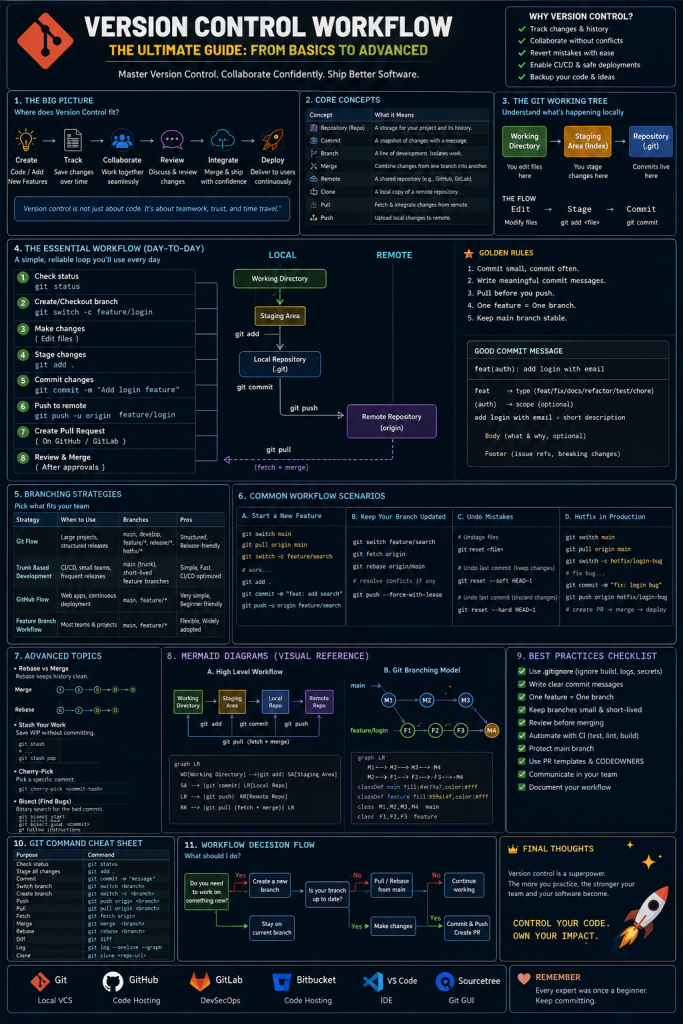
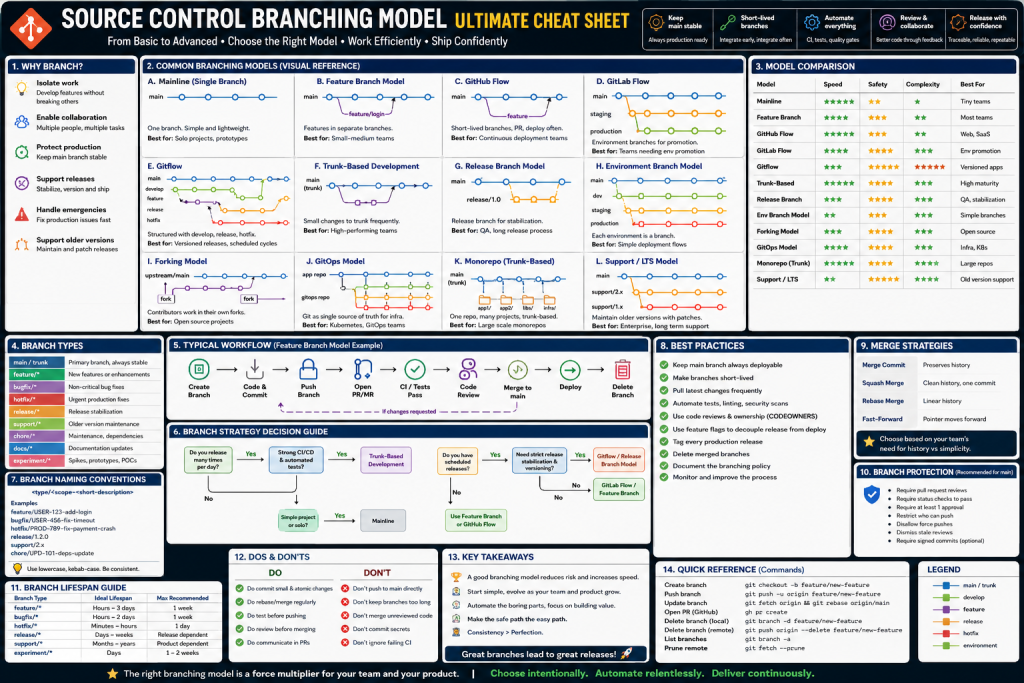
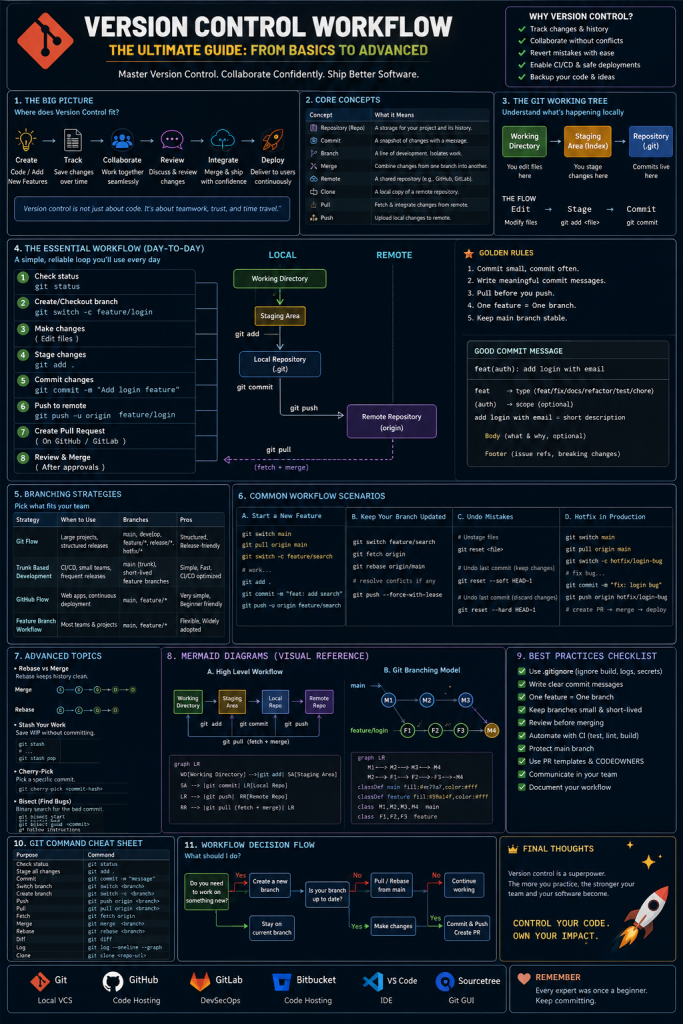


Good branching and merging practices help teams work in parallel without creating unnecessary conflicts. Keeping branches focused on small changes makes reviews easier and reduces the risk of difficult merges. Regularly syncing with the main branch can also reveal conflicts before they grow. Clear commit messages and automated tests help reviewers understand changes and catch problems early. A consistent team workflow makes collaboration smoother and releases more predictable.