
Step:1 composer create-project –prefer-dist laravel/laravel uploadfile

Step:2 make a controller like that.
php artisan make:controller ImageUploadController

Step:3 amke a Model
php artisan make:model File -m

Step:4 put this code in the create_files_table
$table->string(‘filenames’);
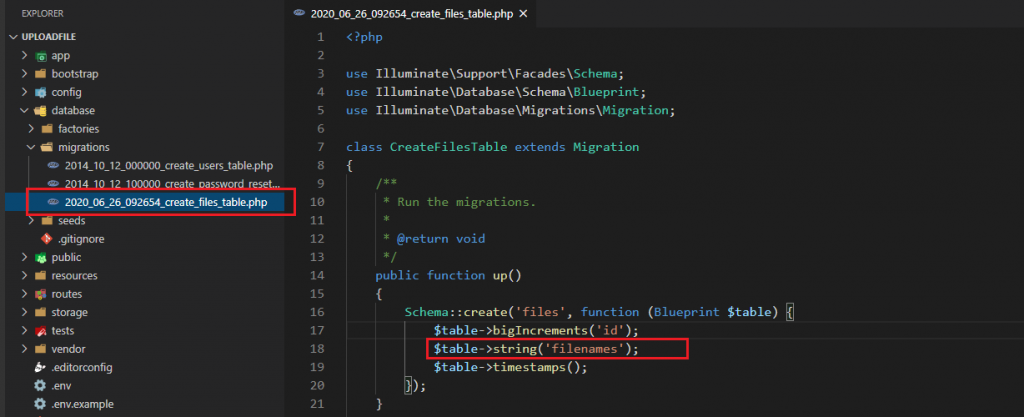
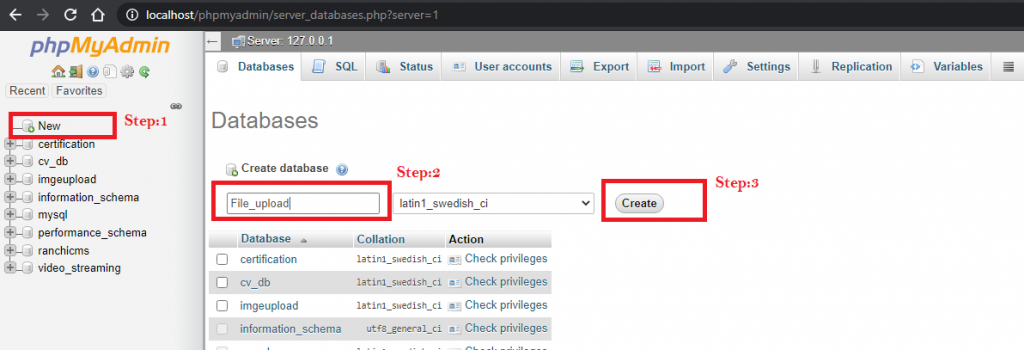
Step:5 then make a Database it will be of File_upload
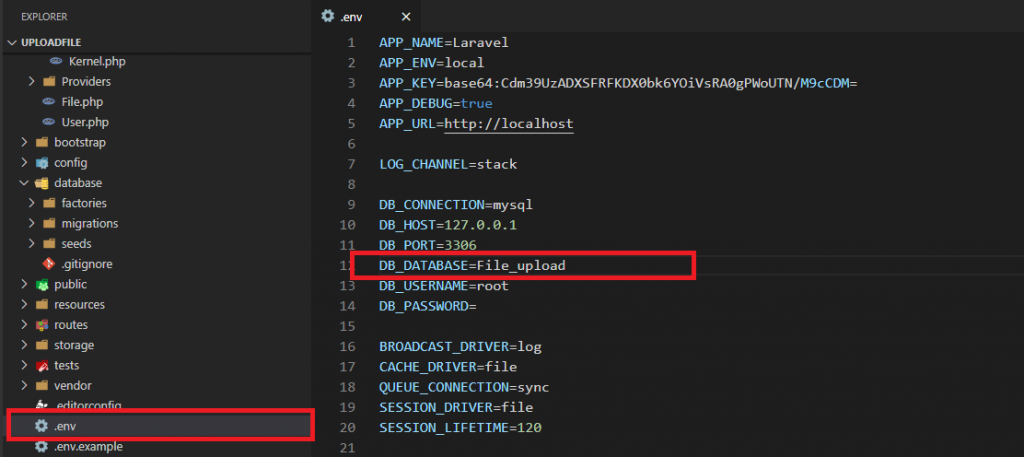
Step:6 write database name in the .env page
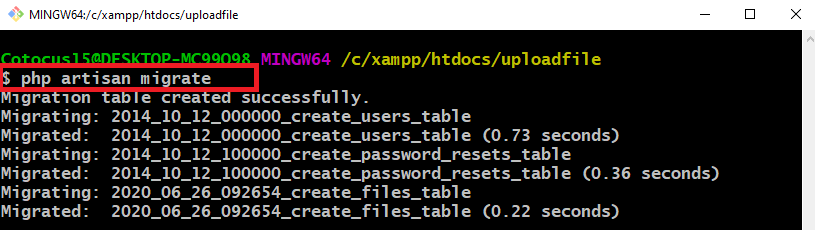
Step:7 then make migrate the table
php artisan migrate
Step:8 make a controller app/Http/Controllers/ImageUploadController.php and paste this code in the ImageUploadController.php
Step:9 paste this code in the web.php
Step:10 make a page in resources/views/imageupload.blade.php
Step:11 then run this command
php artisan serve
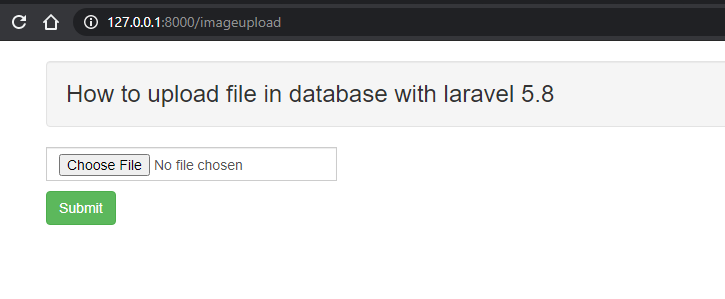
and run put this url in your browser
http://127.0.0.1:8000/imageupload


MotoShare.in is your go-to platform for adventure and exploration. Rent premium bikes for epic journeys or simple scooters for your daily errands—all with the MotoShare.in advantage of affordability and ease.
Find Trusted Cardiac Hospitals
Compare heart hospitals by city and services — all in one place.
Explore Hospitals