
Introduction
AI contact center QA tools help support, sales, and service teams monitor customer conversations, evaluate agent performance, identify quality issues, and improve coaching using artificial intelligence. Instead of reviewing only a small sample of calls or chats manually, these platforms can analyze large volumes of conversations across voice, chat, email, and messaging channels.
Why it matters: contact centers handle thousands of customer interactions, and manual QA often misses important patterns. AI QA tools help leaders detect compliance risks, sentiment changes, escalation triggers, missed scripts, poor handoffs, long silences, objection handling issues, and coaching opportunities. They also help quality teams move from random sampling to more complete conversation intelligence.
Real-world use cases include call scoring, agent coaching, compliance monitoring, sentiment analysis, script adherence, customer churn signals, sales conversation review, escalation analysis, knowledge gap detection, supervisor dashboards, and automated quality scorecards.
Evaluation criteria for buyers should include speech analytics accuracy, omnichannel coverage, automated scorecards, coaching workflows, compliance monitoring, sentiment detection, redaction, integrations, reporting depth, model transparency, data retention, role-based access, audit logs, multilingual support, cost predictability, and ease of adoption.
Best for: contact centers, BPOs, customer experience teams, sales support teams, regulated support operations, QA managers, operations leaders, and enterprises that want to improve customer conversations at scale. Not ideal for: very small teams with low interaction volume, companies without defined QA processes, or organizations that need only basic call recording without analytics, coaching, or compliance workflows.
What’s Changed in AI Contact Center QA Tools
- QA is shifting from small manual samples to AI-assisted review of nearly every customer interaction.
- Conversation intelligence now covers calls, chats, emails, messaging, and digital support channels.
- AI scorecards are becoming more flexible, allowing teams to evaluate tone, empathy, compliance, accuracy, and process adherence.
- Coaching workflows are becoming more personalized, with AI identifying agent-specific improvement areas.
- Sentiment and emotion analysis are increasingly used to identify frustrated customers and risky interactions.
- Compliance monitoring is more important for finance, insurance, healthcare, telecom, and public sector contact centers.
- AI summarization helps supervisors quickly understand call outcomes without listening to full recordings.
- Quality teams now expect dashboards that connect QA scores with CSAT, handle time, resolution rate, and churn risk.
- Speech analytics is improving for accents, noisy calls, and multilingual environments, though testing is still required.
- Contact center QA tools are becoming more integrated with CRM, help desk, workforce management, and learning tools.
- AI governance is becoming important because teams need audit trails, explainability, and human review.
- Buyers increasingly evaluate cost per analyzed interaction, not only license cost.
Quick Buyer Checklist
Use this checklist to shortlist AI contact center QA tools quickly:
- Check whether the platform supports voice, chat, email, and messaging channels.
- Confirm whether it can analyze every interaction or only sampled conversations.
- Review how automated QA scorecards are created and customized.
- Test transcription accuracy using your real calls and accents.
- Confirm whether sentiment, intent, silence, interruption, and escalation detection are available.
- Check if supervisors can assign coaching tasks directly from QA findings.
- Verify compliance monitoring for required scripts, disclosures, and restricted language.
- Review redaction and data privacy features for sensitive information.
- Confirm integrations with contact center, CRM, ticketing, and workforce systems.
- Check role-based access, audit logs, retention settings, and admin controls.
- Evaluate dashboard quality for supervisors, QA teams, and executives.
- Confirm whether the AI supports multilingual or regional conversation analysis.
- Test whether the platform explains why a conversation received a score.
- Review cost model for users, recordings, minutes, channels, and AI analysis volume.
- Confirm data export options to reduce vendor lock-in.
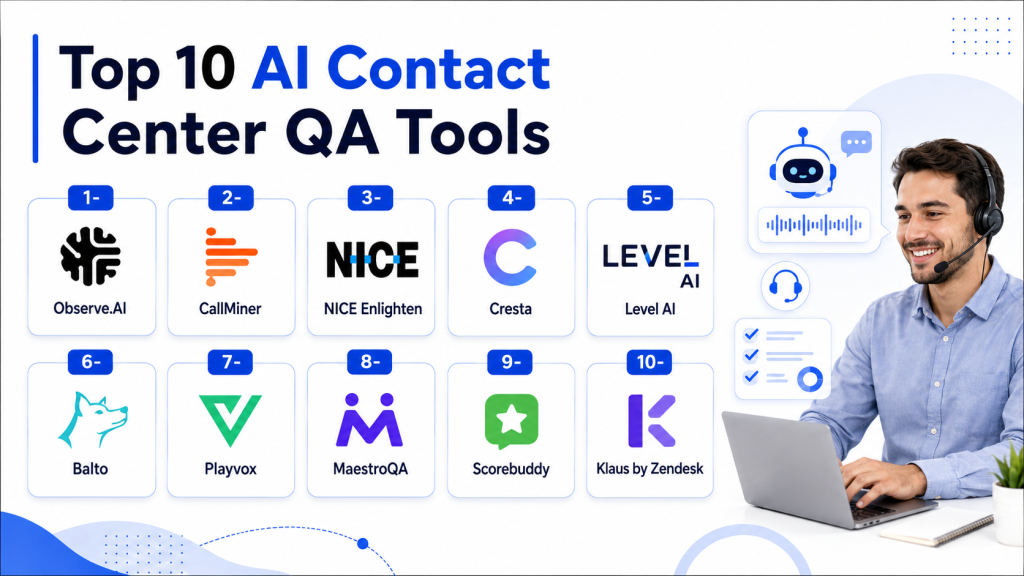
Top 10 AI Contact Center QA Tools
1- Observe.AI
One-line verdict: Best for contact centers needing AI-powered QA, agent coaching, and conversation intelligence at scale.
Short description:
Observe.AI is an AI contact center intelligence platform focused on quality assurance, agent performance, coaching, and operational insights. It helps teams analyze conversations, score interactions, and identify coaching opportunities across customer service operations.
Standout Capabilities
- AI-powered call and conversation analysis
- Automated QA scorecards
- Agent coaching workflows
- Supervisor dashboards and performance insights
- Sentiment and intent detection
- Compliance monitoring support
- Conversation summaries and trend analysis
- Contact center performance reporting
AI-Specific Depth
- Model support: Hosted AI model approach
- RAG / knowledge integration: Varies / N/A
- Evaluation: Automated QA scoring, conversation review, and performance analytics
- Guardrails: QA rules, compliance checks, and supervisor review workflows
- Observability: Dashboards for agent performance, call quality, trends, and coaching
Pros
- Strong focus on QA and coaching
- Good fit for high-volume contact centers
- Helps move beyond manual sampling
Cons
- Best suited for teams with mature QA processes
- Setup requires thoughtful scorecard design
- Pricing details are typically custom
Security & Compliance
Enterprise controls such as role permissions, access management, data handling settings, and security features are available depending on plan. Specific certifications, retention options, and residency details should be verified directly. Unknown details should be treated as Not publicly stated.
Deployment & Platforms
- Web-based platform
- Cloud deployment
- Voice and conversation analytics workflows
- Self-hosted deployment: Varies / N/A
Integrations & Ecosystem
Observe.AI is commonly evaluated by teams that need to connect QA insights with existing contact center and support systems.
- Contact center platforms
- CRM systems
- Help desk tools
- Call recording systems
- Workforce management tools
- APIs and data exports
- Coaching and performance workflows
Pricing Model
Enterprise SaaS pricing usually depends on users, interaction volume, analytics scope, and deployment requirements. Exact pricing is Not publicly stated.
Best-Fit Scenarios
- Enterprise contact center QA automation
- Agent coaching and performance improvement
- High-volume conversation intelligence programs
2- CallMiner
One-line verdict: Best for enterprises needing advanced speech analytics, compliance monitoring, and conversation intelligence.
Short description:
CallMiner is a conversation intelligence and speech analytics platform used by contact centers to analyze customer interactions, monitor compliance, identify customer sentiment, and improve agent performance.
Standout Capabilities
- Advanced speech and text analytics
- Automated conversation scoring
- Compliance risk detection
- Sentiment and emotion analysis
- Customer experience trend monitoring
- Agent performance insights
- Omnichannel conversation analytics
- Reporting for operations and quality teams
AI-Specific Depth
- Model support: Hosted AI and analytics models
- RAG / knowledge integration: Varies / N/A
- Evaluation: Conversation scoring, QA analytics, and trend review
- Guardrails: Compliance monitoring, policy checks, and supervisor workflows
- Observability: Analytics dashboards, score trends, sentiment signals, and risk reports
Pros
- Strong speech analytics depth
- Useful for compliance-heavy environments
- Good for large-scale conversation mining
Cons
- Can require specialist configuration
- May be more advanced than small teams need
- Custom analytics setup may take time
Security & Compliance
CallMiner offers enterprise security and data protection capabilities, but buyers should verify SSO, RBAC, audit logging, encryption, retention controls, residency, and certifications directly.
Deployment & Platforms
- Web-based analytics platform
- Cloud deployment
- Omnichannel interaction analysis
- Self-hosted deployment: Varies / N/A
Integrations & Ecosystem
CallMiner is often used as an analytics layer across contact center recordings, transcripts, and customer interaction systems.
- Contact center systems
- Call recording platforms
- CRM systems
- Data warehouses
- Workforce tools
- APIs
- BI and reporting workflows
Pricing Model
Enterprise pricing varies by interaction volume, channels, analytics scope, and deployment needs.
Best-Fit Scenarios
- Compliance monitoring
- Large-scale speech analytics
- Customer experience trend analysis
3- NICE Enlighten
One-line verdict: Best for large contact centers needing enterprise QA, analytics, compliance, and workforce intelligence.
Short description:
NICE Enlighten is an AI-powered capability within the NICE ecosystem that supports contact center analytics, quality management, compliance, coaching, and customer experience intelligence.
Standout Capabilities
- AI-driven contact center analytics
- Automated quality management support
- Agent behavior insights
- Customer sentiment and interaction analysis
- Compliance and risk monitoring
- Workforce and operational intelligence
- Enterprise reporting dashboards
- Strong fit for NICE contact center environments
AI-Specific Depth
- Model support: Hosted AI within NICE ecosystem
- RAG / knowledge integration: Varies / N/A
- Evaluation: Quality scoring, interaction analytics, and performance review
- Guardrails: Compliance controls, supervisory review, and policy workflows
- Observability: Operational dashboards, QA trends, sentiment, and performance metrics
Pros
- Strong enterprise contact center ecosystem
- Deep analytics and workforce alignment
- Suitable for large-scale operations
Cons
- Best value often appears inside NICE environments
- Implementation can be complex
- May be excessive for smaller teams
Security & Compliance
NICE offers enterprise security and governance capabilities depending on product configuration. Buyers should verify SSO, RBAC, encryption, audit logs, retention, and compliance requirements directly.
Deployment & Platforms
- Web-based enterprise platform
- Cloud deployment
- Contact center ecosystem deployment
- Self-hosted deployment: Varies / N/A
Integrations & Ecosystem
NICE Enlighten works best when connected with broader NICE contact center and workforce management capabilities.
- NICE CXone ecosystem
- Contact center platforms
- Workforce management
- CRM integrations
- Quality management workflows
- Analytics dashboards
- APIs and data workflows
Pricing Model
Enterprise pricing is usually custom based on contact center size, modules, analytics depth, and deployment requirements.
Best-Fit Scenarios
- Large enterprise contact centers
- NICE ecosystem customers
- QA and workforce intelligence programs
4- Cresta
One-line verdict: Best for AI coaching, real-time agent assistance, and conversation intelligence for service and sales teams.
Short description:
Cresta provides AI-powered contact center tools focused on real-time agent assistance, conversation intelligence, coaching, and performance improvement. It is useful for teams that want to improve live interactions as well as post-call QA.
Standout Capabilities
- Real-time agent guidance
- AI conversation intelligence
- Coaching and performance insights
- Sales and service conversation analysis
- Playbook adherence monitoring
- Call summarization and insights
- Supervisor dashboards
- Workflow recommendations
AI-Specific Depth
- Model support: Hosted AI model approach
- RAG / knowledge integration: Knowledge and playbook integration varies by setup
- Evaluation: Conversation analysis, coaching insights, and performance review
- Guardrails: Playbook adherence, policy prompts, and supervisor workflows
- Observability: Agent performance dashboards, conversation trends, and coaching analytics
Pros
- Strong real-time coaching capabilities
- Useful for both sales and support conversations
- Helps improve agent behavior during live interactions
Cons
- May require structured playbooks for best results
- Enterprise pricing may not fit small teams
- QA depth should be compared carefully with dedicated QA platforms
Security & Compliance
Cresta provides enterprise controls depending on plan and deployment. Buyers should verify SSO, RBAC, encryption, retention, audit logs, and certifications directly before regulated use.
Deployment & Platforms
- Web-based platform
- Cloud deployment
- Contact center and agent workflow integrations
- Self-hosted deployment: Varies / N/A
Integrations & Ecosystem
Cresta works well when connected to contact center tools, CRM systems, and agent desktops.
- Contact center systems
- CRM platforms
- Agent desktop workflows
- Knowledge systems
- Call recording systems
- APIs
- Reporting tools
Pricing Model
Enterprise SaaS pricing is typically custom based on seats, interaction volume, and deployment scope.
Best-Fit Scenarios
- Real-time agent coaching
- Sales conversation improvement
- Service quality and performance optimization
5- Level AI
One-line verdict: Best for AI-native QA automation, agent coaching, and contact center performance analytics.
Short description:
Level AI is an AI contact center intelligence platform focused on automated QA, agent performance, customer insights, and coaching. It helps QA teams review more conversations and identify improvement opportunities faster.
Standout Capabilities
- Automated quality assurance workflows
- AI-powered conversation review
- Agent coaching recommendations
- Customer sentiment and intent analysis
- Compliance and script monitoring
- Support performance dashboards
- Call summarization
- Trend and root cause insights
AI-Specific Depth
- Model support: Hosted AI model approach
- RAG / knowledge integration: Varies / N/A
- Evaluation: Automated QA scoring and conversation review
- Guardrails: Scorecard rules, compliance checks, and review workflows
- Observability: QA dashboards, agent insights, sentiment trends, and coaching metrics
Pros
- Strong AI QA automation focus
- Helps reduce manual review workload
- Useful for coaching and performance improvement
Cons
- Requires clear QA scorecard design
- Advanced integrations may need setup support
- Pricing details are generally custom
Security & Compliance
Level AI offers enterprise security controls depending on plan. Buyers should verify SSO, RBAC, audit logs, encryption, retention settings, residency, and compliance requirements.
Deployment & Platforms
- Web-based platform
- Cloud deployment
- Voice and contact center analytics
- Self-hosted deployment: Varies / N/A
Integrations & Ecosystem
Level AI connects with contact center and customer service environments to analyze conversations and support QA workflows.
- Contact center platforms
- CRM tools
- Help desk systems
- Call recording tools
- APIs
- QA workflows
- Coaching systems
Pricing Model
Enterprise SaaS pricing usually depends on interaction volume, users, analytics needs, and implementation scope.
Best-Fit Scenarios
- QA automation for support teams
- Agent coaching and performance tracking
- Customer insight discovery from conversations
6- Balto
One-line verdict: Best for real-time agent guidance and live call coaching in sales and service environments.
Short description:
Balto focuses on real-time guidance for contact center agents during live calls. It helps agents follow scripts, respond to objections, improve compliance, and stay aligned with best-practice talk tracks.
Standout Capabilities
- Real-time call guidance
- Script and playbook adherence
- Live coaching prompts
- Compliance reminders
- Supervisor visibility into active conversations
- Post-call insights
- Sales and service workflow support
- Agent behavior improvement
AI-Specific Depth
- Model support: Hosted AI model approach
- RAG / knowledge integration: Varies / N/A
- Evaluation: Live and post-call performance insights
- Guardrails: Script controls, compliance prompts, and guided workflows
- Observability: Agent behavior tracking, call outcomes, and performance dashboards
Pros
- Strong real-time guidance focus
- Helpful for agents during live calls
- Useful for compliance and script adherence
Cons
- Less focused on broad omnichannel QA
- Best suited to phone-heavy environments
- Requires playbook design and tuning
Security & Compliance
Security capabilities vary by plan and deployment. Buyers should verify SSO, RBAC, audit logging, encryption, retention, and compliance requirements directly.
Deployment & Platforms
- Web-based platform
- Cloud deployment
- Live call guidance workflows
- Self-hosted deployment: Varies / N/A
Integrations & Ecosystem
Balto is commonly used with phone systems and contact center workflows where real-time agent assistance is needed.
- Contact center platforms
- Dialers
- CRM systems
- Call recording tools
- Reporting workflows
- APIs
- Supervisor dashboards
Pricing Model
Pricing is generally custom and may depend on users, call volume, features, and enterprise requirements.
Best-Fit Scenarios
- Live call coaching
- Script adherence monitoring
- Sales and support performance improvement
7- Playvox
One-line verdict: Best for contact centers needing quality management, coaching, performance, and workforce engagement.
Short description:
Playvox provides quality management, coaching, performance management, and workforce engagement tools for contact centers. Its AI capabilities help teams review interactions, improve agent performance, and manage QA programs more efficiently.
Standout Capabilities
- Quality management workflows
- Agent coaching and feedback
- Performance management dashboards
- Workforce engagement features
- Scorecard-based QA programs
- Omnichannel interaction review
- Supervisor collaboration tools
- Reporting for QA and operations teams
AI-Specific Depth
- Model support: Hosted AI capabilities vary by product configuration
- RAG / knowledge integration: Varies / N/A
- Evaluation: QA scorecards, interaction review, and performance analytics
- Guardrails: QA workflows, review rules, and coaching approvals
- Observability: Quality dashboards, agent performance reporting, and trend tracking
Pros
- Strong QA and coaching workflow support
- Useful for structured quality programs
- Good fit for contact center operations teams
Cons
- AI depth should be validated by use case
- May require process maturity to get full value
- Advanced automation varies by configuration
Security & Compliance
Playvox provides enterprise security and admin controls depending on deployment and plan. Buyers should verify SSO, RBAC, audit logs, retention settings, encryption, and compliance details.
Deployment & Platforms
- Web-based platform
- Cloud deployment
- Omnichannel QA workflows
- Self-hosted deployment: Varies / N/A
Integrations & Ecosystem
Playvox fits contact centers that want QA, coaching, and performance workflows connected to service operations.
- Contact center systems
- CRM platforms
- Help desk tools
- Workforce management tools
- Reporting systems
- APIs
- Coaching workflows
Pricing Model
SaaS pricing generally varies based on users, modules, interaction volume, and enterprise needs.
Best-Fit Scenarios
- Structured QA programs
- Agent coaching and performance management
- Contact center workforce engagement
8- MaestroQA
One-line verdict: Best for support teams wanting structured QA scorecards, coaching, and operational review workflows.
Short description:
MaestroQA is a quality assurance platform for customer support and contact center teams. It helps teams create scorecards, review interactions, coach agents, and improve operational quality across support channels.
Standout Capabilities
- QA scorecard management
- Agent coaching workflows
- Interaction review and feedback
- Calibration support for QA teams
- Performance reporting
- Support operations insights
- Multi-channel review workflows
- QA process standardization
AI-Specific Depth
- Model support: Hosted AI capabilities vary by configuration
- RAG / knowledge integration: Varies / N/A
- Evaluation: QA scorecards, reviewer workflows, and calibration
- Guardrails: Review rules, coaching workflows, and QA governance
- Observability: Score trends, agent performance dashboards, and operational reporting
Pros
- Strong structured QA workflow design
- Useful for support quality teams
- Good coaching and calibration support
Cons
- AI automation depth should be validated during evaluation
- May require manual QA process ownership
- Less focused on real-time agent guidance
Security & Compliance
MaestroQA provides business-grade security and admin controls depending on plan. Buyers should verify retention, audit logs, SSO, RBAC, encryption, and compliance claims directly.
Deployment & Platforms
- Web-based platform
- Cloud deployment
- Support QA workflows
- Self-hosted deployment: Varies / N/A
Integrations & Ecosystem
MaestroQA is commonly used with support platforms to review customer interactions and manage QA processes.
- Help desk systems
- CRM tools
- Contact center platforms
- Messaging tools
- APIs
- Coaching workflows
- Reporting dashboards
Pricing Model
Pricing is generally SaaS-based and varies by users, modules, review volume, and support requirements.
Best-Fit Scenarios
- Support QA program management
- Agent coaching and calibration
- Multi-channel quality review
9- Scorebuddy
One-line verdict: Best for contact centers needing QA scorecards, compliance monitoring, and coaching workflows.
Short description:
Scorebuddy is a contact center quality assurance platform used to score interactions, manage QA evaluations, monitor performance, and support coaching. It is useful for teams that need structured quality programs with analytics and workflow support.
Standout Capabilities
- QA scorecard creation
- Interaction evaluation workflows
- Compliance monitoring support
- Coaching and performance tracking
- Reporting dashboards
- Calibration workflows
- Multi-channel QA support
- Supervisor and QA team collaboration
AI-Specific Depth
- Model support: Hosted AI capabilities vary by plan
- RAG / knowledge integration: Varies / N/A
- Evaluation: Scorecards, QA review, and performance analytics
- Guardrails: QA rules, compliance checks, and review workflows
- Observability: Quality dashboards, score trends, and agent performance reports
Pros
- Strong QA process support
- Useful for compliance-focused teams
- Practical coaching and scoring workflows
Cons
- AI depth varies by configuration
- May be less advanced than pure conversation intelligence platforms
- Requires QA process design for best results
Security & Compliance
Scorebuddy provides security and admin features depending on plan. Buyers should verify SSO, RBAC, audit logs, encryption, retention, and compliance requirements directly.
Deployment & Platforms
- Web-based platform
- Cloud deployment
- QA and coaching workflows
- Self-hosted deployment: Varies / N/A
Integrations & Ecosystem
Scorebuddy connects quality management with contact center operations and reporting workflows.
- Contact center platforms
- CRM tools
- Help desk systems
- Call recording systems
- APIs
- Reporting tools
- Coaching workflows
Pricing Model
SaaS pricing varies by users, features, interaction volume, and enterprise requirements.
Best-Fit Scenarios
- Contact center QA programs
- Compliance-oriented evaluation
- Agent coaching and scorecard workflows
10- Klaus by Zendesk
One-line verdict: Best for support teams wanting AI-assisted QA inside a customer service quality workflow.
Short description:
Klaus by Zendesk is a customer service quality management platform focused on reviewing support conversations, scoring performance, and improving agent coaching. It is useful for teams that want structured QA with AI-assisted review and support operations alignment.
Standout Capabilities
- Support conversation review
- QA scorecards and quality workflows
- AI-assisted quality insights
- Agent coaching and feedback
- Review calibration
- Team performance dashboards
- Customer support quality tracking
- Strong fit for support operations teams
AI-Specific Depth
- Model support: Hosted AI capabilities within support quality workflows
- RAG / knowledge integration: Varies / N/A
- Evaluation: QA reviews, scorecards, and support quality tracking
- Guardrails: Review rules, coaching workflows, and QA governance
- Observability: Quality dashboards, agent insights, and performance trends
Pros
- Strong support QA workflow fit
- Useful for customer service teams
- Good alignment with Zendesk ecosystem
Cons
- Best value may be for support teams already aligned with Zendesk
- AI depth should be validated for specific use cases
- Less focused on real-time voice coaching
Security & Compliance
Security and admin controls vary by Zendesk product configuration and plan. Buyers should verify SSO, RBAC, audit logs, encryption, retention controls, and compliance requirements directly.
Deployment & Platforms
- Web-based platform
- Cloud deployment
- Support quality workflows
- Self-hosted deployment: N/A
Integrations & Ecosystem
Klaus by Zendesk is built for customer support QA and works best when connected to help desk and support operations workflows.
- Zendesk ecosystem
- Help desk tools
- Support conversation channels
- QA workflows
- Coaching workflows
- Reporting dashboards
- APIs where available
Pricing Model
SaaS pricing varies by users, support operations needs, and Zendesk product configuration.
Best-Fit Scenarios
- Customer support QA teams
- Zendesk-centered support operations
- Agent coaching and quality review workflows
Comparison Table
| Tool Name | Best For | Deployment | Model Flexibility | Strength | Watch-Out | Public Rating |
|---|---|---|---|---|---|---|
| Observe.AI | AI QA and coaching | Cloud | Hosted | Strong QA automation | Needs scorecard planning | N/A |
| CallMiner | Speech analytics and compliance | Cloud | Hosted | Deep conversation analytics | Setup can be complex | N/A |
| NICE Enlighten | Large enterprise contact centers | Cloud | Hosted | Enterprise QA ecosystem | Best inside NICE stack | N/A |
| Cresta | Real-time coaching | Cloud | Hosted | Live agent guidance | Needs strong playbooks | N/A |
| Level AI | AI-native QA automation | Cloud | Hosted | Automated review workflows | Pricing usually custom | N/A |
| Balto | Live call guidance | Cloud | Hosted | Real-time script support | Less omnichannel depth | N/A |
| Playvox | QA and workforce engagement | Cloud | Hosted | Coaching workflows | AI depth varies | N/A |
| MaestroQA | Structured support QA | Cloud | Hosted | Scorecard management | Less real-time focus | N/A |
| Scorebuddy | Compliance QA workflows | Cloud | Hosted | Practical QA scoring | AI depth varies | N/A |
| Klaus by Zendesk | Support QA teams | Cloud | Hosted | Zendesk alignment | Best in support workflows | N/A |
Scoring & Evaluation
This scoring is comparative, not absolute. It reflects category fit, QA workflow depth, AI analytics capabilities, coaching usefulness, integration ecosystem, ease of use, security readiness, and practical buyer value. Scores are meant to help buyers shortlist tools, not replace a real pilot. Contact center leaders should test each platform with real call recordings, chat transcripts, QA scorecards, agent groups, compliance rules, and supervisor workflows before making a decision.
| Tool | Core | Reliability and Eval | Guardrails | Integrations | Ease | Perf and Cost | Security and Admin | Support | Weighted Total |
|---|---|---|---|---|---|---|---|---|---|
| Observe.AI | 9 | 9 | 8 | 8 | 8 | 7 | 8 | 8 | 8.3 |
| CallMiner | 9 | 9 | 9 | 8 | 7 | 7 | 9 | 8 | 8.4 |
| NICE Enlighten | 10 | 9 | 9 | 9 | 7 | 7 | 9 | 9 | 8.8 |
| Cresta | 8 | 8 | 8 | 8 | 8 | 7 | 8 | 8 | 8.0 |
| Level AI | 8 | 8 | 8 | 8 | 8 | 8 | 8 | 7 | 8.0 |
| Balto | 8 | 7 | 8 | 7 | 8 | 8 | 7 | 7 | 7.6 |
| Playvox | 8 | 8 | 8 | 8 | 8 | 8 | 8 | 8 | 8.0 |
| MaestroQA | 8 | 8 | 7 | 8 | 8 | 8 | 8 | 8 | 7.9 |
| Scorebuddy | 8 | 7 | 8 | 7 | 8 | 8 | 8 | 7 | 7.7 |
| Klaus by Zendesk | 8 | 8 | 7 | 8 | 8 | 8 | 8 | 8 | 7.9 |
Top 3 for Enterprise
- NICE Enlighten
- CallMiner
- Observe.AI
Top 3 for SMB
- MaestroQA
- Scorebuddy
- Playvox
Top 3 for Developers
- CallMiner
- Observe.AI
- Level AI
Which AI Contact Center QA Tool Is Right for You
Solo / Freelancer
Solo professionals usually do not need a full AI contact center QA platform unless they handle a large number of client calls or run a small outsourced support function. A lightweight QA workflow or basic call review tool may be enough. If structured scoring is needed, MaestroQA or Scorebuddy can be considered, but only if the interaction volume justifies the investment.
SMB
Small and growing support teams should prioritize ease of setup, clear QA scorecards, coaching workflows, and practical reporting. MaestroQA, Scorebuddy, Playvox, and Klaus by Zendesk are good fits when the goal is to standardize QA without heavy enterprise complexity. SMBs should avoid overbuying advanced speech analytics platforms before defining their QA process.
Mid-Market
Mid-market contact centers usually need automated QA, supervisor dashboards, coaching workflows, and stronger integrations with contact center and CRM systems. Observe.AI, Level AI, Cresta, and Playvox are strong options. These teams should evaluate whether they need post-call QA, real-time guidance, or both.
Enterprise
Enterprises should prioritize scale, compliance monitoring, speech analytics accuracy, omnichannel support, auditability, integrations, and executive reporting. NICE Enlighten, CallMiner, Observe.AI, Cresta, and Level AI are strong enterprise candidates. Teams already using NICE should strongly evaluate NICE Enlighten, while teams needing independent analytics across systems may consider CallMiner or Observe.AI.
Regulated industries
Finance, healthcare, insurance, telecom, and public sector teams should focus on compliance monitoring, redaction, audit logs, retention controls, role-based access, and explainable scorecards. CallMiner, NICE Enlighten, Observe.AI, and Scorebuddy are worth evaluating for regulated QA programs. Buyers should verify every compliance and security claim directly before deployment.
Budget vs premium
Budget-focused teams should start with structured QA platforms such as MaestroQA, Scorebuddy, Klaus by Zendesk, or Playvox depending on support stack and feature needs. Premium enterprise buyers may prefer NICE Enlighten, CallMiner, Observe.AI, Cresta, or Level AI when they need broader analytics, automation, and large-scale conversation intelligence.
Build vs buy
Building your own AI QA system may make sense only if you have strong data engineering, speech analytics, model evaluation, compliance, and contact center integration expertise. Most organizations should buy a proven QA platform because scoring workflows, supervisor dashboards, coaching, permissions, audit logs, and integrations take significant effort to build and maintain. A hybrid approach can work if you use a vendor platform for QA workflows and export data for internal analytics.
Implementation Playbook 30 / 60 / 90 Days
First 30 Days
- Define QA goals such as compliance, agent coaching, CSAT improvement, sales quality, or resolution accuracy.
- Identify the channels to analyze first, such as voice, chat, or email.
- Review existing QA scorecards and remove unclear or subjective criteria.
- Select a sample of real conversations for platform testing.
- Test transcription accuracy with real accents, noise, silence, and call types.
- Define escalation and review rules for risky conversations.
- Train QA reviewers and supervisors on scorecard use.
- Establish baseline metrics such as QA score, CSAT, handle time, transfer rate, and compliance issues.
- Start with a controlled pilot team.
- Review AI scores against human QA reviews to measure alignment.
Days 31 to 60
- Expand from pilot conversations to a larger interaction set.
- Refine automated scorecards based on false positives and false negatives.
- Create coaching workflows linked to real QA findings.
- Add compliance monitoring for required scripts, disclosures, and restricted phrases.
- Connect the tool to CRM, help desk, contact center, and reporting systems.
- Build dashboards for QA leaders, supervisors, and executives.
- Set up role-based permissions and review audit access.
- Create a red-team process for unusual customer scenarios.
- Establish calibration sessions between AI scoring and human reviewers.
- Document governance for scorecard changes and AI review rules.
Days 61 to 90
- Scale QA automation across more teams, queues, and channels.
- Link QA insights to agent coaching plans and performance reviews.
- Monitor quality trends by product, region, team, issue type, and customer segment.
- Use conversation insights to improve knowledge base content and agent scripts.
- Optimize cost by analyzing the right volume of interactions for each use case.
- Create executive reporting around quality, compliance, customer experience, and operational impact.
- Review retention rules, redaction settings, and data export policies.
- Add ongoing calibration and model performance review.
- Expand AI QA insights into training, workforce planning, and product feedback.
- Build a continuous improvement loop across QA, operations, training, and customer experience teams.
Common Mistakes and How to Avoid Them
- Buying an AI QA tool before defining a clear QA scorecard.
- Assuming AI scores are correct without human calibration.
- Reviewing only calls while ignoring chat, email, and messaging channels.
- Ignoring transcription accuracy for accents, noise, and industry-specific terms.
- Over-relying on sentiment analysis without reviewing conversation context.
- Treating QA as punishment instead of coaching and improvement.
- Failing to monitor compliance risks in regulated conversations.
- Not connecting QA insights to supervisor coaching workflows.
- Using too many scorecard criteria and making reviews confusing.
- Ignoring data privacy, retention, redaction, and access controls.
- Not testing integrations with contact center and CRM systems.
- Failing to explain AI scoring logic to agents and supervisors.
- Not tracking business outcomes such as CSAT, retention, and first contact resolution.
- Choosing a tool based only on dashboard appearance instead of real evaluation results.
FAQs
1. What is an AI contact center QA tool?
An AI contact center QA tool analyzes customer conversations and helps teams evaluate agent performance, compliance, sentiment, and service quality. It can automate scorecards, surface coaching opportunities, and identify trends across calls, chats, and other support channels.
2. How is AI QA different from traditional QA?
Traditional QA usually reviews a small sample of conversations manually. AI QA can analyze much larger interaction volumes, identify patterns faster, and help supervisors focus on the conversations that need review, coaching, or escalation.
3. Can AI QA tools score every customer interaction?
Many AI QA platforms can analyze large volumes of interactions, but coverage depends on the vendor, channels, pricing, integrations, and data availability. Buyers should confirm whether full interaction coverage is available or whether only sampled analysis is included.
4. Are AI-generated QA scores reliable?
AI QA scores can be useful, but they should be calibrated against human reviews. Teams should test accuracy, false positives, false negatives, and score consistency before using AI scores for performance management.
5. Can these tools monitor compliance?
Yes, many AI contact center QA tools support compliance monitoring for required disclosures, restricted language, script adherence, and risky conversation patterns. Regulated teams should verify industry-specific needs directly with vendors.
6. Do AI QA tools work for chat and email?
Many platforms support more than voice, but channel coverage varies. Buyers should confirm whether the tool can analyze calls, chats, emails, social messages, and ticket notes before purchase.
7. What integrations matter most?
The most important integrations are contact center platforms, CRM systems, help desks, call recording tools, workforce management systems, coaching platforms, BI tools, and data warehouses. Integration depth can strongly affect value.
8. Can AI QA tools help with agent coaching?
Yes. Strong platforms connect QA findings to coaching workflows, feedback, training assignments, supervisor review, and performance dashboards. This helps QA teams turn insights into measurable behavior change.
9. Are AI contact center QA tools secure?
Security varies by vendor and plan. Buyers should verify SSO, RBAC, audit logs, encryption, data retention, redaction, residency, and compliance requirements before sharing sensitive customer conversations.
10. How should buyers evaluate transcription quality?
Buyers should test real call recordings with accents, background noise, silence, interruptions, product names, customer names, and industry terms. Transcription accuracy directly affects QA scoring and analytics quality.
11. What is the biggest risk of AI QA?
The biggest risk is using AI scores without calibration and context. Poorly configured scoring can create unfair evaluations, agent distrust, compliance blind spots, and misleading performance reports.
12. Should AI QA replace human QA reviewers?
No. AI QA should assist human reviewers by analyzing more conversations, highlighting risk, and reducing repetitive review work. Human QA teams are still needed for calibration, judgment, coaching, and governance.
Conclusion
AI contact center QA tools help support organizations move from limited manual review to broader, faster, and more actionable quality management. The best platform depends on your contact center size, channels, compliance needs, coaching maturity, integration requirements, and analytics goals. Enterprises may prefer NICE Enlighten, CallMiner, Observe.AI, Cresta, or Level AI, while SMB and mid-market teams may find MaestroQA, Scorebuddy, Playvox, or Klaus by Zendesk easier to adopt. The right approach is to shortlist tools based on your QA goals, pilot them with real conversations and existing scorecards, compare AI scoring against human reviewers, verify security and data controls, then scale with clear governance, supervisor training, and continuous calibration.

Find Trusted Cardiac Hospitals
Compare heart hospitals by city and services — all in one place.
Explore Hospitals
Nice breakdown of tools—really helpful for seeing how AI is transforming quality assurance in modern contact centers.