
Introduction
AI customer sentiment analysis tools help companies understand how customers feel across calls, chats, emails, surveys, reviews, social messages, tickets, and support conversations. These platforms use natural language processing, machine learning, speech analytics, large language models, and customer experience analytics to detect emotions, frustration, satisfaction, churn signals, product complaints, service gaps, and loyalty drivers.
Why it matters: customer feedback is often scattered across many channels, and manual review cannot keep up with the volume. Support leaders, CX teams, product managers, and revenue teams need fast insight into what customers are saying, how they feel, and which issues are damaging trust. AI sentiment analysis tools help businesses identify negative trends earlier, prioritize urgent conversations, coach agents, improve product decisions, and reduce churn risk.
Real-world use cases include call sentiment analysis, support ticket emotion detection, survey feedback analysis, social listening, review monitoring, churn risk detection, agent coaching, product feedback clustering, escalation alerts, brand health tracking, complaint analysis, and customer journey improvement.
Evaluation criteria for buyers should include sentiment accuracy, channel coverage, speech and text analytics, multilingual support, emotion detection, topic modeling, root cause analysis, dashboard quality, workflow automation, alerting, CRM integration, data privacy, audit logs, retention controls, model transparency, customization, and ease of adoption.
Best for: customer experience teams, contact centers, support leaders, product teams, marketing teams, ecommerce brands, BPOs, financial service firms, healthcare organizations, SaaS companies, and enterprises that manage high volumes of customer feedback. Not ideal for: very small teams with limited feedback volume, businesses that only need basic survey reporting, or organizations without clear ownership for acting on customer insights.
What’s Changed in AI Customer Sentiment Analysis Tools
- Sentiment analysis is moving beyond simple positive, negative, and neutral labels into emotion, intent, urgency, churn risk, and root cause detection.
- AI now analyzes both structured survey data and unstructured feedback from calls, chats, emails, reviews, and social channels.
- Contact centers increasingly use sentiment signals for coaching, escalation, QA, and real-time supervisor alerts.
- Voice sentiment has become more important because tone, silence, interruption, and frustration can reveal issues that text alone may miss.
- Multilingual sentiment analysis is now essential for global brands, but accuracy still needs local testing.
- AI-powered topic clustering helps teams discover the reasons behind customer frustration instead of only tracking scores.
- Sentiment dashboards are becoming more operational, connecting insights to tickets, agents, products, regions, and customer segments.
- Governance matters more because sentiment scoring can affect agent reviews, compliance monitoring, and customer prioritization.
- Buyers increasingly expect sentiment tools to integrate with CRM, help desk, contact center, survey, and BI systems.
- Human review remains important because sarcasm, context, slang, mixed emotions, and industry-specific language can confuse models.
- Real-time alerting is becoming valuable for high-risk conversations and potential churn situations.
- Customer sentiment data is increasingly used across product, marketing, support, and executive decision-making.
Quick Buyer Checklist
Use this checklist to shortlist AI customer sentiment analysis tools quickly:
- Confirm whether the tool supports your main feedback channels such as calls, tickets, chats, surveys, reviews, and social media.
- Test sentiment accuracy using your real customer conversations and industry language.
- Check whether the platform detects emotion, intent, urgency, churn risk, and root cause themes.
- Review multilingual and regional language support.
- Confirm whether speech analytics includes tone, silence, interruption, and call transcript sentiment.
- Check whether dashboards can segment sentiment by product, region, agent, issue type, and customer tier.
- Verify whether the tool supports alerts for negative sentiment or high-risk customers.
- Review CRM, help desk, contact center, survey, and data warehouse integrations.
- Check whether sentiment models can be tuned or customized for your business vocabulary.
- Review data privacy, role-based access, audit logs, retention, and encryption.
- Confirm whether human reviewers can correct sentiment labels.
- Evaluate reporting for executives, managers, QA teams, and product teams.
- Check pricing based on seats, conversations, minutes, feedback volume, and AI analysis.
- Confirm export options for analytics and vendor lock-in reduction.
- Test how the tool handles sarcasm, mixed sentiment, long conversations, and ambiguous feedback.
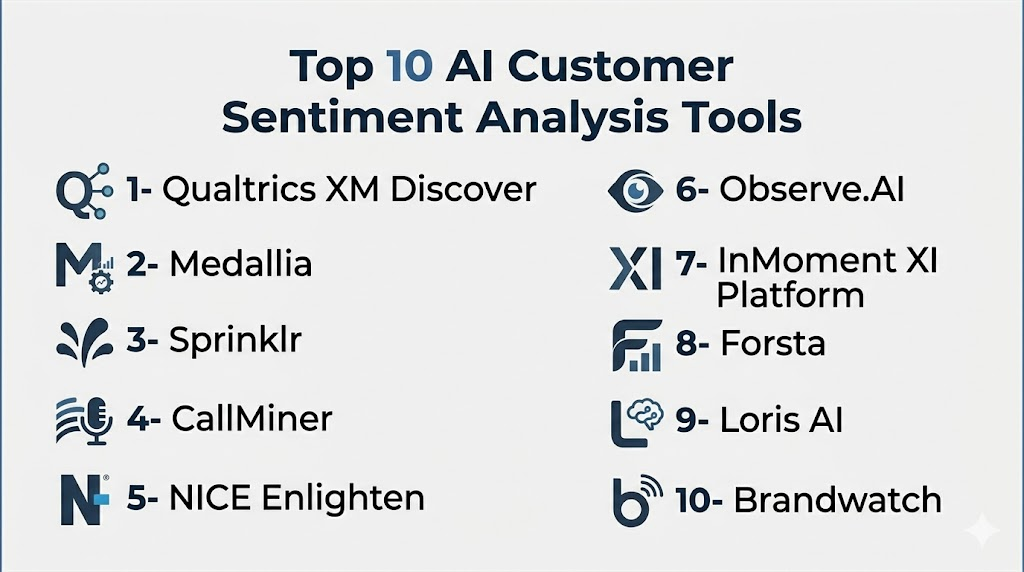
Top 10 AI Customer Sentiment Analysis Tools
1- Qualtrics XM Discover
One-line verdict: Best for enterprises needing advanced customer experience analytics and sentiment across feedback channels.
Short description:
Qualtrics XM Discover helps organizations analyze customer feedback, comments, support conversations, and experience data to identify sentiment, topics, trends, and customer experience drivers. It is especially strong for enterprises already using experience management programs.
Standout Capabilities
- Sentiment analysis across customer feedback sources
- Topic and theme detection for open-ended comments
- Customer experience dashboards and trend analysis
- Survey and unstructured feedback analysis
- Text analytics for support and experience teams
- Sentiment scoring at detailed comment levels
- Feedback filtering and segmentation
- Enterprise reporting and experience management alignment
AI-Specific Depth
- Model support: Hosted AI and machine learning approach
- RAG / knowledge integration: Varies / N/A
- Evaluation: Feedback analytics, sentiment review, dashboard monitoring, and human analysis workflows
- Guardrails: Admin permissions, data access controls, and governance workflows
- Observability: Dashboards for sentiment trends, topics, feedback volume, and customer experience metrics
Pros
- Strong enterprise CX analytics depth
- Good for structured and unstructured feedback
- Useful for executive customer experience reporting
Cons
- Can require implementation planning
- May be more than small teams need
- Pricing and packaging are usually enterprise-oriented
Security & Compliance
Qualtrics provides enterprise security and admin controls depending on product configuration and contract. Buyers should verify SSO, RBAC, audit logs, encryption, retention controls, data residency, and compliance requirements directly. Unknown certifications should be treated as Not publicly stated.
Deployment & Platforms
- Web-based platform
- Cloud deployment
- Customer experience analytics environment
- Self-hosted deployment: Varies / N/A
Integrations & Ecosystem
Qualtrics XM Discover is best when sentiment analysis is part of a broader customer experience program.
- Survey platforms
- CRM systems
- Contact center data
- Customer experience dashboards
- BI tools
- Data warehouse connections
- APIs and data exports
Pricing Model
Enterprise SaaS pricing is typically custom and may depend on feedback volume, modules, users, and analytics requirements.
Best-Fit Scenarios
- Enterprise customer experience programs
- Open-ended survey feedback analysis
- Multi-channel sentiment and topic reporting
2- Medallia
One-line verdict: Best for large organizations connecting sentiment insights with customer experience management programs.
Short description:
Medallia is a customer and employee experience platform that helps organizations collect, analyze, and act on feedback. Its text and speech analytics capabilities help teams identify sentiment, themes, emotion, and experience signals across customer journeys.
Standout Capabilities
- Customer experience sentiment analysis
- Text analytics for open-ended feedback
- Speech and conversation analytics capabilities
- Journey-level experience insights
- Customer feedback dashboards
- Root cause and trend discovery
- Workflow and alerting for experience teams
- Enterprise reporting across channels
AI-Specific Depth
- Model support: Hosted AI and analytics model approach
- RAG / knowledge integration: Varies / N/A
- Evaluation: Feedback review, sentiment trend analysis, and dashboard monitoring
- Guardrails: Role controls, governance workflows, and review permissions
- Observability: Dashboards for sentiment, feedback trends, customer journeys, and operational signals
Pros
- Strong fit for enterprise CX teams
- Useful across multiple customer feedback channels
- Good for linking feedback to customer journey improvement
Cons
- Enterprise implementation can be complex
- Small teams may find it too heavy
- Advanced capabilities depend on modules and configuration
Security & Compliance
Medallia provides enterprise security and governance controls depending on product edition and contract. Buyers should verify SSO, RBAC, audit logs, encryption, retention, residency, and compliance requirements directly.
Deployment & Platforms
- Web-based platform
- Cloud deployment
- Enterprise CX and feedback analytics environment
- Self-hosted deployment: Varies / N/A
Integrations & Ecosystem
Medallia works well for organizations that need sentiment analysis connected to customer feedback, service recovery, and experience programs.
- Survey channels
- Contact center data
- CRM systems
- Digital feedback tools
- BI platforms
- Workflow systems
- APIs and exports
Pricing Model
Enterprise pricing is typically custom and depends on modules, feedback channels, users, and deployment scope.
Best-Fit Scenarios
- Enterprise CX management
- Sentiment analysis across customer journeys
- Feedback-driven service recovery programs
3- Sprinklr
One-line verdict: Best for brands needing sentiment analysis across social, messaging, customer care, and digital channels.
Short description:
Sprinklr is a unified customer experience management platform that supports social listening, customer care, marketing, insights, and sentiment analysis. It is useful for large brands that need to understand customer emotion across public and private digital channels.
Standout Capabilities
- Sentiment analysis across social and care channels
- Social listening and brand monitoring
- Customer service conversation intelligence
- Topic and trend detection
- AI-powered message classification
- Dashboards for brand and customer insights
- Workflow automation for care teams
- Support for large-scale digital engagement
AI-Specific Depth
- Model support: Hosted AI model approach
- RAG / knowledge integration: Varies / N/A
- Evaluation: Sentiment monitoring, message analytics, and performance dashboards
- Guardrails: Admin controls, workflow rules, permissions, and moderation workflows
- Observability: Dashboards for social sentiment, customer care performance, topic trends, and engagement metrics
Pros
- Strong for social and digital sentiment analysis
- Useful for large brands and global teams
- Combines insights with customer care workflows
Cons
- Can be complex for small teams
- Best value appears in broader Sprinklr deployments
- Implementation and governance require planning
Security & Compliance
Sprinklr provides enterprise security and admin controls depending on product configuration. Buyers should verify SSO, RBAC, audit logs, encryption, retention, data residency, and compliance requirements directly.
Deployment & Platforms
- Web-based platform
- Cloud deployment
- Social, digital, and customer care channels
- Self-hosted deployment: Varies / N/A
Integrations & Ecosystem
Sprinklr is strongest when sentiment analysis needs to connect social listening, care operations, marketing, and customer engagement.
- Social networks
- Messaging channels
- CRM systems
- Contact center tools
- Marketing systems
- APIs
- Reporting and BI tools
Pricing Model
Enterprise SaaS pricing is typically custom and depends on modules, users, channels, and volume.
Best-Fit Scenarios
- Social sentiment analysis
- Brand health monitoring
- Customer care insights across digital channels
4- CallMiner
One-line verdict: Best for contact centers needing speech analytics, sentiment detection, compliance, and conversation intelligence.
Short description:
CallMiner is a conversation intelligence and speech analytics platform used by contact centers to analyze calls, chats, and customer interactions. It helps teams understand sentiment, emotion, compliance risk, agent performance, and customer experience patterns.
Standout Capabilities
- Speech and text analytics for contact centers
- Sentiment and emotion analysis
- Compliance monitoring support
- Automated conversation scoring
- Customer experience trend analysis
- Agent performance insights
- Topic and root cause discovery
- Dashboards for QA and operations teams
AI-Specific Depth
- Model support: Hosted AI and analytics model approach
- RAG / knowledge integration: Varies / N/A
- Evaluation: Conversation analytics, sentiment review, QA scoring, and trend analysis
- Guardrails: Compliance rules, policy checks, and supervisor review workflows
- Observability: Dashboards for sentiment, call quality, compliance, topics, and agent performance
Pros
- Strong contact center analytics depth
- Useful for speech-heavy environments
- Good for compliance and QA use cases
Cons
- Can require specialist setup
- May be too advanced for small support teams
- Best results depend on good call data quality
Security & Compliance
CallMiner offers enterprise security and data protection capabilities depending on plan and contract. Buyers should verify SSO, RBAC, audit logs, encryption, retention controls, data residency, and compliance requirements directly.
Deployment & Platforms
- Web-based analytics platform
- Cloud deployment
- Voice and text conversation analytics
- Self-hosted deployment: Varies / N/A
Integrations & Ecosystem
CallMiner works well as an analytics layer across contact center recordings, transcripts, and customer interaction systems.
- Contact center platforms
- Call recording systems
- CRM systems
- Workforce management tools
- QA platforms
- BI tools
- APIs and exports
Pricing Model
Enterprise pricing usually varies by interaction volume, channels, analytics modules, and deployment requirements.
Best-Fit Scenarios
- Call sentiment analysis
- Contact center QA and coaching
- Compliance and speech analytics programs
5- NICE Enlighten
One-line verdict: Best for large contact centers needing AI sentiment insights within enterprise CX operations.
Short description:
NICE Enlighten provides AI-powered analytics and intelligence for contact center operations. It helps teams understand customer sentiment, agent behavior, interaction quality, and operational performance inside large-scale service environments.
Standout Capabilities
- AI-powered contact center analytics
- Customer sentiment and interaction analysis
- Agent behavior insights
- Quality management support
- Compliance and risk monitoring
- Workforce and operational intelligence
- Enterprise reporting dashboards
- Strong fit for NICE ecosystem customers
AI-Specific Depth
- Model support: Hosted AI within NICE ecosystem
- RAG / knowledge integration: Varies / N/A
- Evaluation: Quality analytics, sentiment review, performance scoring, and operations reporting
- Guardrails: Compliance controls, supervisor review, and policy workflows
- Observability: Dashboards for sentiment, QA trends, customer interactions, and operational metrics
Pros
- Strong enterprise contact center fit
- Deep operational analytics
- Useful for large-scale QA and CX programs
Cons
- Best value often appears inside NICE environments
- Implementation can be complex
- Not ideal for small teams needing simple sentiment dashboards
Security & Compliance
NICE provides enterprise security and governance capabilities depending on product configuration. Buyers should verify SSO, RBAC, encryption, audit logs, retention, and compliance needs directly.
Deployment & Platforms
- Web-based enterprise platform
- Cloud deployment
- Contact center ecosystem deployment
- Self-hosted deployment: Varies / N/A
Integrations & Ecosystem
NICE Enlighten is strongest when sentiment analysis must connect with contact center operations, quality management, and workforce workflows.
- NICE CXone ecosystem
- Contact center platforms
- Workforce management
- CRM integrations
- Quality management workflows
- Analytics dashboards
- APIs and data workflows
Pricing Model
Enterprise pricing is usually custom based on contact center size, modules, analytics depth, and deployment requirements.
Best-Fit Scenarios
- Large contact center sentiment analysis
- Agent behavior and customer emotion analytics
- Enterprise QA and CX improvement programs
6- Observe.AI
One-line verdict: Best for contact centers needing sentiment insights, QA automation, and agent coaching.
Short description:
Observe.AI is an AI contact center intelligence platform that analyzes customer conversations to support quality assurance, coaching, sentiment tracking, and performance improvement. It is useful for teams that want sentiment insights connected to agent workflows.
Standout Capabilities
- AI-powered conversation analysis
- Sentiment and intent detection
- Automated QA scorecards
- Agent coaching workflows
- Conversation summaries and trend analysis
- Supervisor dashboards
- Contact center performance reporting
- Compliance monitoring support
AI-Specific Depth
- Model support: Hosted AI model approach
- RAG / knowledge integration: Varies / N/A
- Evaluation: Automated QA scoring, conversation review, and sentiment analytics
- Guardrails: QA rules, compliance checks, and supervisor review workflows
- Observability: Dashboards for sentiment, agent performance, call quality, and coaching trends
Pros
- Strong fit for QA and coaching workflows
- Helps analyze high volumes of conversations
- Useful for linking sentiment to agent performance
Cons
- Best suited for contact centers with defined QA processes
- Requires thoughtful scorecard and workflow setup
- Pricing is typically custom
Security & Compliance
Observe.AI provides enterprise security controls depending on plan and agreement. Buyers should verify SSO, RBAC, audit logs, encryption, retention, residency, and compliance requirements directly.
Deployment & Platforms
- Web-based platform
- Cloud deployment
- Contact center analytics workflows
- Self-hosted deployment: Varies / N/A
Integrations & Ecosystem
Observe.AI works well when sentiment analysis must connect with QA, coaching, and contact center performance workflows.
- Contact center platforms
- CRM systems
- Help desk tools
- Call recording systems
- Workforce management tools
- APIs and exports
- Coaching workflows
Pricing Model
Enterprise SaaS pricing usually depends on users, interaction volume, analytics scope, and implementation needs.
Best-Fit Scenarios
- Contact center sentiment tracking
- Agent coaching and QA programs
- High-volume conversation intelligence
7- InMoment XI Platform
One-line verdict: Best for experience teams needing sentiment analysis across customer feedback and journey insights.
Short description:
InMoment XI Platform helps organizations collect, analyze, and act on customer feedback across surveys, digital touchpoints, contact center interactions, and experience programs. It supports sentiment and text analytics for understanding customer perception and root causes.
Standout Capabilities
- Customer feedback and sentiment analysis
- Text analytics for open-ended responses
- Experience improvement dashboards
- Journey and touchpoint analysis
- Root cause detection
- Feedback alerts and workflows
- Reporting for CX teams and executives
- Support for multi-source feedback programs
AI-Specific Depth
- Model support: Hosted AI and analytics model approach
- RAG / knowledge integration: Varies / N/A
- Evaluation: Feedback review, sentiment trends, and experience analytics
- Guardrails: Role permissions, workflow governance, and review controls
- Observability: Dashboards for sentiment, feedback themes, customer journeys, and experience metrics
Pros
- Strong for enterprise customer experience programs
- Useful for combining surveys and operational feedback
- Good for root cause and journey-level insights
Cons
- May require CX program maturity
- Smaller teams may find it too broad
- Advanced capabilities vary by configuration
Security & Compliance
InMoment provides enterprise security and admin controls depending on configuration and contract. Buyers should verify SSO, RBAC, audit logs, encryption, retention, residency, and compliance requirements directly.
Deployment & Platforms
- Web-based platform
- Cloud deployment
- Customer experience analytics environment
- Self-hosted deployment: Varies / N/A
Integrations & Ecosystem
InMoment is useful when sentiment analysis needs to connect with feedback collection, journey analytics, and operational improvement programs.
- Survey channels
- CRM systems
- Contact center data
- Digital feedback tools
- BI and reporting tools
- APIs and exports
- Workflow tools
Pricing Model
Enterprise pricing is typically custom based on modules, feedback volume, users, and program scope.
Best-Fit Scenarios
- Enterprise CX sentiment programs
- Multi-source customer feedback analysis
- Journey-based experience improvement
8- Forsta
One-line verdict: Best for research, CX, and insights teams analyzing sentiment across surveys and feedback data.
Short description:
Forsta is a customer experience, research, and insights platform used to collect and analyze customer feedback. It supports text analytics and sentiment analysis for teams that need structured insight from survey responses, open-text feedback, and research programs.
Standout Capabilities
- Customer feedback and research analytics
- Sentiment analysis for open-ended responses
- Text analytics and theme discovery
- Survey and experience program support
- Dashboards for insight teams
- Reporting for customer experience improvement
- Data collection and analytics workflows
- Useful for research-led organizations
AI-Specific Depth
- Model support: Hosted analytics and AI capabilities
- RAG / knowledge integration: Varies / N/A
- Evaluation: Research review, text analytics validation, and feedback reporting
- Guardrails: User permissions, governance controls, and review workflows
- Observability: Dashboards for survey results, sentiment, themes, and customer insights
Pros
- Strong for research and survey-driven analysis
- Useful for open-text feedback
- Good fit for insights teams
Cons
- Less contact-center-specific than CallMiner or NICE
- May require research program expertise
- Advanced sentiment workflows depend on configuration
Security & Compliance
Forsta provides business and enterprise security controls depending on plan and agreement. Buyers should verify SSO, RBAC, audit logs, encryption, retention, and compliance requirements directly.
Deployment & Platforms
- Web-based platform
- Cloud deployment
- Research and experience analytics environment
- Self-hosted deployment: Varies / N/A
Integrations & Ecosystem
Forsta fits teams that need sentiment insights connected to surveys, research programs, and CX reporting.
- Survey tools
- Research workflows
- Customer experience dashboards
- CRM integrations
- BI tools
- Data exports
- APIs
Pricing Model
Pricing is typically custom and depends on research modules, users, feedback volume, and analytics needs.
Best-Fit Scenarios
- Survey sentiment analysis
- Research and insights teams
- Open-ended customer feedback analysis
9- Loris AI
One-line verdict: Best for customer support teams needing conversation intelligence and sentiment insights from support interactions.
Short description:
Loris AI is a conversation intelligence platform focused on customer support conversations. It helps teams understand why customers contact support, how they feel, where conversations break down, and which issues affect satisfaction or churn.
Standout Capabilities
- Customer conversation analysis
- Sentiment and satisfaction signal detection
- Root cause identification from support interactions
- Agent performance insights
- Churn and loyalty signal discovery
- Support topic clustering
- Alerts for customer experience issues
- Insights across human and AI-assisted support conversations
AI-Specific Depth
- Model support: Hosted AI model approach
- RAG / knowledge integration: Varies / N/A
- Evaluation: Conversation analysis, satisfaction modeling, and insight review
- Guardrails: Admin controls, review workflows, and support analytics governance
- Observability: Dashboards for customer sentiment, support reasons, agent behavior, and satisfaction trends
Pros
- Strong focus on customer support conversations
- Useful for uncovering root causes behind sentiment
- Helps support leaders identify coaching and product issues
Cons
- Less broad than enterprise CX suites
- Best value depends on support conversation volume
- Integration fit should be tested carefully
Security & Compliance
Loris provides security and admin controls depending on plan and agreement. Buyers should verify SSO, RBAC, audit logs, encryption, retention, and compliance requirements directly.
Deployment & Platforms
- Web-based platform
- Cloud deployment
- Support conversation analytics
- Self-hosted deployment: Varies / N/A
Integrations & Ecosystem
Loris AI is useful when sentiment analysis needs to focus on support conversations and customer issue drivers.
- Help desk systems
- Contact center tools
- CRM platforms
- Conversation data sources
- Analytics workflows
- APIs and exports
- Support performance dashboards
Pricing Model
Pricing is generally custom and may depend on conversation volume, analytics scope, integrations, and team size.
Best-Fit Scenarios
- Support conversation sentiment analysis
- Churn and satisfaction signal detection
- Root cause analysis from customer interactions
10- Brandwatch
One-line verdict: Best for marketing and brand teams tracking customer sentiment across social and public channels.
Short description:
Brandwatch is a consumer intelligence and social listening platform used to monitor brand mentions, customer opinions, trends, and sentiment across public digital channels. It is useful for marketing, communications, and insights teams that need external customer sentiment visibility.
Standout Capabilities
- Social listening and consumer intelligence
- Brand sentiment tracking
- Trend and topic discovery
- Audience and market insights
- Public conversation monitoring
- Campaign and brand health analysis
- Competitive sentiment tracking
- Dashboards for marketing and insights teams
AI-Specific Depth
- Model support: Hosted AI and analytics model approach
- RAG / knowledge integration: Varies / N/A
- Evaluation: Social analytics review, sentiment dashboards, and topic validation
- Guardrails: User permissions, moderation workflows, and data access controls
- Observability: Dashboards for sentiment, mentions, trends, audiences, and brand health
Pros
- Strong social and public sentiment monitoring
- Useful for marketing and brand teams
- Good for trend and competitive analysis
Cons
- Less focused on private support conversations
- Not a replacement for contact center sentiment tools
- Sentiment accuracy should be tested for slang and context
Security & Compliance
Brandwatch provides security and admin capabilities depending on product configuration and contract. Buyers should verify SSO, RBAC, audit logs, encryption, retention, and compliance requirements directly.
Deployment & Platforms
- Web-based platform
- Cloud deployment
- Social and public digital channel analytics
- Self-hosted deployment: Varies / N/A
Integrations & Ecosystem
Brandwatch works best when sentiment analysis is tied to marketing, social listening, competitive intelligence, and brand reputation.
- Social media platforms
- Reporting dashboards
- Marketing analytics tools
- Data exports
- BI workflows
- APIs
- Campaign reporting tools
Pricing Model
Pricing is typically custom and depends on users, data access, modules, volume, and analytics needs.
Best-Fit Scenarios
- Social sentiment tracking
- Brand reputation monitoring
- Competitive customer perception analysis
Comparison Table
| Tool Name | Best For | Deployment | Model Flexibility | Strength | Watch-Out | Public Rating |
|---|---|---|---|---|---|---|
| Qualtrics XM Discover | Enterprise CX analytics | Cloud | Hosted | Feedback and sentiment depth | Enterprise setup effort | N/A |
| Medallia | Experience management | Cloud | Hosted | Journey-level insights | Complex implementation | N/A |
| Sprinklr | Social and care sentiment | Cloud | Hosted | Digital channel coverage | Best in broader platform | N/A |
| CallMiner | Contact center speech analytics | Cloud | Hosted | Conversation analytics depth | Specialist setup needed | N/A |
| NICE Enlighten | Enterprise contact centers | Cloud | Hosted | Operational CX intelligence | Best inside NICE stack | N/A |
| Observe.AI | QA and coaching sentiment | Cloud | Hosted | Agent performance insights | Needs QA process maturity | N/A |
| InMoment XI Platform | Multi-source CX feedback | Cloud | Hosted | Journey and feedback analytics | Broad platform scope | N/A |
| Forsta | Research and survey insights | Cloud | Hosted | Open-text feedback analysis | Less contact-center-specific | N/A |
| Loris AI | Support conversation intelligence | Cloud | Hosted | Root cause from support conversations | Integration fit varies | N/A |
| Brandwatch | Social and brand sentiment | Cloud | Hosted | Public conversation monitoring | Not for private support only | N/A |
Scoring & Evaluation
This scoring is comparative, not absolute. It reflects sentiment analysis depth, channel coverage, AI reliability, workflow integration, ease of use, governance readiness, analytics quality, and practical buyer value. Scores should be used for shortlisting only. Buyers should test tools with real customer calls, survey comments, tickets, reviews, chats, social mentions, multilingual examples, and business-specific terminology before making a decision.
| Tool | Core | Reliability and Eval | Guardrails | Integrations | Ease | Perf and Cost | Security and Admin | Support | Weighted Total |
|---|---|---|---|---|---|---|---|---|---|
| Qualtrics XM Discover | 10 | 9 | 8 | 9 | 7 | 7 | 9 | 9 | 8.7 |
| Medallia | 10 | 9 | 8 | 9 | 7 | 7 | 9 | 9 | 8.7 |
| Sprinklr | 9 | 8 | 8 | 9 | 7 | 7 | 9 | 8 | 8.3 |
| CallMiner | 9 | 9 | 9 | 8 | 7 | 7 | 9 | 8 | 8.4 |
| NICE Enlighten | 10 | 9 | 9 | 9 | 7 | 7 | 9 | 9 | 8.8 |
| Observe.AI | 9 | 8 | 8 | 8 | 8 | 7 | 8 | 8 | 8.0 |
| InMoment XI Platform | 9 | 8 | 8 | 8 | 7 | 7 | 9 | 8 | 8.0 |
| Forsta | 8 | 8 | 7 | 8 | 7 | 8 | 8 | 8 | 7.8 |
| Loris AI | 8 | 8 | 7 | 8 | 8 | 8 | 8 | 7 | 7.9 |
| Brandwatch | 8 | 8 | 7 | 8 | 8 | 7 | 8 | 8 | 7.8 |
Top 3 for Enterprise
- NICE Enlighten
- Qualtrics XM Discover
- Medallia
Top 3 for SMB
- Loris AI
- Brandwatch
- Forsta
Top 3 for Developers
- CallMiner
- Sprinklr
- Qualtrics XM Discover
Which AI Customer Sentiment Analysis Tool Is Right for You
Solo / Freelancer
Solo users usually do not need a full enterprise sentiment platform unless they manage large social communities, review volume, or customer research projects. A lightweight social listening or feedback analysis tool may be enough. Brandwatch can be considered for public sentiment monitoring, but most solo users should start with simple survey and review analysis before moving to enterprise platforms.
SMB
SMBs should prioritize ease of use, clear dashboards, fast setup, and practical insights. Loris AI can be useful for support conversation sentiment, Brandwatch can help with public and social sentiment, and Forsta can support survey-led insights. SMBs should avoid overly complex enterprise CX suites unless they have enough feedback volume and a dedicated team to act on insights.
Mid-Market
Mid-market companies usually need sentiment analysis across tickets, calls, surveys, reviews, and customer success workflows. Qualtrics XM Discover, InMoment XI Platform, Observe.AI, CallMiner, and Sprinklr are strong candidates depending on channel mix. These teams should test dashboards, integrations, alerting, and segmentation before purchase.
Enterprise
Enterprises should prioritize scalability, governance, security, multi-channel coverage, advanced analytics, workflow automation, and executive reporting. NICE Enlighten is strong for contact centers, Qualtrics XM Discover and Medallia are strong for broad CX programs, Sprinklr is strong for digital and social care, and CallMiner is strong for speech analytics. The best choice depends on whether sentiment is mainly needed for CX, contact center, social, research, or support operations.
Regulated industries
Finance, healthcare, insurance, telecom, and public sector teams should focus on data privacy, audit logs, access control, retention settings, redaction, and explainable workflows. CallMiner, NICE Enlighten, Qualtrics XM Discover, Medallia, and InMoment XI Platform are strong candidates for regulated evaluation. Buyers should verify all security and compliance requirements directly before deployment.
Budget vs premium
Budget-focused teams should start with tools that match a specific channel, such as support conversations, surveys, or social listening. Premium buyers should evaluate Qualtrics XM Discover, Medallia, NICE Enlighten, CallMiner, and Sprinklr when they need enterprise dashboards, governance, broad integrations, and advanced analytics. Paying more only makes sense if the organization has clear processes for acting on sentiment insights.
Build vs buy
Building a sentiment analysis system may make sense for companies with strong data science teams, unique language needs, proprietary feedback data, and strict internal controls. Most teams should buy because speech analytics, text analytics, dashboards, workflow alerts, security, integrations, and model maintenance are difficult to build well. A hybrid approach can work when teams buy a platform for operational workflows and export sentiment data into internal analytics systems.
Implementation Playbook 30 / 60 / 90 Days
First 30 Days
- Define the main business goal such as churn detection, contact center coaching, brand monitoring, product feedback, or customer experience improvement.
- Select the first feedback channels to analyze, such as calls, tickets, surveys, reviews, or social messages.
- Gather real sample data with different sentiment levels, languages, customer segments, and product issues.
- Define sentiment categories and business labels that matter to your team.
- Test sentiment accuracy with real customer comments and conversations.
- Identify owners for CX, support, product, marketing, and operations insights.
- Set baseline metrics such as CSAT, NPS, escalation rate, churn signals, complaint volume, and negative sentiment share.
- Configure dashboards for frontline teams and executives.
- Review privacy, access, and retention controls before uploading sensitive customer data.
- Start with a controlled pilot before company-wide rollout.
Days 31 to 60
- Connect the tool with CRM, help desk, contact center, survey, social, and BI systems.
- Create alerts for high-risk negative sentiment, churn language, urgent complaints, and compliance-sensitive issues.
- Calibrate AI sentiment scores against human review.
- Add topic modeling to understand what drives negative or positive sentiment.
- Segment sentiment by product, region, customer tier, support queue, agent, and issue type.
- Train managers on how to interpret sentiment responsibly.
- Build workflows for service recovery and escalation.
- Review false positives and false negatives in sentiment scoring.
- Create recurring insight reports for support, product, marketing, and leadership teams.
- Define governance for using sentiment in agent coaching or performance reviews.
Days 61 to 90
- Expand analysis to more channels and regions.
- Use sentiment trends to improve knowledge base articles, product messaging, and support scripts.
- Connect sentiment insights with churn prediction, product roadmap feedback, and customer success workflows.
- Tune model labels, topic categories, and dashboards based on business needs.
- Monitor cost by feedback volume, minutes, seats, and AI processing.
- Build executive reporting around sentiment trends, root causes, customer loyalty, and operational impact.
- Establish a monthly sentiment review cycle across teams.
- Use insights to prioritize product fixes and service improvements.
- Review vendor lock-in and export options.
- Create continuous improvement loops from customer sentiment to action and measurement.
Common Mistakes and How to Avoid Them
- Treating sentiment scores as perfect truth without human review.
- Ignoring sarcasm, slang, mixed emotions, and context.
- Using generic sentiment models without testing industry-specific language.
- Tracking sentiment without assigning owners to act on insights.
- Measuring positive and negative sentiment but ignoring root cause themes.
- Analyzing surveys only while ignoring calls, tickets, reviews, and social messages.
- Using sentiment scores unfairly in agent performance reviews.
- Failing to segment sentiment by customer tier, product, region, or issue type.
- Not connecting sentiment alerts to escalation workflows.
- Ignoring multilingual accuracy and cultural differences.
- Uploading sensitive customer data without reviewing privacy controls.
- Choosing dashboards that look good but do not guide action.
- Failing to compare AI sentiment with human-labeled samples.
- Not tracking whether sentiment insights improve customer experience outcomes.
FAQs
1. What is an AI customer sentiment analysis tool?
An AI customer sentiment analysis tool analyzes customer feedback and conversations to detect whether customers feel positive, negative, neutral, frustrated, satisfied, confused, or at risk. It helps teams understand customer emotions at scale.
2. How does customer sentiment analysis work?
It uses natural language processing, machine learning, speech analytics, and AI models to analyze text or voice transcripts. The tool identifies emotional tone, topics, intent, and patterns across customer interactions.
3. Is sentiment analysis accurate?
Sentiment analysis can be useful, but accuracy depends on language, context, data quality, industry terms, sarcasm, and model tuning. Teams should test AI scores against human review before using them for important decisions.
4. Can sentiment analysis work on phone calls?
Yes, many tools analyze call transcripts and speech signals to detect customer sentiment. Contact center platforms may also track silence, interruptions, tone, and escalation patterns.
5. Can these tools analyze support tickets?
Yes, many sentiment analysis platforms can analyze tickets, emails, chats, and help desk conversations. This helps support teams identify frustrated customers, urgent issues, and common complaint themes.
6. Can sentiment analysis detect churn risk?
Some tools can detect churn-related signals such as frustration, cancellation language, repeated complaints, unresolved issues, and negative sentiment trends. Churn prediction should still be validated with customer history and business data.
7. Are sentiment analysis tools useful for product teams?
Yes, product teams can use sentiment analysis to identify feature complaints, usability problems, pricing concerns, bug patterns, and requests for improvement. This helps prioritize roadmap decisions using real customer feedback.
8. Do these tools support multiple languages?
Many enterprise platforms support multiple languages, but performance varies by language, region, slang, and industry vocabulary. Buyers should test real multilingual feedback before relying on broad rollout.
9. What is the difference between sentiment analysis and emotion analysis?
Sentiment analysis usually identifies positive, negative, or neutral tone. Emotion analysis goes deeper by detecting feelings such as anger, frustration, joy, confusion, disappointment, or urgency.
10. Can sentiment analysis improve customer support?
Yes, it can help identify unhappy customers, coach agents, prioritize escalations, detect recurring issues, and improve knowledge base content. The value depends on whether teams act on the insights.
11. Is customer sentiment data sensitive?
Yes, customer conversations can include personal, financial, health, account, or business-sensitive information. Teams should verify encryption, access controls, retention settings, audit logs, and compliance requirements before deployment.
12. Should companies build or buy sentiment analysis tools?
Most companies should buy because reliable sentiment analysis requires models, dashboards, integrations, security, workflow automation, and ongoing tuning. Building may make sense for organizations with strong data science teams and highly specialized needs.
Conclusion
AI customer sentiment analysis tools help organizations understand customer emotion, detect problems earlier, improve support quality, and turn feedback into practical business action. The best tool depends on your main feedback channels, whether you focus on contact center conversations, surveys, social listening, support tickets, or broad customer experience programs. Qualtrics XM Discover and Medallia are strong for enterprise CX, NICE Enlighten and CallMiner are strong for contact centers, Sprinklr and Brandwatch are strong for social and digital sentiment, while Observe.AI, Loris AI, InMoment XI Platform, and Forsta fit different support, insights, and feedback analysis needs. The smartest path is to shortlist tools based on your data sources, pilot them with real customer feedback, verify privacy and accuracy controls, then scale with clear ownership, human review, and workflows that turn sentiment insights into measurable customer experience improvements.

Find Trusted Cardiac Hospitals
Compare heart hospitals by city and services — all in one place.
Explore Hospitals
The article is useful for comparing sentiment analysis tools, but in real-world use the main limitation is not detecting sentiment—it’s understanding context, sarcasm, and domain-specific language accurately at scale. Many tools still misread technical discussions or multilingual feedback, which can lead to misleading insights. A more practical approach is combining AI sentiment scoring with human validation and tying results to actual business signals like churn, support resolution time, and product usage so sentiment insights translate into meaningful action.