
Originally published on 2009-01-13; fully revised and updated.
This article explains the major classes of software configuration management (SCM) problems in product development teams, who is impacted by them, and how to control them with practical process and tooling. You will learn a clear risk-to-control mapping, a workable change-control workflow, and implementation examples for multi-developer and multi-release environments.
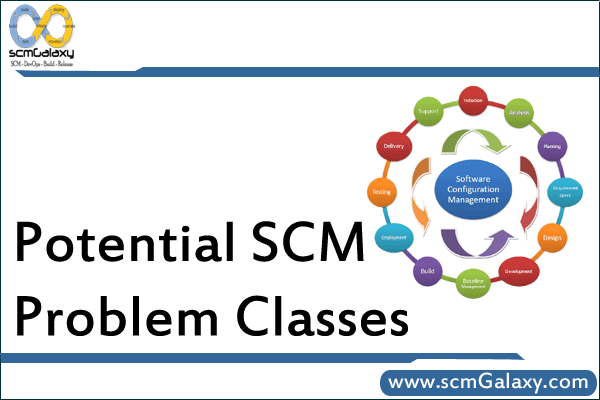
SCM problem classes to identify before scaling delivery
Most SCM incidents can be grouped into recurring classes. Naming these early helps teams choose controls before defects, rework, and release confusion grow.
- Multiple developer syndrome: concurrent edits collide, and without version control discipline, work can be overwritten or lost.
- Multiple releases: fixes and features must be managed across active versions, not just the latest branch.
- Product family variation: shared assets and platform-specific differences must be versioned together without duplicating everything.
- Requirements change: feature scope evolves, so releases need traceability from requirement to delivered version.
- Schedule change: release plans shift as scope shifts; teams need visibility into impact and effort history.
- Software change churn: frequent code updates require safe rollback, auditability, and reproducibility.
- Staff changes: turnover causes process gaps unless development and release practices are documented in SCM workflows.
- System and documentation change: upstream platform/tool/doc changes can affect many configuration items at once.
Risk-to-control mapping for the 8 SCM problem classes
| Problem class | Typical failure without SCM control | SCM control to implement |
|---|---|---|
| Multiple developer syndrome | Last-write-wins overwrites and merge chaos | Branch strategy, pull requests, mandatory reviews, merge checks |
| Multiple releases | Fixes shipped to one version but missing in others | Release branches, patch policy, backport tracking |
| Product family | Asset duplication and inconsistent platform behavior | Reusable baselines, variant management, shared CI definitions |
| Requirements change | Unclear feature ownership per release | Requirement-to-commit-to-release traceability |
| Schedule change | Unreliable delivery forecasts | Change impact assessment and historical status accounting |
| Software change churn | No safe rollback path after bad changes | Tags, immutable artifacts, reproducible builds |
| Staff changes | Knowledge lost with key individuals | Documented workflows, coded pipelines, audit trails |
| System/documentation change | Hidden downstream impact and late surprises | Configuration item inventory and dependency mapping |
How change control should flow through a CCB
A configuration control board (CCB) provides decision discipline for what enters a release, what is deferred, and what is rejected. The key is traceable decisions with documented outcomes for status accounting.
flowchart TD
    A[Change request raised] --> B[Log request and assign CI]
    B --> C[Impact analysis]
    C --> D{CCB decision}
    D -- Approve --> E[Approve for target release]
    D -- Defer --> F[Defer to backlog]
    D -- Reject --> G[Reject with rationale]
    E --> H[Implement change]
    H --> I[Verify and audit]
    I --> J[Update status records]
    F --> J
    G --> J
    J --> K[Publish release notes]
Practical Git workflow examples for SCM control
The commands below are a lightweight example of how to operationalize SCM controls for multiple developers and multiple supported releases.
Create a release branch and tag a version
git switch main
git pull

git switch -c release/2.3
git push -u origin release/2.3

git tag -a v2.3.0 -m "Release 2.3.0"
git push origin v2.3.0Code language: JavaScript (javascript)
Apply one fix to multiple supported releases
git switch release/2.2
git cherry-pick <fix-commit-sha>
git push origin release/2.2

git switch release/2.3
git cherry-pick <fix-commit-sha>
git push origin release/2.3Code language: HTML, XML (xml)
Compare common ways to move changes between branches
| Command pattern | Best for | Trade-off |
|---|---|---|
git merge | Bringing full branch history into a target branch | Can bring unrelated commits if branch scope is broad |
git cherry-pick | Backporting specific fixes across release branches | Requires careful tracking to avoid duplicate picks |
git rebase | Keeping local feature history linear before merge | Rewrites commit history and needs team discipline |
SCM staffing responsibilities by core function
The source material groups SCM work into four core functions: identification, control, auditing, and status accounting. In practice, one person may cover multiple functions on small teams, while larger programs split them across roles.
| SCM function | Core abilities | Typical outputs |
|---|---|---|
| Identification | Partitioning systems, understanding relationships, technical context | Configuration item list, baselines, naming/version rules |
| Control | Cost-benefit evaluation, cross-functional trade-off judgment | Approved/rejected changes, release scope decisions |
| Auditing | Attention to detail, congruence checks, missing-item detection | Functional/physical audit records, compliance findings |
| Status accounting | Accurate recording, data organization, technical familiarity | Change logs, version reports, release status dashboards |
Minimum contents of an SCM plan (SCMP)
- SCM organization, roles, and responsibilities
- Configuration item identification rules
- Change control process and CCB operating model
- Status accounting method and reporting cadence
- Audit and review procedures
- Tools, techniques, and automation boundaries
- Supplier or third-party change controls
- Standards, records retention, and evidence storage
Best practices
- Keep branch and release policy simple enough that every developer can follow it daily.
- Treat CCB decisions as auditable records, not informal chat outcomes.
- Track which fixes are required per active release before implementation starts.
- Version documentation with code when installation or behavior differs by platform.
- Use immutable tags for shipped builds and preserve the build inputs needed to reproduce artifacts.
- Onboard new team members through documented SCM workflows, not tribal knowledge.

I’m Rajesh Kumar, a DevOps, SRE, DevSecOps, Cloud, and Platform Engineering expert passionate about sharing practical knowledge, real-world experiences, and industry best practices. I have worked at Cotocus and regularly write about technology, travel, investing, health, product reviews, and digital marketing through my various platforms.
I publish technical articles at DevOps School, travel stories at Holiday Landmark, stock market insights at Stocks Mantra, health and fitness guidance at My Medic Plus, product reviews at TrueReviewNow, and SEO and digital marketing strategies at Wizbrand.
Find Trusted Cardiac Hospitals
Compare heart hospitals by city and services — all in one place.
Explore Hospitals






This article does a great job of highlighting how even with a well‑designed software configuration management (SCM) setup, there are still several problem‑classes to watch out for — from configuration drift and branching complexity to mismanaged baselines or insufficient change control. By categorizing these common pitfalls, the post helps teams recognize where SCM can quietly fail if overlooked. The discussion serves as a useful checklist for any software organization: before adopting or scaling SCM practices, make sure you have clear policies for versioning, branching/merging, baseline control, change review and traceability. For development managers and trainers alike, it’s a helpful reminder that SCM isn’t just about tooling — it’s also about disciplined process and governance.