
Digital technology and Learning is spreading like wildfire across the world. It has taken over the realms of the education system as well with products like Smart Boards, interactive whiteboard with E-learning resources. With so many different innovations floating around it is hard for decision makers to grasp the best option for their institution and organization for choosing a best Smart Board or interactive whiteboard. Lets try to understand this now.
An interactive whiteboard (IWB) also commonly known as Interactive board or Smart boards is a large interactive display in the form factor of a whiteboard. It can either be a standalone touchscreen computer used independently to perform tasks and operations, or a connectable apparatus used as a touchpad to control computers from a projector.
What is Smart Board?
Smart Board are large interactive devices allow users to draw and write using touch-sensitive displays, like giant, vertically oriented tablets. Smartboards are great for visualizing projects, annotating images and diagrams, collaborating remotely, and connecting with popular apps.
Some smartboards take advantage of the cloud to allow for simultaneous viewing of the canvas across desktop and mobile devices. Some go the other way as well, allowing for screencasting from external devices to the smartboard.
What are the advantages of Smart Board?
Some benefits of Smart Boards include the increase in interactive instructional tools, create more interest and motivation among students, display attractive graphics, improve lectures with audio-visual tools, provide better instructional materials, and can also cater to all learning styles.
What is the difference between an interactive whiteboard and Smartboard?
A white board is merely a board that can be used for writing, but an interactive white board is used to interact with the computer. For example, the contents written on an interactive white board can be stored for future use.
The term Interactive Whiteboard just means a large interactive display that connects to a computer and projector. Both are interactive technology and provide a touch interface as your main display. Generally connection to the display is via HDMI or VGA, using a portable device, such as a laptop, tablet or a PC.
What is the difference between Smart boards or interactive projectors instead?
First, let us take into note the fact that interactive projectors perform the exact same functions of a smart board without the need for the actual whiteboard setup. This means that by investing in an interactive projector you can cost cut to around half of your actual expenses. Projectors have dual touch.
But the drawback is that only pens can be used for the touch screen. This means that if you lose a pen, you have to ensure you have a spare one lying around. Whereas the single touch smart boards can be used with a pen or a finger.
List of interactive projectors and Smartboard?
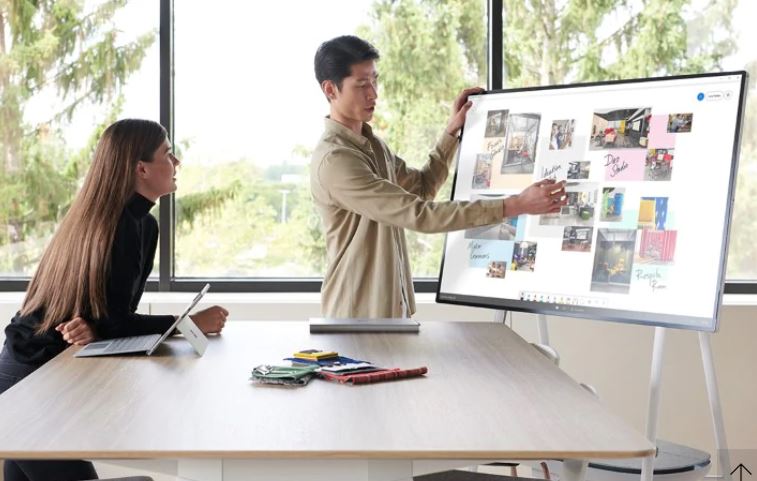
Microsoft Surface Hub
This is the all-in-one digital whiteboard, meeting platform, and teamwork collaborative computing device for the modern workplace.
Collaborate and work together wherever you are with Surface Hub 2S, the do-it-all digital whiteboard, meetings platform, and collaboration device packing the power of Windows 10. The Surface Hub is a brand of interactive whiteboard developed and marketed by Microsoft, as part of the Microsoft Surface family. The Surface Hub is a wall-mounted or roller-stand-mounted device with either a 55-inch (140 cm) 1080p or an 84-inch (210 cm) 4K 120 Hz touchscreen with multi-touch and multi-pen capabilities, running the Windows 10 operating system. The devices are targeted for businesses to use while collaborating and videoconferencing.
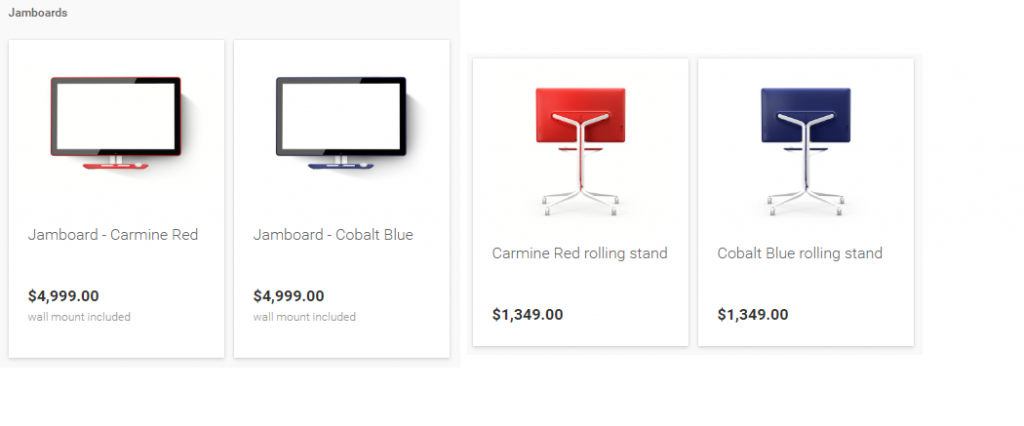
Google Jamboard
Jamboard is an interactive whiteboard developed by Google, as part of the G Suite family. It was officially announced on 25 October 2016. It has a 55″ 4K touchscreen display, and has compatibility for online collaboration through cross-platform support. The display can also be mounted onto a wall or be configured into a stand.
Samsung Flip
The Samsung Flip is an interactive whiteboard developed by Samsung Electronics and planned for release in 2018. The device was announced during Samsung’s keynote speech at CES 2018, with planned distribution in the United States and Europe. It consists of a 55″ screen and a dual-sided stylus pen, available for $2,700. Accessories are available to either mount the display on the wall or attach it on a height-adjustable moving stand.The Samsung Flip is aimed at enterprise clients, similar to the Jamboard and Surface Hub.
Some of the similar questions which was asked as follows;
- What is the best smart board to buy?
- What is the best interactive smartboard for education?
- How much does an interactive smartboard cost?

I’m Rajesh Kumar, a DevOps, SRE, DevSecOps, Cloud, and Platform Engineering expert passionate about sharing practical knowledge, real-world experiences, and industry best practices. I have worked at Cotocus and regularly write about technology, travel, investing, health, product reviews, and digital marketing through my various platforms.
I publish technical articles at DevOps School, travel stories at Holiday Landmark, stock market insights at Stocks Mantra, health and fitness guidance at My Medic Plus, product reviews at TrueReviewNow, and SEO and digital marketing strategies at Wizbrand.
Find Trusted Cardiac Hospitals
Compare heart hospitals by city and services — all in one place.
Explore Hospitals





