
Note:- You can not simply Copy and Paste events from one Calendar to another calendar.
You can Export all events from calendar and Import to the new calendar. Steps are written below:
Step 1
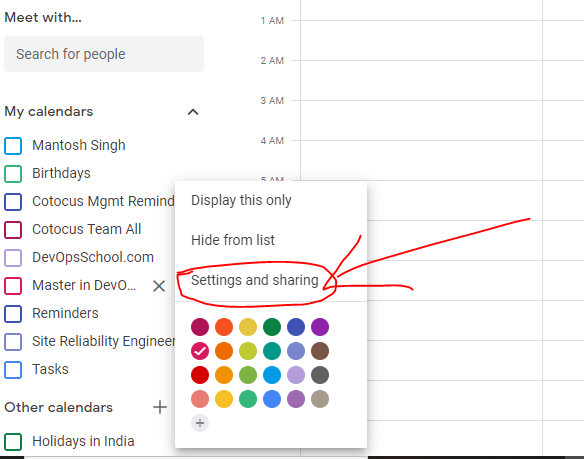
Open your Google calendar and go to your Events Calendar’s list. Click on to the three dots next to your calendar which you want to copy – You will get the option of “Setting and sharing”
Step 2
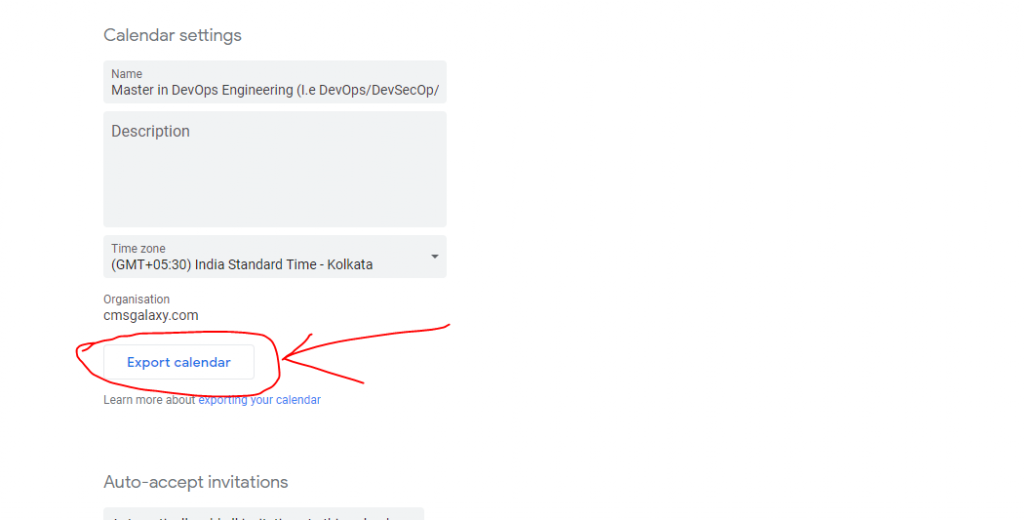
Click on “Export Calendar” – A zip folder will get downloaded – Unzip it
Step 3
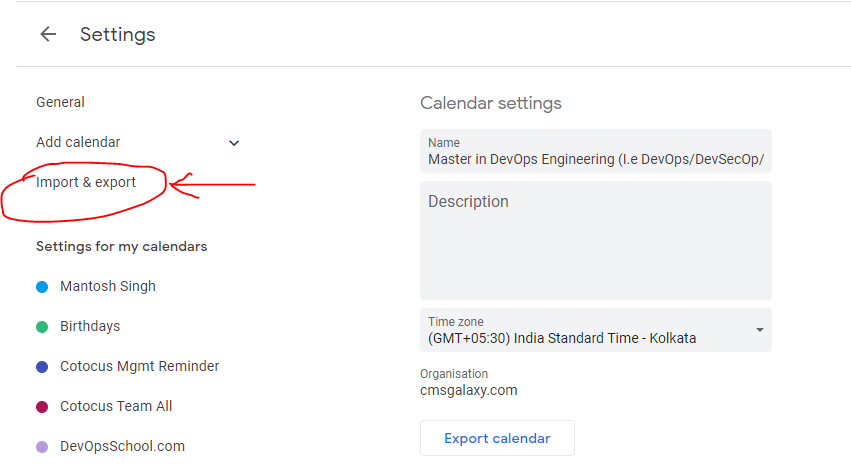
Now go to the Google calendar settings and click on Import & Export
Step 4
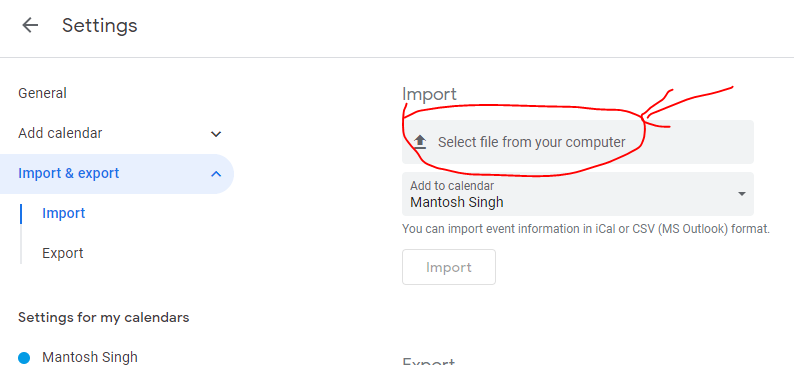
Click on “Select file from your computer” – Add that unzip calendar file.
Step 5
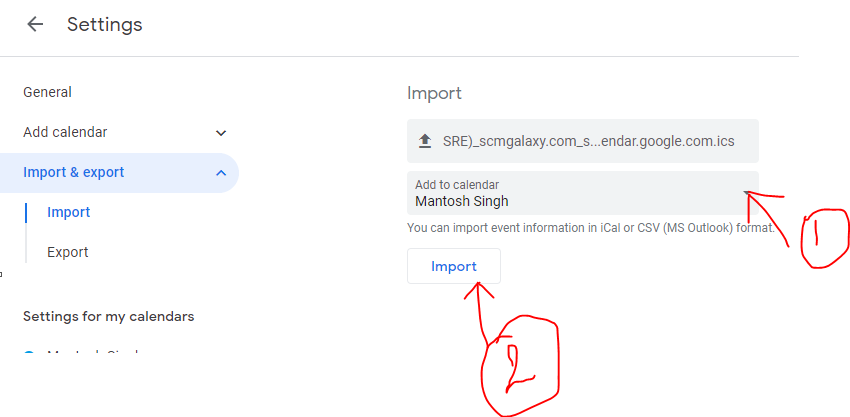
Select your events calendar on which you want to import it from the drop-down menu and click on “Import” button

MotoShare.in delivers cost-effective bike rental solutions, empowering users to save on transportation while enjoying reliable two-wheelers. Ideal for city commutes, sightseeing, or adventure rides.
Find Trusted Cardiac Hospitals
Compare heart hospitals by city and services — all in one place.
Explore Hospitals





