
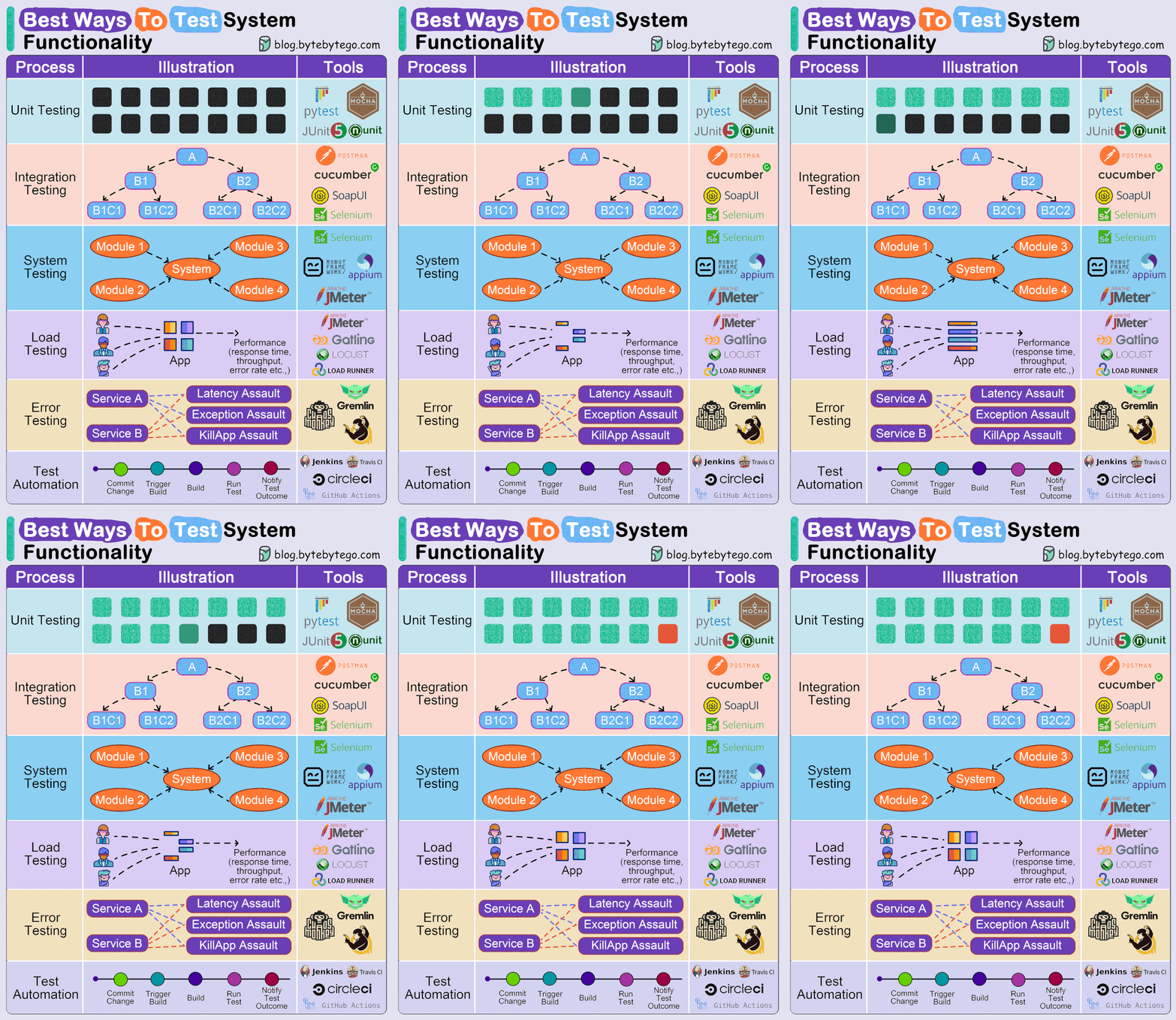
Testing system and software functionality is a crucial part of the software development lifecycle. It ensures that the software is working as intended and meets the specified requirements. Here are some of the best practices and methodologies for testing system and software functionality:
Choosing the best ways to test system and software functionality depends on several factors, including the type of system, the complexity of the software, and the desired level of coverage. However, some general best practices apply to most situations:
1. Unit Testing:
- Focus: Testing individual code units (functions, modules) in isolation.
- Benefits: Catches small issues early, improves code quality and maintainability.
- Tools: JUnit, PHPUnit, NUnit, etc.
2. Integration Testing:
- Focus: Testing how different units interact with each other and with external systems.
- Benefits: Ensures components work together seamlessly, catches integration issues early.
- Tools: JMeter, Selenium, TestComplete, etc.
3. System Testing:
- Focus: Testing the entire system as a whole to ensure it meets requirements and functional specifications.
- Benefits: Provides comprehensive functional coverage, identifies issues affecting overall system behavior.
- Tools: Cypress, Katalon Studio, SoapUI, etc.
4. Acceptance Testing:
- Focus: Testing the system from the end-user’s perspective to ensure it meets their needs and expectations.
- Benefits: Verifies real-world usability and acceptance, reduces post-release issues.
- Tools: User testing tools, surveys, A/B testing platforms.
Additional Testing Types:
- Regression Testing: Verifies that new changes haven’t introduced bugs into existing functionality.
- Performance Testing: Evaluates system performance under load and identifies bottlenecks.
- Security Testing: Identifies vulnerabilities and weaknesses in the system’s security.
- Accessibility Testing: Ensures the system is usable by everyone, regardless of ability.
Best Practices:
- Combine different testing types for comprehensive coverage.
- Automate as much testing as possible for efficiency and scalability.
- Involve testers early in the development process for optimal results.
- Write clear and concise test cases for better understanding and reusability.
- Continuously monitor and improve test coverage and effectiveness.
- Unit Testing: Involves testing individual components or units of the software to ensure that each part functions correctly in isolation. This is typically done by the developers who write unit tests for each function or module they develop.
- Integration Testing: After unit testing, integration testing is conducted to ensure that different modules or services used by the application work well together. This can involve testing APIs, databases, and other external systems the software interacts with.
- Functional Testing: This is a type of black-box testing that bases its test cases on the specifications of the software component under test. Functions are tested by feeding them input and examining the output, ensuring the software behaves as expected in all scenarios.
- System Testing: Involves testing the complete and fully integrated software product to evaluate the system’s compliance with its specified requirements.
- Regression Testing: Whenever a new feature is added or a bug is fixed, regression testing ensures that the new changes haven’t adversely affected existing functionalities.
- User Acceptance Testing (UAT): Conducted with the end-users, UAT ensures that the system meets the business needs and requirements. It’s the final step before the software goes live.
- Performance Testing: This includes load testing, stress testing, and scalability testing. The goal is to ensure that the software performs well under its expected workload.
- Usability Testing: This testing is done to ensure that the software is user-friendly and provides a good user experience.
- Security Testing: Involves testing the software for vulnerabilities, threats, and risks that could lead to loss of information, revenue, or reputation.
- Compatibility Testing: Ensures the software works as expected in different environments, including various browsers, operating systems, and devices.
- Automated Testing: Automating tests can be highly effective for regression, performance, and other repetitive testing tasks, leading to increased efficiency and coverage.
- Exploratory Testing: This is an informal testing approach where testers are encouraged to use their creativity and intuition to explore the software and find defects that may not be covered by formal test cases.

I’m Rajesh Kumar, a DevOps, SRE, DevSecOps, Cloud, and Platform Engineering expert passionate about sharing practical knowledge, real-world experiences, and industry best practices. I have worked at Cotocus and regularly write about technology, travel, investing, health, product reviews, and digital marketing through my various platforms.
I publish technical articles at DevOps School, travel stories at Holiday Landmark, stock market insights at Stocks Mantra, health and fitness guidance at My Medic Plus, product reviews at TrueReviewNow, and SEO and digital marketing strategies at Wizbrand.
Find Trusted Cardiac Hospitals
Compare heart hospitals by city and services — all in one place.
Explore Hospitals





