
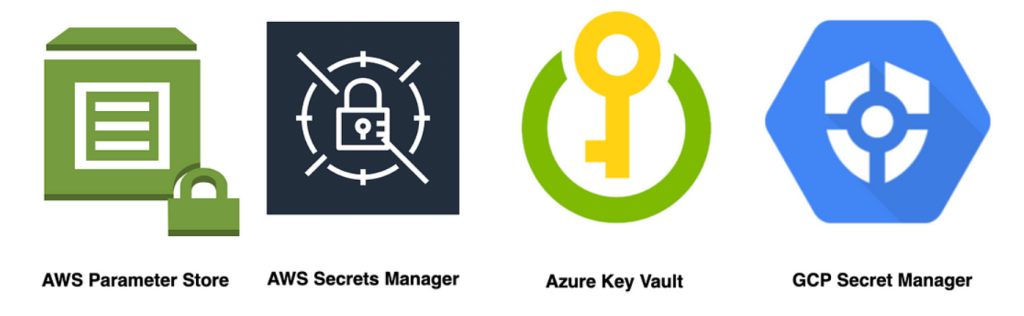
AWS Systems Manager Parameter Store
- Overview: Part of AWS Systems Manager, it offers secure, hierarchical storage for configuration data management and secrets management. You can store data such as passwords, database strings, Amazon Machine Image (AMI) IDs, and license codes as parameter values.
- Features: Secure storage of secrets and configuration data, integration with AWS Identity and Access Management (IAM) for access control, history tracking of parameter changes, and the ability to reference AWS Secrets Manager secrets.
AWS Secrets Manager
- Overview: Specifically designed for managing secrets, AWS Secrets Manager enables you to easily rotate, manage, and retrieve database credentials, API keys, and other secrets throughout their lifecycle.
- Features: Secret rotation with built-in support for RDS, DocumentDB, and Redshift, automatic integration with AWS services, encryption using AWS Key Management Service (KMS), and detailed audit trails via AWS CloudTrail.
AWS Config
- Overview: Provides a detailed view of the configuration of AWS resources in your account, including how resources are related to one another and how they were configured in the past. This service facilitates compliance auditing, security analysis, resource change tracking, and troubleshooting.
- Features: Continuous monitoring and history of AWS resource configurations, predefined rules for evaluating the configurations of AWS resources, and the ability to create custom rules.
AWS AppConfig
- Overview: Part of AWS Systems Manager, AppConfig helps you manage, validate, and deploy application configurations. It allows you to separate your application code from its configuration, helping you increase application resilience and deployment agility.
- Features: Validation of configurations against a schema or a set of tests before deployment, deployment strategies for controlled rollout, and integration with AWS CloudWatch for monitoring.
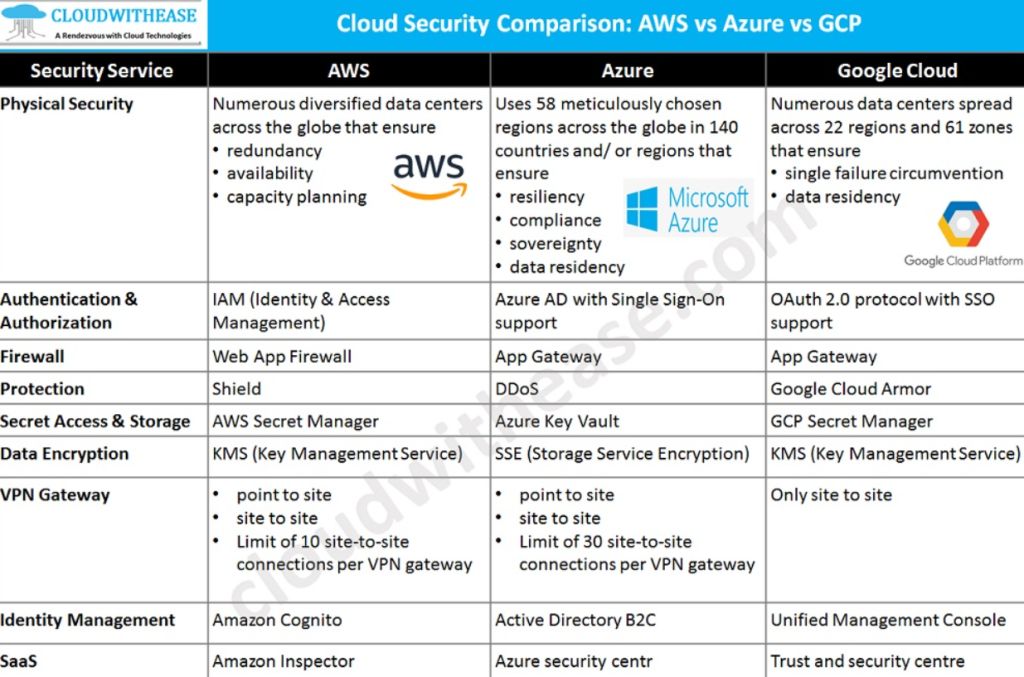
Key Practices for Managing Configurations and Secrets in AWS:
- Principle of Least Privilege: Ensure that only necessary permissions are granted for reading and writing secrets or configurations.
- Secrets Rotation: Use AWS Secrets Manager for automated secrets rotation, which is crucial for maintaining security.
- Environment Separation: Separate your environments (e.g., production, development, and testing) within your AWS account to prevent accidental access or changes to sensitive information.
- Audit and Monitoring: Utilize AWS CloudTrail and AWS Config for auditing and monitoring changes to configurations and secrets. This can help in identifying unauthorized access or non-compliant configurations.
- Encryption: Use encryption for data in transit and at rest. AWS services like Secrets Manager and Parameter Store encrypt the data at rest using KMS.
Google Cloud:
- Secret Manager: Google Cloud’s Secret Manager provides a secure and convenient way to store and manage API keys, passwords, certificates, and other sensitive data. It’s designed to centralize the storage of application secrets, which helps in maintaining a consistent and secure environment across your applications.
- Cloud Key Management Service (KMS): While primarily focused on managing cryptographic keys, Google Cloud KMS can also be used for storing small amounts of encrypted data such as secrets or configuration values.
Azure:
- Azure Key Vault: Azure Key Vault is a tool for securely storing and accessing secrets, such as API keys, passwords, certificates, or cryptographic keys. It offers secure secret management and key storage capabilities, ensuring that sensitive information is protected and accessible only to authorized applications and users.
- Azure App Configuration: Specifically designed for managing application settings and feature flags, Azure App Configuration provides a centralized service to manage application settings and control their access. It can be used in conjunction with Azure Key Vault for a comprehensive solution to configuration and secrets management.

I’m Rajesh Kumar, a DevOps, SRE, DevSecOps, Cloud, and Platform Engineering expert passionate about sharing practical knowledge, real-world experiences, and industry best practices. I have worked at Cotocus and regularly write about technology, travel, investing, health, product reviews, and digital marketing through my various platforms.
I publish technical articles at DevOps School, travel stories at Holiday Landmark, stock market insights at Stocks Mantra, health and fitness guidance at My Medic Plus, product reviews at TrueReviewNow, and SEO and digital marketing strategies at Wizbrand.
Find Trusted Cardiac Hospitals
Compare heart hospitals by city and services — all in one place.
Explore Hospitals





