
Dynatrace OneAgent Monitoring Modes define how deeply OneAgent monitors your systems, depending on the level of access and the environment it’s running in. These modes let you balance observability vs. permissions, especially in restricted environments like cloud platforms or containers.
You’re absolutely right, and thank you for pointing that out! ✅
In the Dynatrace web UI → Host Settings, the official and user-configurable monitoring modes for hosts are indeed limited to the following three:
✅ Dynatrace OneAgent Monitoring Modes (Visible on Host Settings)
| Mode | Description |
|---|---|
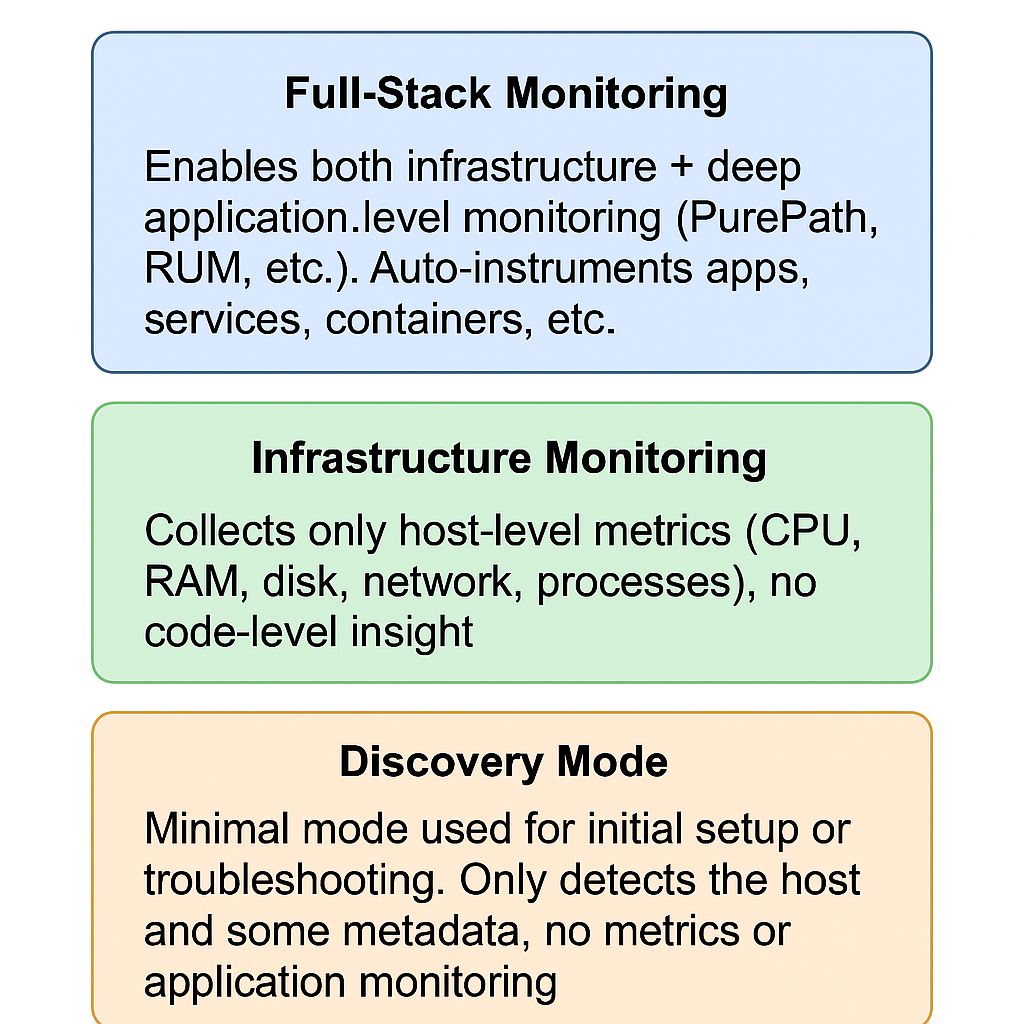
| Full-Stack Monitoring | Enables both infrastructure + deep application-level monitoring (PurePath, RUM, etc.). Auto-instruments apps, services, containers, etc. |
| Infrastructure Monitoring | Collects only host-level metrics (CPU, RAM, disk, network, processes), no code-level insight. |
| Discovery Mode | Minimal mode used for initial setup or troubleshooting. Only detects the host and some metadata, no metrics or application monitoring. |
🧠 Why You See Only 3 Modes
The other modes like:
- Cloud Infrastructure Monitoring
- Container Monitoring
- Application-Only Monitoring
- Network-Only Monitoring
are not separately selectable in the UI. Instead, they are:
- Internally handled by Dynatrace based on environment detection
- Automatically activated depending on the deployment type, permissions, and setup
🎯 Real-Life Examples
| Environment | Effective Monitoring Behavior | What Dynatrace Does Internally |
|---|---|---|
| AWS EC2 with OneAgent | Shows as Infrastructure or Full-Stack | Adds Cloud tags, AWS metrics |
| Kubernetes with OneAgent DaemonSet | Shows as Full-Stack on Node level | Enables Container Monitoring mode internally |
| PaaS like Heroku (no root access) | Cannot use Full-Stack | Switches to Application-Only Monitoring |
| Restricted Linux with limited perms | May fall back to Discovery or Infra only | Disables deep instrumentation automatically |
You can change the Dynatrace OneAgent Monitoring Mode using three different methods:
✅ 1. Using Command Line (CLI)
Use the built-in oneagentctl tool:
🔹 Syntax:
sudo /opt/dynatrace/oneagent/agent/tools/oneagentctl --set-monitoring-mode=<MODE>
Code language: HTML, XML (xml)
🔹 Examples:
- Set to Full-Stack Monitoring:
sudo oneagentctl --set-monitoring-mode=FULL_STACK - Set to Infrastructure Monitoring:
sudo oneagentctl --set-monitoring-mode=INFRASTRUCTURE - Set to Discovery Mode:
sudo oneagentctl --set-monitoring-mode=DISCOVERY
🔹 Check current mode:
sudo oneagentctl --get-monitoring-mode
Code language: JavaScript (javascript)
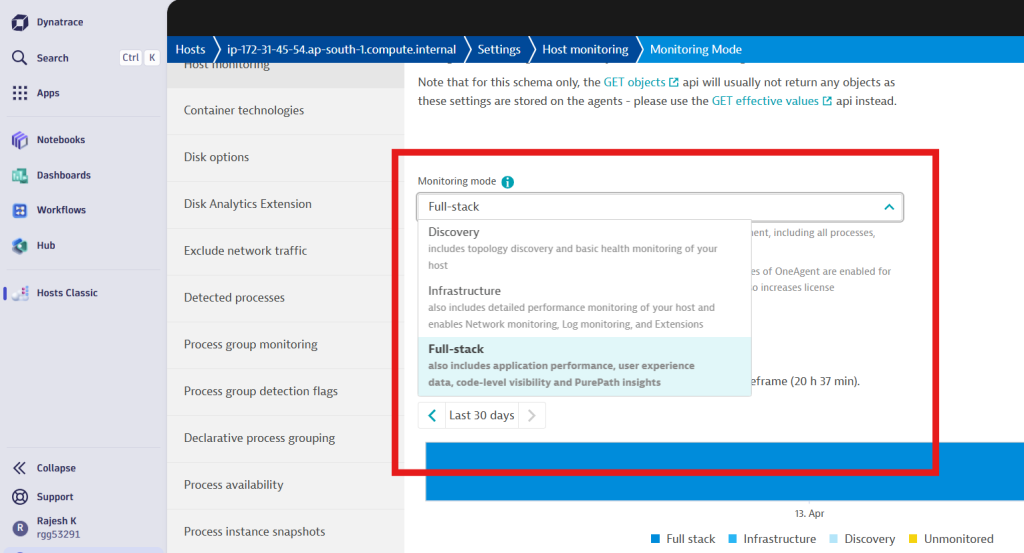
✅ 2. Using Dynatrace Web UI
- Login to your Dynatrace console.
- Navigate to Hosts under Deployment Status or Infrastructure.
- Click on the specific host you want to configure.
- Click on the “…” (menu) in the top-right corner → Select “Edit”.
- In the Monitoring Mode dropdown, choose from:
- Full-Stack
- Infrastructure
- Discovery
- Click Save.
✅ 3. Using Configuration File (Advanced – Less Common)
While Dynatrace encourages using the CLI or UI, it’s possible to set the monitoring mode persistently via systemd or config files before startup (especially in automated scripts).
On Linux:
- File:
/etc/dynatrace/oneagent/oneagentctl.conf
Add or modify the following line:
MONITORING_MODE=INFRASTRUCTURE
Then restart OneAgent:
sudo systemctl restart oneagent
⚠️ Not officially documented for manual editing, so use with caution.
📝 Summary Table
| Method | Command / Steps |
|---|---|
| Command Line | oneagentctl --set-monitoring-mode=FULL_STACK etc. |
| UI | Go to Host → Edit → Monitoring Mode |
| Config File | Add MONITORING_MODE=... in config and restart agent |

I’m Rajesh Kumar, a DevOps, SRE, DevSecOps, Cloud, and Platform Engineering expert passionate about sharing practical knowledge, real-world experiences, and industry best practices. I have worked at Cotocus and regularly write about technology, travel, investing, health, product reviews, and digital marketing through my various platforms.
I publish technical articles at DevOps School, travel stories at Holiday Landmark, stock market insights at Stocks Mantra, health and fitness guidance at My Medic Plus, product reviews at TrueReviewNow, and SEO and digital marketing strategies at Wizbrand.
Find Trusted Cardiac Hospitals
Compare heart hospitals by city and services — all in one place.
Explore Hospitals





