
Introduction
Game Development IDEs (Integrated Development Environments) are specialized software tools that help developers design, code, test, debug, and optimize video games within a unified workspace. Unlike general-purpose code editors, game development IDEs are tailored for real-time rendering, physics simulation, asset management, scripting, debugging, and cross-platform builds—all essential parts of modern game creation.
These tools are important because game development is inherently complex. A single project often combines graphics programming, gameplay logic, AI behavior, audio systems, networking, and performance optimization. Without a robust IDE, developers would need to juggle multiple disconnected tools, slowing development and increasing the risk of errors.
Real-world use cases include:
- Indie developers building 2D or 3D games for PC and mobile
- AAA studios creating large-scale console and PC titles
- Educational institutions teaching game programming and design
- Simulation and serious games for training, defense, and healthcare
- AR/VR experiences and interactive storytelling
When choosing a Game Development IDE, users should evaluate:
- Language and engine compatibility
- Debugging and profiling capabilities
- Asset and project management features
- Cross-platform build support
- Performance and scalability
- Community, plugins, and long-term ecosystem support
Best for:
Game Development IDEs are best suited for game programmers, technical artists, indie studios, mid-sized teams, AAA studios, educators, and simulation developers across gaming, AR/VR, education, defense, and training industries.
Not ideal for:
They may be excessive for non-interactive app development, simple scripting tasks, or content-only roles where lightweight code editors or visual tools are sufficient.
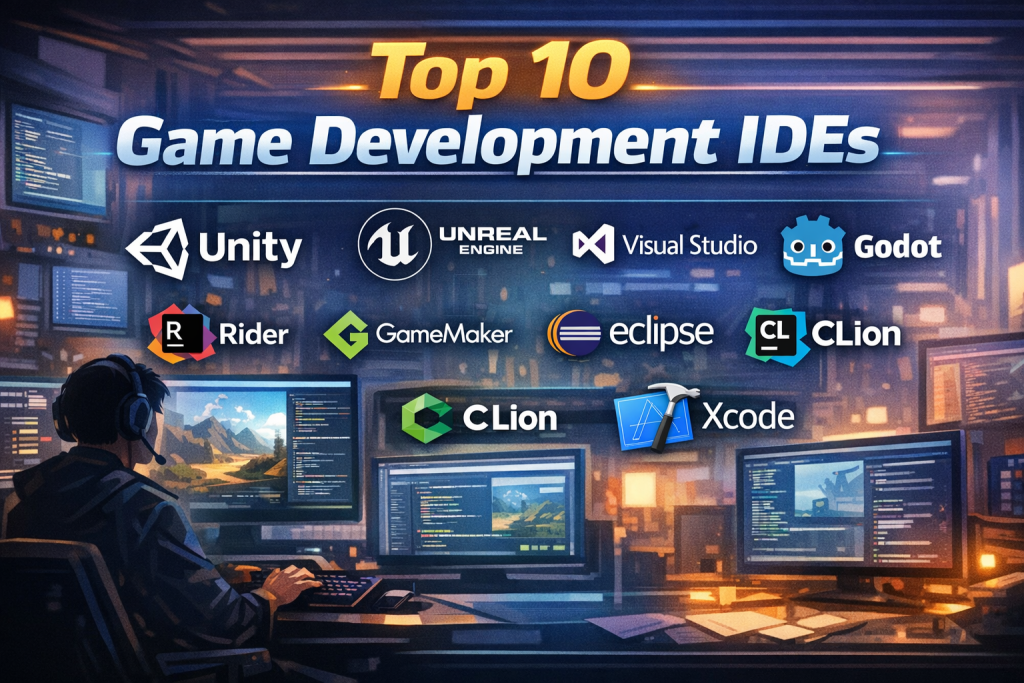
Top 10 Game Development IDEs Tools
1 — Unity Editor
Short description:
A widely used IDE tightly integrated with the Unity engine, designed for 2D, 3D, AR, and VR game development across multiple platforms.
Key features:
- Integrated C# scripting environment
- Real-time scene editor and play mode
- Asset store integration
- Built-in profiler and debugger
- Cross-platform build pipeline
- Extensive plugin and package ecosystem
Pros:
- Beginner-friendly with strong documentation
- Massive community and learning resources
- Rapid prototyping capabilities
Cons:
- Performance tuning can be complex for large projects
- Licensing and pricing model can be restrictive
Security & compliance:
Varies; enterprise tiers offer SSO and access controls.
Support & community:
Extensive documentation, tutorials, forums, and enterprise support options.
2 — Unreal Engine Editor
Short description:
A high-end IDE optimized for photorealistic 3D games and simulations, commonly used in AAA development.
Key features:
- C++ and visual Blueprint scripting
- Advanced rendering and lighting systems
- Built-in animation and cinematic tools
- Real-time debugging and profiling
- Source code access
- Multi-platform deployment
Pros:
- Industry-leading graphics quality
- Powerful tools for large teams
- Strong performance for complex scenes
Cons:
- Steep learning curve
- Heavy system requirements
Security & compliance:
Varies; enterprise-grade options available.
Support & community:
Strong documentation, learning portal, and professional support.
3 — Visual Studio
Short description:
A full-featured IDE often used for game development with engines like Unity and Unreal, especially for C++ and C# workflows.
Key features:
- Advanced debugging and IntelliSense
- Performance profiling tools
- Git integration
- Extensible plugin ecosystem
- Strong refactoring support
Pros:
- Excellent debugging experience
- Mature, stable, and scalable
- Ideal for large codebases
Cons:
- Resource-intensive
- Overkill for small indie projects
Security & compliance:
SSO, enterprise access controls, compliance-ready.
Support & community:
Enterprise-grade support and vast developer community.
4 — Rider
Short description:
A modern IDE by JetBrains, optimized for Unity and Unreal development with deep code intelligence.
Key features:
- Advanced C# and C++ analysis
- Unity-specific inspections
- Integrated debugger
- Cross-platform support
- Seamless refactoring tools
Pros:
- Fast and intelligent code navigation
- Excellent Unity integration
- Clean and modern UI
Cons:
- Subscription-based pricing
- Less beginner-friendly
Security & compliance:
Varies; enterprise options available.
Support & community:
High-quality documentation and professional support.
5 — Godot Editor
Short description:
An open-source, lightweight IDE bundled with the Godot engine, popular among indie developers.
Key features:
- GDScript, C#, and C++ support
- Built-in scene editor
- Integrated debugger
- Cross-platform export
- Open-source extensibility
Pros:
- Free and open-source
- Lightweight and fast
- Strong 2D game support
Cons:
- Smaller ecosystem than Unity
- Limited AAA adoption
Security & compliance:
N/A (open-source).
Support & community:
Active community, forums, and community-driven docs.
6 — GameMaker Studio IDE
Short description:
A simplified IDE focused on rapid 2D game development, ideal for beginners and indie creators.
Key features:
- Drag-and-drop logic
- GML scripting
- Built-in asset pipeline
- Fast iteration workflow
- Cross-platform export
Pros:
- Very easy to learn
- Fast prototyping
- Strong for 2D games
Cons:
- Limited 3D capabilities
- Less flexible for complex systems
Security & compliance:
N/A.
Support & community:
Good documentation and active indie community.
7 — MonoDevelop
Short description:
A cross-platform IDE historically used with Unity for C# game development.
Key features:
- C# editing and debugging
- Lightweight interface
- Unity integration
- Cross-platform support
- Open-source base
Pros:
- Simple and focused
- Lightweight compared to larger IDEs
Cons:
- Slower development pace
- Fewer modern features
Security & compliance:
N/A.
Support & community:
Community-driven support.
8 — Eclipse IDE
Short description:
A general-purpose IDE extended for game development, particularly Java-based engines.
Key features:
- Java development tools
- Plugin-based architecture
- Debugging and profiling
- Cross-platform support
- Open-source ecosystem
Pros:
- Highly extensible
- Free and open-source
Cons:
- Heavy configuration required
- Not game-focused by default
Security & compliance:
Varies by setup.
Support & community:
Large open-source community.
9 — CLion
Short description:
A C++-focused IDE commonly used for engine-level and performance-critical game development.
Key features:
- Advanced C++ code analysis
- Integrated debugger
- CMake support
- Cross-platform development
- Refactoring tools
Pros:
- Excellent for low-level development
- Strong static analysis
Cons:
- Subscription cost
- Not beginner-oriented
Security & compliance:
Varies.
Support & community:
Professional support and strong documentation.
10 — Xcode
Short description:
Apple’s official IDE, essential for macOS and iOS game development.
Key features:
- Swift and Objective-C support
- Metal graphics debugging
- Performance profiling
- iOS and macOS deployment
- Tight OS integration
Pros:
- Best-in-class Apple platform support
- Powerful debugging tools
Cons:
- macOS-only
- Limited outside Apple ecosystem
Security & compliance:
Strong Apple security standards.
Support & community:
Official documentation and developer ecosystem.
Comparison Table
| Tool Name | Best For | Platform(s) Supported | Standout Feature | Rating |
|---|---|---|---|---|
| Unity Editor | Indie to mid-sized teams | Windows, macOS | Rapid prototyping | N/A |
| Unreal Engine Editor | AAA studios | Windows, macOS | Photorealistic graphics | N/A |
| Visual Studio | Large codebases | Windows, macOS | Debugging & tooling | N/A |
| Rider | Unity professionals | Windows, macOS, Linux | Smart code analysis | N/A |
| Godot Editor | Indie & open-source | Windows, macOS, Linux | Lightweight & free | N/A |
| GameMaker IDE | 2D beginners | Windows, macOS | Ease of use | N/A |
| MonoDevelop | Lightweight C# dev | Cross-platform | Simplicity | N/A |
| Eclipse IDE | Java-based games | Cross-platform | Plugin ecosystem | N/A |
| CLion | Engine developers | Cross-platform | C++ analysis | N/A |
| Xcode | Apple platforms | macOS | Native Apple tools | N/A |
Evaluation & Scoring of Game Development IDEs
| Criteria | Weight | Unity | Unreal | Visual Studio | Godot |
|---|---|---|---|---|---|
| Core features | 25% | 23 | 25 | 22 | 20 |
| Ease of use | 15% | 14 | 10 | 12 | 14 |
| Integrations & ecosystem | 15% | 15 | 14 | 15 | 10 |
| Security & compliance | 10% | 8 | 9 | 10 | 6 |
| Performance & reliability | 10% | 8 | 10 | 9 | 7 |
| Support & community | 10% | 10 | 9 | 9 | 8 |
| Price / value | 15% | 10 | 9 | 10 | 15 |
Which Game Development IDEs Tool Is Right for You?
- Solo developers: Godot or GameMaker for simplicity and low cost
- SMBs: Unity or Rider for balance between power and productivity
- Mid-market studios: Unity with Visual Studio or Rider
- Enterprise / AAA: Unreal Engine with Visual Studio or CLion
Budget-conscious users should favor open-source or low-cost IDEs.
Premium solutions suit teams needing performance, scale, and advanced tooling.
Feature depth vs ease of use depends on project scope.
Security and compliance matter more for enterprise and simulation projects.
Frequently Asked Questions (FAQs)
- What is a game development IDE?
It’s a unified environment for coding, debugging, testing, and managing game projects. - Is an IDE required to make games?
Not strictly, but it greatly improves productivity and quality. - Which IDE is best for beginners?
GameMaker and Unity are widely considered beginner-friendly. - Are open-source IDEs viable for production games?
Yes, especially Godot for indie and mid-sized projects. - Do IDEs affect game performance?
Indirectly, through debugging and optimization tools. - Can one IDE support multiple engines?
Yes, tools like Visual Studio support multiple engines. - What IDEs do AAA studios use?
Commonly Unreal Engine with Visual Studio or CLion. - Are IDEs platform-specific?
Some are cross-platform; others like Xcode are not. - How important is community support?
Very important for troubleshooting and learning. - Can I switch IDEs mid-project?
Possible, but it may require workflow adjustments.
Conclusion
Game Development IDEs play a crucial role in transforming creative ideas into playable, polished games. They streamline workflows, reduce errors, and enable teams to scale from prototypes to production-ready titles.
When choosing the right IDE, focus on project size, team experience, platform targets, performance needs, and long-term scalability. There is no single “best” IDE for everyone—the ideal choice depends entirely on your specific goals, budget, and technical requirements.
Selecting wisely can significantly impact both development speed and final game quality.

Find Trusted Cardiac Hospitals
Compare heart hospitals by city and services — all in one place.
Explore Hospitals