
Introduction
Color grading software is a specialized category of creative tools used to adjust, enhance, and standardize the colors of visual content such as films, videos, commercials, web series, documentaries, advertisements, and digital media projects. Unlike basic color correction—which focuses on fixing exposure, white balance, or color errors—color grading is a creative process that shapes mood, emotion, and storytelling through color.
In today’s content-driven world, color grading plays a critical role in brand consistency, cinematic quality, audience engagement, and professional polish. From Hollywood films and OTT content to YouTube videos, social media reels, corporate explainers, and online courses, color grading helps visuals look intentional, immersive, and emotionally aligned with the message.
When choosing a color grading tool, users should evaluate:
- Depth of color control and accuracy
- Workflow efficiency and ease of use
- Hardware and platform compatibility
- Integration with editing and VFX pipelines
- Performance on high-resolution formats
- Collaboration and version control capabilities
Best for:
Color grading software is most beneficial for filmmakers, video editors, colorists, content creators, media agencies, post-production studios, broadcasters, marketing teams, and production houses of all sizes—ranging from solo creators to large enterprises.
Not ideal for:
These tools may be unnecessary for users doing basic image edits, simple social media graphics, or static design work where lightweight photo editors or built-in filters are sufficient.
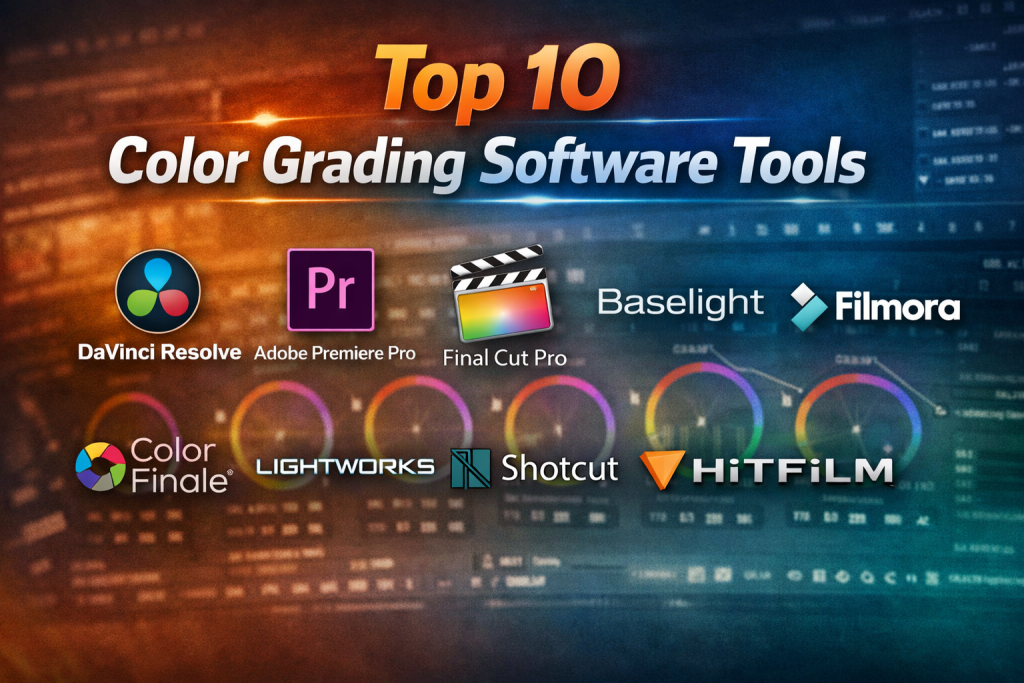
Top 10 Color Grading Software Tools
1 — DaVinci Resolve
Short description:
DaVinci Resolve is an industry-leading professional color grading and post-production platform widely used in films, television, and high-end digital content.
Key features:
- Advanced node-based color grading system
- HDR grading with wide color gamut support
- Integrated editing, audio, VFX, and delivery tools
- AI-powered color matching and object masking
- Support for RAW formats and high-resolution workflows
- Multi-user collaboration features
Pros:
- Unmatched color grading depth and precision
- Free version is extremely powerful
- Widely adopted industry standard
Cons:
- Steep learning curve for beginners
- Requires powerful hardware for best performance
Security & compliance:
Varies / N/A (primarily desktop software)
Support & community:
Extensive documentation, large professional community, strong training ecosystem, enterprise support available.
2 — Adobe Premiere Pro
Short description:
Adobe Premiere Pro is a popular professional video editing platform with integrated color grading via Lumetri Color.
Key features:
- Lumetri Color panel for grading and correction
- Seamless integration with Adobe ecosystem
- LUT support and creative presets
- GPU-accelerated performance
- Collaborative workflows with shared projects
- Broad format and codec support
Pros:
- Familiar interface for many editors
- Strong ecosystem integration
- Regular updates and improvements
Cons:
- Subscription-based pricing
- Color grading depth is limited compared to specialized tools
Security & compliance:
GDPR-ready, enterprise security options available
Support & community:
Extensive documentation, tutorials, forums, enterprise support plans.
3 — Final Cut Pro
Short description:
Final Cut Pro is Apple’s professional video editing and color grading software optimized for macOS users.
Key features:
- Advanced color wheels and curves
- HDR and wide color support
- Optimized performance on Apple silicon
- Magnetic timeline workflow
- Built-in color presets and LUTs
Pros:
- Exceptional performance on Mac hardware
- One-time purchase model
- Clean, intuitive interface
Cons:
- macOS-only
- Limited collaboration features
Security & compliance:
Varies / N/A
Support & community:
Strong Apple documentation, large creative community, professional training resources.
4 — Baselight
Short description:
Baselight is a high-end professional color grading system used in feature films, episodic TV, and premium post-production.
Key features:
- Advanced color science and grading tools
- Scene-referred and HDR workflows
- Sophisticated keying and tracking
- Collaborative multi-user environments
- Deep integration with professional pipelines
Pros:
- Extremely high-quality color control
- Trusted by major studios
- Scales well for enterprise workflows
Cons:
- Very expensive
- Requires specialized training
Security & compliance:
Enterprise-grade security options available
Support & community:
Professional documentation, dedicated enterprise support, smaller but elite user base.
5 — Color Finale
Short description:
Color Finale is a professional color grading plugin designed specifically for Final Cut Pro users.
Key features:
- Broadcast-quality grading tools
- LUT management and export
- Advanced color wheels and curves
- HDR grading support
- Tight Final Cut Pro integration
Pros:
- Extends Final Cut Pro’s grading power
- Familiar workflow for FCP users
- High-quality output
Cons:
- Limited to Final Cut Pro
- Not a standalone solution
Security & compliance:
Varies / N/A
Support & community:
Good documentation, responsive support, growing user community.
6 — Filmora
Short description:
Filmora is a user-friendly video editing and color grading tool designed for beginners and content creators.
Key features:
- Simple color adjustment controls
- Preset filters and LUTs
- Real-time preview
- Cross-platform support
- Fast rendering
Pros:
- Very easy to learn
- Affordable pricing
- Ideal for social media content
Cons:
- Limited advanced grading tools
- Not suitable for professional cinema workflows
Security & compliance:
Varies / N/A
Support & community:
Beginner-focused tutorials, email support, active creator community.
7 — SpeedGrade
Short description:
SpeedGrade is a dedicated color grading tool designed for professional workflows, especially in film and broadcast.
Key features:
- Layer-based grading workflow
- Advanced color wheels and masks
- LUT creation and management
- Hardware controller support
- Professional monitoring support
Pros:
- High-quality grading results
- Designed for professional colorists
- Strong look development tools
Cons:
- Development has slowed
- Smaller user community
Security & compliance:
Varies / N/A
Support & community:
Limited updates, documentation available, niche professional user base.
8 — Lightworks
Short description:
Lightworks is a professional video editing platform with built-in color grading capabilities.
Key features:
- Real-time effects and grading
- High-resolution format support
- Cross-platform availability
- Flexible timeline workflows
- Customizable interface
Pros:
- Powerful free version
- Professional-grade editing tools
- Lightweight compared to competitors
Cons:
- UI can feel dated
- Smaller plugin ecosystem
Security & compliance:
Varies / N/A
Support & community:
Community forums, documentation, paid support options.
9 — Shotcut
Short description:
Shotcut is an open-source video editor offering basic color grading and correction tools.
Key features:
- Color wheels and scopes
- LUT support
- Cross-platform compatibility
- No watermark or licensing cost
- Open-source flexibility
Pros:
- Completely free
- Lightweight and accessible
- Good for learning fundamentals
Cons:
- Limited advanced grading tools
- Less polished interface
Security & compliance:
Varies / N/A
Support & community:
Community-driven support, forums, open documentation.
10 — HitFilm
Short description:
HitFilm combines video editing, visual effects, and color grading for creators and indie filmmakers.
Key features:
- Built-in color grading tools
- VFX and compositing capabilities
- LUT support
- Layer-based workflows
- GPU acceleration
Pros:
- All-in-one creative platform
- Good balance of features and price
- Strong VFX integration
Cons:
- Can be resource-intensive
- Interface may overwhelm beginners
Security & compliance:
Varies / N/A
Support & community:
Tutorial-rich ecosystem, forums, paid support options.
Comparison Table
| Tool Name | Best For | Platform(s) Supported | Standout Feature | Rating |
|---|---|---|---|---|
| DaVinci Resolve | Professional colorists | Windows, macOS, Linux | Node-based grading | N/A |
| Adobe Premiere Pro | Editors & agencies | Windows, macOS | Adobe ecosystem | N/A |
| Final Cut Pro | Mac professionals | macOS | Apple silicon optimization | N/A |
| Baselight | Film studios | Windows, Linux | High-end color science | N/A |
| Color Finale | FCP users | macOS | FCP-focused grading | N/A |
| Filmora | Beginners | Windows, macOS | Ease of use | N/A |
| SpeedGrade | Colorists | Windows, macOS | Look development | N/A |
| Lightworks | Editors | Windows, macOS, Linux | Lightweight pro tools | N/A |
| Shotcut | Hobbyists | Windows, macOS, Linux | Open-source | N/A |
| HitFilm | Indie creators | Windows, macOS | VFX + grading | N/A |
Evaluation & Scoring of Color Grading Software
| Criteria | Weight |
|---|---|
| Core features | 25% |
| Ease of use | 15% |
| Integrations & ecosystem | 15% |
| Security & compliance | 10% |
| Performance & reliability | 10% |
| Support & community | 10% |
| Price / value | 15% |
Insight:
Professional tools score highest in core features and performance, while beginner tools excel in ease of use and price. There is no single “perfect” tool—only the right fit for specific needs.
Which Color Grading Software Tool Is Right for You?
- Solo creators: Filmora, Shotcut, HitFilm
- SMBs & agencies: Adobe Premiere Pro, Final Cut Pro, Lightworks
- Mid-market studios: DaVinci Resolve, HitFilm
- Enterprise & film studios: DaVinci Resolve, Baselight
Budget-conscious users:
Open-source or one-time purchase tools provide strong value.
Premium users:
High-end systems deliver precision, collaboration, and scalability.
Ease of use vs depth:
Beginners should prioritize simplicity, while professionals need granular control.
Security & compliance:
Enterprise environments may require controlled access and auditability.
Frequently Asked Questions (FAQs)
- What is the difference between color correction and color grading?
Color correction fixes technical issues, while color grading enhances mood and style. - Do beginners need professional color grading software?
Not always. Simpler tools are often sufficient when starting out. - Is free color grading software good enough?
Yes, some free tools offer professional-level features. - Does color grading require powerful hardware?
Advanced grading benefits from strong GPUs and fast storage. - Are LUTs essential for color grading?
They help speed up workflows but are not mandatory. - Can color grading improve low-quality footage?
It helps, but cannot fully fix poor lighting or exposure. - Is HDR grading important?
It is increasingly important for modern displays and streaming platforms. - How long does it take to learn color grading?
Basic skills take weeks; mastery can take years. - Can multiple users collaborate on grading projects?
Some professional tools support real-time collaboration. - What is the most common mistake beginners make?
Over-grading footage and ignoring color balance fundamentals.
Conclusion
Color grading software is a powerful creative investment that directly impacts the visual quality and emotional impact of video content. From beginner-friendly platforms to enterprise-grade color science systems, the market offers a wide range of tools suited to different skills, budgets, and production needs.
When choosing a solution, focus on your workflow, technical requirements, team size, and creative goals rather than chasing the most popular name. The best color grading software is not a universal winner—it is the one that fits your specific use case, grows with your skills, and helps you tell better visual stories.

Find Trusted Cardiac Hospitals
Compare heart hospitals by city and services — all in one place.
Explore Hospitals