
Introduction
Music notation software is a category of digital tools designed to help musicians write, edit, play back, print, and share musical scores. Instead of relying on pen-and-paper notation, these tools allow composers, arrangers, educators, and performers to create professional-quality sheet music using computers or tablets. Modern notation software goes far beyond basic note entry, offering realistic playback, MIDI integration, collaboration features, and support for complex musical structures.
The importance of music notation software has grown significantly with the rise of digital music production, online education, and remote collaboration. From film scoring and orchestration to classroom teaching and choir rehearsals, notation tools play a central role in turning musical ideas into structured, shareable compositions.
Common real-world use cases include:
- Composing and arranging music for bands, orchestras, films, and games
- Creating sheet music for students, choirs, and ensembles
- Transcribing music from audio or MIDI
- Preparing scores and parts for live performances
- Publishing and sharing music digitally
When choosing music notation software, users should evaluate factors such as ease of use, depth of notation features, playback quality, platform compatibility, collaboration options, integration with DAWs, pricing, and long-term scalability.
Best for:
Music notation software is ideal for composers, arrangers, music teachers, students, performers, music publishers, and media production teams across education, entertainment, and creative industries.
Not ideal for:
Users who only need basic audio recording, loop-based music creation, or beat production may find digital audio workstations or music sequencing tools more suitable than full notation software.
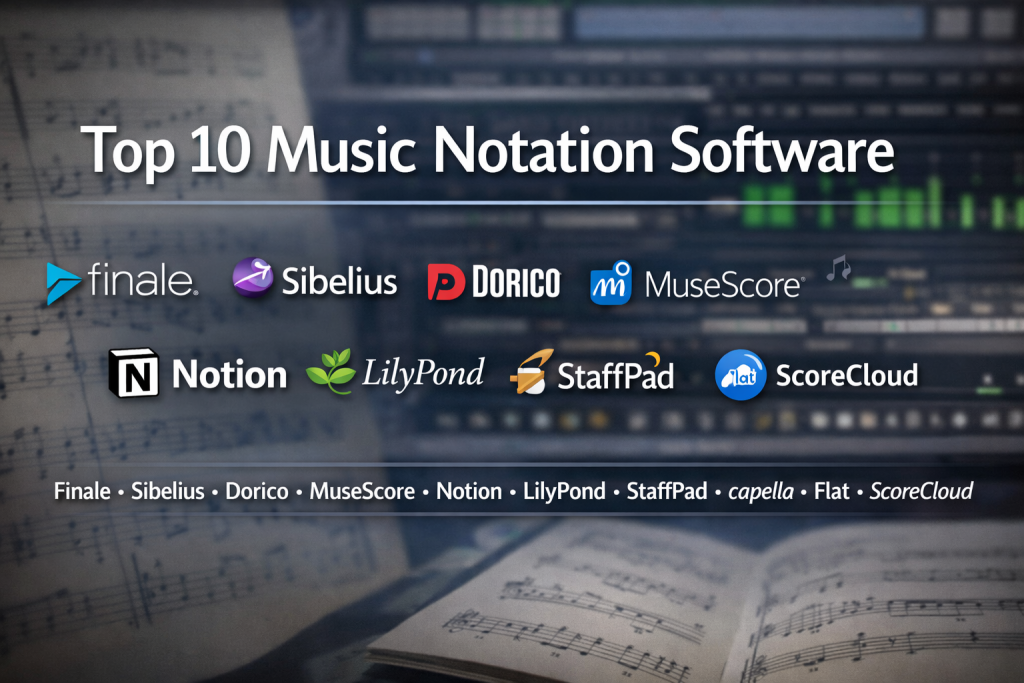
Top 10 Music Notation Software Tools
1 — Sibelius
Short description:
Sibelius is a professional-grade music notation software widely used by composers, arrangers, educators, and publishers for creating complex, high-quality scores.
Key features:
- Advanced notation and engraving tools
- Magnetic Layout for automatic spacing
- High-quality sound libraries for playback
- Support for large orchestral scores
- MIDI input and scanning capabilities
- Cloud sharing and collaboration options
Pros:
- Industry-standard for professional scoring
- Excellent engraving quality
- Strong educational adoption
Cons:
- Subscription-based pricing may not suit everyone
- Steeper learning curve for beginners
Security & compliance:
Varies / N/A (desktop-focused creative software)
Support & community:
Extensive documentation, tutorials, educator resources, and a large global user community.
2 — Finale
Short description:
Finale is a powerful and flexible notation software known for its deep customization and precision control over musical scores.
Key features:
- Highly detailed engraving controls
- Advanced layout and notation customization
- MIDI and MusicXML support
- Large template and instrument library
- Supports complex contemporary notation
Pros:
- Unmatched control for advanced users
- Ideal for publishers and engravers
- Handles complex scores well
Cons:
- Interface can feel dated
- Requires time to master fully
Security & compliance:
Varies / N/A
Support & community:
Strong documentation, long-established user base, and professional support options.
3 — Dorico
Short description:
Dorico is a modern notation software built with a focus on workflow efficiency, music theory accuracy, and high-quality engraving.
Key features:
- Intelligent notation engine
- Separation of writing, engraving, and playback modes
- Advanced rhythmic and harmonic handling
- Integrated audio engine
- Excellent support for contemporary music
Pros:
- Clean, modern interface
- Music-aware workflows reduce manual work
- High-quality default engraving
Cons:
- Fewer legacy users compared to older tools
- Some advanced features still evolving
Security & compliance:
Varies / N/A
Support & community:
Active development team, growing community, and detailed learning resources.
4 — MuseScore
Short description:
MuseScore is a popular open-source music notation software widely used by students, educators, and hobbyists.
Key features:
- Free and open-source core software
- Intuitive note entry methods
- Large online score-sharing community
- Cross-platform compatibility
- Supports standard notation formats
Pros:
- Completely free to use
- Easy for beginners
- Strong community-driven ecosystem
Cons:
- Playback realism is limited compared to premium tools
- Fewer advanced engraving controls
Security & compliance:
Varies / N/A
Support & community:
Very active community forums, tutorials, and user-generated learning content.
5 — Notion
Short description:
Notion combines music notation with realistic playback and performance-focused features, making it popular among composers and performers.
Key features:
- High-quality sampled instrument playback
- Handwriting and MIDI input
- Mobile and tablet support
- Integration with audio production tools
- Simple, clean interface
Pros:
- Excellent playback realism
- Works well on tablets
- Easy to learn
Cons:
- Less detailed engraving options
- Smaller ecosystem than legacy tools
Security & compliance:
Varies / N/A
Support & community:
Good documentation, tutorial videos, and growing creative user base.
6 — ScoreCloud
Short description:
ScoreCloud focuses on transforming live performances or MIDI input into written sheet music automatically.
Key features:
- Audio-to-notation conversion
- MIDI performance transcription
- Cloud-based score storage
- Real-time notation generation
- Collaborative sharing features
Pros:
- Ideal for improvisers and songwriters
- Saves time on transcription
- Simple workflow
Cons:
- Less control over detailed engraving
- Requires clean input for best results
Security & compliance:
Varies / N/A
Support & community:
Helpful onboarding resources and responsive customer support.
7 — LilyPond
Short description:
LilyPond is a text-based music engraving system focused on producing high-quality, publication-ready scores.
Key features:
- Text-based notation input
- Exceptional engraving quality
- Open-source and free
- Highly customizable layouts
- Ideal for academic and publishing use
Pros:
- Best-in-class engraving output
- Free and open-source
- Highly precise control
Cons:
- Not beginner-friendly
- Requires learning a syntax-based workflow
Security & compliance:
Varies / N/A
Support & community:
Strong documentation and niche but dedicated community.
8 — Capella
Short description:
Capella is a notation software widely used in European educational and choral music environments.
Key features:
- Efficient notation tools
- Strong support for vocal music
- MIDI and audio playback
- Flexible page layout options
- Multi-language support
Pros:
- Well-suited for choir arrangements
- Efficient score creation
- Stable performance
Cons:
- Less popular globally
- Smaller plugin ecosystem
Security & compliance:
Varies / N/A
Support & community:
Good documentation and regional user communities.
9 — Guitar Pro
Short description:
Guitar Pro is specialized notation software designed for guitarists, bassists, and tablature-based musicians.
Key features:
- Guitar tablature and standard notation
- Realistic guitar playback
- Built-in practice tools
- Multi-track score support
- Wide format compatibility
Pros:
- Excellent for stringed instruments
- Easy to use
- Strong practice features
Cons:
- Limited orchestral notation
- Not ideal for classical scoring
Security & compliance:
Varies / N/A
Support & community:
Large global user base and extensive learning resources.
10 — Flat
Short description:
Flat is a cloud-based music notation software designed for collaboration, education, and real-time score editing.
Key features:
- Browser-based notation editor
- Real-time collaboration
- Classroom and education tools
- Cloud storage and sharing
- Simple, clean interface
Pros:
- Excellent for remote collaboration
- No installation required
- Ideal for teachers and students
Cons:
- Requires internet access
- Less advanced engraving depth
Security & compliance:
GDPR-aligned practices (varies by plan)
Support & community:
Strong educational support, onboarding materials, and responsive help channels.
Comparison Table
| Tool Name | Best For | Platform(s) Supported | Standout Feature | Rating |
|---|---|---|---|---|
| Sibelius | Professional composers | Windows, macOS | Industry-standard engraving | N/A |
| Finale | Publishers & engravers | Windows, macOS | Deep customization | N/A |
| Dorico | Modern composers | Windows, macOS | Intelligent workflows | N/A |
| MuseScore | Students & hobbyists | Windows, macOS, Linux | Free & open-source | N/A |
| Notion | Performers & composers | Windows, macOS, iOS | Realistic playback | N/A |
| ScoreCloud | Songwriters | Windows, macOS | Audio-to-notation | N/A |
| LilyPond | Academic publishing | Windows, macOS, Linux | Text-based engraving | N/A |
| Capella | Choir arrangers | Windows | Vocal notation focus | N/A |
| Guitar Pro | Guitarists | Windows, macOS, Mobile | Tablature tools | N/A |
| Flat | Education & collaboration | Web-based | Real-time collaboration | N/A |
Evaluation & Scoring of Music Notation Software
| Criteria | Weight |
|---|---|
| Core features | 25% |
| Ease of use | 15% |
| Integrations & ecosystem | 15% |
| Security & compliance | 10% |
| Performance & reliability | 10% |
| Support & community | 10% |
| Price / value | 15% |
Each tool scores differently depending on user needs. Professional composers may prioritize engraving depth, while educators value collaboration and ease of use.
Which Music Notation Software Tool Is Right for You?
- Solo users: MuseScore, Guitar Pro, or Notion offer affordability and simplicity.
- SMBs and studios: Sibelius or Dorico provide balance between power and usability.
- Mid-market and enterprise: Finale and Sibelius suit publishing and large-scale production.
- Budget-conscious users: MuseScore and LilyPond deliver strong results at no cost.
- Premium users: Dorico and Sibelius excel in workflow and polish.
- Integration-focused teams: Notion and Flat support modern collaboration and hybrid workflows.
- Security-sensitive environments: Desktop tools with local storage offer maximum control.
Frequently Asked Questions (FAQs)
1. What is music notation software used for?
It is used to write, edit, play back, and share musical scores digitally.
2. Is music notation software suitable for beginners?
Yes, many tools offer beginner-friendly interfaces and tutorials.
3. Can I use notation software for professional publishing?
Yes, tools like Sibelius, Finale, Dorico, and LilyPond are widely used in publishing.
4. Do these tools support MIDI keyboards?
Most modern notation software supports MIDI input.
5. Is free notation software good enough?
For learning and basic composition, free tools can be more than sufficient.
6. Can I collaborate with others in real time?
Cloud-based tools like Flat enable real-time collaboration.
7. Do I need internet access?
Desktop tools usually work offline, while cloud tools require connectivity.
8. How important is playback quality?
Playback quality matters for demos and learning but less for final printed scores.
9. Can notation software replace a DAW?
No, notation software focuses on written music, while DAWs handle audio production.
10. What is the most common mistake when choosing a tool?
Choosing overly complex software without considering actual needs and skill level.
Conclusion
Music notation software has become an essential part of modern music creation, education, and performance. From free, community-driven tools to advanced professional platforms, the market offers solutions for every level of expertise and budget.
When choosing the right tool, focus on your specific goals, whether that is learning, teaching, composing, publishing, or collaborating. Ease of use, feature depth, playback quality, and long-term scalability matter more than brand popularity alone.
There is no single “best” music notation software for everyone. The best choice is the one that aligns most closely with your workflow, skill level, and creative vision.

Find Trusted Cardiac Hospitals
Compare heart hospitals by city and services — all in one place.
Explore Hospitals