
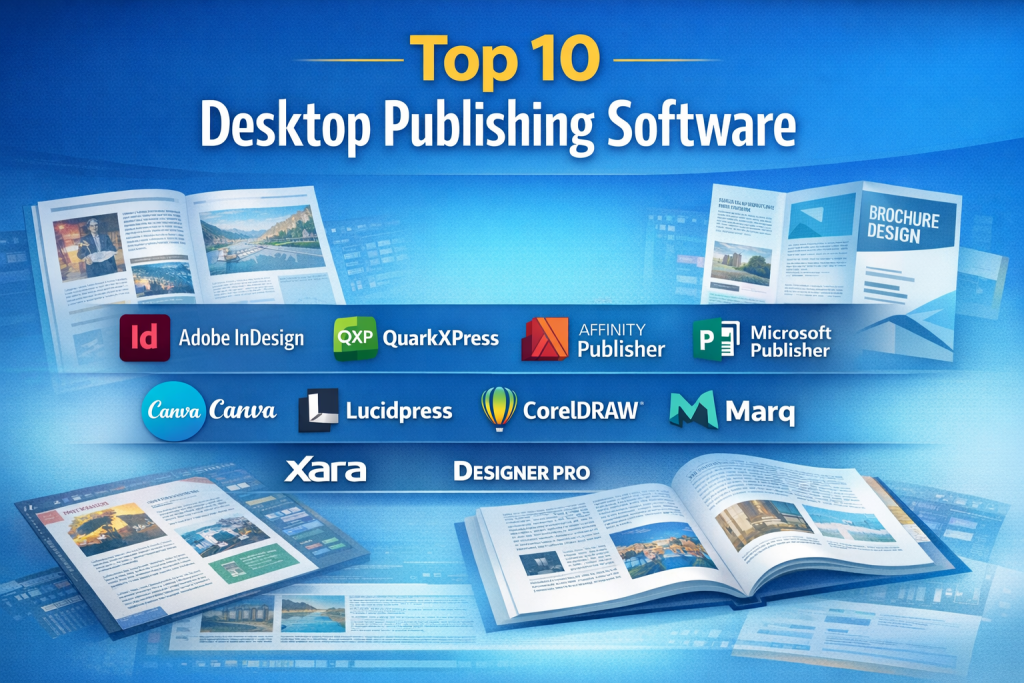
Introduction
Desktop Publishing Software (DTP) refers to specialized tools used to design, format, and publish visually rich documents such as brochures, magazines, books, newspapers, reports, posters, and marketing materials. Unlike basic word processors, desktop publishing tools focus heavily on layout precision, typography control, image handling, and print-ready output.
In today’s digital-first yet print-relevant world, desktop publishing remains critically important. Businesses rely on it for branding consistency, marketing collateral, internal documentation, and professional publications. Educational institutions use it for textbooks and journals, while designers and publishers depend on it for high-quality print and digital outputs.
Common real-world use cases include:
- Designing brochures, flyers, and catalogs
- Creating magazines, newspapers, and eBooks
- Producing corporate reports and whitepapers
- Developing marketing and advertising materials
- Publishing academic and professional content
When choosing a desktop publishing tool, users should evaluate:
- Layout and typography control
- Image and color management
- Output formats (print and digital)
- Ease of use vs advanced capabilities
- Platform compatibility and performance
- Pricing and licensing model
- Collaboration, security, and compliance needs
Best for:
Desktop publishing software benefits graphic designers, publishers, marketing teams, educators, content creators, print houses, SMBs, and large enterprises that require professional-grade document design and layout control.
Not ideal for:
These tools may be excessive for users who only need basic text documents, simple resumes, or casual content creation. In such cases, lightweight word processors or presentation tools may be more suitable.
Top 10 Desktop Publishing Software Tools
1 — Adobe InDesign
Short description:
Adobe InDesign is an industry-standard desktop publishing tool widely used by professional designers and publishers for print and digital layouts.
Key features:
- Advanced page layout and typography tools
- Master pages and style automation
- Seamless integration with Adobe Creative Suite
- Interactive PDF and digital publishing support
- Precision color management (CMYK, Pantone)
- Preflight checks for print readiness
- Support for long-form documents
Pros:
- Best-in-class layout precision
- Strong ecosystem and file compatibility
Cons:
- Subscription-based pricing
- Steep learning curve for beginners
Security & compliance:
Enterprise-grade security, SSO support, GDPR compliance, encrypted cloud assets.
Support & community:
Extensive documentation, tutorials, large global community, enterprise support available.
2 — QuarkXPress
Short description:
QuarkXPress is a powerful desktop publishing platform known for its robust print and digital publishing capabilities.
Key features:
- Advanced typography and layout controls
- Digital publishing and HTML5 support
- Print-ready output with color control
- Built-in image editing tools
- Long-document publishing features
- Flexible licensing options
Pros:
- Strong print production features
- One-time license option available
Cons:
- Smaller ecosystem than Adobe
- UI can feel dated to some users
Security & compliance:
Standard desktop security; enterprise controls vary by deployment.
Support & community:
Official documentation, professional support plans, smaller but dedicated community.
3 — Microsoft Publisher
Short description:
Microsoft Publisher is an entry-level desktop publishing tool designed for small businesses and non-design professionals.
Key features:
- Template-driven design workflows
- Easy text and image placement
- Integration with Microsoft Office
- Basic layout and print tools
- Drag-and-drop interface
Pros:
- Very easy to use
- Affordable for small teams
Cons:
- Limited advanced design features
- Not ideal for complex layouts
Security & compliance:
Follows Microsoft security standards; compliance depends on Office licensing.
Support & community:
Strong documentation, Microsoft support, large user base.
4 — Affinity Publisher
Short description:
Affinity Publisher is a modern, cost-effective alternative for professional page layout and publishing.
Key features:
- High-performance layout engine
- Seamless integration with Affinity Designer and Photo
- Master pages and advanced typography
- Professional print output support
- One-time purchase licensing
Pros:
- No subscription required
- Fast and lightweight performance
Cons:
- Smaller plugin ecosystem
- Fewer collaboration features
Security & compliance:
Local file-based security; no built-in enterprise compliance certifications.
Support & community:
Good documentation, growing community, responsive support.
5 — Scribus
Short description:
Scribus is an open-source desktop publishing tool suitable for users seeking free, professional layout capabilities.
Key features:
- Open-source and free
- CMYK and ICC color management
- PDF/X export for print
- Advanced typography options
- Scriptable automation
Pros:
- No licensing cost
- Strong print features
Cons:
- Less polished UI
- Slower development pace
Security & compliance:
Varies; depends on system security and user implementation.
Support & community:
Community-driven documentation, forums, volunteer support.
6 — CorelDRAW Graphics Suite
Short description:
CorelDRAW Graphics Suite includes desktop publishing and vector design tools for marketing and print professionals.
Key features:
- Page layout and vector illustration
- Color management tools
- Template-based workflows
- Print and web output support
- Cross-platform compatibility
Pros:
- Strong design flexibility
- One-time purchase option
Cons:
- Not purely DTP-focused
- Learning curve for new users
Security & compliance:
Standard desktop security; compliance varies by edition.
Support & community:
Official support, tutorials, long-standing user community.
7 — Canva (Desktop Publishing Use)
Short description:
Canva is a cloud-based design platform increasingly used for lightweight desktop publishing tasks.
Key features:
- Template-driven layouts
- Drag-and-drop design
- Cloud collaboration
- Export for print and digital
- Brand kits and style controls
Pros:
- Extremely easy to use
- Great for teams and marketers
Cons:
- Limited advanced layout control
- Not ideal for complex print jobs
Security & compliance:
GDPR compliant; enterprise plans include SSO and access controls.
Support & community:
Strong help center, onboarding guides, active user community.
8 — Lucidpress (Marq)
Short description:
Lucidpress, now known as Marq, is a brand-focused desktop publishing and design platform.
Key features:
- Brand template enforcement
- Cloud-based collaboration
- Print and digital output
- Role-based access controls
- Asset management
Pros:
- Strong brand consistency
- Good for distributed teams
Cons:
- Requires internet access
- Less control for advanced designers
Security & compliance:
SSO, GDPR compliance, enterprise-grade access controls.
Support & community:
Documentation, customer support, enterprise onboarding.
9 — PagePlus (Legacy Use)
Short description:
PagePlus was a popular desktop publishing tool still used in legacy environments.
Key features:
- Traditional page layout tools
- Print and PDF output
- Template support
- Image handling
Pros:
- Simple and familiar for older users
- Low system requirements
Cons:
- Discontinued
- No modern updates or support
Security & compliance:
N/A (legacy software).
Support & community:
Community-based support only.
10 — VivaDesigner
Short description:
VivaDesigner is a professional cross-platform desktop publishing solution for print and digital publishing.
Key features:
- Advanced typography and layout
- Cross-platform support
- XML-based publishing
- Print and digital output
- Professional color management
Pros:
- Strong technical publishing support
- Flexible deployment options
Cons:
- Less mainstream adoption
- Limited learning resources
Security & compliance:
Varies by deployment; enterprise options available.
Support & community:
Professional support, documentation, smaller community.
Comparison Table
| Tool Name | Best For | Platform(s) Supported | Standout Feature | Rating |
|---|---|---|---|---|
| Adobe InDesign | Professional publishing | Windows, macOS | Industry-standard layouts | N/A |
| QuarkXPress | Print-focused publishers | Windows, macOS | Advanced print control | N/A |
| Microsoft Publisher | Small businesses | Windows | Ease of use | N/A |
| Affinity Publisher | Cost-conscious professionals | Windows, macOS, iPad | One-time license | N/A |
| Scribus | Open-source users | Windows, macOS, Linux | Free professional DTP | N/A |
| CorelDRAW | Design-heavy teams | Windows, macOS | Integrated design suite | N/A |
| Canva | Marketing teams | Web, Desktop | Templates & collaboration | N/A |
| Lucidpress | Brand-driven orgs | Web | Brand governance | N/A |
| PagePlus | Legacy users | Windows | Lightweight DTP | N/A |
| VivaDesigner | Technical publishing | Windows, macOS, Linux | XML workflows | N/A |
Evaluation & Scoring of Desktop Publishing Software
| Criteria | Weight | Description |
|---|---|---|
| Core features | 25% | Layout, typography, print support |
| Ease of use | 15% | Learning curve and UI clarity |
| Integrations & ecosystem | 15% | Compatibility with other tools |
| Security & compliance | 10% | Enterprise and data protection |
| Performance & reliability | 10% | Speed and stability |
| Support & community | 10% | Documentation and assistance |
| Price / value | 15% | Cost vs features |
Which Desktop Publishing Software Tool Is Right for You?
- Solo users: Canva, Affinity Publisher, Microsoft Publisher
- SMBs: Affinity Publisher, CorelDRAW, Lucidpress
- Mid-market: Adobe InDesign, QuarkXPress
- Enterprise: Adobe InDesign, Lucidpress, VivaDesigner
Budget-conscious users may prefer one-time license tools, while premium users benefit from ecosystem-rich platforms. Choose feature depth for professional publishing, or simplicity for speed and collaboration. Security and compliance matter most for regulated industries.
Frequently Asked Questions (FAQs)
- What is desktop publishing software used for?
It is used to design professional print and digital documents with precise layout control. - Is desktop publishing different from word processing?
Yes, DTP focuses on layout and design, while word processing focuses on text editing. - Do I need design skills to use DTP software?
Basic tools are beginner-friendly, but advanced tools require design knowledge. - Which tool is best for beginners?
Microsoft Publisher and Canva are easiest for beginners. - Which tool is best for professional publishing?
Adobe InDesign is widely considered the industry standard. - Are there free desktop publishing tools?
Yes, Scribus is a popular free and open-source option. - Can DTP tools export print-ready files?
Most professional tools support PDF/X and CMYK exports. - Is cloud-based DTP secure?
Enterprise plans usually include encryption and access controls. - What mistakes should beginners avoid?
Ignoring print settings, using poor typography, and skipping preflight checks. - Can DTP software be used for digital publishing?
Yes, many tools support interactive PDFs and digital formats.
Conclusion
Desktop publishing software plays a vital role in creating professional, visually compelling documents for print and digital use. From industry-leading platforms to affordable and open-source alternatives, the market offers solutions for every skill level and budget.
When choosing a tool, focus on layout capabilities, ease of use, output requirements, integrations, and long-term value. There is no single “best” desktop publishing software for everyone. The right choice depends on your specific needs, workflows, and goals.

Find Trusted Cardiac Hospitals
Compare heart hospitals by city and services — all in one place.
Explore Hospitals
Very helpful and well-structured article! This comparison of desktop publishing software gives readers a clear view of key features, benefits, and limitations across tools like Adobe InDesign, Scribus, and Affinity Publisher, making it much easier to choose the right solution for document design and layout needs. By breaking down aspects such as typography control, template libraries, file compatibility, and collaboration support, the post helps designers, marketers, and content creators understand which tools best fit their workflow and project goals. The pros and cons format adds practical value by highlighting real-world strengths and trade-offs, empowering readers to make a more informed decision in a competitive software landscape. Overall, a great resource for anyone evaluating desktop publishing options.