
Introduction
Mind mapping tools are digital platforms designed to help individuals and teams visually organize ideas, concepts, tasks, and information around a central theme. Instead of working with long lists or scattered notes, mind mapping allows users to see relationships, priorities, and structures clearly on a single canvas. This visual thinking approach mirrors how the human brain naturally processes information, making it easier to brainstorm, plan, learn, and solve problems.
In today’s fast-paced work and learning environments, mind mapping tools have become essential. They are widely used for brainstorming sessions, project planning, note-taking, strategic thinking, learning and revision, product design, and decision-making. Whether you are a student preparing for exams, a startup founder planning a roadmap, or an enterprise team aligning strategy, mind mapping tools improve clarity, creativity, and productivity.
When choosing a mind mapping tool, users should evaluate key criteria such as ease of use, collaboration features, platform compatibility, export options, integrations, performance, security, and pricing. The right tool should fit naturally into your workflow rather than forcing you to adapt to it.
Best for:
Mind mapping tools are ideal for students, educators, content creators, consultants, project managers, product teams, marketers, researchers, and business leaders. They work well across industries such as education, IT, healthcare, consulting, marketing, and product development, and are suitable for solo users as well as teams of all sizes.
Not ideal for:
These tools may be less useful for users who prefer purely linear documentation, highly structured databases, or advanced analytics-driven planning. In such cases, traditional note-taking apps, spreadsheets, or project management tools may be a better fit.
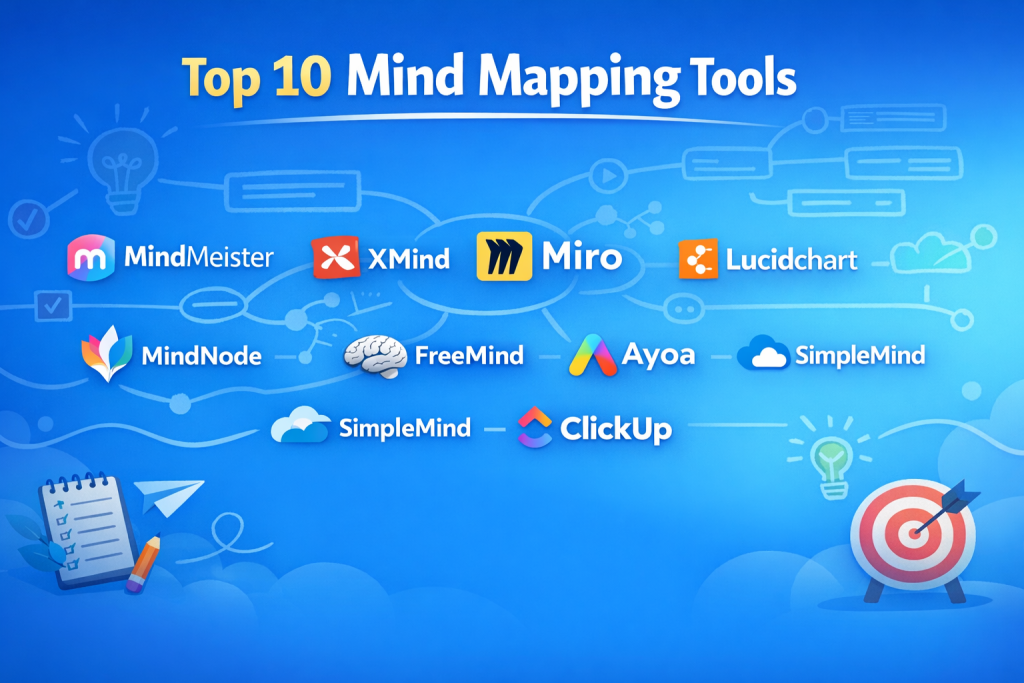
Top 10 Mind Mapping Tools
1 — MindMeister
Short description:
MindMeister is a popular cloud-based mind mapping tool focused on real-time collaboration and visual brainstorming. It is widely used by teams, educators, and remote collaborators.
Key features:
- Real-time collaborative mind maps
- Intuitive drag-and-drop interface
- Comments, mentions, and voting features
- Task management integration
- Multiple export formats (PDF, image, text)
- Version history and change tracking
Pros:
- Excellent for team brainstorming and workshops
- Very easy to learn and use
Cons:
- Advanced features require paid plans
- Limited offline functionality
Security & compliance:
GDPR compliance, data encryption in transit and at rest, SSO available on higher plans.
Support & community:
Strong documentation, tutorials, responsive support, active global user community.
2 — XMind
Short description:
XMind is a powerful desktop and cloud-enabled mind mapping tool known for its structured layouts and professional diagrams.
Key features:
- Multiple map structures (logic charts, fishbone, tree)
- Focus mode and Zen writing mode
- Offline-first desktop experience
- Rich export options
- Cross-platform support
Pros:
- Excellent for deep thinking and structured planning
- Works very well offline
Cons:
- Collaboration features are more limited
- Interface may feel dense to beginners
Security & compliance:
Basic encryption, privacy-focused offline usage, compliance varies by deployment.
Support & community:
Good documentation, email support, long-standing user base.
3 — Miro
Short description:
Miro is a collaborative visual workspace that includes mind mapping as part of a broader whiteboard and ideation platform.
Key features:
- Infinite canvas for mind maps
- Real-time multi-user collaboration
- Templates for brainstorming and strategy
- Integrations with major work tools
- Presentation and facilitation tools
Pros:
- Ideal for remote and hybrid teams
- Highly flexible and visual
Cons:
- Can feel overwhelming for simple mind maps
- Performance may vary with very large boards
Security & compliance:
SOC 2, GDPR, SSO, enterprise-grade security controls.
Support & community:
Excellent onboarding, strong enterprise support, very active community.
4 — Lucidchart
Short description:
Lucidchart is a diagramming platform that supports mind maps along with flowcharts, org charts, and technical diagrams.
Key features:
- Clean and professional diagramming
- Real-time collaboration
- Strong integration ecosystem
- Version control and comments
- Presentation-ready visuals
Pros:
- Polished and professional output
- Strong for business and technical users
Cons:
- Mind mapping is not the core focus
- Advanced features can be costly
Security & compliance:
SOC 2, ISO standards, GDPR, SSO support.
Support & community:
High-quality documentation, enterprise onboarding, responsive support.
5 — Coggle
Short description:
Coggle is a simple, browser-based mind mapping tool designed for quick idea capture and easy sharing.
Key features:
- Automatic layout and branching
- Real-time collaboration
- Version history
- Image and link embedding
- Simple sharing controls
Pros:
- Extremely easy to use
- Great for beginners and students
Cons:
- Limited advanced customization
- Not ideal for complex projects
Security & compliance:
Standard cloud security, GDPR compliance, limited enterprise controls.
Support & community:
Basic documentation, small but helpful user community.
6 — MindNode
Short description:
MindNode is a beautifully designed mind mapping app focused on Apple ecosystem users and personal productivity.
Key features:
- Clean, distraction-free interface
- Native Apple device integration
- Task linking and tagging
- Visual themes and styles
- Export to task managers
Pros:
- Excellent user experience
- Perfect for individual users
Cons:
- Apple-only platform
- Limited team collaboration
Security & compliance:
Apple platform security standards, local and cloud encryption.
Support & community:
Good documentation, responsive support, loyal user base.
7 — FreeMind
Short description:
FreeMind is an open-source mind mapping tool focused on simplicity and offline usage.
Key features:
- Free and open-source
- Lightweight and fast
- Keyboard-driven workflows
- Basic export options
- Cross-platform desktop support
Pros:
- Completely free
- Very lightweight
Cons:
- Outdated interface
- No built-in collaboration
Security & compliance:
N/A (local application, no hosted services).
Support & community:
Community-driven support, forums, limited formal documentation.
8 — SimpleMind
Short description:
SimpleMind is a versatile mind mapping tool available on desktop and mobile, designed for clarity and flexibility.
Key features:
- Free-form layouts
- Cross-device sync
- Custom styles and layouts
- Offline support
- Presentation mode
Pros:
- Works well on mobile devices
- Flexible visual design
Cons:
- Collaboration is limited
- Advanced features require upgrade
Security & compliance:
Standard encryption, privacy-focused design.
Support & community:
Good help guides, responsive email support.
9 — Ayoa
Short description:
Ayoa combines mind mapping with task management and productivity features in one platform.
Key features:
- Mind maps linked to tasks
- Visual and linear planning modes
- Team collaboration
- Built-in chat and comments
- Custom workflows
Pros:
- Strong bridge between ideas and execution
- Suitable for creative teams
Cons:
- Interface can feel busy
- Learning curve for new users
Security & compliance:
GDPR compliance, standard cloud security, SSO on higher tiers.
Support & community:
Good onboarding resources, active support team.
10 — Whimsical
Short description:
Whimsical is a modern visual collaboration tool offering mind maps, flowcharts, and wireframes with a clean design.
Key features:
- Fast and responsive editor
- Real-time collaboration
- Minimalistic design
- Multiple visual formats
- Easy sharing
Pros:
- Very fast and intuitive
- Great for product and design teams
Cons:
- Limited offline support
- Advanced controls need paid plans
Security & compliance:
SOC 2, GDPR, SSO support.
Support & community:
Strong documentation, modern product community.
Comparison Table
| Tool Name | Best For | Platform(s) Supported | Standout Feature | Rating |
|---|---|---|---|---|
| MindMeister | Team brainstorming | Web, Mobile | Real-time collaboration | N/A |
| XMind | Structured planning | Windows, macOS, Linux | Offline-first design | N/A |
| Miro | Remote teams | Web, Desktop | Infinite canvas | N/A |
| Lucidchart | Business diagrams | Web | Professional visuals | N/A |
| Coggle | Beginners | Web | Simplicity | N/A |
| MindNode | Personal productivity | macOS, iOS | Elegant UX | N/A |
| FreeMind | Budget users | Desktop | Open-source | N/A |
| SimpleMind | Mobile users | Desktop, Mobile | Flexible layouts | N/A |
| Ayoa | Idea-to-task flow | Web, Desktop | Mind map + tasks | N/A |
| Whimsical | Product teams | Web | Speed and clarity | N/A |
Evaluation & Scoring of Mind Mapping Tools
| Criteria | Weight |
|---|---|
| Core features | 25% |
| Ease of use | 15% |
| Integrations & ecosystem | 15% |
| Security & compliance | 10% |
| Performance & reliability | 10% |
| Support & community | 10% |
| Price / value | 15% |
Which Mind Mapping Tool Is Right for You?
- Solo users: Look for simplicity, offline access, and low cost (MindNode, XMind, SimpleMind).
- SMBs: Prioritize collaboration, affordability, and integrations (MindMeister, Ayoa, Whimsical).
- Mid-market teams: Balance features and scalability (Miro, Lucidchart).
- Enterprise: Focus on security, SSO, compliance, and admin controls (Miro, Lucidchart, Whimsical).
Budget-conscious users should consider open-source or freemium tools, while premium users may value performance, integrations, and enterprise-grade support. Always match feature depth to actual needs to avoid unnecessary complexity.
Frequently Asked Questions (FAQs)
- What is a mind mapping tool used for?
It helps organize ideas visually for brainstorming, planning, learning, and problem-solving. - Are mind mapping tools suitable for teams?
Yes, many tools support real-time collaboration and shared workspaces. - Do these tools work offline?
Some desktop-focused tools offer strong offline support, while web-based tools rely on connectivity. - Are free mind mapping tools reliable?
Free tools work well for basic use but often lack advanced features and collaboration. - Can mind maps be exported?
Most tools support exports to images, PDFs, or text formats. - Are mind mapping tools secure?
Security varies by provider; enterprise tools offer stronger controls. - Do students benefit from mind mapping tools?
Yes, they improve understanding, memory, and structured learning. - Can mind maps replace project management tools?
They complement but do not fully replace structured project management systems. - What is the biggest mistake users make?
Choosing overly complex tools for simple needs. - How do I choose the best tool?
Define your goals, team size, budget, and security requirements first.
Conclusion
Mind mapping tools play a vital role in modern thinking, planning, and collaboration. They transform scattered ideas into clear visual structures, helping individuals and teams think better and work smarter. While the market offers many strong options, the most important factors are ease of use, collaboration needs, scalability, and security.
There is no single “best” mind mapping tool for everyone. The right choice depends on who you are, how you work, and what problems you are trying to solve. By aligning your needs with the strengths of each tool, you can unlock the full power of visual thinking and make mind mapping a core part of your productivity toolkit.

Find Trusted Cardiac Hospitals
Compare heart hospitals by city and services — all in one place.
Explore Hospitals
This comparison of mind mapping tools provides a clear and practical breakdown of key features, strengths, and limitations that make it easier for professionals, students, and teams to choose the right solution. Highlighting differences in collaboration capabilities, export formats, ease of use, and platform support helps readers quickly assess which tools align with their workflow—whether for brainstorming, project planning, or knowledge organization. The pros and cons format, combined with feature comparison, is especially helpful for anyone evaluating options like XMind, MindMeister, or Miro, as it surfaces both functional value and real-world usability. Overall, this write-up is a great resource for making an informed choice in a crowded mind mapping landscape.