
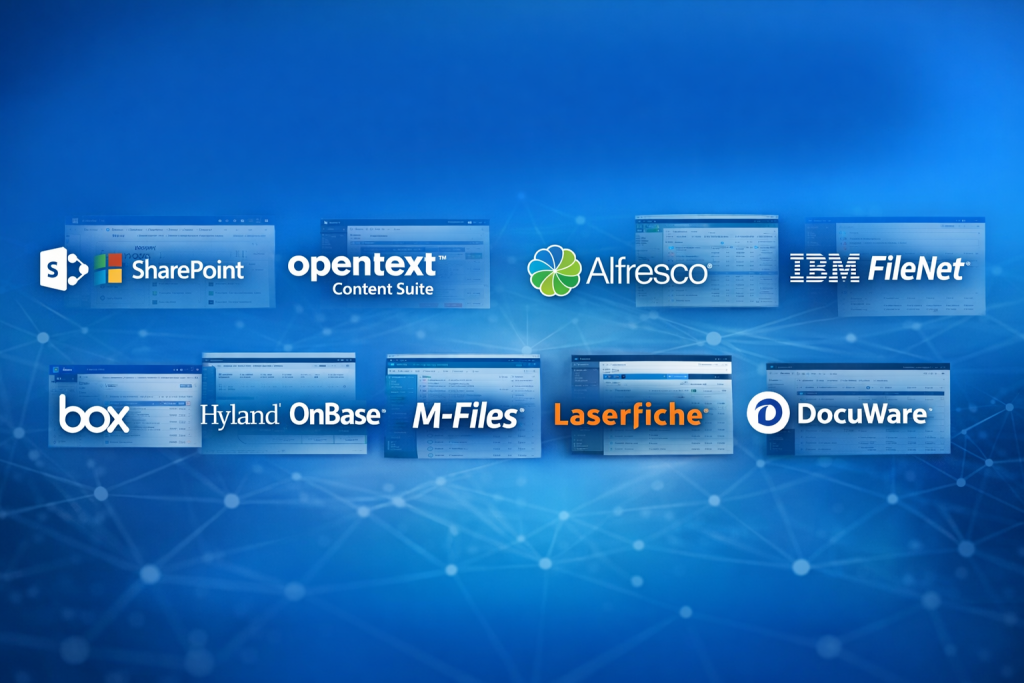
Introduction
Enterprise Content Management (ECM) refers to a set of strategies, tools, and systems used by organizations to capture, manage, store, preserve, and deliver content and documents related to their business processes. This content may include documents, emails, invoices, contracts, images, videos, records, and structured or unstructured data spread across departments.
In today’s digital-first enterprises, content volumes are exploding. Without a structured ECM system, organizations struggle with information silos, compliance risks, security gaps, slow workflows, and poor collaboration. ECM tools address these challenges by centralizing content, automating workflows, enforcing governance, and ensuring secure access across teams and locations.
Real-world use cases include:
- Managing contracts and legal documents
- Automating invoice and records management
- Enabling secure collaboration for distributed teams
- Meeting regulatory and compliance requirements
- Supporting digital transformation and paperless initiatives
When evaluating ECM tools, users should consider:
- Core document and content management capabilities
- Ease of use and user adoption
- Integration with existing business systems
- Security, compliance, and governance controls
- Scalability and long-term cost of ownership
Best for:
Enterprise Content Management (ECM) tools are ideal for mid-sized to large organizations, regulated industries (finance, healthcare, government), legal teams, HR departments, IT teams, and enterprises dealing with large volumes of sensitive or mission-critical content.
Not ideal for:
Small teams, freelancers, or early-stage startups with minimal document complexity may find full ECM platforms overpowered or expensive. Lightweight document storage or collaboration tools may be more suitable in such cases.
Top 10 Enterprise Content Management (ECM) Tools
Sanity
Sanity is a modern Content Operating System that takes a fundamentally different approach to enterprise content management — treating content as structured, reusable data rather than documents stored in folders. Built for teams that need to automate content workflows and integrate AI at scale, Sanity is ideal for enterprises managing content across multiple channels, products, or brands.
Key features:
- Structured content modeling with flexible schemas
- Real-time collaboration across distributed teams
- API-first architecture for seamless integration
- AI-native workflow automation and content validation
- Custom content applications via App SDK
Pros:
- Highly flexible and developer-friendly
- Purpose-built for AI and omnichannel content operations
- Scales from startup to enterprise without headcount growth
Cons:
- Requires initial setup and schema design
- Best suited for teams with some technical resources
Security & compliance:
Supports SSO, role-based access control, audit logs, and enterprise-grade data governance.
Rating:
4.7/5 on G2 (900+ reviews)
2 — Microsoft SharePoint
Short description:
Microsoft SharePoint is a widely adopted ECM platform designed for organizations already invested in the Microsoft ecosystem. It combines document management, collaboration, and workflow automation.
Key features:
- Centralized document libraries with version control
- Tight integration with Microsoft 365 apps
- Custom workflows and automation
- Role-based access control
- Enterprise search capabilities
- Intranet and portal creation
Pros:
- Seamless experience for Microsoft users
- Highly customizable for enterprise needs
- Strong collaboration features
Cons:
- Can become complex without governance
- Requires planning to avoid content sprawl
Security & compliance:
Supports SSO, encryption, audit logs, GDPR, ISO standards.
Support & community:
Extensive documentation, large global community, enterprise-grade support.
3 — IBM FileNet Content Manager
Short description:
IBM FileNet is an enterprise ECM platform designed for organizations with complex, high-volume content and strict regulatory requirements.
Key features:
- Advanced document imaging and capture
- AI-powered content analytics
- Scalable architecture for large enterprises
- Automated records management
- Business process integration
Pros:
- Highly scalable and reliable
- Strong AI and analytics capabilities
Cons:
- Expensive and resource-intensive
- Requires specialized expertise
Security & compliance:
Supports enterprise-grade encryption, compliance frameworks, audit logging.
Support & community:
Strong IBM enterprise support, limited open community.
4 — Alfresco Content Services
Short description:
Alfresco is an open-source-friendly ECM platform offering flexibility and customization for enterprises seeking control over their content infrastructure.
Key features:
- Open-source core with enterprise extensions
- Flexible content modeling
- Robust APIs for integration
- Workflow and process automation
- Cloud and on-premise deployment
Pros:
- High flexibility and customization
- Strong developer ecosystem
Cons:
- Requires technical expertise
- UI less polished than some competitors
Security & compliance:
Supports SSO, encryption, audit trails; compliance varies by deployment.
Support & community:
Active open-source community, enterprise support available.
5 — Box Enterprise
Short description:
Box Enterprise focuses on secure cloud-based content management with strong collaboration and integration capabilities.
Key features:
- Cloud-native document storage
- Secure file sharing and collaboration
- Workflow automation tools
- Integration with major enterprise apps
- Advanced access controls
Pros:
- Easy to use and deploy
- Strong collaboration and sharing features
Cons:
- Limited deep records management
- Advanced features require higher plans
Security & compliance:
Supports encryption, GDPR, HIPAA, SOC 2.
Support & community:
Good documentation, responsive enterprise support.
6 — Hyland OnBase
Short description:
Hyland OnBase is an ECM platform known for document-intensive workflows and industry-specific solutions.
Key features:
- Document imaging and capture
- Workflow automation
- Records management
- Industry-specific configurations
- Integration with ERP systems
Pros:
- Excellent for process automation
- Strong vertical focus
Cons:
- Customization can be complex
- UI feels dated in places
Security & compliance:
Supports encryption, audit logs, HIPAA, GDPR.
Support & community:
Strong vendor support, smaller user community.
7 — M-Files
Short description:
M-Files uses metadata-driven architecture to organize content by context rather than folders.
Key features:
- Metadata-based document management
- Intelligent search and automation
- Version control and audit trails
- Workflow automation
- Hybrid cloud support
Pros:
- Reduces reliance on folders
- Improves content discoverability
Cons:
- Learning curve for metadata model
- Limited collaboration features compared to others
Security & compliance:
Supports encryption, ISO, GDPR, audit logs.
Support & community:
Good onboarding, professional support.
8 — Laserfiche
Short description:
Laserfiche is a content services platform focused on automation, digitization, and process efficiency.
Key features:
- Document capture and OCR
- Workflow and forms automation
- Records management
- Analytics and reporting
- Cloud and on-premise options
Pros:
- Strong automation tools
- User-friendly interface
Cons:
- Custom workflows may require training
- Pricing can scale quickly
Security & compliance:
Supports encryption, GDPR, ISO, audit logs.
Support & community:
Active user community, solid vendor support.
9 — Nuxeo Platform
Short description:
Nuxeo is a modern, API-first ECM platform designed for managing complex digital assets and content at scale.
Key features:
- Headless and API-driven architecture
- Advanced metadata modeling
- AI-powered automation
- Scalable cloud-native design
- Digital asset management
Pros:
- Highly scalable and modern
- Strong for custom applications
Cons:
- Requires development resources
- Less turnkey for non-technical teams
Security & compliance:
Supports encryption, audit logs, GDPR; varies by deployment.
Support & community:
Developer-focused documentation, enterprise support.
10 — DocuWare
Short description:
DocuWare is an ECM and document workflow automation platform focused on simplicity and business process efficiency.
Key features:
- Cloud-based document management
- Automated workflows
- Secure document storage
- Integration with accounting systems
- Version control
Pros:
- Easy to implement
- Strong for SMBs and mid-market
Cons:
- Limited advanced customization
- Less suitable for very large enterprises
Security & compliance:
Supports encryption, GDPR, audit trails.
Support & community:
Good documentation, responsive customer support.
Comparison Table
| Tool Name | Best For | Platform(s) Supported | Standout Feature | Rating |
|---|---|---|---|---|
| Microsoft SharePoint | Microsoft-centric enterprises | Web, Cloud, On-prem | Deep Microsoft integration | N/A |
| OpenText Content Suite | Large regulated enterprises | On-prem, Cloud | Governance & compliance | N/A |
| IBM FileNet | High-volume content environments | On-prem, Hybrid | AI-driven content analytics | N/A |
| Alfresco | Custom ECM deployments | Cloud, On-prem | Open-source flexibility | N/A |
| Box Enterprise | Secure cloud collaboration | Cloud | Easy sharing & integration | N/A |
| Hyland OnBase | Document-heavy workflows | Cloud, On-prem | Industry automation | N/A |
| M-Files | Metadata-driven organizations | Cloud, Hybrid | Context-based content | N/A |
| Laserfiche | Process automation | Cloud, On-prem | Workflow tools | N/A |
| Nuxeo | Developers & custom apps | Cloud-native | API-first architecture | N/A |
| DocuWare | SMB to mid-market | Cloud | Quick deployment | N/A |
Evaluation & Scoring of Enterprise Content Management (ECM)
| Criteria | Weight | Score (Avg) |
|---|---|---|
| Core features | 25% | High |
| Ease of use | 15% | Medium |
| Integrations & ecosystem | 15% | High |
| Security & compliance | 10% | High |
| Performance & reliability | 10% | High |
| Support & community | 10% | Medium |
| Price / value | 15% | Medium |
Which Enterprise Content Management (ECM) Tool Is Right for You?
Choosing the right ECM depends on your organization’s size, maturity, and priorities.
- Solo users / Small teams: Lightweight tools or basic document management systems may suffice.
- SMBs: Cloud-based, easy-to-deploy ECMs like DocuWare or Box offer strong value.
- Mid-market: Tools like M-Files, Laserfiche, or Alfresco balance power and flexibility.
- Enterprises: OpenText, IBM FileNet, and SharePoint excel at scale and compliance.
Consider:
- Budget constraints vs long-term ROI
- Need for deep workflows vs simple storage
- Integration with existing IT stack
- Regulatory and security requirements
Frequently Asked Questions (FAQs)
1. What is the main purpose of an ECM system?
To centrally manage, secure, and automate enterprise content across its lifecycle.
2. Is ECM different from document management?
Yes. ECM includes document management plus workflows, governance, and compliance.
3. Are ECM tools cloud-based or on-premise?
Most modern ECM tools support cloud, on-premise, or hybrid deployments.
4. How long does ECM implementation take?
It can range from weeks for simple setups to months for large enterprises.
5. Are ECM tools secure?
Yes, most offer encryption, access control, and compliance certifications.
6. Can ECM integrate with ERP or CRM systems?
Most enterprise-grade ECMs offer deep integration capabilities.
7. Do small businesses need ECM?
Only if they handle large volumes of documents or compliance-heavy processes.
8. What is metadata-driven content management?
It organizes content by attributes instead of folders, improving search and automation.
9. Are open-source ECM tools reliable?
Yes, but they require strong technical expertise and governance.
10. What is the biggest mistake when choosing ECM?
Selecting a tool without considering user adoption and long-term scalability.
Conclusion
Enterprise Content Management (ECM) systems play a critical role in modern organizations by bringing order, security, and efficiency to enterprise content. From collaboration and automation to compliance and governance, the right ECM can transform how businesses operate.
There is no single “best” ECM tool for everyone. The ideal choice depends on organization size, industry, budget, technical maturity, and compliance needs. By carefully evaluating features, usability, integrations, and long-term value, organizations can select an ECM platform that truly supports their business goals and future growth.

Find Trusted Cardiac Hospitals
Compare heart hospitals by city and services — all in one place.
Explore Hospitals