
Introduction
Electronic Signature (eSignature) software allows individuals and organizations to sign documents digitally in a secure, legally valid, and highly efficient manner. Instead of printing, signing, scanning, and emailing documents, eSignature tools enable users to complete the entire signing process online—often in minutes. These solutions use encryption, authentication, and audit trails to ensure documents remain tamper-proof and verifiable.
In today’s digital-first business environment, eSignature software has become essential. It accelerates contract turnaround, reduces paperwork costs, improves customer experience, and supports remote and hybrid work models. From sales agreements and HR onboarding to legal contracts and healthcare consent forms, eSignatures are now widely accepted across industries.
When choosing an eSignature tool, users should evaluate factors such as ease of use, security and compliance, integrations with existing systems, scalability, customization options, and pricing. The right solution should align with both operational needs and regulatory requirements while remaining intuitive for signers.
Best for:
eSignature software is ideal for freelancers, startups, SMBs, large enterprises, legal teams, HR departments, sales teams, healthcare providers, financial institutions, and any organization handling frequent document approvals.
Not ideal for:
Individuals or businesses that rarely require formal signatures, operate entirely offline, or rely solely on informal approvals may not need dedicated eSignature software and could use simpler alternatives.
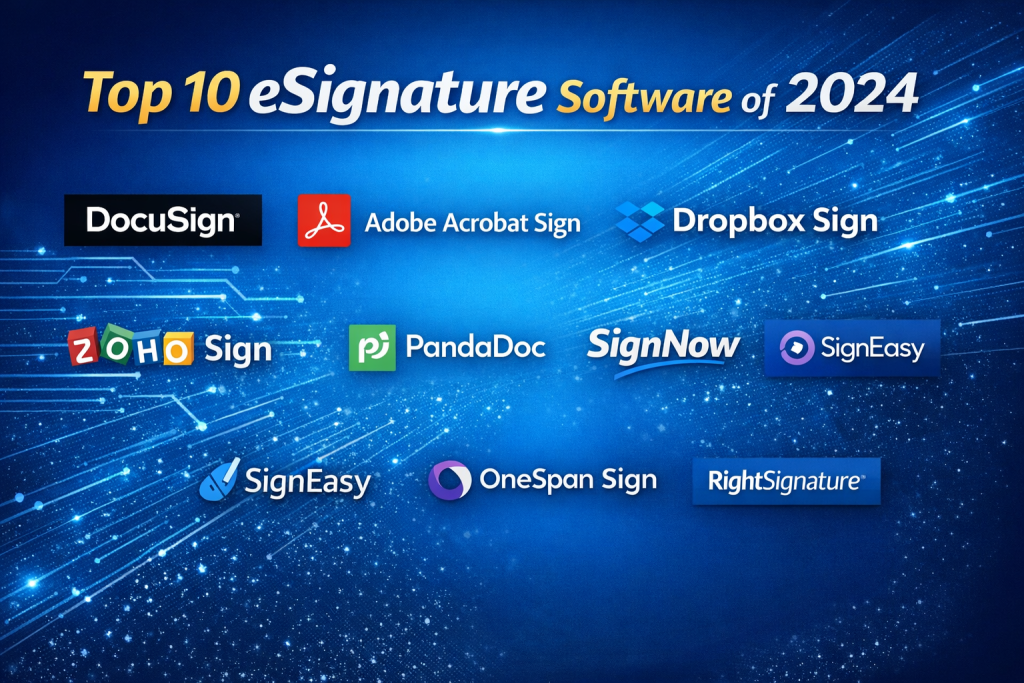
Top 10 eSignature Software Tools
1 — DocuSign
Short description:
A market-leading eSignature platform designed for enterprises and regulated industries requiring robust compliance and scalability.
Key features:
- Legally binding electronic signatures
- Advanced workflow automation
- Extensive integrations ecosystem
- Custom branding and templates
- Real-time audit trails
- Multi-factor authentication
- Bulk sending capabilities
Pros:
- Highly trusted and widely accepted
- Excellent enterprise-grade security
Cons:
- Premium pricing
- Can feel complex for small teams
Security & compliance:
SOC 2, ISO, GDPR, HIPAA, advanced encryption, SSO
Support & community:
Extensive documentation, enterprise support, global user base
2 — Adobe Acrobat Sign
Short description:
A powerful eSignature solution tightly integrated with PDF workflows, ideal for document-heavy organizations.
Key features:
- Seamless PDF signing
- Microsoft and CRM integrations
- Mobile-friendly signing
- Custom workflows
- Automated reminders
- Advanced identity verification
Pros:
- Excellent PDF handling
- Strong brand trust
Cons:
- Interface can feel heavy
- Pricing may rise with scale
Security & compliance:
ISO, SOC 2, GDPR, HIPAA, encryption, audit logs
Support & community:
Strong documentation, enterprise onboarding, global support
3 — Dropbox Sign
Short description:
A simple and intuitive eSignature tool focused on speed and ease of use for SMBs and startups.
Key features:
- Clean, user-friendly interface
- Templates and reusable fields
- Dropbox storage integration
- Team collaboration tools
- Audit trails
- Mobile signing
Pros:
- Easy to learn and use
- Affordable for small teams
Cons:
- Limited advanced workflows
- Fewer enterprise controls
Security & compliance:
SOC 2, GDPR, encryption, audit trails
Support & community:
Good documentation, responsive support, SMB-focused
4 — PandaDoc
Short description:
An all-in-one document automation and eSignature platform built for sales and marketing teams.
Key features:
- Proposal and contract creation
- eSignature and approvals
- Content library
- Analytics and tracking
- CRM integrations
- Payment collection
Pros:
- Excellent for sales workflows
- Rich document customization
Cons:
- Overkill for simple signing needs
- Learning curve for full feature set
Security & compliance:
SOC 2, GDPR, encryption, audit logs
Support & community:
Strong onboarding, tutorials, active customer support
5 — SignNow
Short description:
A cost-effective eSignature solution offering advanced features at competitive pricing.
Key features:
- Bulk invites
- Conditional routing
- Templates and fields
- Mobile-friendly signing
- Team collaboration
- API access
Pros:
- Strong value for money
- Good automation features
Cons:
- Interface less polished
- Limited native integrations
Security & compliance:
SOC 2, GDPR, HIPAA, encryption
Support & community:
Solid documentation, standard business support
6 — Zoho Sign
Short description:
A business-friendly eSignature tool designed for teams already using Zoho’s ecosystem.
Key features:
- Deep Zoho app integrations
- Custom workflows
- Multi-language support
- Templates and reminders
- Mobile apps
- Audit trails
Pros:
- Excellent ecosystem fit
- Affordable pricing
Cons:
- Less appealing outside Zoho suite
- Limited advanced customization
Security & compliance:
ISO, SOC 2, GDPR, encryption
Support & community:
Strong documentation, Zoho community, business support
7 — RightSignature
Short description:
A straightforward eSignature tool focused on simplicity and ease of deployment.
Key features:
- Drag-and-drop fields
- Custom branding
- Templates
- Audit trails
- Team management
- API access
Pros:
- Easy setup
- Clean signing experience
Cons:
- Limited advanced workflows
- Smaller ecosystem
Security & compliance:
SOC 2, GDPR, encryption
Support & community:
Basic documentation, standard support
8 — OneSpan Sign
Short description:
A highly secure eSignature platform built for financial services and regulated environments.
Key features:
- Advanced authentication
- Transaction integrity controls
- Workflow automation
- On-premise and cloud options
- API-first design
- Detailed audit trails
Pros:
- Exceptional security
- Strong compliance posture
Cons:
- Higher cost
- Not beginner-friendly
Security & compliance:
ISO, SOC 2, GDPR, financial-grade encryption
Support & community:
Enterprise-grade support, professional services
9— SignEasy
Short description:
A mobile-first eSignature solution ideal for individuals and small teams.
Key features:
- Mobile and tablet optimized
- Offline signing
- Cloud storage integrations
- Templates
- Audit trails
- Team sharing
Pros:
- Excellent mobile experience
- Quick setup
Cons:
- Limited enterprise features
- Basic automation
Security & compliance:
GDPR, encryption, audit trails
Support & community:
Helpful documentation, email support
10 — HelloSign API
Short description:
A developer-focused eSignature solution for embedding signing into applications.
Key features:
- REST APIs
- Embedded signing
- Custom branding
- Templates
- Webhooks
- Scalable infrastructure
Pros:
- Excellent for custom apps
- Flexible integration
Cons:
- Requires development effort
- Not ideal for non-technical users
Security & compliance:
SOC 2, GDPR, encryption
Support & community:
Developer docs, API guides, technical support
Comparison Table
| Tool Name | Best For | Platform(s) Supported | Standout Feature | Rating |
|---|---|---|---|---|
| DocuSign | Large enterprises | Web, Mobile | Enterprise compliance | N/A |
| Adobe Acrobat Sign | PDF-heavy teams | Web, Desktop, Mobile | PDF integration | N/A |
| Dropbox Sign | SMBs | Web, Mobile | Simplicity | N/A |
| PandaDoc | Sales teams | Web, Mobile | Document automation | N/A |
| SignNow | Cost-conscious teams | Web, Mobile | Value pricing | N/A |
| Zoho Sign | Zoho users | Web, Mobile | Ecosystem integration | N/A |
| RightSignature | Small teams | Web | Ease of use | N/A |
| OneSpan Sign | Financial services | Web, On-premise | High security | N/A |
| SignEasy | Mobile users | Mobile, Web | Offline signing | N/A |
| HelloSign API | Developers | API-based | Embedded signing | N/A |
Evaluation & Scoring of eSignature Software
| Criteria | Weight | Notes |
|---|---|---|
| Core features | 25% | Signing, workflows, templates |
| Ease of use | 15% | User experience for senders and signers |
| Integrations & ecosystem | 15% | CRM, storage, APIs |
| Security & compliance | 10% | Encryption, standards |
| Performance & reliability | 10% | Speed and uptime |
| Support & community | 10% | Help, onboarding |
| Price / value | 15% | Cost vs features |
Which eSignature Software Tool Is Right for You?
- Solo users: Look for simplicity, mobile access, and low cost.
- SMBs: Balance affordability with automation and integrations.
- Mid-market: Focus on scalability, security, and workflow customization.
- Enterprises: Prioritize compliance, SSO, audit trails, and support.
Budget-conscious users may prefer lightweight tools, while regulated industries should choose compliance-first platforms. Integration needs and long-term scalability should guide final decisions.
Frequently Asked Questions (FAQs)
1. Are eSignatures legally valid?
Yes, in most countries eSignatures are legally binding when compliant with regulations.
2. How secure are eSignature tools?
They use encryption, authentication, and audit logs to ensure integrity.
3. Do recipients need an account to sign?
Most tools allow signing without creating an account.
4. Can eSignatures be used offline?
Some mobile-first tools support offline signing.
5. Are eSignatures accepted in courts?
Yes, when supported by audit trails and compliance standards.
6. What industries benefit most?
Legal, healthcare, finance, sales, HR, and real estate.
7. How long does implementation take?
From minutes for basic tools to weeks for enterprise rollouts.
8. Can I integrate eSignatures into my app?
Yes, many platforms offer APIs.
9. Are there free plans?
Some tools offer limited free tiers or trials.
10. What is the biggest mistake buyers make?
Choosing based on price alone without considering compliance and scalability.
Conclusion
eSignature software has become a foundational tool for modern businesses, enabling faster transactions, reduced costs, and improved compliance. While all solutions aim to digitize signing, they differ significantly in features, security, usability, and target audience.
The best eSignature tool is not a universal choice—it depends on your organization’s size, industry, budget, and workflow complexity. By focusing on real needs rather than brand popularity alone, you can select a solution that delivers long-term value and efficiency.

Find Trusted Cardiac Hospitals
Compare heart hospitals by city and services — all in one place.
Explore Hospitals
A clear roundup that helps readers evaluate eSignature platforms beyond “basic signing.” The comparison highlights important factors such as identity verification options, security controls, legal validity, and admin governance for business use. Adding a quick checklist for rollout (user roles, standard templates, storage policy, and compliance requirements) would make it even more actionable.