
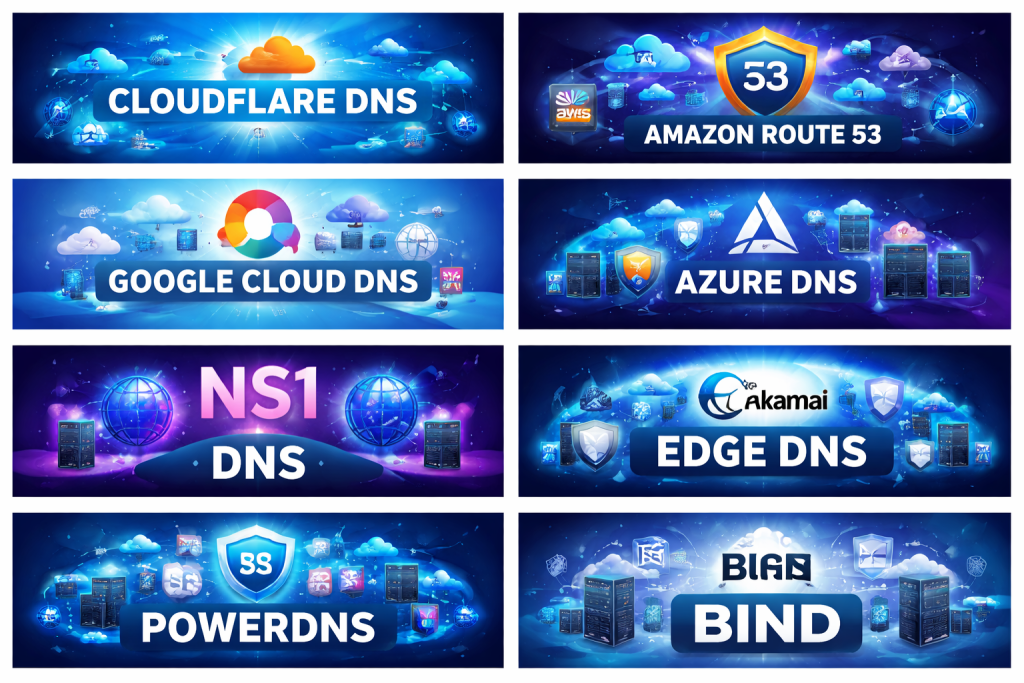
Introduction
Domain Name System (DNS) Management Tools play a critical role in how users, applications, and services access websites and digital platforms. At a basic level, DNS translates human-readable domain names into IP addresses that machines understand. However, modern DNS management goes far beyond simple name resolution. It involves performance optimization, high availability, security, automation, and scalability across global infrastructure.
As businesses move toward cloud-first architectures, multi-cloud deployments, SaaS platforms, and globally distributed users, DNS has become a strategic layer of reliability and security, not just a background service. Downtime, misconfigurations, or slow DNS resolution can directly impact user experience, revenue, SEO rankings, and brand trust.
DNS Management Tools help organizations centrally control DNS records, automate changes, reduce human errors, improve uptime, defend against attacks, and gain visibility into DNS behavior. These tools are used across industries such as technology, finance, healthcare, e-commerce, media, and enterprise IT.
When evaluating DNS Management Tools, users should look for:
- Reliability and global DNS performance
- Ease of record management and automation
- Security features like DNSSEC and access controls
- Integration with cloud and DevOps workflows
- Scalability for growth and traffic spikes
Best for:
DNS Management Tools are best suited for DevOps teams, system administrators, network engineers, SaaS providers, e-commerce platforms, enterprises with global users, and organizations managing multiple domains or environments.
Not ideal for:
These tools may be unnecessary for small personal websites, static blogs, or single-domain projects with minimal traffic, where basic registrar-level DNS is sufficient.
Top 10 DNS Management Tools
1 — Cloudflare DNS
Short description:
A globally distributed, high-performance DNS platform designed for businesses of all sizes, especially those prioritizing speed and security.
Key features:
- Global anycast DNS network
- Ultra-fast DNS resolution
- DNSSEC support
- API-driven DNS automation
- DDoS protection at DNS layer
- Role-based access control
- Analytics and query insights
Pros:
- Extremely fast and reliable
- Strong security baked in
Cons:
- Advanced features may require paid plans
- UI can feel overwhelming for beginners
Security & compliance:
SSO, encryption, audit logs, GDPR, ISO certifications.
Support & community:
Extensive documentation, active community, enterprise support available.
2 — Amazon Route 53
Short description:
A scalable and highly available DNS service tightly integrated with cloud infrastructure and application routing.
Key features:
- Highly available global DNS
- Traffic routing policies
- Health checks and failover
- Integration with cloud services
- Infrastructure-as-code support
- Private DNS for internal networks
Pros:
- Deep cloud ecosystem integration
- Excellent reliability
Cons:
- Pricing can be complex
- Less beginner-friendly
Security & compliance:
IAM integration, encryption, audit logs, SOC 2, ISO, GDPR.
Support & community:
Strong documentation, enterprise-grade support, large user base.
3 — Google Cloud DNS
Short description:
A managed DNS service built for high availability and low-latency within modern cloud environments.
Key features:
- Global anycast DNS
- DNSSEC support
- Managed zones and record sets
- Cloud-native automation
- High availability SLA
- Monitoring and logging
Pros:
- Reliable and fast
- Seamless cloud integration
Cons:
- Limited advanced DNS features
- Best suited for cloud-centric users
Security & compliance:
Encryption, IAM, audit logging, GDPR, ISO standards.
Support & community:
Clear documentation, enterprise support plans available.
4 — Azure DNS
Short description:
A DNS hosting service optimized for enterprises using modern cloud and hybrid infrastructures.
Key features:
- Global DNS resolution
- Private and public DNS zones
- Infrastructure-as-code support
- RBAC access control
- Monitoring and logging
- Cloud-native scalability
Pros:
- Strong integration with enterprise IT
- Reliable performance
Cons:
- UI not very intuitive
- Limited standalone DNS features
Security & compliance:
RBAC, encryption, compliance with major global standards.
Support & community:
Enterprise documentation, professional support options.
5 — NS1
Short description:
An advanced, data-driven DNS management platform focused on intelligent traffic steering.
Key features:
- Real-time traffic routing
- Latency-based DNS responses
- Advanced automation
- API-first design
- High availability architecture
- DNS analytics
Pros:
- Powerful traffic intelligence
- Excellent for large-scale systems
Cons:
- Higher cost
- Requires DNS expertise
Security & compliance:
SSO, encryption, SOC 2, GDPR compliance.
Support & community:
Strong onboarding, premium enterprise support.
6 — Dyn DNS (Oracle)
Short description:
A robust enterprise-grade DNS service built for mission-critical applications.
Key features:
- Global DNS infrastructure
- Traffic management policies
- High uptime guarantees
- Advanced monitoring
- API-based management
- Failover capabilities
Pros:
- Enterprise reliability
- Proven large-scale performance
Cons:
- Premium pricing
- Not ideal for small teams
Security & compliance:
SOC 2, ISO, GDPR, advanced access controls.
Support & community:
Enterprise-level support, strong documentation.
7— Akamai Edge DNS
Short description:
A high-performance DNS service optimized for global content delivery and enterprise security.
Key features:
- Massive global DNS network
- Traffic steering
- DNSSEC support
- DDoS protection
- Integration with edge services
- Real-time analytics
Pros:
- Exceptional global performance
- Strong security posture
Cons:
- Expensive
- Best suited for large enterprises
Security & compliance:
ISO, SOC, GDPR, enterprise-grade security.
Support & community:
Dedicated account managers, premium support.
8 — DNS Made Easy
Short description:
A reliable and easy-to-use managed DNS service focusing on uptime and simplicity.
Key features:
- Global anycast DNS
- Simple UI
- Failover and monitoring
- DNSSEC
- API access
- High uptime SLA
Pros:
- Easy to manage
- Good reliability
Cons:
- Limited advanced automation
- Smaller ecosystem
Security & compliance:
Encryption, DNSSEC, standard compliance.
Support & community:
Responsive support, clear documentation.
9 — PowerDNS
Short description:
An open-source DNS platform offering full control and flexibility for custom environments.
Key features:
- Authoritative and recursive DNS
- Open-source flexibility
- Database-backed DNS
- Automation-friendly
- High performance
- Custom deployment options
Pros:
- Full control
- No vendor lock-in
Cons:
- Requires maintenance
- Higher operational effort
Security & compliance:
Varies based on deployment.
Support & community:
Active open-source community, professional support available.
10 — BIND
Short description:
A traditional, widely used open-source DNS server for organizations needing full control.
Key features:
- Industry-standard DNS server
- Highly configurable
- Supports DNSSEC
- Open-source and free
- Proven stability
- Extensive customization
Pros:
- Maximum control
- No licensing cost
Cons:
- Steep learning curve
- Manual management
Security & compliance:
Varies by configuration.
Support & community:
Large global community, extensive documentation.
Comparison Table
| Tool Name | Best For | Platform(s) Supported | Standout Feature | Rating |
|---|---|---|---|---|
| Cloudflare DNS | Performance & security | Cloud | Ultra-fast global DNS | N/A |
| Amazon Route 53 | Cloud-native apps | Cloud | Traffic routing | N/A |
| Google Cloud DNS | Cloud workloads | Cloud | High availability | N/A |
| Azure DNS | Enterprise IT | Cloud | Hybrid DNS support | N/A |
| NS1 | Traffic intelligence | Cloud | Real-time routing | N/A |
| Dyn DNS | Mission-critical systems | Cloud | Enterprise reliability | N/A |
| Akamai Edge DNS | Global enterprises | Cloud | Edge performance | N/A |
| DNS Made Easy | SMBs | Cloud | Simplicity & uptime | N/A |
| PowerDNS | Custom deployments | On-prem / Cloud | Open-source control | N/A |
| BIND | Full self-hosting | On-prem | Industry standard | N/A |
Evaluation & Scoring of DNS Management Tools
| Criteria | Weight | Description |
|---|---|---|
| Core features | 25% | DNS performance, routing, automation |
| Ease of use | 15% | UI, learning curve |
| Integrations & ecosystem | 15% | Cloud, DevOps tools |
| Security & compliance | 10% | DNSSEC, access controls |
| Performance & reliability | 10% | Uptime and latency |
| Support & community | 10% | Documentation and help |
| Price / value | 15% | Cost vs features |
Which DNS Management Tool Is Right for You?
- Solo users: Simple managed DNS or registrar-level DNS
- SMBs: Cloud-based DNS with automation and monitoring
- Mid-market: Tools with traffic steering and integrations
- Enterprise: High-performance global DNS with compliance
Budget-conscious users should consider open-source or simpler managed solutions, while premium users benefit from enterprise-grade DNS with SLAs.
Choose ease of use for small teams and feature depth for complex infrastructures. Integration with cloud platforms and CI/CD pipelines becomes critical as systems scale. Security and compliance matter most in regulated industries.
Frequently Asked Questions (FAQs)
- What is a DNS Management Tool?
It helps manage DNS records, routing, performance, and security centrally. - Why is DNS important for uptime?
DNS failures can make applications unreachable even if servers are running. - Do I need DNSSEC?
Yes, for protecting against DNS spoofing and cache poisoning. - Are managed DNS tools better than self-hosted?
For most businesses, yes, due to reliability and lower maintenance. - Can DNS affect website speed?
Absolutely. Faster DNS resolution improves load times. - Are DNS tools expensive?
Costs vary from free open-source to premium enterprise services. - Can DNS tools help with traffic routing?
Yes, many support geo-routing and failover. - Do DNS tools integrate with DevOps?
Modern tools offer APIs and automation. - Is open-source DNS secure?
It can be, but requires proper configuration and monitoring. - What is the biggest mistake in DNS management?
Manual changes without automation or audit trails.
Conclusion
DNS Management Tools are no longer optional infrastructure components—they are foundational to performance, reliability, and security. From simple domain management to intelligent traffic routing and global availability, the right DNS tool can significantly impact business outcomes.
The most important factors when choosing a DNS Management Tool are reliability, ease of management, security, scalability, and alignment with your infrastructure. There is no universal best option—each tool serves different needs.
Ultimately, the best DNS Management Tool is the one that fits your organization’s size, technical maturity, budget, and growth plans, ensuring stable and secure access to your digital services.

Find Trusted Cardiac Hospitals
Compare heart hospitals by city and services — all in one place.
Explore Hospitals
This is an excellent comparison of DNS management tools! The article clearly presents the key features, strengths, and limitations of each solution, making it much easier for network engineers and IT administrators to evaluate which platform best suits their DNS automation, security, and scalability needs. A practical and well‑organized resource for anyone looking to optimize their DNS infrastructure and ensure reliable network performance.