
Introduction
Endpoint Detection & Response (EDR) is a critical cybersecurity technology designed to continuously monitor, detect, investigate, and respond to threats on endpoints such as laptops, desktops, servers, and virtual machines. Unlike traditional antivirus solutions that rely heavily on signature-based detection, EDR focuses on behavioral analysis, threat hunting, and real-time response to identify advanced attacks like ransomware, zero-day exploits, fileless malware, and insider threats.
EDR has become essential because modern cyberattacks are stealthy, fast-moving, and highly automated. Attackers often bypass basic defenses using legitimate tools, living-off-the-land techniques, or compromised credentials. EDR provides deep visibility into endpoint activity, allowing security teams to detect threats early, reduce dwell time, and contain incidents before major damage occurs.
Key real-world use cases
- Detecting ransomware before encryption spreads
- Investigating suspicious user or process behavior
- Responding to endpoint-based breaches in real time
- Supporting incident response and digital forensics
- Meeting regulatory and compliance requirements
What to look for when choosing an EDR tool
When evaluating EDR solutions, organizations should consider:
- Depth of threat detection and behavioral analytics
- Ease of deployment and day-to-day management
- Integration with existing security tools
- Scalability across thousands of endpoints
- Response automation and remediation capabilities
- Compliance and audit readiness
Best for:
EDR tools are best suited for IT teams, security analysts, SOC teams, MSSPs, regulated industries (finance, healthcare), SaaS companies, enterprises, and fast-growing startups that require proactive endpoint security.
Not ideal for:
EDR may be excessive for very small businesses or solo users with minimal endpoints and low risk exposure, where simpler endpoint protection or managed security services may be more cost-effective.
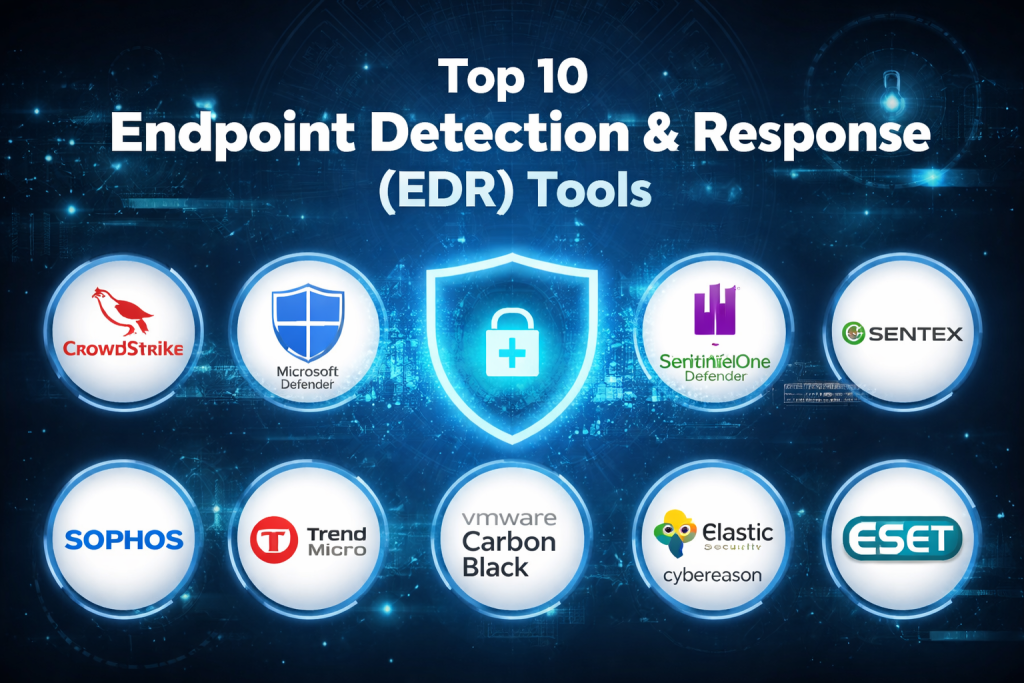
Top 10 Endpoint Detection & Response (EDR) Tools
1 — CrowdStrike Falcon
Short description:
CrowdStrike Falcon is a cloud-native EDR platform built for enterprises that need real-time threat detection, rapid response, and global threat intelligence.
Key features
- Cloud-based agent with minimal performance impact
- Behavioral AI and machine-learning detection
- Real-time endpoint visibility and telemetry
- Automated response and containment
- Advanced threat hunting capabilities
- Integrated threat intelligence
- Strong identity-based attack detection
Pros
- Extremely fast detection and response
- Lightweight endpoint agent
- Excellent visibility across large environments
Cons
- Premium pricing
- Advanced features require skilled analysts
Security & compliance
Supports SSO, encryption at rest and in transit, audit logs, GDPR, SOC 2, ISO standards.
Support & community
Enterprise-grade support, strong documentation, active threat research community.
2 — Microsoft Defender for Endpoint
Short description:
A powerful EDR solution tightly integrated with the Microsoft ecosystem, ideal for organizations already using Microsoft security tools.
Key features
- Deep integration with Windows, Azure, and Microsoft 365
- Advanced attack surface reduction
- Automated investigation and remediation
- Threat and vulnerability management
- Cross-platform endpoint protection
- Centralized security dashboard
Pros
- Seamless Microsoft ecosystem integration
- Strong value for existing Microsoft customers
- Scales well for enterprises
Cons
- Less intuitive for non-Microsoft environments
- Advanced features require higher-tier licenses
Security & compliance
Strong compliance coverage including GDPR, ISO, SOC, HIPAA.
Support & community
Extensive documentation, enterprise support, large user community.
3 — SentinelOne Singularity
Short description:
SentinelOne delivers autonomous EDR with AI-driven detection and automated response capabilities.
Key features
- AI-powered behavioral analysis
- Automated rollback for ransomware
- Real-time endpoint response
- Cross-platform support
- Threat hunting and visibility
- Offline protection capabilities
Pros
- High automation reduces analyst workload
- Effective ransomware mitigation
- Clean and modern interface
Cons
- Reporting customization can be limited
- Higher cost for full feature set
Security & compliance
Supports encryption, SSO, SOC 2, GDPR, ISO compliance.
Support & community
Responsive enterprise support, growing community resources.
4 — Palo Alto Networks Cortex XDR
Short description:
Cortex XDR combines endpoint, network, and cloud data for unified threat detection and response.
Key features
- Correlated data across multiple security layers
- Advanced analytics and behavioral detection
- Automated incident response
- Integration with Palo Alto ecosystem
- Powerful threat hunting tools
Pros
- Excellent cross-domain visibility
- Strong analytics and correlation
- Ideal for complex enterprise environments
Cons
- Steep learning curve
- Best value when using Palo Alto products
Security & compliance
Supports enterprise-grade security standards, GDPR, SOC, ISO.
Support & community
Strong enterprise support, extensive technical documentation.
5— Sophos Intercept X with EDR
Short description:
Sophos Intercept X provides EDR with strong ransomware protection and ease of use for SMBs and mid-market organizations.
Key features
- Deep learning malware detection
- Ransomware and exploit prevention
- Root cause analysis
- Threat hunting tools
- Integrated endpoint firewall
- Centralized cloud management
Pros
- Easy to deploy and manage
- Strong ransomware defense
- Good value for SMBs
Cons
- Less advanced threat hunting
- Limited customization for large enterprises
Security & compliance
Supports encryption, audit logs, GDPR, SOC compliance.
Support & community
Good documentation, responsive support, SMB-friendly onboarding.
6 — Trend Micro Vision One
Short description:
Trend Micro Vision One delivers EDR and XDR capabilities with strong global threat intelligence.
Key features
- Cross-layer detection and response
- Behavioral analysis and anomaly detection
- Automated investigation workflows
- Centralized threat visibility
- Cloud and on-prem support
Pros
- Strong threat intelligence
- Broad platform coverage
- Reliable performance
Cons
- Interface can feel complex
- Reporting could be more flexible
Security & compliance
Supports GDPR, ISO, SOC, encryption standards.
Support & community
Global support presence, extensive knowledge base.
7 — VMware Carbon Black EDR
Short description:
Carbon Black focuses on continuous endpoint visibility and deep threat hunting for advanced security teams.
Key features
- Continuous endpoint monitoring
- Advanced threat hunting
- Behavioral analytics
- Incident response tools
- Integration with VMware ecosystem
Pros
- Deep visibility into endpoint activity
- Strong forensic capabilities
- Trusted by large enterprises
Cons
- Requires skilled analysts
- Interface can be complex
Security & compliance
Supports enterprise compliance frameworks including SOC and ISO.
Support & community
Strong enterprise support, technical user community.
8 — Elastic Security (Endpoint)
Short description:
Elastic Security provides EDR built on the Elastic Stack, ideal for teams that value flexibility and customization.
Key features
- Endpoint visibility and behavioral detection
- Powerful search and analytics
- Open and extensible architecture
- Threat hunting with real-time data
- Integration with SIEM capabilities
Pros
- Highly customizable
- Strong analytics and search
- Scales well for data-heavy environments
Cons
- Requires technical expertise
- Less turnkey than competitors
Security & compliance
Varies depending on deployment and configuration.
Support & community
Strong open-source community, enterprise support available.
9 — Cybereason EDR
Short description:
Cybereason focuses on attack-centric detection, visualizing threats as full attack stories.
Key features
- Behavior-based threat detection
- Visual attack timelines
- Automated remediation
- Threat hunting tools
- Cross-platform endpoint support
Pros
- Clear attack visualization
- Strong detection accuracy
- Good SOC workflow support
Cons
- Interface can be overwhelming
- Performance tuning may be required
Security & compliance
Supports encryption, audit logs, GDPR, SOC standards.
Support & community
Dedicated enterprise support, analyst-focused resources.
10 — ESET Inspect
Short description:
ESET Inspect is a lightweight EDR solution aimed at organizations seeking strong detection with lower overhead.
Key features
- Behavioral detection and monitoring
- Incident response tools
- Low system resource usage
- Integration with ESET endpoint security
- Clear alerting and reporting
Pros
- Lightweight and efficient
- Easy to deploy
- Cost-effective
Cons
- Fewer advanced automation features
- Limited threat hunting depth
Security & compliance
Supports GDPR, encryption, audit logging.
Support & community
Good documentation, regional enterprise support.
Comparison Table
| Tool Name | Best For | Platform(s) Supported | Standout Feature | Rating |
|---|---|---|---|---|
| CrowdStrike Falcon | Large enterprises | Windows, macOS, Linux | Cloud-native EDR | N/A |
| Microsoft Defender | Microsoft-centric orgs | Windows, macOS, Linux | Ecosystem integration | N/A |
| SentinelOne | Automated security | Windows, macOS, Linux | Ransomware rollback | N/A |
| Cortex XDR | Complex enterprises | Multi-platform | Cross-layer correlation | N/A |
| Sophos Intercept X | SMB & mid-market | Multi-platform | Ransomware protection | N/A |
| Trend Micro Vision One | Global enterprises | Multi-platform | Threat intelligence | N/A |
| VMware Carbon Black | Advanced SOC teams | Multi-platform | Deep visibility | N/A |
| Elastic Security | Data-driven teams | Multi-platform | Analytics flexibility | N/A |
| Cybereason | SOC operations | Multi-platform | Attack storytelling | N/A |
| ESET Inspect | Cost-conscious orgs | Multi-platform | Lightweight EDR | N/A |
Evaluation & Scoring of Endpoint Detection & Response (EDR)
| Criteria | Weight | CrowdStrike | SentinelOne | Defender | Sophos |
|---|---|---|---|---|---|
| Core features | 25% | 9/10 | 9/10 | 8/10 | 7/10 |
| Ease of use | 15% | 8/10 | 8/10 | 7/10 | 9/10 |
| Integrations | 15% | 9/10 | 8/10 | 9/10 | 7/10 |
| Security & compliance | 10% | 9/10 | 9/10 | 9/10 | 8/10 |
| Performance | 10% | 9/10 | 8/10 | 8/10 | 8/10 |
| Support | 10% | 9/10 | 8/10 | 8/10 | 7/10 |
| Price / value | 15% | 7/10 | 8/10 | 9/10 | 9/10 |
Which Endpoint Detection & Response (EDR) Tool Is Right for You?
- Solo users: Lightweight endpoint security or managed services
- SMBs: Sophos, ESET, Microsoft Defender
- Mid-market: SentinelOne, Trend Micro, Cybereason
- Enterprises: CrowdStrike, Cortex XDR, Microsoft Defender
Budget-conscious: Defender, Sophos, ESET
Premium security: CrowdStrike, SentinelOne, Palo Alto
Ease of use: Sophos, SentinelOne
Advanced threat hunting: CrowdStrike, Carbon Black, Elastic
Frequently Asked Questions (FAQs)
- What is the difference between EDR and antivirus?
EDR focuses on behavioral detection and response, while antivirus relies mainly on signatures. - Is EDR required for small businesses?
Not always, but it adds significant protection for growing or regulated businesses. - Does EDR replace SIEM?
No, EDR complements SIEM by providing endpoint-level visibility. - How long does EDR deployment take?
Most cloud-based EDR tools deploy in hours to days. - Can EDR stop ransomware?
Yes, modern EDR tools can detect and contain ransomware early. - Does EDR impact system performance?
Most modern tools are lightweight, but impact varies by vendor. - Is EDR cloud-based or on-prem?
Many tools are cloud-native, some offer hybrid options. - What skills are needed to manage EDR?
Basic IT skills for small setups; SOC expertise for advanced use. - Can EDR integrate with firewalls and SIEMs?
Yes, most enterprise EDR solutions support integrations. - Is EDR enough on its own?
EDR is most effective as part of a layered security strategy.
Conclusion
Endpoint Detection & Response has become a foundational component of modern cybersecurity. With advanced threats constantly evolving, EDR provides the visibility, intelligence, and response capabilities needed to protect endpoints effectively.
The most important takeaway is that there is no single “best” EDR tool for everyone. The right choice depends on organization size, technical maturity, budget, compliance requirements, and integration needs. By focusing on real-world use cases, ease of operation, and long-term scalability, organizations can select an EDR solution that truly strengthens their security posture.

Find Trusted Cardiac Hospitals
Compare heart hospitals by city and services — all in one place.
Explore Hospitals
EDR tools help security teams detect and investigate threats across endpoint devices. Real-time monitoring, threat detection, and incident response are key features to consider. Good visibility also helps teams understand what happened and respond faster. Choosing the right EDR solution can strengthen security without adding too much complexity to daily IT operations.
EDR tools are most effective when detection leads to quick and accurate action. Real-time endpoint monitoring, behavioral analysis, and automated isolation can help contain threats before they spread. Teams should also check agent performance and alert quality to maintain strong protection without slowing devices.
Endpoint detection and response is critical for catching advanced threats, and this article compares the best solutions. I like how it covers threat hunting and incident response features. Endpoint security teams will benefit.
Endpoint Detection and Response tools help security teams monitor devices, detect suspicious activity, and investigate potential threats. When comparing platforms, I think real-time detection, detailed investigation capabilities, and automated response features are important factors to consider. Integration with existing security solutions can also improve visibility across an organization’s endpoints. Choosing the right EDR tool helps teams respond to incidents faster and strengthen overall endpoint security.
Deploying endpoint detection and response solutions requires balancing deep behavioral visibility with minimal impact on system performance. While heavyweight enterprise platforms offer extensive threat intelligence and advanced hunting tools, they often demand specialized SOC talent to manage alert volume effectively. Leaner environments frequently benefit from automated remediation workflows and streamlined agents that reduce manual triage. This breakdown provides a useful guide for matching detection depth with actual incident response capacity.
EDR tools should help security teams detect threats on devices and take action before damage spreads. I would compare how well each platform monitors device activity, identifies suspicious behavior, and handles malware alerts. It is also important to check how easily teams can isolate affected devices and investigate incidents. Clear reports and smooth integration with other security tools can make endpoint protection easier to manage.
One capability I would examine when comparing EDR solutions is how clearly they reconstruct the sequence of events leading up to a security incident. Detecting a suspicious process is useful, but investigators also need to understand which file initiated it, what child processes were created, which network connections followed, and whether other endpoints showed related activity. A platform that presents this information through an understandable event timeline can significantly reduce investigation time. I would also check whether analysts can export this context for deeper forensic work without losing important event relationships. This makes EDR more valuable for incident investigation rather than simply generating another stream of security alerts.
Endpoint Detection and Response (EDR) tools help organizations monitor endpoint activity, detect suspicious behavior, and investigate potential security incidents across devices such as laptops, servers, and workstations. Features like behavioral analysis, threat hunting, automated containment, and endpoint telemetry enable security teams to identify malicious activity and respond before threats spread. When comparing solutions, important factors include detection accuracy, response automation, resource consumption, operating system support, integration with SIEM platforms, and investigation capabilities. Choosing the right EDR solution can strengthen endpoint protection, reduce incident response time, and provide security teams with greater visibility into evolving cyber threats.
EDR tools are essential for investigating suspicious activity on laptops, servers, and other endpoints before a small incident spreads across the organization. I’d compare how well each platform detects unusual behavior, provides investigation timelines, and supports quick containment of compromised devices. Lightweight agents and reliable performance are important, especially in environments with many endpoints. It’s also worth testing how easily security teams can investigate alerts and verify remediation without disrupting legitimate business activity.
EDR solutions also need to help teams investigate incidents across devices that have limited or unreliable connectivity. A laptop may remain offline during travel, while a remote workstation may reconnect only briefly each day. Security teams should check how the agent stores events locally and uploads them after reconnection. They should also confirm whether delayed events retain accurate timestamps and arrive in the correct sequence. Missing or reordered records can make it harder to reconstruct an attack timeline. Testing these situations helps analysts investigate suspicious activity without depending on every endpoint being continuously connected.
Endpoint Detection and Response solutions strengthen security by monitoring device activity and identifying suspicious behavior that traditional antivirus tools may overlook. Real-time investigation, behavioral analysis, and automated containment help teams limit the impact of compromised endpoints. Maintaining consistent agent coverage, reviewing detection policies, and integrating EDR with centralized security monitoring can improve visibility and accelerate incident response across an organization.
EDR tools help security teams detect suspicious behavior on computers and servers, investigate incidents, and respond to threats. Strong detection matters, but so does the ability to understand what happened after an alert appears. Teams should compare endpoint coverage, investigation timelines, response options, and resource use. Automated isolation can help contain threats, although teams need safeguards to avoid disrupting critical devices. It is also useful to test how the tool handles different operating systems and remote endpoints. Choosing a platform that provides clear evidence and practical response actions can help security teams contain incidents more effectively.
EDR evaluation should include the potential business impact of automated response actions, especially on production servers and critical workloads. Isolating a compromised endpoint can stop an attack, but it may also interrupt customer transactions, scheduled jobs, or essential infrastructure services. Security teams should define response policies based on asset criticality and test containment procedures in controlled environments before enabling broad automation. It is also useful to establish exception handling, approval requirements, and rollback procedures for actions that could affect availability. Tracking both threat containment time and service disruption helps organizations measure whether their response strategy protects systems without creating avoidable outages. This balance matters when deploying EDR across mixed environments with different uptime requirements.
Endpoint Detection and Response (EDR) tools help security teams monitor devices, detect suspicious behavior, and investigate potential attacks. When comparing platforms, organizations should consider threat detection accuracy, automated response options, endpoint coverage, and integration with existing security systems. Regularly reviewing alerts and testing response actions helps teams reduce false positives and contain threats before they affect critical business operations.
An important part of EDR evaluation is understanding how security policies affect real production workloads. Automated containment can stop an attack, but it can also interrupt database services, disable build agents, or isolate systems that support critical business operations. Before enabling automatic remediation, teams should test detection rules against representative workloads and define approval paths for high-impact actions. I would also recommend maintaining a tested recovery procedure for mistakenly quarantined files or isolated endpoints. Tracking false positives, remediation failures, and service interruptions during pilot deployments can reveal operational risks that feature comparisons often overlook. This helps organizations strengthen endpoint protection without creating avoidable outages or slowing down engineering teams.
Continuous endpoint telemetry monitoring paired with behavioral machine learning identifies stealthy fileless malware, automates rapid host isolation, and accelerates digital forensics, stopping ransomware execution before malicious payloads propagate across distributed enterprise workstations and servers.
Endpoint Detection and Response (EDR) tools help organizations monitor devices, detect suspicious activity, and investigate potential security incidents. When comparing platforms, I would focus on threat detection, behavioral analysis, automated response, and investigation capabilities. These features can help security teams contain threats before they spread across systems. The right EDR solution should provide clear endpoint visibility and support faster, more effective incident response.
A well-organized contract repository should make it easy to find the latest approved agreement, track renewal dates, and maintain a clear record of changes. Automated alerts and role-based access can reduce missed obligations while keeping sensitive contract information protected.
Choosing the right EDR often comes down to balancing alert fidelity with the team’s capacity to tune out false positives. While automated remediation and rollback features save valuable time, organizations still need skilled analysts to investigate complex, multi-stage threats effectively.
EDR tools are most useful when they help analysts reconstruct what happened on a device before and after a suspicious process ran. Comparing how each platform records process activity, file changes, and connections to external systems can make it easier to distinguish malware from legitimate administrative tasks. It is also worth testing how reliably an endpoint can be isolated and later restored, so incident response does not create unnecessary disruption for employees.
Endpoint security is essential when employees use laptops, desktops, and servers to access business applications and sensitive data. EDR tools help teams monitor endpoint activity, investigate suspicious behavior, and contain threats before they spread across the network. Another option worth checking out is CrowdStrike Falcon, which offers endpoint detection and response capabilities to help security teams investigate attacks, detect malicious activity, and respond to incidents more quickly.
This article presents a helpful and easy-to-understand overview of Endpoint Detection and Response (EDR) tools, showing how they play a crucial role in identifying, investigating, and responding to threats on endpoints like laptops, servers, and mobile devices. By highlighting key features such as real-time monitoring, behavioral analysis, threat hunting capabilities, and automated response actions, it gives readers clear criteria for comparing different EDR solutions. The balanced pros and cons for each platform make it easier for security teams to evaluate options based on detection accuracy, performance, and ease of deployment. For organizations looking to enhance their endpoint security and reduce risk from advanced threats, this comparison provides valuable insights into selecting the right EDR tool for their needs.