
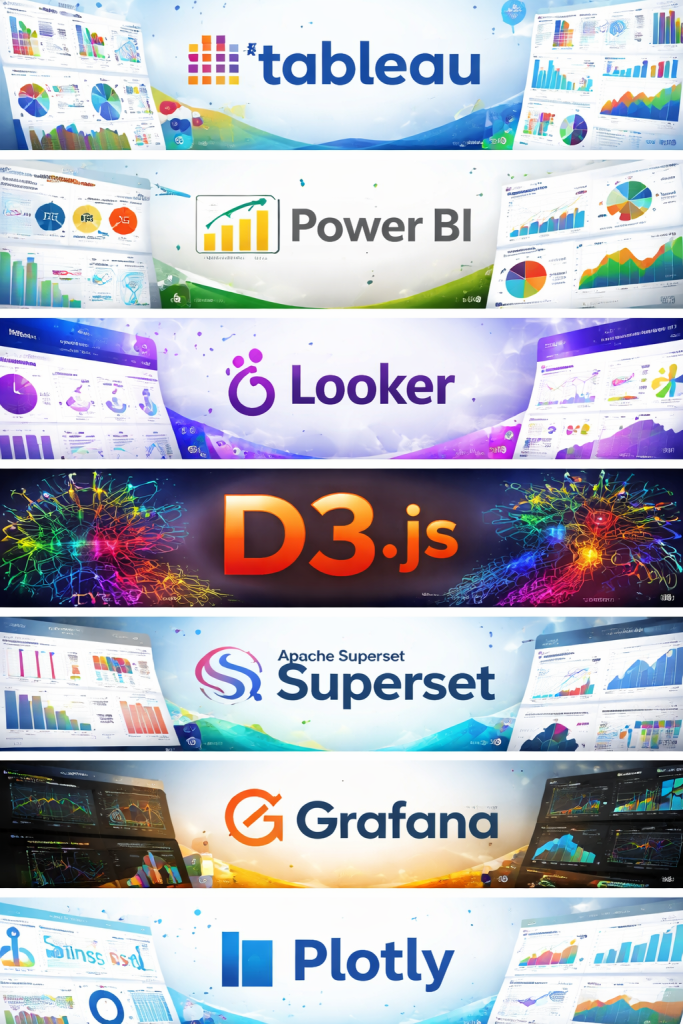
Introduction
Data visualization tools are software platforms that transform raw data into visual formats such as charts, dashboards, graphs, maps, and interactive reports. Instead of scanning endless spreadsheets or databases, users can instantly see patterns, trends, correlations, and outliers, making data easier to understand and act upon.
In today’s data-driven world, organizations generate massive volumes of data from operations, marketing, finance, healthcare, IoT devices, and customer interactions. Without effective visualization, this data remains underutilized. Data visualization tools bridge the gap between data and decision-making by converting complex datasets into clear, visual stories that support faster and better decisions.
Key real-world use cases include:
- Business intelligence and executive dashboards
- Sales and marketing performance analysis
- Financial reporting and forecasting
- Healthcare analytics and patient outcome tracking
- Operations monitoring and supply chain optimization
- Product analytics and user behavior analysis
When choosing a data visualization tool, users should evaluate:
- Ease of use for non-technical users
- Data source connectivity and integrations
- Scalability for growing datasets
- Customization and interactivity
- Security, compliance, and governance
- Pricing and total cost of ownership
Best for:
Data visualization tools are ideal for business analysts, data analysts, product managers, executives, data scientists, marketers, finance teams, and operations leaders. They benefit startups, SMBs, and large enterprises across industries such as technology, healthcare, finance, retail, manufacturing, logistics, and education.
Not ideal for:
They may be less suitable for very small teams with minimal data, organizations needing only static reports, or use cases requiring heavy statistical modeling without visualization. In such scenarios, spreadsheets or programming-focused analytics tools may be more practical.
Top 10 Data Visualization Tools
1 — Tableau
Short description:
Tableau is a powerful, enterprise-grade data visualization and business intelligence platform known for its interactive dashboards and advanced analytics. It is widely used by analysts and large organizations.
Key features:
- Drag-and-drop visual analytics
- Interactive dashboards and filters
- Strong support for large datasets
- Advanced calculated fields and analytics
- Real-time and live data connections
- Geospatial and map-based visualizations
Pros:
- Extremely rich visualization capabilities
- Scales well for enterprise analytics
Cons:
- Steep learning curve for beginners
- Premium pricing compared to alternatives
Security & compliance:
SSO, role-based access control, encryption, audit logs, GDPR, SOC 2 (varies by deployment)
Support & community:
Extensive documentation, large global user community, strong enterprise support and training resources
2 — Microsoft Power BI
Short description:
Power BI is Microsoft’s data visualization and business intelligence tool, tightly integrated with the Microsoft ecosystem and popular among business users.
Key features:
- Seamless integration with Excel and Microsoft services
- Interactive dashboards and reports
- AI-powered insights and natural language queries
- Cloud and on-prem deployment options
- Custom visuals marketplace
- Real-time dashboard updates
Pros:
- Cost-effective for Microsoft users
- Familiar interface for Excel users
Cons:
- Performance issues with very large datasets
- Advanced customization can be complex
Security & compliance:
SSO, Azure Active Directory, encryption, GDPR, ISO, SOC 2
Support & community:
Strong documentation, large user base, active forums, enterprise-grade Microsoft support
3 — Qlik Sense
Short description:
Qlik Sense is a modern analytics and visualization platform known for its associative data model, enabling flexible data exploration.
Key features:
- Associative analytics engine
- Self-service dashboards
- AI-assisted insights
- Strong data integration capabilities
- Responsive design for multiple devices
- Embedded analytics support
Pros:
- Powerful data exploration capabilities
- Handles complex data relationships well
Cons:
- Interface can feel overwhelming
- Pricing can be high for small teams
Security & compliance:
SSO, encryption, role-based security, GDPR, SOC 2
Support & community:
Good documentation, active community, enterprise support options
4 — Looker (Google Cloud)
Short description:
Looker is a cloud-native data visualization and business intelligence platform focused on governed analytics and data modeling.
Key features:
- Centralized data modeling layer
- Strong governance and data consistency
- Native cloud deployment
- Embedded analytics capabilities
- Real-time database querying
- Integration with modern data warehouses
Pros:
- Excellent for data governance
- Strong integration with cloud data stacks
Cons:
- Requires technical expertise to set up
- Less flexible for quick ad-hoc analysis
Security & compliance:
SSO, encryption, audit logs, GDPR, SOC 2, ISO
Support & community:
Professional documentation, enterprise support, growing user community
5 — D3.js
Short description:
D3.js is a JavaScript library for building highly customized and interactive data visualizations directly in web applications.
Key features:
- Full control over visual design
- Highly interactive and animated visuals
- Web-standard technologies (SVG, HTML, CSS)
- Suitable for custom data storytelling
- Open-source and flexible
- Large developer ecosystem
Pros:
- Unlimited customization possibilities
- No licensing cost
Cons:
- Requires strong coding skills
- Longer development time
Security & compliance:
N/A (depends on implementation)
Support & community:
Extensive documentation, strong open-source community, many examples and tutorials
6 — Apache Superset
Short description:
Apache Superset is an open-source data exploration and visualization platform designed for modern analytics at scale.
Key features:
- Rich set of visualization types
- SQL-based data exploration
- Role-based access control
- Scalable architecture
- Cloud and on-prem deployment
- Open-source flexibility
Pros:
- Free and open-source
- Highly customizable
Cons:
- Setup and maintenance can be complex
- Limited out-of-the-box polish
Security & compliance:
Role-based access, authentication integrations, encryption (varies by setup)
Support & community:
Active open-source community, community-driven documentation, limited official support
7 — Grafana
Short description:
Grafana is a visualization and monitoring platform primarily used for time-series data and observability dashboards.
Key features:
- Real-time monitoring dashboards
- Support for time-series databases
- Alerting and notifications
- Plugin ecosystem
- Cloud and self-hosted options
- Custom dashboard creation
Pros:
- Excellent for real-time metrics
- Strong DevOps and monitoring focus
Cons:
- Not ideal for traditional BI reporting
- Limited advanced analytics
Security & compliance:
SSO, role-based access, encryption, audit logs, GDPR
Support & community:
Large open-source community, good documentation, enterprise support available
8 — Plotly
Short description:
Plotly provides interactive visualization libraries and dashboards for data scientists and engineers.
Key features:
- Interactive charts and graphs
- Support for Python, R, and JavaScript
- Dash framework for analytical apps
- High-quality scientific visualizations
- Web-based sharing
- Customizable styling
Pros:
- Excellent for technical users
- Strong scientific and analytical focus
Cons:
- Less business-user friendly
- Advanced features require coding
Security & compliance:
Encryption, authentication options, GDPR (varies by deployment)
Support & community:
Good documentation, active developer community, commercial support available
9 — Sisense
Short description:
Sisense is a business intelligence and analytics platform focused on embedded analytics and scalability.
Key features:
- Embedded analytics capabilities
- In-chip processing engine
- Custom dashboards
- Cloud-native architecture
- API-first design
- Strong data modeling tools
Pros:
- Powerful embedded analytics
- Scales well for large datasets
Cons:
- Higher cost
- Requires technical setup
Security & compliance:
SSO, encryption, audit logs, GDPR, SOC 2
Support & community:
Enterprise-level support, structured documentation, smaller community
10 — Metabase
Short description:
Metabase is an open-source, user-friendly data visualization tool designed for quick insights and simple dashboards.
Key features:
- Easy setup and intuitive UI
- SQL and no-code querying
- Interactive dashboards
- Open-source and self-hosted
- Cloud and on-prem options
- Data permissions and sharing
Pros:
- Beginner-friendly
- Affordable and open-source
Cons:
- Limited advanced analytics
- Not ideal for very large enterprises
Security & compliance:
Authentication, role-based access, encryption (varies by setup)
Support & community:
Strong community, clear documentation, limited enterprise support
Comparison Table
| Tool Name | Best For | Platform(s) Supported | Standout Feature | Rating |
|---|---|---|---|---|
| Tableau | Enterprise analytics | Desktop, Cloud | Advanced interactive dashboards | N/A |
| Power BI | Microsoft-centric teams | Desktop, Cloud | Deep Microsoft integration | N/A |
| Qlik Sense | Complex data exploration | Web, Cloud | Associative analytics | N/A |
| Looker | Governed analytics | Cloud | Centralized data modeling | N/A |
| D3.js | Custom web visuals | Web | Full design control | N/A |
| Apache Superset | Open-source BI | Web | SQL-driven exploration | N/A |
| Grafana | Monitoring & metrics | Web, Cloud | Real-time dashboards | N/A |
| Plotly | Data science | Web | Interactive scientific charts | N/A |
| Sisense | Embedded analytics | Cloud | API-first architecture | N/A |
| Metabase | Quick insights | Web | Simplicity and speed | N/A |
Evaluation & Scoring of Data Visualization Tools
| Criteria | Weight |
|---|---|
| Core features | 25% |
| Ease of use | 15% |
| Integrations & ecosystem | 15% |
| Security & compliance | 10% |
| Performance & reliability | 10% |
| Support & community | 10% |
| Price / value | 15% |
This scoring framework helps organizations objectively assess tools based on both technical and business needs.
Which Data Visualization Tools Tool Is Right for You?
- Solo users: Look for simplicity and affordability (Metabase, Plotly).
- SMBs: Balance cost and features (Power BI, Metabase).
- Mid-market: Focus on scalability and integrations (Qlik Sense, Apache Superset).
- Enterprise: Prioritize governance, security, and performance (Tableau, Looker, Sisense).
Budget-conscious vs premium:
Open-source tools offer flexibility at lower cost, while premium tools provide polish and enterprise support.
Feature depth vs ease of use:
Advanced tools offer power but require training; simpler tools deliver faster adoption.
Integration & scalability:
Ensure compatibility with existing databases, cloud platforms, and workflows.
Security & compliance:
Regulated industries should prioritize tools with strong governance and compliance features.
Frequently Asked Questions (FAQs)
1. What are data visualization tools used for?
They convert raw data into visual formats to help users analyze trends, patterns, and insights quickly.
2. Are data visualization tools only for data analysts?
No, they are widely used by executives, marketers, finance teams, and operations managers.
3. Do I need coding skills to use these tools?
Many tools are no-code or low-code, though some require programming for advanced customization.
4. Are open-source visualization tools reliable?
Yes, many open-source tools are production-ready but may require more setup and maintenance.
5. Can these tools handle big data?
Enterprise tools are designed to scale, while lightweight tools may struggle with very large datasets.
6. How important is security in visualization tools?
Very important, especially when dealing with sensitive or regulated data.
7. Are cloud-based tools better than on-prem?
Cloud tools offer scalability and ease of use, while on-prem provides more control.
8. What is the biggest mistake when choosing a tool?
Choosing based on popularity instead of actual business needs.
9. Can visualization tools replace spreadsheets?
They complement spreadsheets rather than completely replacing them.
10. How long does implementation usually take?
It can range from a few hours for simple tools to weeks for enterprise deployments.
Conclusion
Data visualization tools play a critical role in turning complex data into actionable insights. From simple dashboards to advanced enterprise analytics, these tools empower organizations to make smarter, faster decisions.
The most important factors when choosing a data visualization tool are usability, scalability, integration, security, and value for money. There is no single “best” tool for everyone. The right choice depends on your data complexity, team skill set, budget, and business goals.
By carefully evaluating your needs and using a structured comparison approach, you can select a data visualization tool that delivers long-term value and supports confident, data-driven decision-making.

Find Trusted Cardiac Hospitals
Compare heart hospitals by city and services — all in one place.
Explore Hospitals
This article offers a clear and balanced comparison of the top data visualization tools, making it easier to understand how each option performs in terms of ease of use, customization, and output quality. The breakdown of features, strengths, and limitations helps both beginners and experienced users evaluate tools based on their specific needs—whether for business reporting, exploratory analysis, or interactive dashboards. By focusing on practical differences rather than just listing names, this post becomes a helpful reference for anyone looking to choose the right visualization solution to turn data into meaningful insights. Great resource for making informed decisions in analytics projects!