
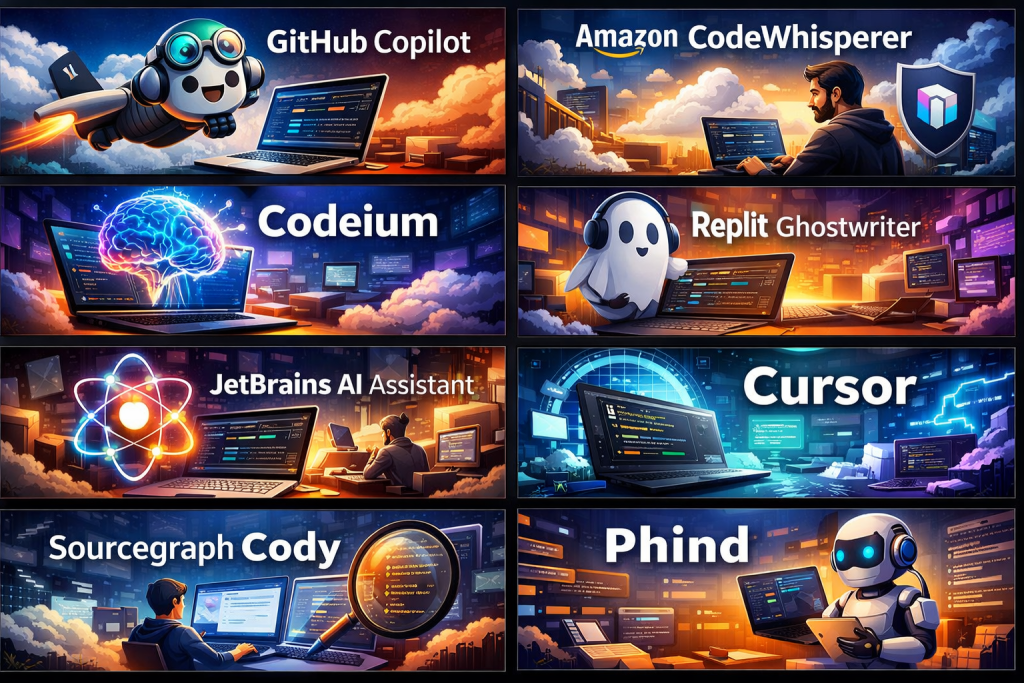
Introduction
AI Code Assistants are intelligent software tools that help developers write, understand, debug, refactor, and optimize code using artificial intelligence. By analyzing large volumes of programming knowledge and contextual information from your codebase, these tools can suggest code completions, explain complex logic, detect bugs, and even generate entire functions or tests.
In today’s fast-paced development environment, AI Code Assistants are becoming essential. Software teams are under constant pressure to ship faster, maintain high quality, and reduce technical debt. AI-powered coding tools help achieve this by boosting developer productivity, reducing repetitive work, and improving code consistency across teams.
Real-world use cases include faster feature development, onboarding junior developers, code reviews, documentation generation, test creation, debugging production issues, and migrating legacy code.
When choosing an AI Code Assistant, users should evaluate accuracy, language support, IDE compatibility, security, compliance, customization, collaboration features, and overall developer experience. Performance, trustworthiness of suggestions, and enterprise readiness also matter greatly.
Best for:
AI Code Assistants are ideal for software developers, DevOps engineers, data scientists, QA engineers, startups, product teams, SaaS companies, and large enterprises that want to improve coding speed, quality, and collaboration across modern tech stacks.
Not ideal for:
These tools may be less suitable for non-technical users, highly regulated environments without AI approval, extremely low-budget projects, or teams working primarily on proprietary languages with minimal AI support.
Top 10 AI Code Assistants Tools
1 — GitHub Copilot
Short description:
A widely adopted AI coding assistant that provides real-time code suggestions directly inside popular IDEs. Designed for individual developers and teams working across modern languages.
Key features:
- Context-aware code completion
- Supports multiple programming languages
- Inline suggestions and whole-function generation
- IDE integration with VS Code, JetBrains, and more
- Test and documentation generation
- Team and enterprise management options
Pros:
- Strong accuracy for common languages
- Seamless developer workflow integration
- Continuously improving model quality
Cons:
- Can generate overly generic solutions
- Limited control over model behavior
- Requires internet connectivity
Security & compliance:
Supports enterprise SSO, access controls, and compliance features; enterprise-grade security available.
Support & community:
Extensive documentation, large global community, enterprise support options.
2 — Amazon CodeWhisperer
Short description:
An AI coding assistant optimized for cloud-native and backend development, especially within AWS ecosystems.
Key features:
- Real-time code recommendations
- Security vulnerability detection
- Cloud service–aware suggestions
- Supports multiple IDEs
- Inline reference tracking
- Free and enterprise tiers
Pros:
- Strong security-focused suggestions
- Excellent for cloud and backend developers
- Clear licensing references
Cons:
- Best experience tied to AWS usage
- Less effective outside cloud contexts
- Limited language depth compared to peers
Security & compliance:
Enterprise-grade security, IAM integration, compliance-ready.
Support & community:
Good documentation, enterprise AWS support ecosystem.
3 — Tabnine
Short description:
A privacy-focused AI Code Assistant designed for teams that want control over their code and models.
Key features:
- AI-powered code completion
- On-premise and private cloud deployment
- Team-level model training
- Wide language and IDE support
- Low-latency suggestions
Pros:
- Strong privacy and data control
- Customizable for team standards
- Fast performance
Cons:
- Less conversational intelligence
- UI feels minimalistic
- Premium pricing for advanced features
Security & compliance:
Supports SOC 2, GDPR, private deployment options.
Support & community:
Good documentation, responsive support, growing community.
4 — Codeium
Short description:
A developer-friendly AI coding assistant offering generous free features for individuals and startups.
Key features:
- Intelligent code completion
- Multi-language support
- IDE and editor integrations
- Chat-based code explanations
- Team collaboration tools
Pros:
- Strong free tier
- Easy onboarding
- Good accuracy for daily coding tasks
Cons:
- Enterprise features still maturing
- Limited advanced governance controls
- Smaller ecosystem
Security & compliance:
Basic encryption and data protection; enterprise compliance varies.
Support & community:
Helpful documentation, active developer community.
5 — Replit Ghostwriter
Short description:
An AI assistant built into an online development environment, ideal for rapid prototyping and learning.
Key features:
- Code generation and explanation
- Debugging assistance
- Inline chat interface
- Multi-language support
- Cloud-based execution
Pros:
- Excellent for beginners and learners
- Fast prototyping
- No local setup required
Cons:
- Less suitable for large codebases
- Limited offline use
- Enterprise scalability is limited
Security & compliance:
Basic security controls; enterprise compliance varies.
Support & community:
Strong learning community, good tutorials and guides.
6 — Cursor
Short description:
A modern AI-first code editor designed to deeply integrate AI into every coding action.
Key features:
- AI-native editor experience
- Large-context code understanding
- Inline refactoring and edits
- Codebase-wide reasoning
- Fast iteration workflows
Pros:
- Deep codebase awareness
- Intuitive AI interactions
- Great for complex refactoring
Cons:
- Requires switching editors
- Learning curve for traditional IDE users
- Smaller ecosystem
Security & compliance:
Standard encryption; enterprise controls evolving.
Support & community:
Growing community, responsive support team.
7 — JetBrains AI Assistant
Short description:
An AI assistant tightly integrated into JetBrains IDEs, enhancing professional development workflows.
Key features:
- Context-aware code suggestions
- Inline explanations and refactoring
- Test generation
- IDE-native experience
- Multi-language support
Pros:
- Excellent for JetBrains users
- Strong refactoring intelligence
- Professional-grade workflows
Cons:
- Limited to JetBrains ecosystem
- Requires subscription
- AI features still evolving
Security & compliance:
Enterprise-grade security, IDE-level controls.
Support & community:
Strong documentation, enterprise and community support.
8 — Sourcegraph Cody
Short description:
An AI coding assistant focused on understanding large, complex codebases.
Key features:
- Codebase-wide search and reasoning
- Chat-based code exploration
- Context-aware suggestions
- Supports multiple languages
- Enterprise-ready features
Pros:
- Excellent for large repositories
- Improves onboarding and code comprehension
- Strong search capabilities
Cons:
- Overkill for small projects
- Requires setup and configuration
- Premium pricing
Security & compliance:
SOC 2, enterprise SSO, audit logs supported.
Support & community:
Enterprise support, good documentation, growing user base.
9 — Phind
Short description:
A developer-focused AI assistant optimized for problem-solving and debugging.
Key features:
- Developer-oriented AI search
- Code explanations and fixes
- Context-aware chat interface
- Multi-language support
- Fast response times
Pros:
- Excellent for debugging
- Clear, concise answers
- Lightweight experience
Cons:
- Less IDE-native functionality
- Limited automation features
- Smaller enterprise footprint
Security & compliance:
Standard security; enterprise compliance varies.
Support & community:
Active developer community, improving documentation.
10 — AskCodi
Short description:
An AI coding tool aimed at automating repetitive coding tasks and documentation.
Key features:
- Code generation from prompts
- Test and documentation creation
- Multi-language support
- IDE plugins
- Custom templates
Pros:
- Saves time on boilerplate code
- Easy to use
- Helpful for documentation
Cons:
- Less accurate for complex logic
- Limited deep code understanding
- Smaller ecosystem
Security & compliance:
Basic security controls; enterprise compliance varies.
Support & community:
Decent documentation, limited community size.
Comparison Table
| Tool Name | Best For | Platform(s) Supported | Standout Feature | Rating |
|---|---|---|---|---|
| GitHub Copilot | General developers | VS Code, JetBrains, others | Context-aware completion | N/A |
| Amazon CodeWhisperer | Cloud developers | Multiple IDEs | Security scanning | N/A |
| Tabnine | Privacy-focused teams | Most IDEs | On-premise AI | N/A |
| Codeium | Startups & individuals | Multiple editors | Strong free tier | N/A |
| Replit Ghostwriter | Learners & prototyping | Web IDE | Beginner-friendly | N/A |
| Cursor | Advanced refactoring | Custom editor | Codebase reasoning | N/A |
| JetBrains AI Assistant | Professional developers | JetBrains IDEs | Deep IDE integration | N/A |
| Sourcegraph Cody | Large codebases | IDEs & web | Codebase search | N/A |
| Phind | Debugging & Q&A | Web & IDE | Problem-solving focus | N/A |
| AskCodi | Automation & docs | IDE plugins | Boilerplate generation | N/A |
Evaluation & Scoring of AI Code Assistants
| Criteria | Weight | Evaluation Summary |
|---|---|---|
| Core features | 25% | Most tools excel at completion and generation |
| Ease of use | 15% | IDE-native tools score highest |
| Integrations & ecosystem | 15% | Copilot and JetBrains lead |
| Security & compliance | 10% | Enterprise tools dominate |
| Performance & reliability | 10% | Low-latency tools stand out |
| Support & community | 10% | Large ecosystems win |
| Price / value | 15% | Free and flexible tools score well |
Which AI Code Assistants Tool Is Right for You?
- Solo users: Codeium, Phind, Replit Ghostwriter
- SMBs: GitHub Copilot, Tabnine, AskCodi
- Mid-market teams: JetBrains AI Assistant, Cursor
- Enterprise: GitHub Copilot, Sourcegraph Cody, Amazon CodeWhisperer
Budget-conscious users may prefer tools with strong free tiers.
Premium users benefit from enterprise security, governance, and support.
If feature depth matters, choose tools with deep codebase awareness.
For ease of use, IDE-native assistants are best.
For security and compliance, enterprise-grade solutions are essential.
Frequently Asked Questions (FAQs)
1. Are AI Code Assistants replacing developers?
No. They enhance productivity but still require human judgment.
2. Are these tools safe for proprietary code?
Enterprise tools offer strong security; always review data policies.
3. Do AI assistants support multiple languages?
Yes, most support popular programming languages.
4. Can beginners use AI Code Assistants?
Absolutely. Many tools are beginner-friendly.
5. How accurate are AI-generated suggestions?
Accuracy is high for common patterns but requires review.
6. Do these tools work offline?
Most require internet connectivity.
7. Are free versions enough?
For individuals, yes; teams often need paid plans.
8. Can AI tools help with debugging?
Yes, many excel at identifying errors and fixes.
9. What about compliance requirements?
Enterprise tools support compliance standards.
10. What is the biggest mistake users make?
Blindly trusting suggestions without code review.
Conclusion
AI Code Assistants have transformed modern software development by accelerating coding, improving quality, and reducing repetitive work. The best tool depends on team size, budget, security needs, and workflow preferences. There is no universal winner—only the right fit for your specific context. Choosing wisely can significantly improve developer experience and long-term productivity.

Find Trusted Cardiac Hospitals
Compare heart hospitals by city and services — all in one place.
Explore Hospitals
This article offers an excellent and practical comparison of AI code assistants — a rapidly evolving category that’s transforming how developers write, review, and maintain code. I appreciate how it goes beyond surface‑level feature lists to highlight important considerations like model accuracy, support for multiple languages and frameworks, IDE integrations, security and privacy controls, and customization capabilities. The structured pros and cons for each tool make it much easier to understand real‑world trade‑offs — such as balancing suggestion quality, latency, context awareness, and cost — which are crucial for teams and individual developers evaluating what fits best into their workflow. Whether someone is looking for simple autocompletion, advanced refactoring help, or deep codebase understanding, this comparison gives clear insights that help guide an informed choice.