
Introduction
Event Management Software is a digital solution designed to help organizations plan, organize, execute, and analyze events efficiently from a single platform. These tools bring together everything from event registration and ticketing to attendee engagement, logistics coordination, marketing, analytics, and post-event reporting.
In today’s fast-paced environment—where virtual, hybrid, and in-person events often coexist—manual spreadsheets, emails, and disconnected tools are no longer sufficient. Event management software ensures better control, improved attendee experience, reduced operational errors, and measurable ROI for events of all sizes.
Common real-world use cases include corporate conferences, trade shows, product launches, training workshops, webinars, festivals, university events, non-profit fundraisers, and internal company meetings. These platforms help automate repetitive tasks, centralize data, and provide real-time visibility into event performance.
When choosing an event management tool, users should evaluate:
- Feature coverage across the event lifecycle
- Ease of use for organizers and attendees
- Integration with CRM, marketing, and payment systems
- Scalability for growing event portfolios
- Security, compliance, and data privacy
- Reporting and analytics depth
- Overall value for money
Best for:
Event Management Software is ideal for event planners, marketing teams, HR departments, associations, educational institutions, non-profits, and enterprises that run frequent or complex events and need structured workflows.
Not ideal for:
Very small, one-off gatherings or informal meetups where basic spreadsheets or simple registration tools are sufficient may not require a full-featured event management platform.
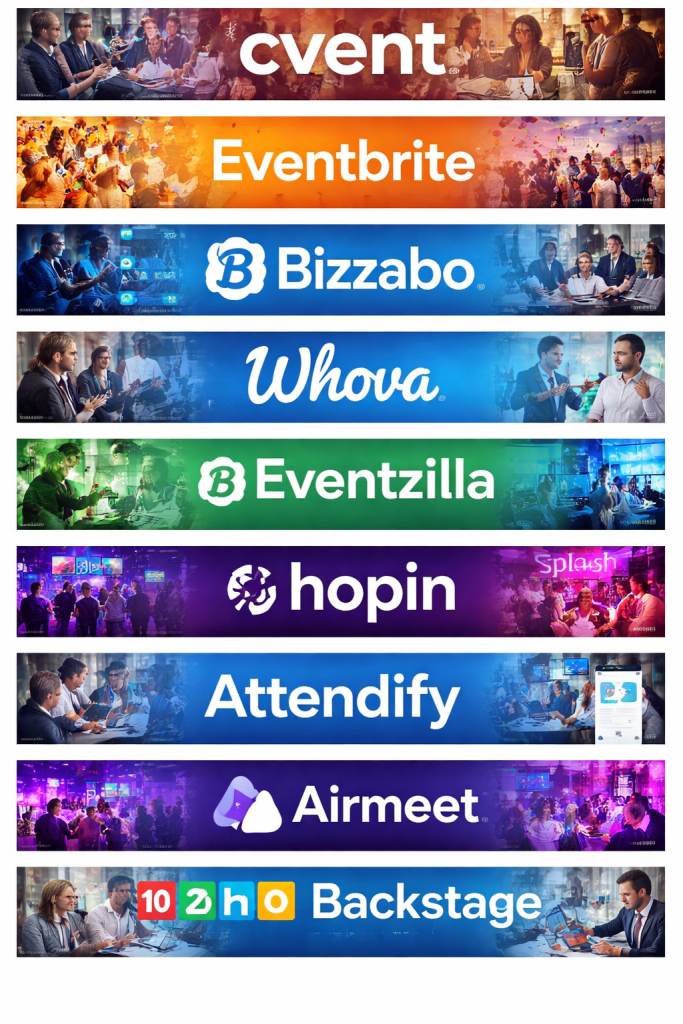
Top 10 Event Management Software Tools
1 — Cvent
Short description:
Cvent is a comprehensive enterprise-grade event management platform designed for large organizations managing complex, multi-day, and global events.
Key features:
- Event registration and ticketing
- Venue sourcing and management
- Attendee engagement tools
- Virtual and hybrid event support
- Advanced reporting and analytics
- CRM and marketing automation integrations
- On-site check-in and badge printing
Pros:
- Extremely robust and scalable
- Strong analytics and reporting capabilities
- Trusted by large enterprises globally
Cons:
- Steep learning curve for beginners
- Higher cost compared to SMB tools
- Setup can be time-consuming
Security & compliance:
SOC 2, GDPR compliance, SSO, encryption, audit logs
Support & community:
Dedicated account managers, enterprise onboarding, extensive documentation, global support teams
2 — Eventbrite
Short description:
Eventbrite is a popular event management and ticketing solution focused on simplicity and fast event setup for public and community events.
Key features:
- Event creation and ticket sales
- Online payment processing
- Attendee management
- Event promotion tools
- Mobile check-in app
- Analytics dashboard
Pros:
- Very easy to use
- Quick event setup
- Strong brand recognition among attendees
Cons:
- Limited customization for complex events
- Fees can add up for paid events
- Less suitable for enterprise needs
Security & compliance:
PCI compliance, GDPR, encrypted transactions
Support & community:
Help center, email support, large global user community
3 — Bizzabo
Short description:
Bizzabo is an all-in-one event experience platform focused on creating engaging virtual, hybrid, and in-person events for mid-market and enterprise teams.
Key features:
- Event website builder
- Attendee engagement and networking
- Virtual and hybrid event hosting
- Marketing automation tools
- Analytics and ROI tracking
- CRM integrations
Pros:
- Modern, intuitive interface
- Strong focus on attendee experience
- Powerful marketing tools
Cons:
- Premium pricing
- Some advanced features require add-ons
- Learning curve for full feature set
Security & compliance:
SOC 2, GDPR, SSO, encrypted data storage
Support & community:
Dedicated support, onboarding specialists, detailed documentation
4 — Whova
Short description:
Whova is an event management and engagement platform widely used for conferences, academic events, and professional meetups.
Key features:
- Event agenda and session management
- Attendee networking and messaging
- Mobile event app
- Sponsor and exhibitor tools
- Live polling and Q&A
- Post-event analytics
Pros:
- Excellent attendee engagement features
- Easy-to-use mobile app
- Strong value for mid-sized events
Cons:
- Limited design customization
- Reporting could be more advanced
- Less suited for very large enterprises
Security & compliance:
GDPR compliance, encrypted communications
Support & community:
Responsive support team, user guides, active event organizer community
5 — Eventzilla
Short description:
Eventzilla is a flexible event registration and management platform designed for workshops, classes, and recurring events.
Key features:
- Event registration and ticketing
- Custom forms and workflows
- Email marketing tools
- Virtual event integrations
- Attendee check-in
- Reporting and exports
Pros:
- Affordable pricing
- Good customization for forms
- Suitable for recurring events
Cons:
- UI feels dated in places
- Limited enterprise features
- Basic analytics
Security & compliance:
PCI compliance, GDPR, encrypted payments
Support & community:
Email support, knowledge base, onboarding resources
6 — Hopin (Events Platform)
Short description:
Hopin is a virtual-first event platform that supports large-scale online and hybrid events with interactive experiences.
Key features:
- Virtual stages and sessions
- Networking and matchmaking
- Expo booths
- Event analytics
- Ticketing and registration
- Live streaming integrations
Pros:
- Strong virtual event capabilities
- Highly interactive attendee experience
- Scales well for large online events
Cons:
- Less suitable for purely in-person events
- Can feel complex for small teams
- Pricing varies by usage
Security & compliance:
GDPR, encryption, role-based access
Support & community:
Help center, onboarding sessions, enterprise support options
7 — Splash
Short description:
Splash focuses on branded event marketing and experiential events for marketing teams and global brands.
Key features:
- Branded event pages
- Guest list management
- Marketing automation integrations
- On-site check-in
- Real-time reporting
- Global event support
Pros:
- Excellent branding and design
- Strong marketing integrations
- Ideal for experiential events
Cons:
- Limited ticketing flexibility
- Premium pricing
- Not ideal for academic or training events
Security & compliance:
SOC 2, GDPR, SSO
Support & community:
Dedicated customer success teams, documentation, onboarding
8 — Attendify
Short description:
Attendify provides mobile event apps and engagement tools tailored for conferences and corporate events.
Key features:
- Mobile event app builder
- Push notifications
- Session schedules
- Attendee messaging
- Sponsor promotion tools
- Engagement analytics
Pros:
- Strong mobile-first experience
- Easy app customization
- Good attendee engagement tools
Cons:
- Limited registration features
- Not a full end-to-end solution
- Requires integration with other tools
Security & compliance:
GDPR, encrypted data
Support & community:
Email support, onboarding assistance, documentation
9 — Airmeet
Short description:
Airmeet is a virtual and hybrid event platform designed for webinars, summits, and community-driven events.
Key features:
- Virtual stages and sessions
- Networking tables
- Sponsor booths
- Event analytics
- Recording and replay
- Community engagement tools
Pros:
- Intuitive interface
- Excellent networking experience
- Competitive pricing
Cons:
- Limited customization for branding
- Fewer integrations than enterprise tools
- Less suitable for physical-only events
Security & compliance:
GDPR, encryption, access controls
Support & community:
Live chat support, onboarding resources, growing user community
10 — Zoho Backstage
Short description:
Zoho Backstage is an event management solution within the Zoho ecosystem, ideal for businesses already using Zoho products.
Key features:
- Event website creation
- Ticketing and registration
- Attendee engagement tools
- Event analytics
- Integration with Zoho CRM
- Mobile event app
Pros:
- Excellent value for money
- Seamless Zoho ecosystem integration
- Simple interface
Cons:
- Less advanced than enterprise leaders
- Limited third-party integrations
- Basic design templates
Security & compliance:
GDPR, ISO-aligned practices, encryption
Support & community:
Zoho support network, documentation, community forums
Comparison Table
| Tool Name | Best For | Platform(s) Supported | Standout Feature | Rating |
|---|---|---|---|---|
| Cvent | Large enterprises | Web, Mobile | Venue sourcing & analytics | N/A |
| Eventbrite | Public & community events | Web, Mobile | Easy ticketing | N/A |
| Bizzabo | Marketing-driven events | Web, Mobile | Attendee experience | N/A |
| Whova | Conferences & academic events | Web, Mobile | Engagement & networking | N/A |
| Eventzilla | Workshops & recurring events | Web | Custom registration forms | N/A |
| Hopin | Virtual & hybrid events | Web | Large-scale virtual events | N/A |
| Splash | Brand & experiential marketing | Web, Mobile | Branding and design | N/A |
| Attendify | Conference mobile apps | Mobile | Mobile engagement | N/A |
| Airmeet | Virtual summits & webinars | Web | Networking tables | N/A |
| Zoho Backstage | SMBs using Zoho ecosystem | Web, Mobile | Value for money | N/A |
Evaluation & Scoring of Event Management Software
| Criteria | Weight | Score (Avg) |
|---|---|---|
| Core features | 25% | 8.5/10 |
| Ease of use | 15% | 8/10 |
| Integrations & ecosystem | 15% | 7.5/10 |
| Security & compliance | 10% | 8/10 |
| Performance & reliability | 10% | 8/10 |
| Support & community | 10% | 7.5/10 |
| Price / value | 15% | 7.5/10 |
Which Event Management Software Tool Is Right for You?
- Solo users: Lightweight tools with simple registration and ticketing
- SMBs: Affordable platforms with good customization and analytics
- Mid-market: Tools offering marketing automation and engagement
- Enterprise: Scalable platforms with advanced reporting and security
Budget-conscious teams may prioritize simplicity and pricing, while premium users may value branding, analytics, and integrations. Always balance feature depth vs ease of use, and ensure the tool fits your security and scalability needs.
Frequently Asked Questions (FAQs)
- What is event management software?
It is a digital platform that helps plan, execute, and analyze events efficiently. - Is event management software suitable for small events?
Yes, many tools offer lightweight plans for small and simple events. - Can these tools support virtual events?
Most modern platforms support virtual and hybrid events. - How long does implementation take?
It ranges from a few hours to several weeks depending on complexity. - Do these tools support payment processing?
Many include built-in ticketing and payment capabilities. - Are these tools secure?
Reputable platforms use encryption and comply with data protection standards. - Can I integrate CRM and marketing tools?
Most mid-market and enterprise tools support integrations. - What is the biggest mistake buyers make?
Choosing overly complex tools for simple needs. - Do I need technical expertise to use these tools?
Most are designed for non-technical users. - Is free event management software reliable?
Free plans are useful for basic needs but often have limitations.
Conclusion
Event Management Software has become essential for delivering organized, engaging, and measurable events in today’s digital-first world. From simple meetups to global conferences, the right platform can significantly reduce operational stress and improve attendee satisfaction.
The most important factors when choosing a tool include feature fit, usability, scalability, security, and overall value. There is no single “best” solution for everyone—the ideal choice depends on your event size, frequency, budget, and strategic goals.

Find Trusted Cardiac Hospitals
Compare heart hospitals by city and services — all in one place.
Explore Hospitals