
Introduction
Text-to-Speech (TTS) platforms convert written text into natural-sounding spoken audio using advanced speech synthesis and artificial intelligence. Modern TTS has evolved far beyond robotic voices—today’s platforms deliver expressive, human-like speech with accurate pronunciation, emotion, pacing, and multilingual support. These tools are now a core component of digital products, content creation workflows, and accessibility initiatives.
TTS platforms are important because they improve accessibility, scale content production, and enhance user experiences across devices. From narrating articles and training materials to powering voice assistants and customer service bots, TTS enables organizations to communicate faster and more inclusively.
Common real-world use cases include:
- Audio narration for blogs, e-learning, and documentation
- Accessibility support for visually impaired users
- Voiceovers for videos, ads, and social content
- Conversational AI, IVR, and virtual assistants
- Multilingual localization at scale
When choosing a TTS platform, users should evaluate voice quality and realism, language coverage, customization controls, latency and performance, integration options, security and compliance, and pricing transparency.
Best for: Content creators, educators, media teams, product managers, developers, customer support teams, and enterprises across media, SaaS, healthcare, education, and e-commerce.
Not ideal for: Users who only need occasional narration or prefer human voice actors for highly emotional or cinematic performances.
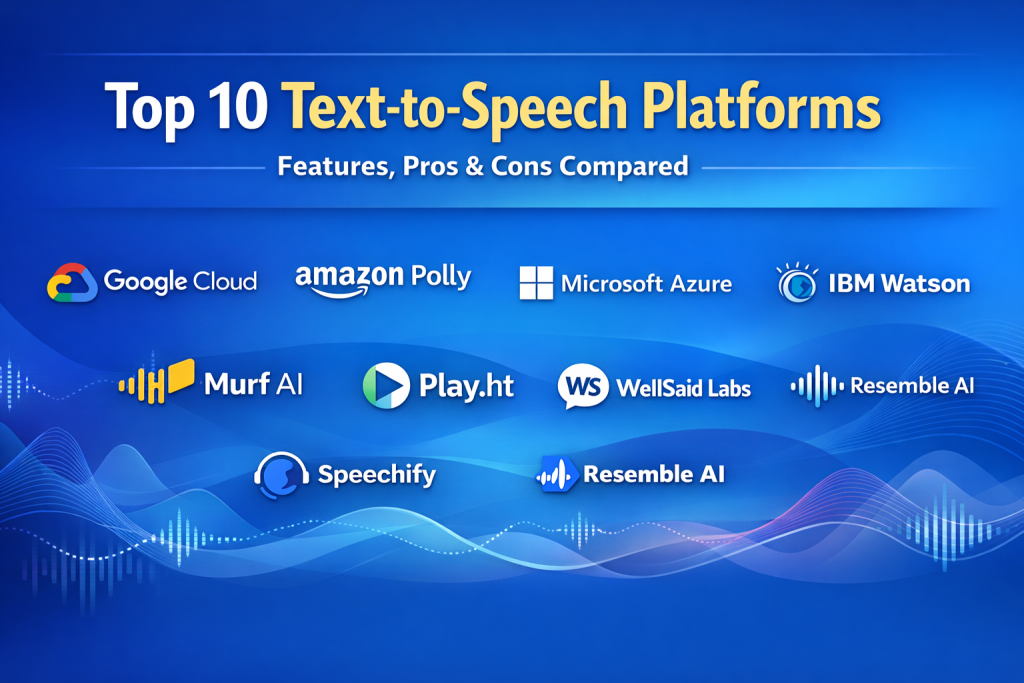
Top 10 Text-to-Speech (TTS) Platforms Tools
1 — Google Cloud Text-to-Speech
Short description:
A scalable, developer-friendly TTS service offering high-quality neural voices across many languages, designed for apps, products, and enterprise workloads.
Key features:
- Neural and WaveNet-quality voices
- Extensive language and accent coverage
- SSML support for fine-grained control
- Real-time and batch synthesis
- Low-latency global infrastructure
- Integration with cloud ecosystems
Pros:
- Consistently natural voice output
- Strong reliability and scalability
Cons:
- Pricing can increase at scale
- Limited creative voice styling
Security & compliance: Encryption in transit/at rest, GDPR, ISO standards
Support & community: Excellent documentation, enterprise support available
2 — Amazon Polly
Short description:
A robust TTS service focused on reliability and integration within cloud-native and enterprise environments.
Key features:
- Neural voices with lifelike intonation
- Dozens of languages and voices
- SSML and pronunciation lexicons
- Real-time streaming synthesis
- Tight cloud service integration
Pros:
- Highly scalable and stable
- Flexible deployment options
Cons:
- Voice expressiveness varies by language
- Less creative control for media use
Security & compliance: SOC 2, ISO, GDPR, HIPAA eligible
Support & community: Strong enterprise documentation and support plans
3 — Microsoft Azure Speech
Short description:
An enterprise-grade speech platform with advanced customization and global language support.
Key features:
- Neural voices with emotional styles
- Custom voice training options
- Speech Studio for non-developers
- Multilingual and multi-accent support
- Real-time and batch synthesis
Pros:
- Powerful customization capabilities
- Enterprise-ready security
Cons:
- Setup can be complex
- Premium features add cost
Security & compliance: SOC, ISO, GDPR, HIPAA
Support & community: Strong enterprise onboarding and support
4 — IBM Watson Text to Speech
Short description:
A compliance-focused TTS solution designed for regulated industries and enterprise applications.
Key features:
- Neural and standard voices
- Multiple languages and dialects
- SSML customization
- On-premise and cloud deployment
- Strong governance controls
Pros:
- Excellent for regulated environments
- Flexible deployment models
Cons:
- Voice variety is limited
- UI feels dated
Security & compliance: SOC 2, GDPR, HIPAA
Support & community: Enterprise documentation and SLA-backed support
5 — ElevenLabs
Short description:
A creative-focused TTS platform known for ultra-realistic voices and emotional expression.
Key features:
- Highly realistic neural voices
- Voice cloning and style control
- Multilingual speech generation
- Real-time and offline rendering
- Simple creator-friendly interface
Pros:
- Best-in-class voice realism
- Excellent for media production
Cons:
- Fewer enterprise controls
- Compliance varies by plan
Security & compliance: Varies / N/A
Support & community: Active creator community and documentation
6 — Murf AI
Short description:
A user-friendly TTS and voiceover tool built for marketing, training, and presentation content.
Key features:
- Studio-style voice editor
- Multiple languages and accents
- Background music control
- Team collaboration features
- Export-ready audio formats
Pros:
- Very easy to use
- Great for non-technical teams
Cons:
- Limited API depth
- Not ideal for real-time apps
Security & compliance: GDPR, basic encryption
Support & community: Good onboarding and customer support
7 — Play.ht
Short description:
A content-centric TTS platform optimized for blogs, podcasts, and publishing workflows.
Key features:
- Natural neural voices
- Audio embedding and hosting
- CMS and publishing integrations
- Multiple export formats
- Voice customization tools
Pros:
- Excellent for publishers
- Fast content-to-audio workflows
Cons:
- Limited enterprise governance
- Customization less granular
Security & compliance: GDPR
Support & community: Solid documentation and responsive support
8 — WellSaid Labs
Short description:
An enterprise-focused TTS platform delivering professional, consistent brand voices.
Key features:
- Studio-quality neural voices
- Brand voice consistency tools
- Team collaboration
- API and web studio
- Enterprise voice governance
Pros:
- High-quality professional output
- Strong team workflows
Cons:
- Higher pricing
- Smaller language catalog
Security & compliance: SOC 2, GDPR
Support & community: Enterprise onboarding and dedicated support
9 — Speechify
Short description:
A popular TTS platform focused on productivity, reading, and accessibility use cases.
Key features:
- Natural voices for reading
- Mobile and desktop apps
- OCR and document import
- Speed and tone controls
- Offline playback
Pros:
- Excellent for individual users
- Very easy to adopt
Cons:
- Limited developer features
- Fewer customization controls
Security & compliance: GDPR
Support & community: Strong user community and help resources
10 — Resemble AI
Short description:
A flexible TTS and voice cloning platform for interactive and creative applications.
Key features:
- Real-time voice synthesis
- Custom voice cloning
- Emotional and style controls
- API-first architecture
- Multilingual support
Pros:
- Powerful customization
- Good for conversational AI
Cons:
- Requires technical expertise
- Governance varies by setup
Security & compliance: Varies / N/A
Support & community: Developer-focused documentation and support
Comparison Table
| Tool Name | Best For | Platform(s) Supported | Standout Feature | Rating |
|---|---|---|---|---|
| Google Cloud Text-to-Speech | Developers, enterprises | Cloud, API | Global scalability | N/A |
| Amazon Polly | Cloud-native apps | Cloud, API | Reliability at scale | N/A |
| Microsoft Azure Speech | Enterprise customization | Cloud, API | Custom neural voices | N/A |
| IBM Watson TTS | Regulated industries | Cloud, On-prem | Compliance strength | N/A |
| ElevenLabs | Creators, media | Web, API | Hyper-realistic voices | N/A |
| Murf AI | Marketing & training | Web | Ease of use | N/A |
| Play.ht | Publishers | Web, API | Content workflows | N/A |
| WellSaid Labs | Brand teams | Web, API | Brand voice control | N/A |
| Speechify | Individuals | Mobile, Desktop | Accessibility focus | N/A |
| Resemble AI | Interactive apps | API | Real-time cloning | N/A |
Evaluation & Scoring of Text-to-Speech (TTS) Platforms
| Criteria | Weight | Average Performance |
|---|---|---|
| Core features | 25% | High |
| Ease of use | 15% | Medium–High |
| Integrations & ecosystem | 15% | High |
| Security & compliance | 10% | Medium–High |
| Performance & reliability | 10% | High |
| Support & community | 10% | Medium |
| Price / value | 15% | Medium |
Which Text-to-Speech (TTS) Platforms Tool Is Right for You?
- Solo users: Prefer intuitive tools like Speechify or Murf AI for fast results.
- SMBs: Balance cost and features with platforms like Play.ht or Murf AI.
- Mid-market teams: Look for collaboration and APIs (WellSaid Labs, Azure Speech).
- Enterprises: Prioritize scalability, compliance, and governance (Google, Amazon, Microsoft, IBM).
Budget-conscious vs premium: Creator tools offer affordability, while enterprise platforms deliver governance and scale.
Feature depth vs ease of use: Developers benefit from APIs; marketers benefit from visual editors.
Integration & scalability: Cloud-native TTS excels for products and global apps.
Security & compliance: Regulated industries should choose platforms with strong certifications.
Frequently Asked Questions (FAQs)
- Are modern TTS voices realistic?
Yes, neural models now produce highly natural, human-like speech. - Can TTS replace human voice actors?
For many use cases, yes—but cinematic or emotional storytelling may still need humans. - Is TTS suitable for accessibility?
Absolutely. It’s a core accessibility technology. - Do these tools support multiple languages?
Most support dozens of languages and accents. - Is real-time TTS possible?
Yes, several platforms offer low-latency real-time synthesis. - How secure are TTS platforms?
Enterprise platforms provide encryption and compliance; creator tools vary. - Can I customize pronunciation and tone?
Many platforms support SSML and voice styles. - What are common mistakes buyers make?
Ignoring scalability, compliance, and long-term costs. - Are APIs required to use TTS?
No. Many tools offer no-code interfaces. - How do I choose the best platform?
Match your use case, scale, and compliance needs rather than chasing features.
Conclusion
Text-to-Speech platforms have become essential tools for accessibility, content production, and digital experiences. The market offers everything from creator-friendly voice studios to enterprise-grade, compliance-focused speech services. When choosing a TTS platform, focus on voice quality, scalability, integrations, security, and total value. There is no single universal winner—the best TTS tool is the one that aligns most closely with your specific goals, users, and operational needs.

Find Trusted Cardiac Hospitals
Compare heart hospitals by city and services — all in one place.
Explore Hospitals