
Introduction
Subcontractor Management Tools are specialized software platforms designed to organize, coordinate, and control subcontractor-related activities across construction and infrastructure projects. These tools centralize everything from onboarding and compliance documentation to scheduling, communication, change orders, payments, and performance tracking—helping project teams replace spreadsheets, emails, and manual follow-ups with a single source of truth.
As construction projects become more complex and multi-vendor by nature, effective subcontractor management is no longer optional. Missed compliance documents, unclear scopes, delayed approvals, or poor communication can quickly cascade into cost overruns, schedule delays, and legal risk. Subcontractor management software directly addresses these issues by improving visibility, accountability, and collaboration across all parties involved.
Real-world use cases include onboarding hundreds of subcontractors across multiple sites, tracking insurance and safety compliance, managing RFIs and change orders, coordinating schedules, validating progress before payments, and maintaining auditable records for disputes or inspections.
When choosing a tool in this category, buyers should evaluate:
- Depth of subcontractor-specific workflows
- Ease of onboarding external partners
- Integration with accounting and project management systems
- Compliance, security, and audit readiness
- Scalability across projects and regions
Best for:
General contractors, EPC firms, real estate developers, infrastructure companies, and large specialty contractors managing multiple subcontractors, trades, or vendors across active projects.
Not ideal for:
Solo contractors, very small teams with only one or two subcontractors, or businesses where subcontractor coordination is minimal and can be handled with basic project management tools.
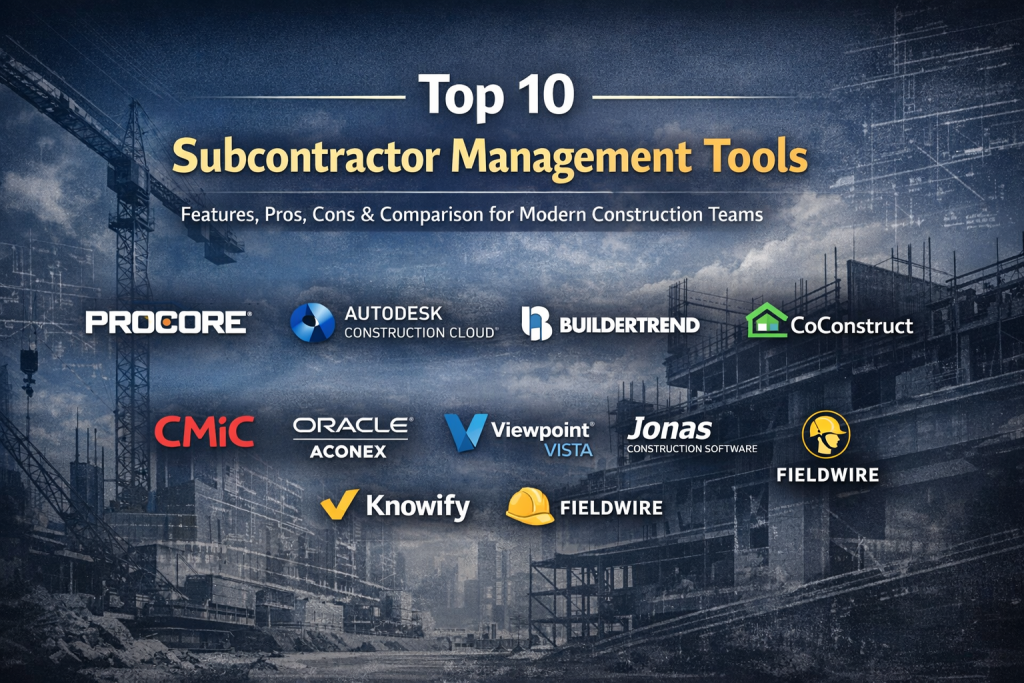
Top 10 Subcontractor Management Tools
1 — Procore
Short description:
Procore is a comprehensive construction management platform with strong subcontractor coordination, compliance, and collaboration capabilities. It is widely used on mid-market and enterprise-scale construction projects.
Key features
- Subcontractor onboarding and directory management
- Centralized compliance and document tracking
- RFIs, submittals, and change order workflows
- Real-time collaboration and mobile access
- Scheduling and progress tracking
- Financial visibility tied to subcontractor work
Pros
- Extremely robust subcontractor workflows
- Strong mobile experience for field teams
- Scales well across large, complex projects
Cons
- Higher cost compared to SMB-focused tools
- Requires structured onboarding and training
Security & compliance:
SSO, role-based access control, encryption at rest and in transit, SOC 2–aligned controls, GDPR support.
Support & community:
Extensive documentation, structured onboarding, dedicated account support, large global user community.
2 — Autodesk Construction Cloud
Short description:
Autodesk Construction Cloud unifies project management, document control, and field collaboration, with strong subcontractor coordination through shared models and workflows.
Key features
- Centralized subcontractor document management
- Model-based collaboration and issue tracking
- RFI, submittal, and change management
- Permission-based access for subcontractors
- Construction analytics and reporting
- Cloud and mobile-first platform
Pros
- Excellent for design–build workflows
- Strong integration with BIM processes
- Enterprise-grade scalability
Cons
- Can feel complex for subcontractor-only users
- Higher learning curve for non-technical teams
Security & compliance:
Enterprise-grade security, SSO, ISO-aligned controls, GDPR-ready data handling.
Support & community:
Strong documentation, enterprise support plans, large professional user ecosystem.
#3 — Buildertrend
Short description:
Buildertrend is a user-friendly construction management platform designed for residential and light commercial builders working with multiple subcontractors.
Key features
- Subcontractor scheduling and task assignments
- Communication and message tracking
- Document sharing and approvals
- Change order coordination
- Mobile access for field teams
- Customer and subcontractor portals
Pros
- Easy to adopt for subcontractors
- Clean, intuitive interface
- Strong scheduling features
Cons
- Limited enterprise-level customization
- Less suitable for mega projects
Security & compliance:
Standard encryption, role-based permissions, GDPR-aware practices.
Support & community:
Good onboarding, responsive support team, active SMB-focused user base.
4 — CoConstruct
Short description:
CoConstruct focuses on custom home builders and remodelers, offering streamlined subcontractor coordination and communication tools.
Key features
- Subcontractor scheduling and scope tracking
- Centralized communication logs
- Change order and approval workflows
- Budget and cost tracking
- Document storage and sharing
Pros
- Simple and approachable for small teams
- Strong visibility into subcontractor scopes
- Minimal setup effort
Cons
- Limited advanced reporting
- Not built for large-scale commercial projects
Security & compliance:
Standard data encryption, basic access controls.
Support & community:
Helpful documentation, onboarding assistance, SMB-oriented support model.
5 — CMiC
Short description:
CMiC is an enterprise construction platform offering deep subcontractor, financial, and compliance management in a single ERP-style system.
Key features
- Subcontractor contract and compliance tracking
- Integrated accounting and payroll
- Change management and cost control
- Advanced reporting and dashboards
- Multi-project and multi-entity support
Pros
- Extremely comprehensive feature set
- Strong financial and compliance controls
- Designed for large organizations
Cons
- Significant implementation effort
- Less intuitive UI compared to modern SaaS tools
Security & compliance:
Enterprise-grade security, audit logs, SSO, SOC-aligned controls.
Support & community:
Dedicated enterprise support, structured implementations, professional services ecosystem.
#6 — Oracle Aconex
Short description:
Oracle Aconex specializes in document control and collaboration for large, multi-stakeholder construction projects with extensive subcontractor networks.
Key features
- Secure subcontractor document exchange
- Full audit trails and version control
- Workflow-driven approvals
- Multi-organization collaboration
- Compliance and contract documentation
Pros
- Excellent auditability
- Ideal for regulated and public-sector projects
- Strong dispute resolution support
Cons
- Less focused on daily task management
- Overkill for smaller projects
Security & compliance:
High-grade encryption, ISO-aligned processes, GDPR-ready, detailed audit logs.
Support & community:
Enterprise-level support, structured onboarding, global user base.
7 — Viewpoint Vista
Short description:
Viewpoint Vista is a construction ERP solution with integrated subcontractor management and accounting capabilities.
Key features
- Subcontractor contract and compliance tracking
- Integrated job costing
- Change order management
- Document management
- Reporting and analytics
Pros
- Strong financial integration
- Good compliance oversight
- Suitable for established contractors
Cons
- Interface feels dated
- Implementation can be lengthy
Security & compliance:
Role-based access, encryption, audit-ready configurations.
Support & community:
Enterprise support options, partner ecosystem, structured training programs.
8 — Jonas Construction Software
Short description:
Jonas Construction Software combines project management and accounting with subcontractor tracking for mid-sized contractors.
Key features
- Subcontractor contracts and payment tracking
- Compliance documentation
- Job costing integration
- Reporting and analytics
- Multi-project support
Pros
- Strong accounting capabilities
- Good visibility into subcontractor costs
- Reliable performance
Cons
- UI is less modern
- Limited collaboration tools
Security & compliance:
Standard enterprise security, role-based access.
Support & community:
Responsive support, structured onboarding, smaller but focused user base.
9 — Knowify
Short description:
Knowify is built for specialty contractors who rely heavily on subcontractors and need strong cost and performance visibility.
Key features
- Subcontractor cost tracking
- Time and expense management
- Change order workflows
- Job profitability analysis
- Cloud-based access
Pros
- Excellent for specialty trades
- Strong financial insights
- Easy to use
Cons
- Limited enterprise scalability
- Fewer compliance automation features
Security & compliance:
Standard encryption and access controls.
Support & community:
Helpful documentation, responsive customer support, SMB-focused.
10 — Fieldwire
Short description:
Fieldwire focuses on field execution and real-time collaboration, making it popular among subcontractors and site teams.
Key features
- Task and punch list management
- Real-time field communication
- Drawing and plan access
- Mobile-first workflows
- Progress tracking
Pros
- Very easy for subcontractors to adopt
- Excellent mobile usability
- Fast deployment
Cons
- Limited financial management
- Not a full subcontractor lifecycle tool
Security & compliance:
Standard SaaS security, encrypted data, role-based access.
Support & community:
Good documentation, responsive support, strong field-user adoption.
Comparison Table
| Tool Name | Best For | Platform(s) Supported | Standout Feature | Rating |
|---|---|---|---|---|
| Procore | Enterprise GCs | Web, iOS, Android | End-to-end subcontractor workflows | N/A |
| Autodesk Construction Cloud | Design-build projects | Web, Mobile | BIM-driven collaboration | N/A |
| Buildertrend | SMB builders | Web, Mobile | Ease of subcontractor use | N/A |
| CoConstruct | Custom home builders | Web, Mobile | Simple subcontractor coordination | N/A |
| CMiC | Large enterprises | Web | ERP-level subcontractor control | N/A |
| Oracle Aconex | Mega projects | Web | Audit-grade document control | N/A |
| Viewpoint Vista | Established contractors | Web | Accounting integration | N/A |
| Jonas Construction Software | Mid-sized firms | Web | Cost-focused subcontractor tracking | N/A |
| Knowify | Specialty contractors | Web | Job profitability insights | N/A |
| Fieldwire | Field teams | Web, Mobile | Mobile-first collaboration | N/A |
Evaluation & Scoring of Subcontractor Management Tools
| Tool | Core Features (25%) | Ease of Use (15%) | Integrations (15%) | Security (10%) | Performance (10%) | Support (10%) | Price/Value (15%) | Total Score |
|---|---|---|---|---|---|---|---|---|
| Procore | 23 | 12 | 14 | 9 | 9 | 9 | 12 | 88 |
| Autodesk Construction Cloud | 22 | 11 | 14 | 9 | 9 | 8 | 11 | 84 |
| Buildertrend | 18 | 14 | 11 | 8 | 8 | 8 | 13 | 80 |
| CMiC | 24 | 9 | 13 | 9 | 9 | 8 | 10 | 82 |
| Fieldwire | 15 | 15 | 9 | 8 | 8 | 8 | 14 | 75 |
Which Subcontractor Management Tool Is Right for You?
- Solo users & small teams: Lightweight tools with simple onboarding and mobile access work best.
- SMBs: Prioritize ease of use, scheduling, and cost visibility without heavy ERP complexity.
- Mid-market firms: Look for integrated financials, compliance automation, and scalability.
- Enterprise organizations: Focus on security, audit trails, advanced reporting, and cross-project governance.
Budget-conscious buyers should avoid over-engineered platforms, while compliance-heavy industries should prioritize auditability and security over UI simplicity.
Frequently Asked Questions (FAQs)
1. What is a subcontractor management tool?
It is software that helps manage subcontractor onboarding, communication, compliance, schedules, and payments in one system.
2. Do small contractors need these tools?
Only if subcontractor volume or compliance requirements exceed what spreadsheets can manage reliably.
3. Are these tools cloud-based?
Most modern platforms are cloud-first with mobile access for field teams.
4. How long does implementation take?
From days for lightweight tools to several months for enterprise platforms.
5. Do subcontractors need licenses?
Many tools offer limited free or guest access for subcontractors.
6. Can these tools replace accounting software?
Some can partially, but many integrate with dedicated accounting systems.
7. Are they secure?
Most reputable tools use encryption, access controls, and audit logs.
8. What’s the biggest mistake buyers make?
Overbuying complex systems that teams won’t fully adopt.
9. Do these tools support compliance tracking?
Yes, many track insurance, safety documents, and certifications.
10. Is there one “best” tool for everyone?
No—the best choice depends on project size, complexity, and team maturity.
Conclusion
Subcontractor Management Tools play a critical role in reducing risk, improving collaboration, and keeping construction projects on schedule and within budget. The most effective platforms combine clear workflows, strong compliance controls, and easy adoption for external partners.
There is no universal winner. The right tool depends on your organization’s size, subcontractor volume, regulatory environment, and appetite for complexity. By focusing on real operational needs rather than feature lists alone, teams can choose a solution that delivers long-term value and measurable project success.

Find Trusted Cardiac Hospitals
Compare heart hospitals by city and services — all in one place.
Explore Hospitals