
Originally published on 2015-11-27; fully revised and updated.
This revised guide modernizes the original course announcement from DevOps School into a practical reference for engineers, administrators, and team leads. You will learn what DevOps means in practice, what a strong training path should cover, which tools are commonly introduced, and how to prepare for hands-on work.
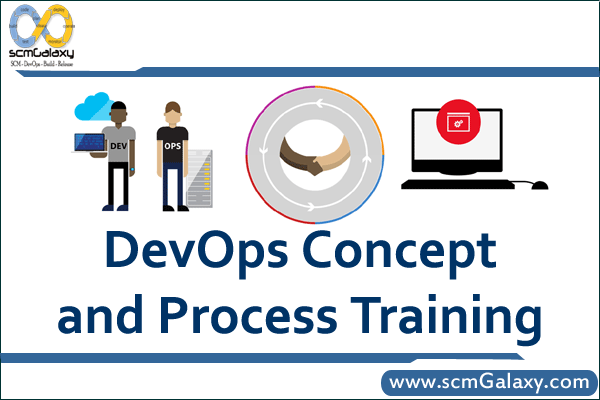
What DevOps is and why it matters
DevOps is a way of working where development and operations collaborate across planning, delivery, deployment, and runtime operations. The goal is to improve software delivery speed and reliability through shared ownership, automation, and continuous feedback.
- Aligns developers, operations, and quality teams around shared delivery outcomes.
- Encourages automation for build, test, deployment, and infrastructure changes.
- Improves release consistency by standardizing workflows and environments.
- Promotes observability (monitoring and logging) to reduce time to detect and resolve issues.
Core learning objectives for DevOps process training
A strong foundation course should combine concepts with implementation-oriented practice. Based on the original post, the key outcomes include:
- Understanding the problems DevOps solves in traditional siloed teams.
- Learning infrastructure basics for scalability and availability.
- Implementing automated installation and deployment steps.
- Applying basic performance and security thinking to infrastructure.
- Understanding virtualization and container-oriented workflows.
- Using monitoring and logging as part of ongoing operations.
- Understanding continuous integration and continuous deployment pipelines.
- Getting exposure to commonly referenced tools such as Git, Jenkins, Docker, Chef, Puppet, and Nagios.
Typical DevOps workflow from code to production
Most training programs introduce DevOps as a repeatable delivery flow. The exact tools vary, but the lifecycle pattern is similar:
flowchart LR
    A[Plan requirements] --> B[Develop code]
    B --> C[Commit to Git]
    C --> D[CI build and test]
    D --> E{Quality gates pass}
    E -- No --> F[Fix and recommit]
    E -- Yes --> G[Package artifact]
    G --> H[Deploy to staging]
    H --> I[Monitor and log]
    I --> J[Deploy to production]
Toolchain comparison: where common DevOps tools fit
The original article lists multiple tools. This table helps map each one to its primary role in a beginner-friendly DevOps toolchain.
| Tool | Primary area | Best for | Typical training focus |
|---|---|---|---|
| Git | Version control | Source code collaboration and history | Branching, commits, pull/merge workflow |
| Jenkins | CI/CD automation | Build, test, and deployment pipelines | Pipeline stages, job triggers, artifact flow |
| Docker | Containerization | Consistent runtime environments | Image build, container run, registry usage |
| Chef | Configuration management | Automating infrastructure configuration | Infrastructure as code patterns |
| Puppet | Configuration management | State-driven system configuration | Desired state and policy enforcement |
| Nagios | Monitoring | Service and host health checks | Alerting basics and operational visibility |
Hands-on commands used in beginner DevOps labs
Training is most effective when participants run commands end to end. Example lab flow:
git clone https://example.com/sample-service.git
cd sample-service
./scripts/run-unit-tests.sh
docker build -t sample-service:1.0.0 .
docker run -d --name sample-service -p 8080:8080 sample-service:1.0.0
docker logs sample-service --tail 20Code language: PHP (php)
A simple CI/CD pipeline definition used for instruction can look like this:
stages:
  - build
  - test
  - deploy

build:
  stage: build
  script:
    - ./scripts/build.sh

test:
  stage: test
  script:
    - ./scripts/test.sh

deploy_staging:
  stage: deploy
  script:
    - ./scripts/deploy-staging.sh
  only:
    - main
Who should take this training
This foundational training is suitable for technical practitioners moving toward automation-driven delivery roles.
- DevOps engineers and platform engineers
- Build and release engineers
- Site reliability engineers
- System administrators and operations engineers
- Automation engineers
- Developers, testers, and architects working closely with infrastructure
- Project or delivery managers coordinating cross-functional software delivery
Prerequisites before you start
- Basic Linux or Unix administration knowledge
- Comfort using command-line tools
- Basic text editor usage
- Some exposure to application deployment or infrastructure operations
Best practices for getting value from DevOps training
- Prioritize hands-on labs over tool demos alone.
- Focus on workflow thinking (commit-to-production), not isolated tools.
- Start with one service and automate gradually before scaling patterns org-wide.
- Include monitoring and logging early so operational feedback is part of delivery.
- Document pipeline and runbook steps to make team onboarding repeatable.

I’m Rajesh Kumar, a DevOps, SRE, DevSecOps, Cloud, and Platform Engineering expert passionate about sharing practical knowledge, real-world experiences, and industry best practices. I have worked at Cotocus and regularly write about technology, travel, investing, health, product reviews, and digital marketing through my various platforms.
I publish technical articles at DevOps School, travel stories at Holiday Landmark, stock market insights at Stocks Mantra, health and fitness guidance at My Medic Plus, product reviews at TrueReviewNow, and SEO and digital marketing strategies at Wizbrand.
Find Trusted Cardiac Hospitals
Compare heart hospitals by city and services — all in one place.
Explore Hospitals





