
Introduction
IT Helpdesk Chatbots are AI-powered virtual assistants designed to handle IT support queries, automate routine tasks, and improve service desk efficiency. These chatbots act as the first line of support for employees or customers, resolving common issues such as password resets, software access requests, system outages, and ticket status updates—often without human intervention.
In today’s digital-first workplaces, IT teams face increasing ticket volumes, remote work challenges, and rising user expectations for instant support. IT helpdesk chatbots help address these challenges by providing 24/7 availability, faster response times, and consistent support experiences. They reduce manual workload for IT staff while ensuring users get quick, accurate assistance.
Common real-world use cases include:
- Automating password resets and account unlocks
- Creating, categorizing, and routing IT tickets
- Answering FAQs related to software, hardware, and policies
- Integrating with ITSM tools to track and update incidents
- Supporting remote and hybrid workforce environments
When choosing an IT Helpdesk Chatbot, organizations should evaluate AI accuracy, ease of use, integrations with existing ITSM tools, security standards, scalability, and total cost of ownership. The right solution should align with both technical requirements and user experience expectations.
Best for:
IT Helpdesk Chatbots are ideal for IT teams, service desk managers, HR & IT operations leaders, SMBs, mid-market companies, and large enterprises across industries such as technology, finance, healthcare, education, and retail—anywhere fast IT support is critical.
Not ideal for:
Very small teams with minimal IT requests, organizations with no digital ticketing systems, or environments requiring exclusively human-driven, highly specialized IT troubleshooting may not gain full value from chatbots.
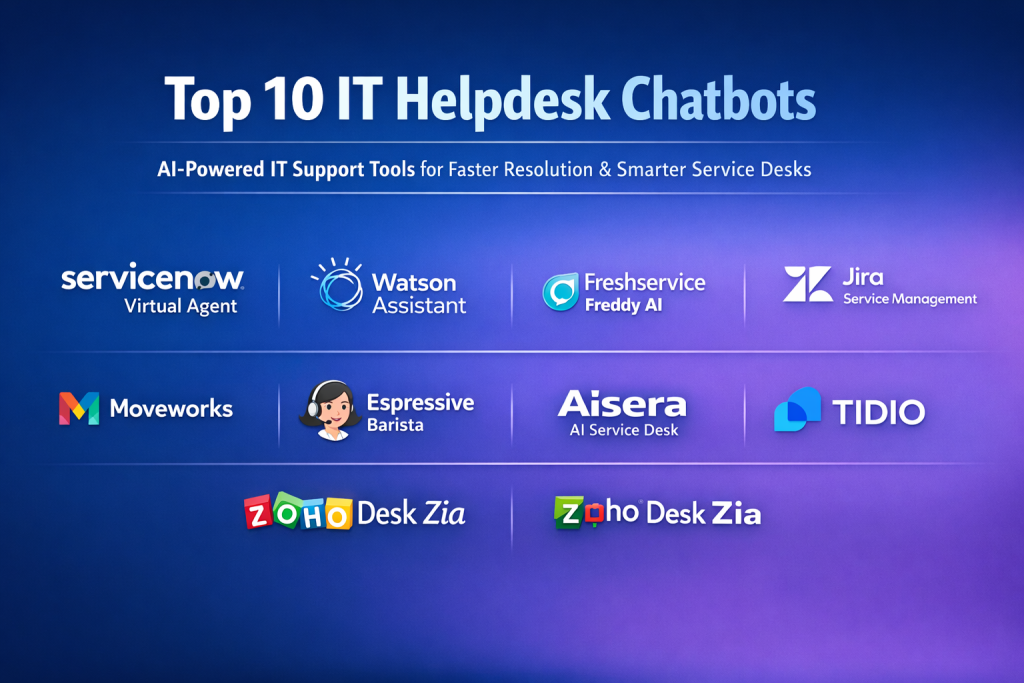
Top 10 IT Helpdesk Chatbots Tools
1 — ServiceNow Virtual Agent
Short description:
An enterprise-grade AI chatbot tightly integrated with ServiceNow ITSM, designed for large organizations needing advanced automation and workflow orchestration.
Key features:
- Deep integration with ServiceNow ITSM and workflows
- Natural language understanding for complex IT queries
- Automated incident creation and resolution
- Knowledge base and guided workflows
- Multi-channel support (web, mobile, collaboration tools)
- Analytics and performance insights
Pros:
- Extremely powerful automation capabilities
- Ideal for complex enterprise IT environments
Cons:
- High cost compared to SMB tools
- Requires ServiceNow ecosystem adoption
Security & compliance:
SSO, encryption, audit logs, SOC 2, ISO standards, GDPR support.
Support & community:
Enterprise-grade support, extensive documentation, strong global user community.
2 — IBM Watson Assistant for IT
Short description:
AI-driven conversational platform leveraging IBM Watson’s NLP capabilities, suited for enterprises needing customizable IT support automation.
Key features:
- Advanced NLP and intent recognition
- Integration with ITSM and enterprise systems
- Context-aware conversations
- Multi-language support
- Custom dialog flows
- Analytics and conversation tuning
Pros:
- Highly customizable AI behavior
- Strong language understanding
Cons:
- Requires technical expertise to configure
- Pricing can scale quickly
Security & compliance:
Encryption, SSO, GDPR, SOC 2, ISO standards.
Support & community:
Robust enterprise support, strong documentation, IBM ecosystem resources.
3 — Freshservice Freddy AI
Short description:
An AI-powered IT helpdesk assistant built into Freshservice, focused on simplicity and fast deployment for SMBs and mid-market teams.
Key features:
- Automated ticket creation and categorization
- Self-service portal with chatbot interface
- Knowledge base suggestions
- Workflow automation
- Multi-channel support
- Easy setup and configuration
Pros:
- User-friendly and quick to deploy
- Strong value for money
Cons:
- Limited advanced customization
- Best results within Freshservice ecosystem
Security & compliance:
SSO, encryption, GDPR, ISO certifications.
Support & community:
Good onboarding resources, responsive support, active user community.
4 — Zendesk Answer Bot
Short description:
A chatbot designed to deflect tickets by answering common IT queries using existing knowledge base content.
Key features:
- AI-driven knowledge article suggestions
- Ticket deflection automation
- Multi-channel deployment
- Continuous learning from interactions
- Seamless Zendesk integration
Pros:
- Reduces ticket volume effectively
- Easy to configure
Cons:
- Limited outside Zendesk
- Less suited for complex workflows
Security & compliance:
SSO, encryption, GDPR, SOC 2.
Support & community:
Strong documentation, large Zendesk user base, enterprise support options.
5 — Jira Service Management Virtual Agent
Short description:
An IT helpdesk chatbot integrated with Jira Service Management, ideal for DevOps-focused teams.
Key features:
- Native Jira ticket creation and updates
- Slack and collaboration tool integration
- Automated request handling
- Knowledge base access
- Custom workflows
Pros:
- Perfect for Atlassian-centric environments
- Strong DevOps alignment
Cons:
- Limited AI sophistication compared to enterprise tools
- Best used with Jira ecosystem
Security & compliance:
SSO, encryption, GDPR, ISO standards.
Support & community:
Extensive Atlassian community, strong documentation.
6 — Moveworks
Short description:
An AI-first IT support chatbot designed for large enterprises with complex internal systems.
Key features:
- Advanced NLP and contextual understanding
- End-to-end issue resolution
- Integration with enterprise applications
- Proactive issue detection
- Multi-language and multi-channel support
Pros:
- Extremely high automation rates
- Enterprise-grade AI accuracy
Cons:
- Premium pricing
- Longer implementation cycle
Security & compliance:
SOC 2, ISO, GDPR, encryption, audit trails.
Support & community:
Dedicated enterprise support, onboarding specialists.
7 — Espressive Barista
Short description:
A virtual IT assistant focused on employee self-service and unified support experiences.
Key features:
- Natural language queries
- Knowledge management integration
- Multi-department support (IT, HR)
- Self-learning AI
- Analytics dashboard
Pros:
- Strong employee experience focus
- Cross-department usability
Cons:
- Less customizable workflows
- Primarily enterprise-focused
Security & compliance:
SSO, encryption, GDPR, SOC 2.
Support & community:
Enterprise onboarding, guided implementation support.
8 — Aisera AI Service Desk
Short description:
An AI-driven service desk chatbot combining ITSM automation with machine learning insights.
Key features:
- Autonomous ticket resolution
- Knowledge-based responses
- Integration with ITSM tools
- Predictive issue detection
- Analytics and reporting
Pros:
- Strong AI automation
- Reduces manual ticket handling
Cons:
- Configuration complexity
- Higher cost for smaller teams
Security & compliance:
SOC 2, ISO, GDPR, HIPAA-ready.
Support & community:
Enterprise-level support, growing community.
9 — Tidio IT Chatbot
Short description:
A lightweight chatbot solution suitable for small IT teams and startups needing basic automation.
Key features:
- Prebuilt chatbot templates
- Live chat fallback
- Basic automation workflows
- Easy setup
- Multi-channel messaging
Pros:
- Affordable and simple
- Minimal setup required
Cons:
- Limited enterprise features
- Basic AI capabilities
Security & compliance:
Encryption, GDPR (varies by plan).
Support & community:
Basic documentation, email support, small user community.
10 — Zoho Desk Zia
Short description:
An AI assistant embedded in Zoho Desk, providing automation and analytics for IT support teams.
Key features:
- AI-powered ticket classification
- Knowledge base recommendations
- Sentiment analysis
- Multi-channel support
- Integration with Zoho ecosystem
Pros:
- Cost-effective
- Strong analytics
Cons:
- Best within Zoho ecosystem
- Limited advanced NLP
Security & compliance:
SSO, encryption, GDPR, ISO standards.
Support & community:
Strong documentation, global user base.
Comparison Table
| Tool Name | Best For | Platform(s) Supported | Standout Feature | Rating |
|---|---|---|---|---|
| ServiceNow Virtual Agent | Large enterprises | Web, mobile, ITSM | Deep workflow automation | N/A |
| IBM Watson Assistant | Enterprises | Web, mobile, custom | Advanced NLP | N/A |
| Freshservice Freddy | SMB & mid-market | Web, mobile | Fast deployment | N/A |
| Zendesk Answer Bot | Support-heavy teams | Web, messaging apps | Ticket deflection | N/A |
| Jira Service Management VA | DevOps teams | Web, Slack | Jira-native automation | N/A |
| Moveworks | Global enterprises | Multi-channel | High AI accuracy | N/A |
| Espressive Barista | Employee self-service | Web, mobile | Unified support | N/A |
| Aisera | AI-first IT teams | Web, ITSM | Autonomous resolution | N/A |
| Tidio | Small teams | Web, chat apps | Simplicity | N/A |
| Zoho Desk Zia | Budget-conscious teams | Web, mobile | Analytics-driven AI | N/A |
Evaluation & Scoring of IT Helpdesk Chatbots
| Criteria | Weight | Description |
|---|---|---|
| Core features | 25% | Ticket handling, automation, AI quality |
| Ease of use | 15% | Setup, UI, learning curve |
| Integrations & ecosystem | 15% | ITSM, collaboration tools |
| Security & compliance | 10% | SSO, encryption, standards |
| Performance & reliability | 10% | Accuracy, uptime |
| Support & community | 10% | Documentation, support |
| Price / value | 15% | ROI and scalability |
Which IT Helpdesk Chatbots Tool Is Right for You?
- Solo users / small teams: Lightweight tools with simple automation and low cost
- SMBs: Balanced solutions with strong ITSM integration and ease of use
- Mid-market: Scalable tools with workflow automation and analytics
- Enterprises: AI-first platforms with deep integrations and compliance
Choose budget-friendly options for basic needs and premium solutions for complex, high-volume environments. Always balance feature depth vs usability, ensure integration compatibility, and prioritize security requirements.
Frequently Asked Questions (FAQs)
- What is an IT helpdesk chatbot?
An AI-powered assistant that automates IT support tasks and answers user queries. - Can chatbots replace human IT staff?
No, they augment teams by handling repetitive tasks. - Are IT chatbots secure?
Most enterprise tools follow strict security and compliance standards. - How long does implementation take?
From a few days to several weeks depending on complexity. - Do they support multiple languages?
Many enterprise solutions do. - Are they expensive?
Costs vary widely based on features and scale. - Do they integrate with existing ITSM tools?
Yes, most leading tools do. - Can they handle HR queries too?
Some platforms support multi-department use. - What are common implementation mistakes?
Poor knowledge base setup and unclear workflows. - How do you measure success?
Ticket deflection rate, resolution time, user satisfaction.
Conclusion
IT Helpdesk Chatbots have become essential tools for modern IT operations, improving efficiency, reducing costs, and enhancing user experience. The most important factors when choosing a solution are AI accuracy, integrations, scalability, and security.
There is no single “best” chatbot for everyone. The right choice depends on organization size, budget, technical complexity, and long-term goals. By aligning these factors with the tool’s strengths, teams can unlock real, measurable value from IT helpdesk automation.

Find Trusted Cardiac Hospitals
Compare heart hospitals by city and services — all in one place.
Explore Hospitals
IT helpdesk chatbots are useful when they can resolve common employee issues without creating extra work for support teams. Features like ticket creation, knowledge base integration, password reset workflows, and automatic ticket routing can improve response times. I would also evaluate how well these chatbots understand user requests and when they escalate complex issues to human agents. Integration with ITSM platforms and identity management systems is equally important. The real value comes from reducing repetitive support tasks while maintaining a smooth employee experience.
IT helpdesk chatbots are most effective when they resolve common issues without blocking access to human support. Connecting chatbots with ticketing systems and knowledge bases can speed up troubleshooting. Clear escalation rules also ensure complex technical problems reach the right support team quickly.
Gift card management becomes challenging when businesses handle multiple sales channels, refund requests, and different expiry rules. I think keeping transaction records clear and tracking unused balances can help avoid customer disputes. Another useful step is checking how easily the system connects with existing payment and sales platforms. How can businesses prevent gift card misuse while keeping the redemption process simple for customers?
IT helpdesk chatbots can make technical support more accessible by answering common questions and guiding employees through basic troubleshooting steps. When comparing different tools, I would look at integration with ticketing systems, natural language processing, knowledge base connectivity, and the ability to escalate complex issues to human agents. It is also important to evaluate response accuracy and how easily the chatbot can be customized for an organization’s support needs. The right solution can reduce repetitive workloads and help support teams resolve requests more efficiently.
For IT helpdesk bots, the quick wins are repetitive tasks like password resets, VPN troubleshooting and access requests. Connecting the bot to identity systems lets it complete the task rather than just explain it. Escalation should be simple, with the transcript attached to the ticket. Verifying identity before a reset is essential so the bot doesn’t become a social-engineering path.
The fundamental distinction for IT helpdesk bots isn’t conversational fluency, but actionable API execution within enterprise directories and ITSM backends. A bot that merely suggests KB articles only scratches the surface; genuine ROI comes when tools execute automated workflows—like Okta password resets, Azure AD group provisioning, or endpoint diagnostics—directly inside collaboration hubs like Slack or Microsoft Teams. Without robust bi-directional integration into ticketing engines and access governance policies, deflection metrics remain superficial while Tier 1 technicians still inherit the manual fulfillment burden. IT leadership evaluating these platforms should prioritize end-to-end task orchestration and identity-aware security controls far above basic conversational deflection.
An area worth examining in IT helpdesk chatbots is how well they handle requests that require specific information about an employee’s device or working environment. For example, troubleshooting a VPN issue may depend on the operating system, network connection, device configuration, or recent software updates. A capable chatbot should gather these details through a guided conversation before suggesting troubleshooting steps. It should also recognize when a problem involves administrator-level changes and route the request to the appropriate support team. This can prevent employees from receiving generic instructions that do not match their actual technical issue and help reduce unnecessary back-and-forth with IT staff.
IT helpdesk chatbots can make technical support more accessible by helping employees resolve common issues without waiting for an IT representative. Features such as automated ticket creation, password reset assistance, knowledge base integration, incident classification, troubleshooting workflows, and seamless escalation to human agents can improve support efficiency. When comparing platforms, organizations should look at integration with ITSM tools, response accuracy, security controls, customization, and reporting capabilities. A well-designed chatbot can reduce repetitive support requests, speed up issue resolution, and allow IT teams to focus on more complex technical problems.
IT helpdesk chatbots can save employees time by handling common issues like password resets, software access, and basic troubleshooting. I think they work best when they give clear instructions and know when to pass a complicated issue to a support person. Connecting the chatbot with the existing ticketing system also helps avoid repeated explanations. This makes IT support quicker and less frustrating for everyone.
IT helpdesk chatbots help organizations answer common support questions, guide users through troubleshooting, and reduce repetitive service desk tasks. When comparing solutions, I would focus on natural language understanding, ticketing system integration, knowledge base access, and escalation to human agents. These features can improve response times and make IT support more accessible. The right chatbot should provide accurate answers, handle routine requests efficiently, and connect users with support staff when needed.
Helpdesk chatbot updates need a clear process for keeping answers accurate as internal systems change. When teams rename tools, revise access rules, or replace support procedures, old guidance can quietly become misleading. Linking chatbot content to approved documentation can make updates easier to track and review. It also helps to assign owners to key knowledge areas and set review dates for instructions that affect security or business-critical tasks. Before publishing changes, teams can test common employee questions against both the old and new workflows. Monitoring searches that return no useful answer can reveal missing documentation. This approach keeps support guidance current and reduces avoidable confusion for employees.
IT helpdesk chatbots can reduce repetitive tickets by helping users with common issues such as password resets and access requests. However, quick replies are useful only when the answers are correct. I would compare knowledge source controls, ticket integration, and the chatbot’s ability to hand complex cases to a human agent. It should also keep a clear record of what the user has already tried. Reviewing failed conversations can reveal gaps in the support process. The right chatbot should save IT staff time without making employees struggle to get help.
IT helpdesk chatbots help organizations answer common technical questions, automate support requests, and guide users through basic troubleshooting. When comparing platforms, I would focus on ticket integration, response accuracy, workflow automation, and escalation to human agents. These features can reduce support workloads and help employees resolve routine issues faster. The right chatbot should improve IT service delivery while keeping assistance simple and reliable.
IT helpdesk chatbots can reduce support workloads by resolving common issues such as password resets, software access requests, and basic troubleshooting without manual intervention. Integrating them with ticketing systems and knowledge bases helps maintain accurate records while directing complex incidents to the appropriate technicians. Regularly reviewing resolution rates and user feedback can improve response quality, reduce repetitive tickets, and create a more efficient IT support experience.
Connecting a chatbot to internal IT systems requires careful control over the actions it can perform. A misunderstood request could trigger an unnecessary account change, assign incorrect permissions, or modify a device configuration. Teams should separate read-only tasks from actions that change system state and require explicit approval for sensitive operations. I would also recommend testing ambiguous requests, repeated commands, and partial failures to ensure the bot does not execute the same action twice. Every automated change should record the requester, approval, action taken, and outcome. These controls make troubleshooting easier and help organizations expand automation without giving conversational AI unrestricted access to critical infrastructure.
Automating routine password resets, conversational ticket categorization, and knowledge-base self-service via AI virtual assistants deflects repetitive helpdesk inquiries, accelerates incident resolution, and delivers scalable 24/7 IT support across modern enterprise environments.
IT helpdesk chatbots can handle common requests like password resets, account access issues, and basic troubleshooting, allowing support teams to focus on more complex problems. Integration with ticketing systems and knowledge bases helps provide consistent answers and route unresolved issues to the right people. When comparing tools, businesses should check response accuracy, data privacy, and how smoothly the chatbot transfers conversations to human agents.
IT helpdesk chatbots can reduce repetitive tickets, but their value depends on how well they recognize when a problem needs human support. Comparing integrations with ticketing systems, knowledge base search, and automatic ticket creation can show whether users get useful answers without repeating information. It is also worth checking whether the bot learns from frequently unresolved requests, helping IT teams identify documentation gaps and recurring technical issues.
While choosing the right chatbot often starts with comparing features and enterprise integrations, the hidden challenge is usually ensuring users actually adopt self-service over filing tickets. Striking the right balance between advanced AI automation and smooth human handoffs makes all the difference in long-term adoption.
IT helpdesk chatbots are most effective when they resolve routine issues while smoothly escalating complex problems to human agents. Integrating an accurate knowledge base with ticketing workflows can reduce repetitive requests and prevent users from receiving outdated guidance. Clear escalation rules and feedback tracking also help improve resolution quality over time.
IT helpdesk chatbots can handle common employee questions, guide users through troubleshooting steps, and automate routine service requests without requiring a support agent for every issue. Platforms like Moveworks offer AI-powered employee support, natural-language search, and automated IT workflows, helping organizations resolve requests faster, reduce repetitive tickets, and give support teams more time to focus on complex problems.