
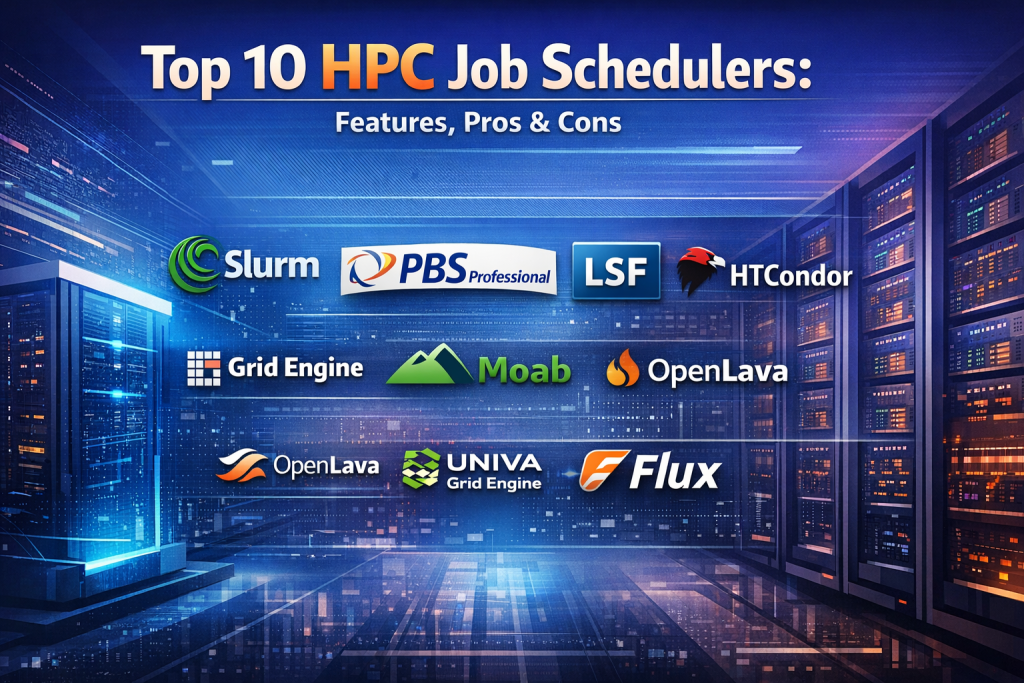
Introduction
High-Performance Computing (HPC) environments power some of the most demanding workloads in the world—from climate modeling and genomics to AI training, financial risk analysis, and advanced engineering simulations. At the heart of every efficient HPC environment lies a HPC Job Scheduler.
An HPC Job Scheduler is responsible for allocating compute resources, prioritizing workloads, and ensuring fair, efficient execution of jobs across clusters that may include thousands of nodes, CPUs, GPUs, and accelerators. Without a robust scheduler, even the most powerful supercomputer risks underutilization, bottlenecks, and unpredictable performance.
HPC Job Schedulers are critical because they:
- Maximize cluster utilization and ROI
- Enforce policies, quotas, and priorities
- Enable fair sharing among teams and projects
- Support large-scale parallel workloads reliably
Real-world use cases include national research labs running simulations, pharmaceutical companies performing molecular modeling, AI teams training large models, and enterprises running batch analytics at scale.
When choosing an HPC Job Scheduler, organizations should evaluate:
- Scheduling algorithms and scalability
- Ease of configuration and administration
- Integration with MPI, GPUs, containers, and cloud resources
- Security, compliance, and auditability
- Support, community strength, and long-term viability
Best for:
Researchers, HPC administrators, data scientists, AI engineers, and enterprises operating compute clusters in academia, government, life sciences, finance, manufacturing, and energy sectors.
Not ideal for:
Small teams running only ad-hoc scripts, lightweight task queues, or simple CI/CD jobs where general-purpose workload schedulers or cloud-native tools may be sufficient.
Top 10 HPC Job Schedulers Tools
1 — Slurm
Short description:
Slurm is a widely adopted, open-source workload manager designed for Linux-based HPC clusters, from small labs to the world’s largest supercomputers.
Key features:
- Highly scalable architecture supporting millions of cores
- Advanced scheduling policies and backfilling
- Native support for GPUs and heterogeneous resources
- Strong integration with MPI and container runtimes
- Robust accounting, quotas, and job priorities
- Fault-tolerant and highly configurable
Pros:
- Proven at extreme scale in top supercomputers
- Strong open-source community and ecosystem
Cons:
- Configuration complexity for beginners
- Requires skilled administration
Security & compliance:
Role-based access control, job isolation, accounting logs; compliance varies by deployment.
Support & community:
Extensive documentation, very active global community, commercial enterprise support available.
2 — PBS Professional
Short description:
PBS Professional is a mature, enterprise-grade HPC scheduler built for mission-critical workloads in research and industry.
Key features:
- Policy-based scheduling and fairshare
- Advanced reservations and preemption
- Strong GPU and accelerator support
- High availability and fault tolerance
- Detailed reporting and analytics
- Hybrid cloud and on-prem support
Pros:
- Enterprise reliability and support
- Rich scheduling controls
Cons:
- Commercial licensing costs
- Less flexible than some open-source alternatives
Security & compliance:
Supports authentication, encryption, audit logs; compliance depends on enterprise setup.
Support & community:
Professional documentation, vendor-backed support, smaller community than Slurm.
3 — LSF
Short description:
IBM Spectrum LSF is a powerful enterprise scheduler optimized for large, complex, multi-cluster environments.
Key features:
- Advanced workload prioritization
- Multi-cluster and multi-site support
- GPU-aware scheduling
- Policy enforcement and SLA management
- Strong analytics and reporting
- Integration with enterprise systems
Pros:
- Excellent for regulated, large enterprises
- Mature and feature-rich
Cons:
- High cost
- Vendor lock-in concerns
Security & compliance:
Enterprise-grade security, audit trails, compliance readiness.
Support & community:
Vendor documentation, enterprise support, limited open community.
4 — HTCondor
Short description:
HTCondor specializes in high-throughput computing, efficiently managing large numbers of independent jobs.
Key features:
- Opportunistic resource utilization
- Job checkpointing and migration
- Flexible job matching policies
- Excellent for grid and campus clusters
- Fault-tolerant design
- Strong research pedigree
Pros:
- Ideal for embarrassingly parallel workloads
- Excellent fault recovery
Cons:
- Less suited for tightly coupled MPI jobs
- Configuration learning curve
Security & compliance:
Authentication and authorization supported; compliance varies.
Support & community:
Strong academic community, solid documentation.
5 — Torque
Short description:
Torque is an open-source resource manager derived from PBS, often paired with other schedulers.
Key features:
- Distributed batch processing
- PBS compatibility
- Lightweight architecture
- Flexible integration options
- Simple job submission
- Resource tracking
Pros:
- Open-source and flexible
- Familiar to PBS users
Cons:
- Limited active development
- Requires external scheduler for advanced features
Security & compliance:
Basic authentication and logging; advanced compliance is limited.
Support & community:
Moderate community, aging documentation.
6 — Grid Engine
Short description:
Grid Engine provides batch-oriented scheduling for distributed compute environments.
Key features:
- Queue-based scheduling
- Fairshare and priorities
- Parallel environment support
- Resource quotas
- Broad OS support
- Long-standing HPC adoption
Pros:
- Stable and well understood
- Suitable for academic clusters
Cons:
- Fragmented variants
- Slower innovation
Security & compliance:
Role-based access, basic logging; compliance varies.
Support & community:
Community-driven support, mixed documentation quality.
7 — Moab
Short description:
Moab is a policy-driven scheduler designed for complex, mixed workloads.
Key features:
- Advanced reservation management
- Policy-based scheduling
- SLA and QoS enforcement
- Integration with multiple resource managers
- Analytics and reporting
- Multi-tenant support
Pros:
- Strong policy control
- Suitable for shared HPC environments
Cons:
- Commercial licensing
- Steeper learning curve
Security & compliance:
Enterprise authentication, auditing supported.
Support & community:
Vendor support, limited open community.
8 — OpenLava
Short description:
OpenLava is an open-source alternative inspired by LSF, targeting smaller clusters.
Key features:
- LSF-compatible commands
- Lightweight deployment
- Basic job scheduling
- Resource tracking
- Simple configuration
- Open-source licensing
Pros:
- Familiar to LSF users
- Cost-effective
Cons:
- Limited scalability
- Smaller ecosystem
Security & compliance:
Basic controls; compliance largely N/A.
Support & community:
Small community, limited enterprise support.
9 — Univa Grid Engine
Short description:
Univa Grid Engine is a commercial continuation of Grid Engine with enterprise enhancements.
Key features:
- Advanced scheduling policies
- Cloud bursting support
- GPU scheduling
- High availability
- Enterprise reporting
- Hybrid cloud readiness
Pros:
- Enterprise-ready Grid Engine
- Strong hybrid support
Cons:
- Licensing costs
- Smaller market share
Security & compliance:
Enterprise security features, audit logging.
Support & community:
Professional support, smaller community.
10 — Flux
Short description:
Flux is a modern, next-generation scheduler framework designed for extreme-scale HPC systems.
Key features:
- Hierarchical scheduling architecture
- Dynamic resource management
- Cloud-native and container-friendly
- High scalability
- Flexible APIs
- Designed for exascale systems
Pros:
- Innovative architecture
- Excellent for future-proof HPC
Cons:
- Still maturing
- Smaller adoption base
Security & compliance:
Evolving security features; compliance varies.
Support & community:
Growing open-source community, research-driven support.
Comparison Table
| Tool Name | Best For | Platform(s) Supported | Standout Feature | Rating |
|---|---|---|---|---|
| Slurm | Large-scale HPC clusters | Linux | Extreme scalability | N/A |
| PBS Professional | Enterprise HPC | Linux, Unix | Policy-based scheduling | N/A |
| LSF | Regulated enterprises | Linux, Unix | Multi-cluster control | N/A |
| HTCondor | High-throughput workloads | Linux, Windows | Opportunistic computing | N/A |
| Torque | Small to mid clusters | Linux | Lightweight PBS-style RM | N/A |
| Grid Engine | Academic clusters | Linux, Unix | Queue-based scheduling | N/A |
| Moab | Policy-heavy environments | Linux | SLA enforcement | N/A |
| OpenLava | Small clusters | Linux | LSF compatibility | N/A |
| Univa Grid Engine | Hybrid HPC | Linux, Cloud | Cloud bursting | N/A |
| Flux | Next-gen exascale systems | Linux | Hierarchical scheduling | N/A |
Evaluation & Scoring of HPC Job Schedulers
| Tool | Core Features (25%) | Ease of Use (15%) | Integrations (15%) | Security (10%) | Performance (10%) | Support (10%) | Price/Value (15%) | Total Score |
|---|---|---|---|---|---|---|---|---|
| Slurm | 23 | 11 | 14 | 8 | 9 | 9 | 14 | 88 |
| PBS Professional | 22 | 12 | 13 | 9 | 9 | 9 | 11 | 85 |
| LSF | 23 | 11 | 14 | 9 | 9 | 9 | 9 | 84 |
| HTCondor | 20 | 13 | 12 | 7 | 8 | 8 | 14 | 82 |
| Flux | 21 | 10 | 13 | 7 | 9 | 7 | 13 | 80 |
Which HPC Job Schedulers Tool Is Right for You?
- Solo users & small labs: HTCondor, OpenLava
- SMBs & universities: Slurm, Grid Engine, Torque
- Mid-market: Slurm, PBS Professional, Univa Grid Engine
- Enterprise & national labs: Slurm, LSF, PBS Professional, Flux
Budget-conscious teams often prefer open-source tools, while enterprises prioritize support, compliance, and long-term stability. Feature depth matters for complex workloads, but ease of use can be critical for smaller teams.
Frequently Asked Questions (FAQs)
- What is an HPC Job Scheduler?
It manages job execution and resource allocation across compute clusters. - Is Slurm free to use?
Yes, it is open-source, though enterprise support may cost extra. - Do HPC schedulers support GPUs?
Most modern schedulers include GPU-aware scheduling. - Can these tools run in the cloud?
Many support hybrid and cloud-based deployments. - Are HPC schedulers secure?
Security depends on configuration; most support authentication and auditing. - Which scheduler is easiest to learn?
HTCondor and Grid Engine are often considered more approachable. - Do I need an HPC scheduler for AI workloads?
Yes, for large-scale, multi-node training jobs. - Can I migrate between schedulers?
Possible, but it requires careful planning and testing. - Are there vendor-neutral options?
Open-source tools like Slurm and Flux are vendor-neutral. - What is the biggest mistake when choosing a scheduler?
Ignoring future scalability and support needs.
Conclusion
HPC Job Schedulers are the backbone of efficient high-performance computing. They ensure fair resource usage, maximize throughput, and enable complex workloads to run reliably at scale. While tools like Slurm dominate large-scale deployments, others excel in enterprise control, high-throughput computing, or next-generation architectures.
The best HPC Job Scheduler is not universal—it depends on workload type, scale, budget, and operational maturity. By aligning your technical and organizational needs with the right scheduler, you can unlock the full potential of your HPC infrastructure.

Find Trusted Cardiac Hospitals
Compare heart hospitals by city and services — all in one place.
Explore Hospitals
This is a comprehensive and practical overview of the top HPC job schedulers in use today. I like how the article not only lists key features but also contextualizes them with real-world pros and cons — from scalability and resource optimization to ease of integration with diverse cluster environments. The comparison helps readers understand important trade-offs, such as support for heterogeneous workloads, policy-driven scheduling, and fault tolerance, which are crucial for researchers and system admins managing high-performance compute resources. For anyone evaluating schedulers for scientific computing, large-scale simulations, or batch analytics, this breakdown offers actionable insights and a solid foundation for making the right choice.