
Introduction
Behavioral Biometrics Tools analyze how users interact with devices and applications—not just who they are. Instead of relying solely on passwords, OTPs, or physical traits, these tools study patterns such as typing rhythm, mouse movement, touchscreen gestures, navigation behavior, and session dynamics. Because behavior is difficult to replicate, behavioral biometrics has become a powerful layer of modern digital security.
These tools are increasingly important as credential theft, account takeover (ATO), phishing, and bot-driven fraud continue to rise. Traditional authentication methods often fail after login, but behavioral biometrics works continuously and passively, detecting anomalies in real time without adding friction for legitimate users.
Why Behavioral Biometrics Matters
- Reduces fraud without harming user experience
- Detects compromised accounts even after successful login
- Strengthens zero-trust and continuous authentication strategies
- Helps meet regulatory expectations for risk-based authentication
Common Use Cases
- Banking and digital payments fraud prevention
- E-commerce account takeover protection
- Enterprise workforce authentication
- Mobile app security
- Bot and automation detection
What to Look for When Choosing a Tool
When evaluating Behavioral Biometrics Tools, buyers should focus on:
- Behavioral coverage (keystrokes, touch, mouse, session signals)
- Accuracy and false-positive rates
- Ease of integration with existing IAM, fraud, or SIEM systems
- Privacy and compliance readiness
- Scalability and real-time performance
Best for:
Security leaders, fraud teams, IAM architects, fintech companies, banks, SaaS platforms, and enterprises that require strong, low-friction authentication and fraud prevention.
Not ideal for:
Very small websites with minimal risk exposure, offline-only systems, or organizations seeking only basic password-based authentication without continuous monitoring.
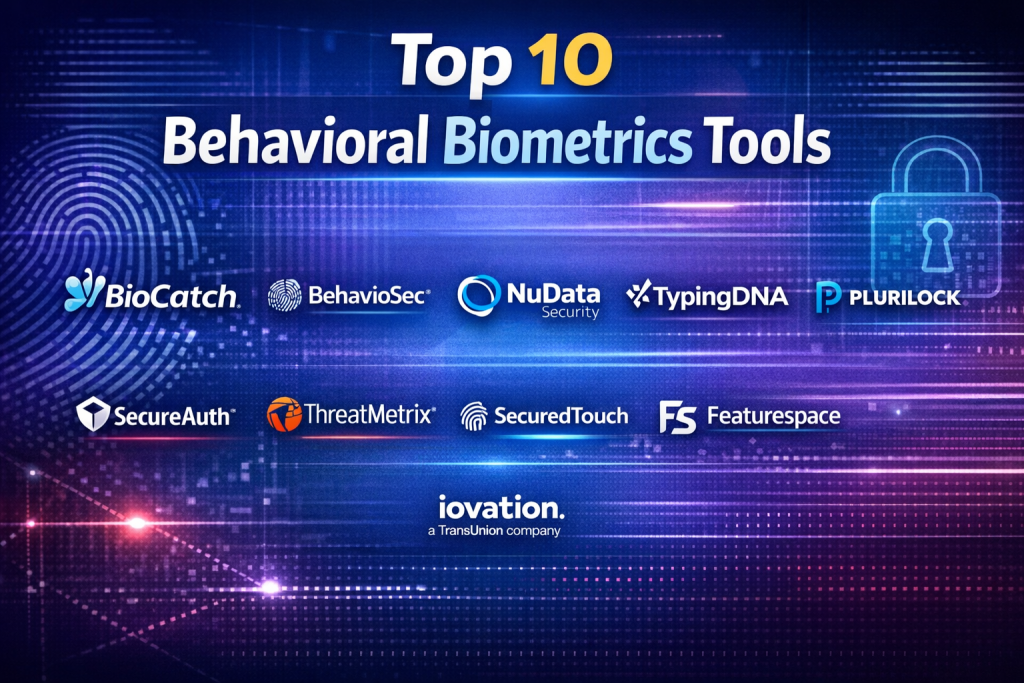
Top 10 Behavioral Biometrics Tools
1 — BioCatch
Short description:
BioCatch is a leading behavioral biometrics platform focused on fraud prevention in banking and financial services through continuous user behavior analysis.
Key features
- Keystroke and mouse dynamics analysis
- Session-level behavioral profiling
- Real-time fraud risk scoring
- Social engineering fraud detection
- Seamless API-based integration
- Adaptive risk models using AI
Pros
- Extremely strong accuracy in financial fraud scenarios
- Minimal friction for end users
Cons
- Primarily focused on financial institutions
- Premium pricing model
Security & compliance:
SOC 2, GDPR, strong encryption, audit logging
Support & community:
Enterprise-grade onboarding, dedicated account teams, strong documentation
2 — BehavioSec
Short description:
BehavioSec specializes in keystroke dynamics and continuous authentication for web and enterprise applications.
Key features
- Advanced keystroke biometrics
- Continuous authentication engine
- Behavioral anomaly detection
- Web and desktop support
- Lightweight SDKs
- Risk-based access decisions
Pros
- Very high precision in typing analysis
- Easy to embed in existing auth flows
Cons
- Limited mobile behavioral depth
- Narrower scope compared to full fraud platforms
Security & compliance:
GDPR, encrypted data processing, SSO support
Support & community:
Good documentation, responsive enterprise support
3 — NuData Security
Short description:
NuData Security provides behavioral analytics and passive authentication, widely used in e-commerce and digital identity ecosystems.
Key features
- Behavioral profiling across sessions
- Bot and credential stuffing detection
- Device and behavior correlation
- Adaptive trust scoring
- Cross-channel fraud analysis
Pros
- Strong bot and automation protection
- Scales well for high-traffic platforms
Cons
- Complex setup for smaller teams
- Reporting can feel enterprise-heavy
Security & compliance:
GDPR, SOC-aligned controls, enterprise encryption
Support & community:
Enterprise support, structured onboarding programs
4 — TypingDNA
Short description:
TypingDNA focuses on developer-friendly typing biometrics for authentication and identity verification.
Key features
- Typing pattern recognition
- Continuous and step-up authentication
- REST APIs and SDKs
- Lightweight deployment
- AI-based similarity scoring
Pros
- Very easy to integrate
- Cost-effective for startups and SMBs
Cons
- Limited non-typing behavioral signals
- Not ideal for mobile-heavy use cases
Security & compliance:
GDPR-ready, encrypted biometric templates
Support & community:
Strong developer docs, active community support
5 — Plurilock
Short description:
Plurilock provides continuous authentication for workforce security using behavioral biometrics.
Key features
- Keystroke and mouse behavior analysis
- Continuous employee verification
- Zero-trust alignment
- Insider threat detection
- SIEM and IAM integrations
Pros
- Excellent for internal workforce security
- Strong zero-trust positioning
Cons
- Less focused on consumer fraud
- Requires endpoint deployment
Security & compliance:
SOC 2, GDPR, enterprise-grade audit logs
Support & community:
Dedicated enterprise support, training resources
6 — SecureAuth
Short description:
SecureAuth combines behavioral signals with adaptive authentication for enterprise IAM environments.
Key features
- Behavioral risk scoring
- Adaptive MFA orchestration
- Identity context analysis
- Policy-driven authentication
- Cloud and hybrid support
Pros
- Strong IAM integration
- Flexible authentication policies
Cons
- Behavioral depth varies by deployment
- Configuration can be complex
Security & compliance:
SOC 2, ISO-aligned, GDPR
Support & community:
Enterprise documentation, professional services available
7 — ThreatMetrix
Short description:
ThreatMetrix uses behavioral intelligence and digital identity analytics to prevent online fraud.
Key features
- Behavioral and device intelligence
- Bot detection
- Real-time risk decisions
- Global identity network
- Fraud rules engine
Pros
- Very strong global fraud intelligence
- Proven at large scale
Cons
- UI can feel complex
- Pricing geared toward enterprises
Security & compliance:
GDPR, SOC 2, strong encryption
Support & community:
24/7 enterprise support, extensive knowledge base
8 — SecuredTouch
Short description:
SecuredTouch focuses on mobile behavioral biometrics, especially touchscreen and gesture analysis.
Key features
- Touch pressure and gesture analysis
- Mobile SDKs
- Continuous authentication
- Low-latency risk scoring
- Anti-spoofing detection
Pros
- Excellent mobile accuracy
- Invisible to end users
Cons
- Limited desktop coverage
- Mobile-first focus may not fit all orgs
Security & compliance:
GDPR, encrypted behavioral templates
Support & community:
Good onboarding support, focused documentation
9 — Featurespace
Short description:
Featurespace applies machine learning to behavioral analytics for fraud and anomaly detection.
Key features
- Behavioral transaction modeling
- Adaptive anomaly detection
- AML and fraud convergence
- Real-time analytics
- AI-driven risk engines
Pros
- Powerful AI models
- Strong financial crime expertise
Cons
- Not purely behavioral biometrics
- Implementation effort can be high
Security & compliance:
SOC-aligned controls, GDPR
Support & community:
Enterprise consulting-led support model
10 — iovation
Short description:
iovation provides device reputation and behavioral insights for fraud prevention.
Key features
- Behavioral and device profiling
- Global reputation database
- Risk scoring APIs
- Fraud pattern analysis
- Cross-merchant intelligence
Pros
- Broad fraud data network
- Easy API consumption
Cons
- Behavioral depth is moderate
- UI reporting is basic
Security & compliance:
GDPR, SOC-aligned practices
Support & community:
Standard enterprise support, good documentation
Comparison Table
| Tool Name | Best For | Platform(s) Supported | Standout Feature | Rating |
|---|---|---|---|---|
| BioCatch | Banking & fintech fraud | Web, Mobile | Social engineering detection | N/A |
| BehavioSec | Continuous auth | Web, Desktop | Keystroke precision | N/A |
| NuData Security | Bot & ATO prevention | Web, Mobile | Passive authentication | N/A |
| TypingDNA | Developer use cases | Web, Desktop | Easy API integration | N/A |
| Plurilock | Workforce security | Desktop, Enterprise | Zero-trust auth | N/A |
| SecureAuth | IAM environments | Web, Cloud | Adaptive authentication | N/A |
| ThreatMetrix | Large-scale fraud | Web, Mobile | Global risk network | N/A |
| SecuredTouch | Mobile apps | Mobile | Gesture biometrics | N/A |
| Featurespace | Financial crime | Enterprise | AI anomaly detection | N/A |
| iovation | Device risk | Web, Mobile | Reputation intelligence | N/A |
Evaluation & Scoring of Behavioral Biometrics Tools
| Tool | Core Features (25%) | Ease of Use (15%) | Integrations (15%) | Security (10%) | Performance (10%) | Support (10%) | Price / Value (15%) |
|---|---|---|---|---|---|---|---|
| BioCatch | High | Medium | High | High | High | High | Medium |
| BehavioSec | High | High | Medium | High | High | Medium | Medium |
| NuData Security | High | Medium | High | High | High | High | Medium |
| TypingDNA | Medium | High | Medium | Medium | High | Medium | High |
| Plurilock | Medium | Medium | High | High | High | Medium | Medium |
Which Behavioral Biometrics Tool Is Right for You?
- Solo users & startups: TypingDNA for simplicity and affordability
- SMBs: BehavioSec or SecuredTouch for targeted use cases
- Mid-market: NuData Security or ThreatMetrix for scale
- Enterprise & banks: BioCatch or Featurespace for advanced fraud
Budget-conscious vs premium:
Lightweight SDK-based tools suit tight budgets, while enterprise platforms offer deeper intelligence at higher cost.
Feature depth vs ease of use:
Typing-focused tools are simpler; full fraud platforms deliver broader coverage.
Integration & scalability:
Large organizations should prioritize APIs, IAM, SIEM, and fraud system compatibility.
Security & compliance:
Regulated industries should demand strong audit logs, encryption, and compliance readiness.
Frequently Asked Questions (FAQs)
- Are behavioral biometrics intrusive?
No. They work passively without collecting personal content or disrupting users. - Do these tools replace passwords?
They usually complement passwords and MFA rather than replace them entirely. - How accurate are behavioral biometrics?
Accuracy is high when multiple behavioral signals are combined. - Can attackers spoof behavior?
Behavioral patterns are extremely hard to replicate consistently. - Are these tools privacy-friendly?
Most store anonymized behavioral templates, not raw data. - Do they work on mobile apps?
Yes, many tools specialize in mobile touch and gesture analysis. - How long does implementation take?
From days for SDK-based tools to months for enterprise platforms. - Are false positives a risk?
Good vendors continuously tune models to minimize false rejections. - Can they detect bots?
Yes, behavioral analysis is highly effective against bots. - Do small businesses need them?
Only if fraud risk justifies the investment.
Conclusion
Behavioral Biometrics Tools have become a critical pillar of modern digital security, enabling organizations to fight fraud while preserving a seamless user experience. The strongest platforms combine behavioral depth, real-time analytics, privacy-by-design, and scalable integrations.
There is no single “best” solution for everyone. The right choice depends on industry, risk profile, user base, and technical maturity. By carefully aligning your requirements with the strengths of each tool, you can deploy behavioral biometrics as a powerful, future-ready security layer.

Find Trusted Cardiac Hospitals
Compare heart hospitals by city and services — all in one place.
Explore Hospitals
Excellent resource! I particularly appreciate how this guide highlights the role of machine learning in identifying subtle user patterns—like keystroke dynamics and mouse movements. Having a curated list of top-tier tools makes the evaluation process much more manageable for security architects and fraud prevention teams. Thank you for sharing such a well-structured and practical piece!