
Introduction
GitOps tools enable teams to manage infrastructure and application deployments using Git as the single source of truth. In a GitOps model, desired system states—such as Kubernetes configurations, application versions, and environment settings—are declared in Git repositories and automatically reconciled with live environments. This approach brings consistency, auditability, and repeatability to modern cloud-native operations.
GitOps has become critical as organizations scale Kubernetes, microservices, and multi-cloud environments. Manual deployments and imperative scripts struggle to keep up with speed, security, and compliance demands. GitOps tools solve this by automating deployments, enforcing policies, rolling back safely, and providing clear visibility into changes.
Common real-world use cases include continuous delivery for Kubernetes, multi-cluster configuration management, infrastructure drift detection, disaster recovery, and regulated environments where change tracking and approvals are mandatory.
What to look for when choosing a GitOps tool:
- Strong Kubernetes and declarative config support
- Git-based workflows with automated reconciliation
- Rollback, drift detection, and promotion strategies
- Security, RBAC, and audit logs
- Integrations with CI/CD, cloud providers, and secrets managers
Best for:
Platform engineers, DevOps teams, SREs, cloud-native startups, regulated enterprises, and organizations running Kubernetes at scale.
Not ideal for:
Teams without Git-based workflows, very small projects without automation needs, or environments that are not containerized or cloud-native.
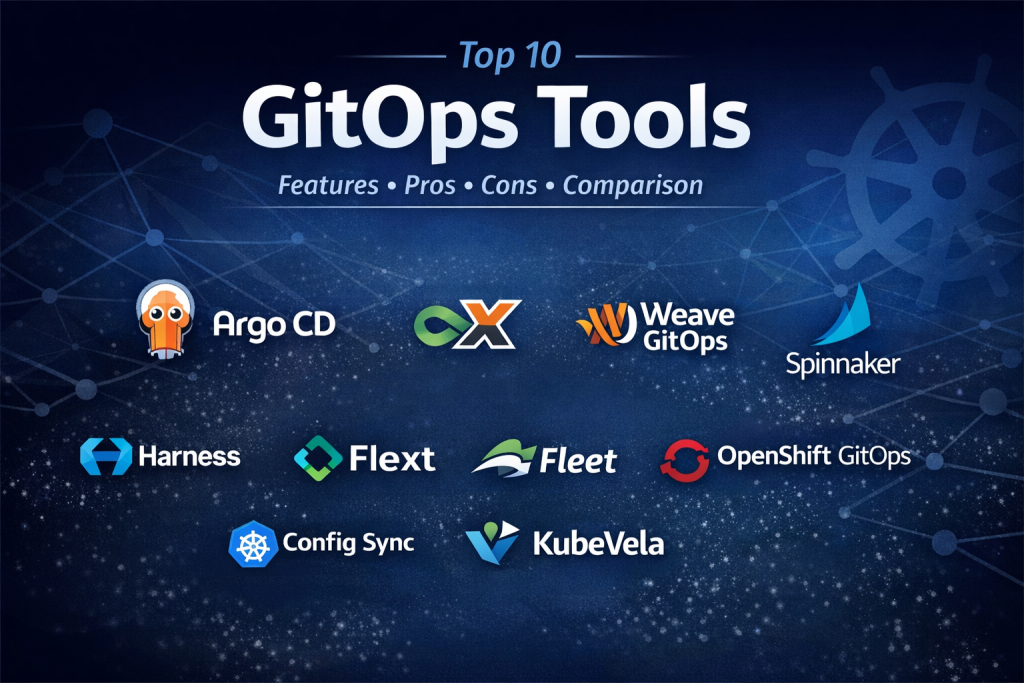
Top 10 GitOps Tools
1 — Argo CD
Short description:
A Kubernetes-native GitOps continuous delivery tool designed for declarative application management and automated sync.
Key features
- Declarative Git-based deployments
- Automatic and manual sync modes
- Multi-cluster and multi-tenant support
- Application health and drift detection
- Rollbacks and history tracking
- Fine-grained RBAC and SSO
- UI and CLI support
Pros
- Industry-standard for Kubernetes GitOps
- Strong open-source ecosystem
- Excellent scalability
Cons
- Kubernetes-focused only
- Steeper learning curve for beginners
Security & compliance
SSO, RBAC, audit logs, encryption in transit; compliance varies by setup.
Support & community
Extensive documentation, large open-source community, enterprise support available.
2 — Flux
Short description:
A lightweight, extensible GitOps toolkit built for Kubernetes with a strong focus on automation.
Key features
- Git-based reconciliation engine
- Modular controllers (source, kustomize, helm)
- Native Helm support
- Multi-tenancy support
- Drift detection and auto-healing
- Progressive delivery integrations
Pros
- Flexible and modular design
- Cloud-native and CNCF-backed
- Strong automation focus
Cons
- CLI-heavy workflow
- Less visual insight compared to UI-driven tools
Security & compliance
RBAC, Git-based audit trails, encryption supported.
Support & community
Strong CNCF community, good documentation, enterprise support via vendors.
3 — Jenkins X
Short description:
A GitOps-driven CI/CD platform optimized for Kubernetes-native development pipelines.
Key features
- GitOps-based CI/CD pipelines
- Preview environments
- Automated promotions
- Kubernetes-native architecture
- Built-in Helm and Tekton support
Pros
- End-to-end CI/CD with GitOps
- Strong Kubernetes alignment
Cons
- More complex setup
- Smaller ecosystem than Argo or Flux
Security & compliance
Supports RBAC, secrets management, auditability.
Support & community
Active open-source community; enterprise support available.
4 — Weave GitOps
Short description:
An enterprise-focused GitOps platform extending Flux with enhanced visibility and governance.
Key features
- Flux-based GitOps workflows
- Policy and governance controls
- UI for GitOps operations
- Multi-cluster management
- Team-based access controls
Pros
- Enterprise-ready GitOps
- Strong governance features
Cons
- Advanced features require enterprise edition
- Flux familiarity required
Security & compliance
SSO, RBAC, audit logs; compliance varies by deployment.
Support & community
Enterprise-grade support with strong documentation.
5 — Spinnaker
Short description:
A multi-cloud continuous delivery platform supporting GitOps-style deployment workflows.
Key features
- Multi-cloud application deployment
- Declarative pipelines
- Canary and blue-green deployments
- Kubernetes and VM support
- Rollback and traffic management
Pros
- Mature deployment strategies
- Strong multi-cloud support
Cons
- Heavy operational overhead
- Not GitOps-native by default
Security & compliance
SSO, RBAC, audit logs supported.
Support & community
Large community; enterprise support available.
6 — Harness
Short description:
A modern delivery platform combining GitOps, CI/CD, and governance with enterprise controls.
Key features
- GitOps via Argo-based engine
- Advanced deployment strategies
- Integrated CI/CD and feature flags
- Policy-as-code
- Analytics and insights
Pros
- Strong enterprise capabilities
- Unified delivery platform
Cons
- Premium pricing
- Feature-rich UI can be complex
Security & compliance
SOC 2, SSO, RBAC, audit logs, encryption.
Support & community
Enterprise-grade support and onboarding.
7 — Fleet
Short description:
A GitOps-based Kubernetes cluster and application management solution at scale.
Key features
- Centralized multi-cluster management
- Git-based configuration delivery
- Large-scale fleet operations
- Policy enforcement
- Drift detection
Pros
- Excellent for large cluster fleets
- Strong Rancher integration
Cons
- Kubernetes-only
- Smaller community
Security & compliance
RBAC, audit logging, encryption supported.
Support & community
Commercial support with growing community.
8 — OpenShift GitOps
Short description:
An enterprise GitOps solution built on Argo CD for OpenShift environments.
Key features
- Argo CD-based GitOps
- Tight OpenShift integration
- Enterprise RBAC
- Multi-cluster management
- Declarative deployments
Pros
- Enterprise stability
- Excellent for OpenShift users
Cons
- Best suited for Red Hat ecosystems
- Licensing costs
Security & compliance
Enterprise-grade security, compliance-ready.
Support & community
Strong enterprise support and documentation.
9 — Config Sync
Short description:
A GitOps-style configuration management solution for Kubernetes environments.
Key features
- Git-backed configuration sync
- Policy enforcement
- Drift detection
- Namespace-level controls
- Audit-friendly workflows
Pros
- Strong configuration governance
- Simple declarative model
Cons
- Narrower scope than full GitOps platforms
- Limited deployment strategies
Security & compliance
Audit logs, RBAC, encryption supported.
Support & community
Moderate documentation and enterprise backing.
10 — KubeVela
Short description:
An application-centric delivery platform built on GitOps and Kubernetes abstractions.
Key features
- GitOps-based application model
- Open Application Model (OAM)
- Multi-environment support
- Policy-driven deployments
- Extensible workflows
Pros
- Developer-friendly abstractions
- Flexible architecture
Cons
- Smaller ecosystem
- Learning curve for OAM
Security & compliance
RBAC, policy enforcement; compliance varies.
Support & community
Growing open-source community.
Comparison Table
| Tool Name | Best For | Platform(s) Supported | Standout Feature | Rating |
|---|---|---|---|---|
| Argo CD | Kubernetes GitOps at scale | Kubernetes | Auto-sync & drift detection | N/A |
| Flux | Modular GitOps workflows | Kubernetes | Controller-based architecture | N/A |
| Jenkins X | CI/CD + GitOps | Kubernetes | Preview environments | N/A |
| Weave GitOps | Enterprise governance | Kubernetes | GitOps UI & policies | N/A |
| Spinnaker | Multi-cloud CD | K8s, VM, Cloud | Advanced deployment strategies | N/A |
| Harness | Enterprise delivery | Multi-cloud | Integrated governance | N/A |
| Fleet | Cluster fleets | Kubernetes | Large-scale cluster mgmt | N/A |
| OpenShift GitOps | OpenShift users | OpenShift | Enterprise stability | N/A |
| Config Sync | Config governance | Kubernetes | Policy enforcement | N/A |
| KubeVela | App-centric GitOps | Kubernetes | OAM abstraction | N/A |
Evaluation & Scoring of GitOps Tools
| Criteria | Weight | Average Score |
|---|---|---|
| Core features | 25% | High |
| Ease of use | 15% | Medium |
| Integrations & ecosystem | 15% | High |
| Security & compliance | 10% | High |
| Performance & reliability | 10% | High |
| Support & community | 10% | Medium–High |
| Price / value | 15% | Medium |
Which GitOps Tools Tool Is Right for You?
- Solo users & SMBs: Flux or KubeVela for flexibility and lower overhead
- Mid-market teams: Argo CD or Jenkins X for scalable GitOps pipelines
- Enterprises: Harness, Weave GitOps, or OpenShift GitOps
- Budget-conscious teams: Open-source-first tools like Argo CD and Flux
- Security-focused environments: Enterprise platforms with SSO and audit logs
Frequently Asked Questions (FAQs)
- What is GitOps in simple terms?
GitOps uses Git as the single source of truth to automate deployments and infrastructure changes. - Do GitOps tools replace CI/CD?
They complement CI/CD by handling deployment and environment reconciliation. - Is GitOps only for Kubernetes?
Mostly yes, though some tools extend to VMs and cloud services. - Are GitOps tools secure?
Yes, when configured with RBAC, encryption, and audit logging. - How hard is GitOps to implement?
Moderate; it requires Git discipline and Kubernetes knowledge. - Can GitOps handle rollbacks?
Yes, rollbacks are done by reverting Git commits. - Are open-source GitOps tools reliable?
Yes, many are production-proven at scale. - What skills are required for GitOps?
Git, Kubernetes, YAML, and CI/CD fundamentals. - Does GitOps support compliance needs?
Yes, Git history provides strong audit trails. - What is the biggest GitOps mistake?
Treating GitOps as just a deployment tool instead of an operational model.
Conclusion
GitOps tools have become foundational for modern cloud-native operations. They improve consistency, security, visibility, and scalability by aligning deployments with Git-driven workflows. While tools like Argo CD and Flux dominate Kubernetes GitOps, enterprise platforms add governance and compliance layers.
There is no single “best” GitOps tool. The right choice depends on team size, platform maturity, budget, security needs, and ecosystem alignment. By focusing on real requirements rather than hype, organizations can unlock the full potential of GitOps and build reliable, scalable delivery pipelines.

Find Trusted Cardiac Hospitals
Compare heart hospitals by city and services — all in one place.
Explore Hospitals
This article delivers a clear and practical comparison of the leading GitOps tools — a category that’s become essential for teams embracing declarative infrastructure and modern CI/CD practices. I appreciate how the guide highlights not only core capabilities like automated deployments, state reconciliation, and Kubernetes integration, but also real‑world considerations such as ease of setup, ecosystem support, scalability, and auditability. Presenting pros and cons side‑by‑side helps practitioners and platform engineers understand trade‑offs between simplicity, extensibility, and operational control — whether it’s Argo CD’s strong community support and flexibility, Flux’s lightweight design, or more opinionated frameworks suited for enterprise governance. For teams evaluating GitOps solutions to improve deployment reliability and infrastructure consistency, this structured comparison offers clear insights and practical guidance.