
Introduction
Directory Services (LDAP/AD) are the backbone of modern identity and access management. At their core, they provide a centralized system to store, manage, and authenticate users, devices, groups, and policies across an organization. Technologies such as LDAP (Lightweight Directory Access Protocol) and Active Directory (AD) make it possible for enterprises to control who can access what, from internal applications and servers to cloud platforms and SaaS tools.
These services are critical because organizations today operate in hybrid and multi-cloud environments, with employees, partners, and systems distributed across locations. Without a strong directory service, identity data becomes fragmented, security weakens, and administration becomes expensive and error-prone.
Common real-world use cases include centralized login (SSO), role-based access control, device authentication, compliance auditing, and integration with business applications. Whether you are managing 20 employees or 200,000 identities, the directory service you choose will directly impact security, productivity, and scalability.
When selecting a Directory Services (LDAP/AD) tool, buyers should evaluate feature depth, ease of management, integration ecosystem, security controls, scalability, compliance readiness, and total cost of ownership.
Best for:
IT administrators, security teams, DevOps engineers, and enterprises in regulated industries that need centralized identity, authentication, and access control across on-premise and cloud systems.
Not ideal for:
Very small teams with no centralized IT needs, short-term projects, or environments where identity management is fully embedded inside a single SaaS platform with no external integrations.
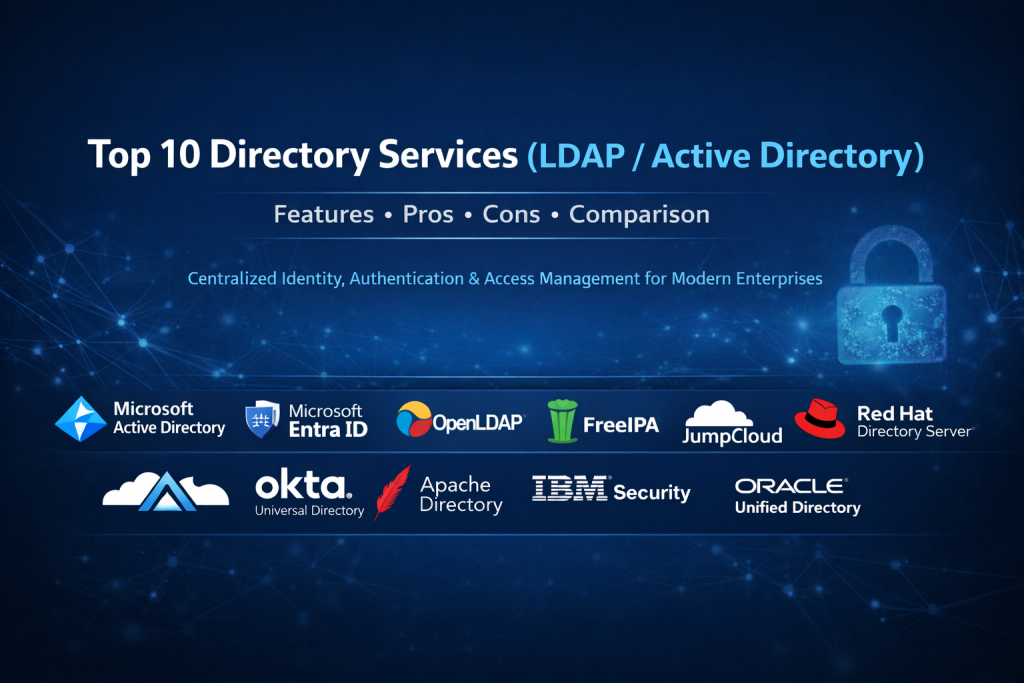
Top 10 Directory Services (LDAP/AD) Tools
1 — Microsoft Active Directory
Short description:
The industry standard on-premise directory service for Windows-based enterprises, offering centralized identity, authentication, and policy management.
Key features
- LDAP and Kerberos-based authentication
- Group Policy management
- Centralized user and device directory
- Role-based access control
- Tight Windows Server integration
- Trust relationships across domains and forests
Pros
- Deeply integrated with Windows ecosystems
- Extremely mature and battle-tested
Cons
- Complex to manage at scale
- Limited native cloud flexibility
Security & compliance:
Kerberos, NTLM, encryption, auditing, supports GDPR, ISO, HIPAA (implementation-dependent).
Support & community:
Extensive documentation, global enterprise support, massive admin community.
2 — Microsoft Entra ID
Short description:
A cloud-native directory and identity service designed for modern SaaS and hybrid environments.
Key features
- Cloud-based identity management
- Single Sign-On (SSO)
- Multi-factor authentication (MFA)
- Conditional access policies
- Integration with thousands of SaaS apps
- Hybrid AD synchronization
Pros
- Excellent cloud and SaaS integration
- Strong security automation
Cons
- Advanced features require premium licensing
- Less control than pure on-prem AD
Security & compliance:
MFA, encryption, audit logs, SOC 2, ISO, GDPR.
Support & community:
Enterprise-grade support, extensive learning resources, active community.
3 — OpenLDAP
Short description:
A highly flexible open-source LDAP directory server used widely in custom and Linux-based environments.
Key features
- Standards-compliant LDAP server
- Highly customizable schema
- Lightweight and performant
- Replication support
- Cross-platform deployment
Pros
- Free and open-source
- Extremely flexible
Cons
- Requires deep LDAP expertise
- No built-in GUI by default
Security & compliance:
TLS encryption, access control lists, compliance varies by deployment.
Support & community:
Strong open-source community, limited commercial support.
4 — FreeIPA
Short description:
An integrated Linux identity and authentication solution combining LDAP, Kerberos, DNS, and certificate management.
Key features
- Centralized Linux identity management
- LDAP + Kerberos authentication
- Host and service management
- Certificate authority integration
- Role-based access control
Pros
- Ideal for Linux-centric environments
- Strong security defaults
Cons
- Limited Windows integration
- Smaller ecosystem
Security & compliance:
Kerberos, TLS, auditing, enterprise-grade security controls.
Support & community:
Good documentation, enterprise support via vendors, active Linux community.
5 — JumpCloud
Short description:
A cloud directory platform that replaces traditional LDAP/AD for modern, device-centric organizations.
Key features
- Cloud-based directory
- Device and user management
- SSO and MFA
- Cross-platform (Windows, macOS, Linux)
- API-driven automation
Pros
- Easy to deploy and manage
- Excellent for remote teams
Cons
- Subscription-based pricing
- Less suitable for legacy AD-heavy setups
Security & compliance:
MFA, encryption, SOC 2, GDPR.
Support & community:
Strong onboarding, responsive support, growing community.
6 — Okta Universal Directory
Short description:
A flexible cloud directory tightly integrated with Okta’s identity and access management ecosystem.
Key features
- Centralized cloud directory
- Attribute-based access control
- SSO and lifecycle management
- Extensive integrations
- API and automation support
Pros
- Best-in-class SaaS integrations
- Strong security posture
Cons
- Higher cost at scale
- Vendor lock-in risk
Security & compliance:
MFA, encryption, audit logs, SOC 2, ISO, GDPR.
Support & community:
Enterprise support, detailed documentation, strong partner ecosystem.
7 — Apache Directory Server
Short description:
A Java-based open-source LDAP server suitable for developers and testing environments.
Key features
- LDAPv3 compliant
- Embedded directory support
- Schema extensibility
- Java integration
- Lightweight deployment
Pros
- Developer-friendly
- Free and open-source
Cons
- Not ideal for very large enterprises
- Smaller community
Security & compliance:
TLS, access control, compliance varies.
Support & community:
Open-source documentation, limited commercial backing.
8 — IBM Security Directory Server
Short description:
An enterprise-grade LDAP directory built for large, regulated organizations.
Key features
- High-performance LDAP
- Advanced replication
- Strong security controls
- Integration with IBM security tools
- Large-scale scalability
Pros
- Excellent performance at scale
- Strong enterprise security
Cons
- Complex setup
- Higher licensing costs
Security & compliance:
Encryption, auditing, compliance-ready for regulated industries.
Support & community:
Enterprise support, professional services available.
9 — Oracle Unified Directory
Short description:
A high-availability directory service designed for large Oracle-centric environments.
Key features
- LDAP and REST support
- High availability and replication
- Oracle ecosystem integration
- Scalable architecture
- Advanced administration tools
Pros
- Very high performance
- Enterprise reliability
Cons
- Expensive licensing
- Best suited to Oracle stacks
Security & compliance:
Strong encryption, auditing, enterprise compliance support.
Support & community:
Enterprise-level vendor support, limited community presence.
10— Red Hat Directory Server
Short description:
A robust LDAP directory designed for Linux and hybrid enterprise environments.
Key features
- Standards-based LDAP
- Multi-master replication
- Strong access controls
- Red Hat ecosystem integration
- High availability
Pros
- Stable and secure
- Enterprise Linux friendly
Cons
- Less beginner-friendly
- Commercial support required for best value
Security & compliance:
TLS, auditing, enterprise compliance support.
Support & community:
Strong vendor support, solid documentation.
Comparison Table
| Tool Name | Best For | Platform(s) Supported | Standout Feature | Rating |
|---|---|---|---|---|
| Microsoft Active Directory | Traditional enterprises | Windows | Group Policy | N/A |
| Microsoft Entra ID | Cloud & hybrid | Cloud | Conditional Access | N/A |
| OpenLDAP | Custom LDAP setups | Cross-platform | Flexibility | N/A |
| FreeIPA | Linux enterprises | Linux | Integrated identity stack | N/A |
| JumpCloud | Modern remote teams | Cross-platform | Cloud directory | N/A |
| Okta Universal Directory | SaaS-first orgs | Cloud | App integrations | N/A |
| Apache Directory Server | Developers | Cross-platform | Lightweight LDAP | N/A |
| IBM Security Directory Server | Large enterprises | Cross-platform | Performance | N/A |
| Oracle Unified Directory | Oracle ecosystems | Cross-platform | High availability | N/A |
| Red Hat Directory Server | Linux enterprises | Linux | Multi-master replication | N/A |
Evaluation & Scoring of Directory Services (LDAP/AD)
| Criteria | Weight | Evaluation Focus |
|---|---|---|
| Core features | 25% | Authentication, directory depth |
| Ease of use | 15% | Admin experience |
| Integrations & ecosystem | 15% | App and system support |
| Security & compliance | 10% | MFA, auditing, standards |
| Performance & reliability | 10% | Scalability, uptime |
| Support & community | 10% | Vendor and peer help |
| Price / value | 15% | ROI and licensing |
Which Directory Services (LDAP/AD) Tool Is Right for You?
- Solo users: Lightweight or SaaS-embedded identity systems
- SMBs: JumpCloud, Entra ID, or Okta for ease and speed
- Mid-market: Hybrid AD + cloud directory combinations
- Enterprise: Microsoft AD, Oracle, IBM, or Red Hat
Budget-conscious teams should favor open-source options, while regulated industries may need enterprise-grade compliance and vendor support.
Frequently Asked Questions (FAQs)
1. Is LDAP the same as Active Directory?
No. LDAP is a protocol, while Active Directory is a directory service that uses LDAP.
2. Can cloud directories replace on-prem AD?
Yes, for many organizations, especially SaaS-first companies.
3. Is open-source LDAP secure?
Yes, if configured correctly with encryption and access controls.
4. Do I need MFA with directory services?
Strongly recommended for modern security.
5. Are directory services required for SSO?
Most SSO implementations rely on a directory backend.
6. Which option is best for Linux servers?
FreeIPA or Red Hat Directory Server.
7. Are these tools expensive?
Costs vary widely, from free to enterprise licensing.
8. Can I run multiple directories together?
Yes, hybrid and federated setups are common.
9. How long does implementation take?
From hours (cloud) to weeks (enterprise AD).
10. What is the biggest mistake buyers make?
Ignoring future scalability and integration needs.
Conclusion
Directory Services (LDAP/AD) are foundational to secure and scalable IT environments. The right choice depends on organization size, infrastructure, security needs, and long-term strategy. There is no single universal winner—only the best fit for your specific use case. By carefully evaluating features, security, integrations, and operational effort, organizations can build a reliable identity backbone that supports growth and resilience.

Find Trusted Cardiac Hospitals
Compare heart hospitals by city and services — all in one place.
Explore Hospitals