
Whether you have a startup, online store, SaaS product, or personal brand, your logo will play a huge part in establishing your brand identity. It serves as the face of your brand, the first thing that your potential customers will see.
Putting a logo to represent your brand to the public may not be easy. However, there are now modern, AI design platforms that can help you — one of which is Design.com. Its logo maker has become a top logo maker in today’s competitive design software market.
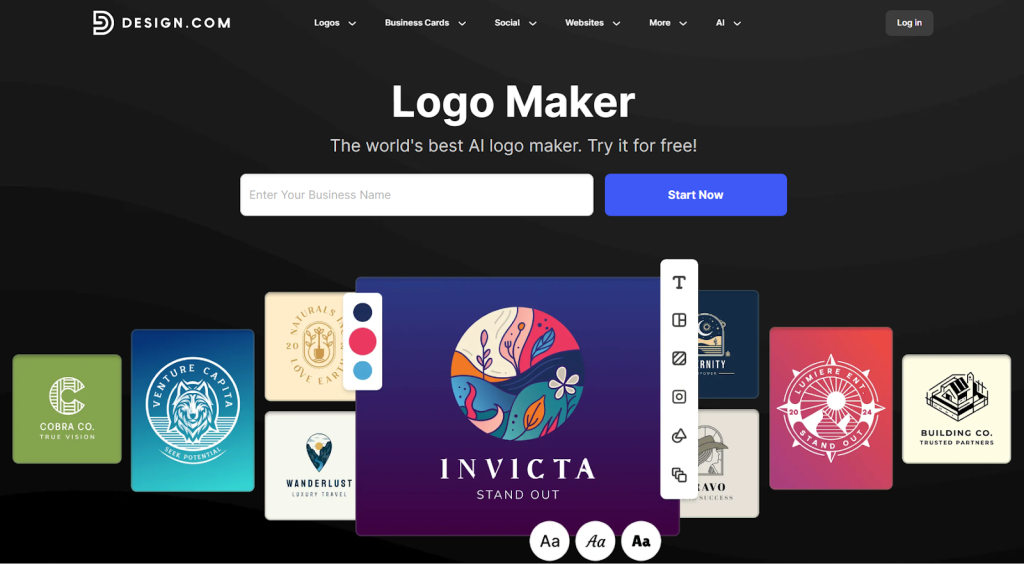
This review will dive into how Design.com logo maker stands out among its competitors. It will answer the most important questions — how it works, who it’s for, what its advantages and disadvantages are — to see if it really does live up to its claim. All the information here will help you decide whether Design.com Logo Maker is the right solution for your logo needs.
What Is Design.com Logo Maker?
Built by Design.com, the logo maker is a logo creation tool known for its user-friendly features and massive collection of logo templates. Design.com is powered by AI, enabling you to generate high-quality logos instantly. All you have to do is type in your business name, select your industry, and customize your chosen design.
Unlike other logo design platforms, Design.com doesn’t stop at logos. It also offers a full branding ecosystem, allowing you to create business cards, social media graphics, websites, and other marketing materials. Moreover, Design.com will base everything on your logo, so you don’t have to worry about brand consistency.
Design.com claims to be the world’s #1 logo company. On Trustpilot, it has a 4.7 rating and over 3,000 reviews, with most users giving it 5 stars. Users have raved about how easy the website is to use, how it offers many design options, and even how affordable the premium templates are. It has clearly earned a positive reputation among businesses across different industries.
First Impressions and User Experience
Design.com is known for its beginner-friendly interface, and you can see it right away when you go to the website. Right off the bat, there’s a message box that says “Enter Your Business Name” and a “Start Now” button. Once you’ve done that, you’ll gain thousands of logo suggestions you can choose from. You can also add related keywords to have more tailored results.
For a clearer understanding, here are the steps to begin the logo creation process:
- Enter your business or brand name.
- Choose the relevant industry.
- Specify your preferred logo style (classic, modern, minimalist, etc.)
- Browse through the AI-generated results.
- Customize your chosen logo by adjusting the fonts, colors, layouts, and icons.
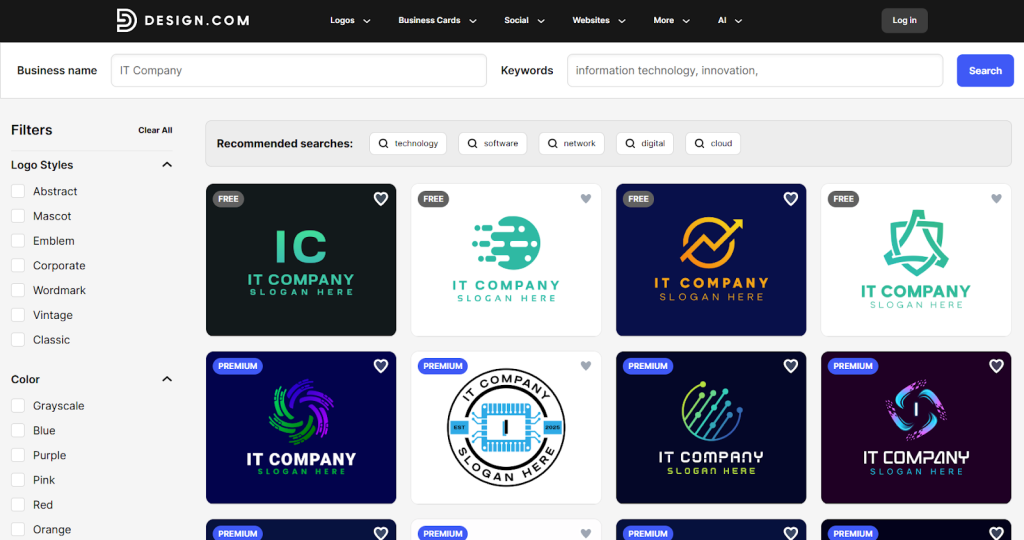
Even if you don’t have a design background, you can create a professional-quality logo in minutes. Since it’s purely web-based, you don’t have to download or install anything. This simplicity is one of the main reasons many business owners, entrepreneurs, and creators choose Design.com for their logo needs.
Logo Quality and Design Library
Design.com offers over 360,000 logo templates and over a million total design templates. Note that most of them are made by professional designers and exclusive to the platform. You will not have to worry about ending up with generic designs.
Key highlights include:
- 750+ fonts, including 525+ exclusive fonts
- 62,000+ custom vector shapes
- Thousands of exclusive icons and symbols
- Logos available for virtually every industry imaginable
All logos created on Design.com are guaranteed 100% commercially safe. Every design has been checked for originality and quality. The platform also offers an extended license for anyone who wants added brand protection. This allows you to remove a logo template from the public library for your own exclusive use.
Customization and Editing Capabilities
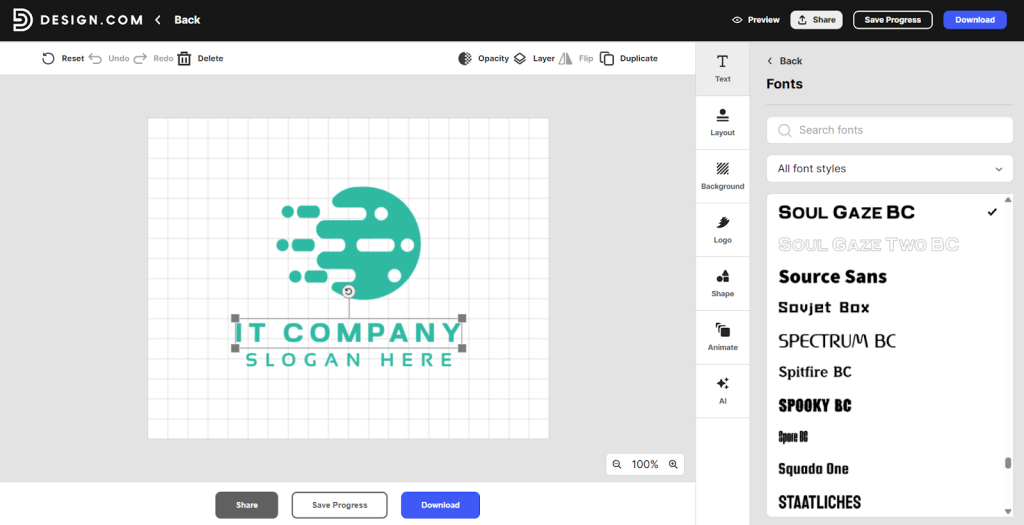
Design.com features an intuitive editor that can help you customize your chosen logo template. It’s very easy to use, so even if you don’t have any design skills, you can change things up without hassle. With the editor, you can:
- Adjust font styles, spacing, and alignment
- Change color palettes instantly
- Swap icons and shapes
- Resize and reposition elements
- Preview logos across mockups (business cards, websites, social profiles)
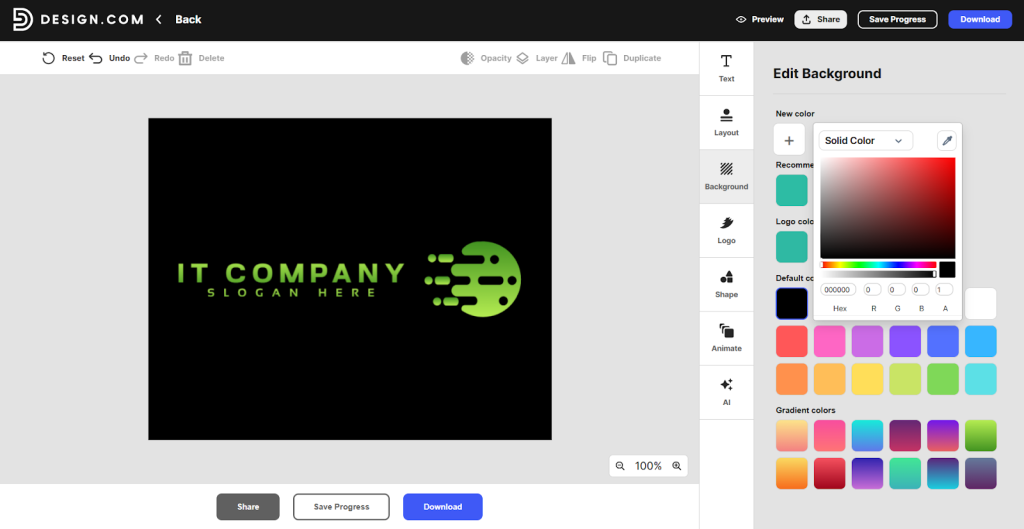
Design.com’s editor isn’t as complex as other professional design platforms and software. However, it’s efficient enough to let you personalize your logo instantly, allowing you to launch your brand right away.
File Formats and Download Options
Another major advantage Design.com provides is its support for various file formats. You can export your logos in different digital and print formats for your convenience.
Available formats include:
- Vector files: SVG, EPS, PDF
- Raster files: PNG, JPG
- Animated files: GIF, MP4
- Additional options: Transparent backgrounds, icon-only versions
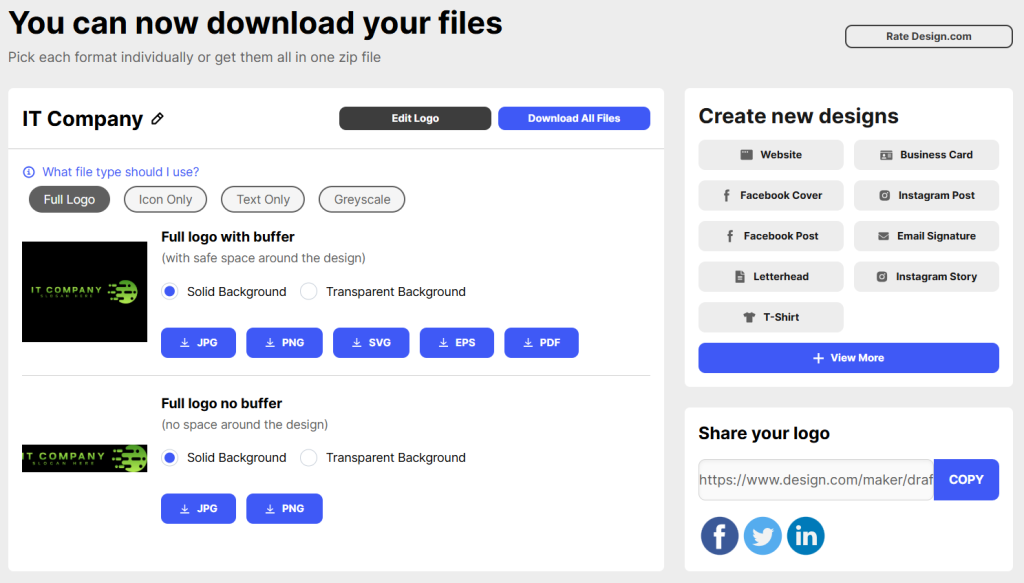
With these options, you’ll be able to use your logo everywhere. Whether it’s on your website and mobile apps or in printed posters and merchandise, your logo will be applied seamlessly.
AI Design Tools Beyond Logos
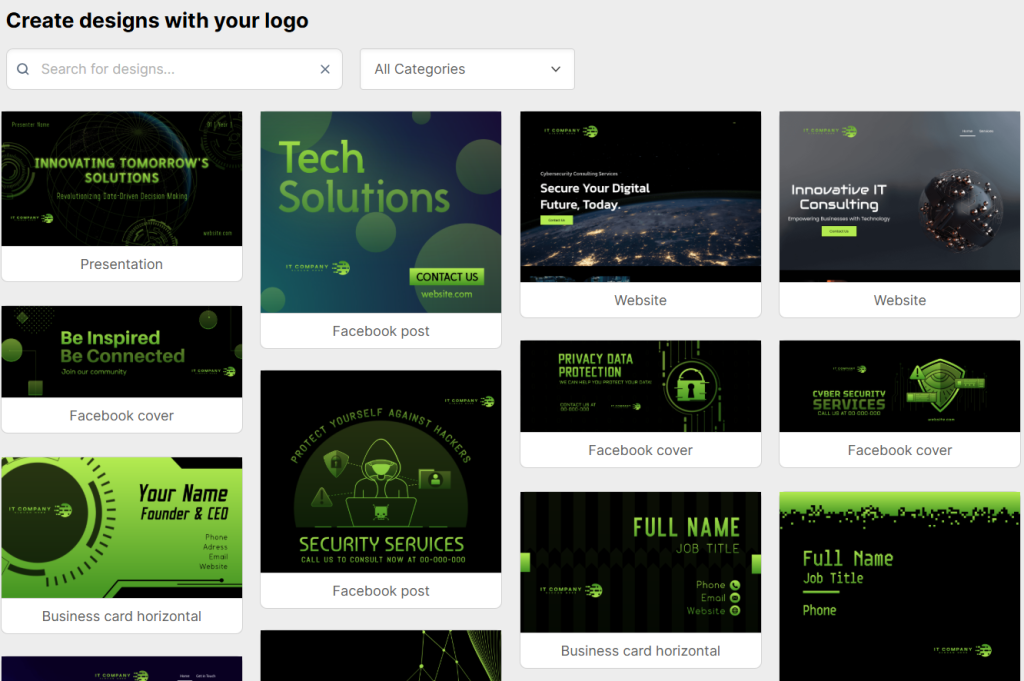
As mentioned earlier, Design.com is more than just logos. It’s a comprehensive branding ecosystem. You’ll find other advanced AI design tools built for generating other branding materials. These are especially helpful if you are looking to expand your brand while ensuring consistent branding across all platforms.
Available AI tools include:
- AI Logo Generator
- AI Website Builder
- AI Business Card Maker
- AI Flyer and Poster Generators
- AI Presentation Maker
- AI Business Name Generator
- AI Background Remover
One of Design.com’s key features that makes it an all-around branding platform is its automatic template branding. This means after you’ve finalized your logo, the platform will automatically apply your design to other templates, including social media templates, print materials, and web assets. This saves you time from having to adjust your logo to fit various branding assets.
Pricing and Value for Money
Design.com offers a generous free tier. If you’re only looking for logos, the platform offers free templates that you can use without any upfront cost. However, if you’d like complete, consistent branding, that’s when you’ll need to subscribe to one of its flexible plans.
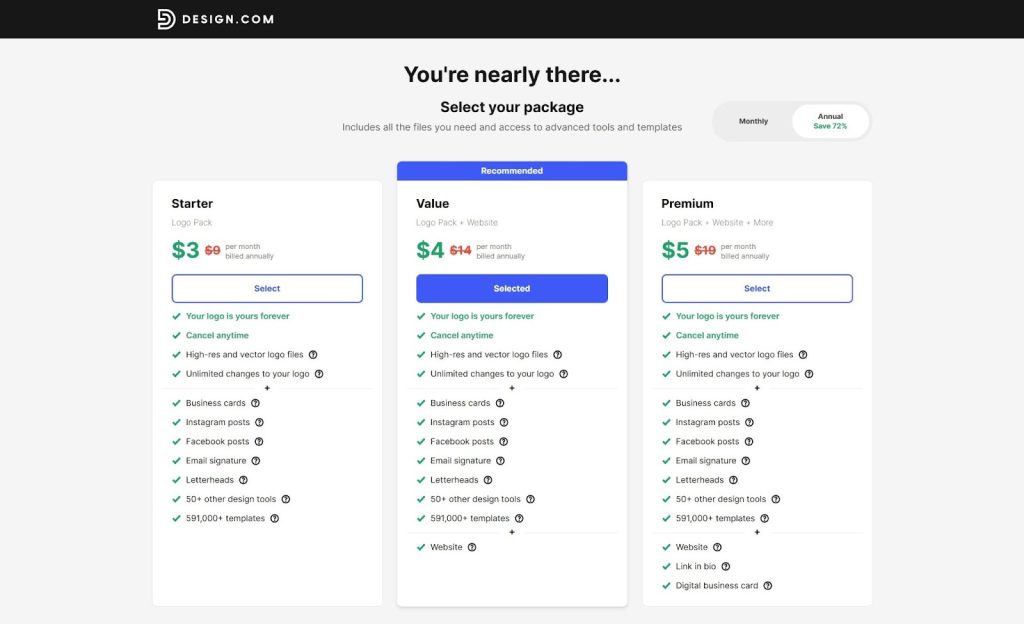
Pricing Breakdown
Free Version
- Your logo is yours forever
- Cancel anytime
- High-resolution and vector logo files
- Unlimited changes to your logo
Starter Version – $3/month (billed annually)
- Everything in the Free Version
- Business cards
- Instagram and Facebook posts
- Email signatures
- Letterheads
- 50+ additional design tools
- Access to 591,000+ templates
Value Version – $4/month (billed annually)
- Everything in Free and Starter Pack
- Website builder
Premium Version – $5/month (billed annually)
- Everything in Free, Starter, and Value Pack
- Link in bio tool
- Digital business cards
Design.com has one of the most cost-effective offers for startups and growing businesses. Compared to traditional design agencies and premium design software, its pricing provides excellent long-term value if you’re looking for quick solutions for your logo and overall branding needs.
Who Should Use Design.com Logo Maker?
Design.com Logo Maker is an excellent fit for:
- Startups and entrepreneurs
- Small and medium-sized businesses
- Freelancers and solopreneurs
- E-commerce sellers
- Content creators and influencers
- Non-designers who want fast, professional results
Final Verdict: Is Design.com a Top Logo Maker?
Design.com Logo Maker delivers on its promise to provide a quick, simple, and cost-effective logo solution. The straightforward interface and guided workflow make it easy for anyone to start creating professional, high-quality logos, even without design experience. In addition, its extensive collection of exclusive templates, fonts, and icons guarantees that all designs will fit nearly every industry.
The platform’s AI-powered tools can also help you save time and effort in building your brand. After choosing and customizing your logo, Design.com will automatically apply the final version across all its branding templates. You will immediately see how it will look on business cards, social media, and websites. This is particularly a big plus for startups and small teams that don’t have the luxury to redesign every material.
Like any other platform, Design.com also has its own trade-offs. Design experts may find the platform restrictive with its limited customization options and collaboration features. However, Design.com’s sole focus is on simplicity. It’s built to provide small businesses, entrepreneurs, and non-designers with high-quality, commercially safe branding without the complexities of sophisticated design software. Thus, Design.com has earned its place as a top logo maker in 2026.

I’m Rajesh Kumar, a DevOps, SRE, DevSecOps, Cloud, and Platform Engineering expert passionate about sharing practical knowledge, real-world experiences, and industry best practices. I have worked at Cotocus and regularly write about technology, travel, investing, health, product reviews, and digital marketing through my various platforms.
I publish technical articles at DevOps School, travel stories at Holiday Landmark, stock market insights at Stocks Mantra, health and fitness guidance at My Medic Plus, product reviews at TrueReviewNow, and SEO and digital marketing strategies at Wizbrand.
Find Trusted Cardiac Hospitals
Compare heart hospitals by city and services — all in one place.
Explore Hospitals
Loved how this review breaks down both the strengths and limitations of Design.com. Makes it easy to decide if it’s the right tool for your design needs!