
Introduction
3D Rendering & Ray Tracing tools are the engines behind today’s most realistic digital visuals. They transform raw 3D models into lifelike images and animations by simulating how light behaves in the real world—how it reflects, refracts, scatters, and creates shadows. Ray tracing, in particular, has become the gold standard for photorealism, enabling visuals that closely match real-world photography.
These tools are critical across industries such as architecture, product design, film & animation, gaming, automotive, advertising, and virtual production. From marketing visuals and cinematic shots to real-time previews and immersive experiences, rendering software turns ideas into tangible visual outcomes.
When choosing a 3D rendering & ray tracing tool, users should evaluate:
- Rendering quality and realism
- Performance (CPU vs GPU, real-time vs offline)
- Ease of use and learning curve
- Integration with 3D modeling tools
- Scalability, hardware requirements, and cost
- Support, updates, and ecosystem maturity
Best for:
Architects, product designers, 3D artists, VFX studios, game developers, visualization agencies, and enterprises that rely on high-quality visuals for decision-making or storytelling.
Not ideal for:
Users who only need basic 3D previews, low-end hardware environments, or workflows where photorealism is unnecessary and simpler raster-based tools are sufficient.
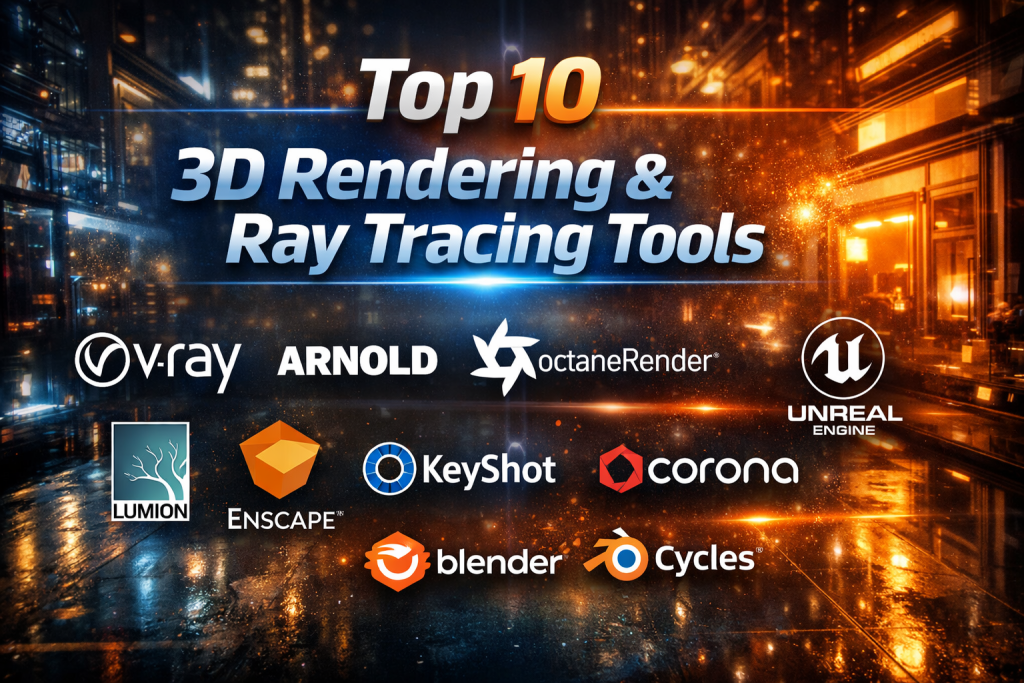
Top 10 3D Rendering & Ray Tracing Tools
1 — V-Ray
Short description:
A production-proven rendering engine widely used in architecture, design, and VFX for high-quality photorealistic rendering.
Key features:
- Physically accurate ray tracing
- Global illumination and advanced lighting
- CPU and GPU rendering modes
- Deep integration with major 3D tools
- Distributed and cloud rendering
- Advanced material and texture system
Pros:
- Industry-standard realism and quality
- Extremely flexible for complex scenes
- Mature ecosystem and plugins
Cons:
- Steep learning curve for beginners
- Requires powerful hardware for best results
Security & compliance:
Varies / N/A (primarily local creative software)
Support & community:
Extensive documentation, large professional community, enterprise-grade support options
2 — Arnold
Short description:
A high-end ray tracing renderer designed for film, animation, and VFX studios that prioritize accuracy and predictability.
Key features:
- Monte Carlo ray tracing
- Scales efficiently with complex geometry
- Physically based shading system
- Seamless integration with DCC tools
- Predictable lighting behavior
- Production-tested pipeline support
Pros:
- Exceptional realism for cinematic work
- Handles extremely complex scenes well
- Trusted by major studios
Cons:
- Slower for real-time needs
- Less beginner-friendly
Security & compliance:
Varies / N/A
Support & community:
Strong studio adoption, professional documentation, enterprise support
3 — OctaneRender
Short description:
A GPU-accelerated, unbiased renderer known for speed and stunning realism, especially in motion graphics and product visualization.
Key features:
- Fully GPU-based ray tracing
- Real-time preview rendering
- Spectral light simulation
- Node-based material system
- Network and cloud rendering
- Deep integration with creative tools
Pros:
- Extremely fast render times
- High-quality lighting and materials
- Ideal for look development
Cons:
- GPU memory limitations
- Requires modern GPUs
Security & compliance:
Varies / N/A
Support & community:
Active community, frequent updates, strong learning resources
4— Redshift
Short description:
A production-focused GPU renderer optimized for speed, control, and scalability in professional pipelines.
Key features:
- Biased GPU ray tracing
- Advanced optimization controls
- Out-of-core memory support
- AOV and pass management
- Scalable for large scenes
- Tight DCC integrations
Pros:
- Fast and memory-efficient
- Great balance of speed and quality
- Popular in motion design
Cons:
- Requires tuning for best results
- Paid, professional-grade pricing
Security & compliance:
Varies / N/A
Support & community:
Strong user base, professional support, growing documentation
5 — Unreal Engine
Short description:
A real-time engine with advanced ray tracing used for games, virtual production, and real-time architectural visualization.
Key features:
- Real-time ray tracing
- Physically based materials
- Cinematic lighting tools
- Virtual production workflows
- Massive asset ecosystem
- Cross-platform deployment
Pros:
- Real-time photorealism
- Ideal for interactive experiences
- Strong industry momentum
Cons:
- Complex for non-technical users
- High hardware demands
Security & compliance:
Varies / N/A
Support & community:
Huge global community, extensive learning content, enterprise support available
6 — Lumion
Short description:
A visualization-focused renderer designed for architects who want fast, visually appealing results with minimal setup.
Key features:
- Real-time rendering
- Built-in asset and material library
- Easy-to-use lighting presets
- Terrain and environment tools
- Animation and walkthrough creation
- CAD/BIM compatibility
Pros:
- Very easy to learn
- Fast results for presentations
- Architecture-focused features
Cons:
- Less control than high-end renderers
- Not ideal for film-quality output
Security & compliance:
Varies / N/A
Support & community:
Good documentation, architecture-centric user base, responsive support
7 — Enscape
Short description:
A real-time rendering plugin tightly integrated with BIM and CAD tools for instant visualization.
Key features:
- One-click real-time rendering
- Live design updates
- VR-ready workflows
- Built-in asset library
- Physically based lighting
- Easy client sharing
Pros:
- Seamless BIM integration
- Minimal learning curve
- Excellent for client reviews
Cons:
- Limited advanced rendering controls
- Focused mainly on architecture
Security & compliance:
Varies / N/A
Support & community:
Strong architectural community, solid documentation, professional support
8 — KeyShot
Short description:
A product visualization renderer optimized for speed, simplicity, and marketing-quality visuals.
Key features:
- CPU/GPU hybrid rendering
- Real-time ray tracing
- Drag-and-drop materials
- HDRI lighting presets
- Animation and turntables
- CAD-friendly workflow
Pros:
- Extremely easy to use
- Fast setup and rendering
- Ideal for product marketing
Cons:
- Limited scene complexity
- Less flexible for cinematic work
Security & compliance:
Varies / N/A
Support & community:
Clear documentation, active user base, commercial support
9 — Corona Renderer
Short description:
A photorealistic renderer favored in architectural visualization for its simplicity and natural lighting.
Key features:
- Unbiased ray tracing
- Simple, clean UI
- High-quality global illumination
- Interactive rendering
- Efficient material setup
- Stable production workflow
Pros:
- Easy to learn
- Excellent realism for archviz
- Predictable lighting results
Cons:
- Slower than GPU renderers
- Limited real-time capabilities
Security & compliance:
Varies / N/A
Support & community:
Dedicated archviz community, helpful forums, professional support
10 — Blender Cycles
Short description:
An open-source ray tracing engine built into Blender, suitable for artists seeking professional results without licensing costs.
Key features:
- Path-tracing engine
- CPU and GPU support
- Physically based materials
- Active open-source development
- Integrated modeling and animation
- Large plugin ecosystem
Pros:
- Free and open-source
- Rapidly improving quality
- Strong creative flexibility
Cons:
- Slower than specialized GPU renderers
- Requires optimization for large scenes
Security & compliance:
Varies / N/A
Support & community:
Massive global community, tutorials, forums, and frequent updates
Comparison Table
| Tool Name | Best For | Platform(s) Supported | Standout Feature | Rating |
|---|---|---|---|---|
| V-Ray | High-end photorealism | Windows, macOS, Linux | Industry-standard realism | N/A |
| Arnold | Film & VFX studios | Windows, macOS, Linux | Cinematic ray tracing | N/A |
| OctaneRender | GPU-based speed | Windows, macOS, Linux | Real-time GPU ray tracing | N/A |
| Redshift | Scalable GPU workflows | Windows, macOS, Linux | Optimized biased rendering | N/A |
| Unreal Engine | Real-time visuals | Windows, macOS | Real-time ray tracing | N/A |
| Lumion | Architecture visuals | Windows | Fast archviz output | N/A |
| Enscape | BIM visualization | Windows, macOS | One-click real-time rendering | N/A |
| KeyShot | Product marketing | Windows, macOS | Ease of use | N/A |
| Corona Renderer | Architectural realism | Windows | Natural lighting | N/A |
| Blender Cycles | Budget-conscious creators | Windows, macOS, Linux | Free ray tracing | N/A |
Evaluation & Scoring of 3D Rendering & Ray Tracing Tools
| Criteria | Weight | Average Score |
|---|---|---|
| Core features | 25% | High |
| Ease of use | 15% | Medium |
| Integrations & ecosystem | 15% | High |
| Security & compliance | 10% | Low |
| Performance & reliability | 10% | High |
| Support & community | 10% | High |
| Price / value | 15% | Medium–High |
Which 3D Rendering & Ray Tracing Tool Is Right for You?
- Solo creators: Blender Cycles, KeyShot
- SMBs & agencies: V-Ray, Redshift, OctaneRender
- Enterprises & studios: Arnold, Unreal Engine
- Architecture-focused: Lumion, Enscape, Corona Renderer
- Budget-conscious: Blender Cycles
- Real-time needs: Unreal Engine, Enscape
Balance feature depth, hardware availability, budget, and learning curve to find the right fit.
Frequently Asked Questions (FAQs)
1. What is ray tracing in 3D rendering?
Ray tracing simulates real-world light behavior to produce realistic shadows, reflections, and illumination.
2. Is GPU rendering better than CPU rendering?
GPU rendering is faster for many tasks, while CPU rendering handles massive scenes more predictably.
3. Are real-time renderers replacing offline renderers?
They complement each other—real-time for previews, offline for final-quality output.
4. Do I need expensive hardware?
High-end rendering benefits from powerful GPUs, but some tools scale to modest setups.
5. Which tool is best for architecture?
V-Ray, Lumion, Enscape, and Corona Renderer are top choices.
6. Is Blender suitable for professional work?
Yes, many studios use Blender Cycles for production-quality rendering.
7. What’s the easiest tool for beginners?
KeyShot and Lumion offer the shortest learning curves.
8. Are these tools secure?
Most run locally; enterprise security depends on deployment and IT policies.
9. Can these tools handle animations?
Yes, most support stills, animations, and walkthroughs.
10. Should I choose based on realism alone?
No—workflow efficiency, cost, and integration matter just as much.
Conclusion
3D Rendering & Ray Tracing tools are essential for transforming ideas into compelling, realistic visuals. While some tools excel in cinematic realism, others shine in real-time performance or ease of use. The best choice depends on your industry, budget, hardware, and creative goals.
There is no single universal winner—only the tool that best fits your workflow. By evaluating realism, performance, usability, and long-term scalability, you can confidently select a rendering solution that delivers both visual impact and practical value.

Find Trusted Cardiac Hospitals
Compare heart hospitals by city and services — all in one place.
Explore Hospitals