
Introduction
Bookmark Managers are specialized tools designed to save, organize, tag, search, and retrieve web links efficiently. Unlike traditional browser bookmarks—which often become cluttered and difficult to manage—modern bookmark managers focus on productivity, collaboration, and long-term knowledge organization. They help users preserve valuable online content, research materials, references, and inspiration without losing track over time.
In today’s information-heavy work environment, professionals constantly juggle articles, dashboards, tools, tutorials, and internal resources. Bookmark Managers play a critical role by enabling structured organization, fast retrieval, cross-device syncing, and team sharing. Whether you are a solo professional managing personal knowledge or an enterprise coordinating shared resources, these tools bring clarity and control to information overload.
When evaluating Bookmark Managers, users should consider factors such as ease of use, tagging and search quality, cross-platform support, integrations, collaboration features, security controls, and long-term scalability. The right tool should feel invisible—saving time rather than creating friction—while aligning with your workflow and data governance needs.
Best for:
Bookmark Managers are ideal for researchers, content creators, developers, marketers, product managers, students, consultants, and distributed teams. Small businesses and enterprises also benefit when managing shared knowledge repositories or curated internal resources.
Not ideal for:
Users who save only a handful of links occasionally, rely entirely on browser history, or prefer manual note-taking without digital organization may not need a dedicated Bookmark Manager.
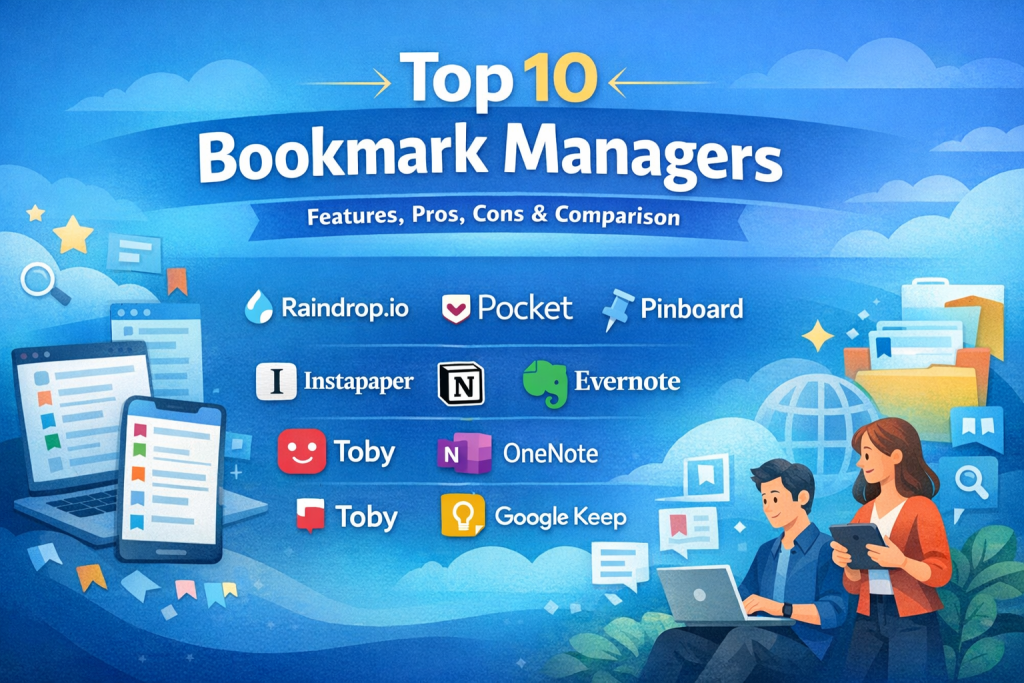
Top 10 Bookmark Managers Tools
1 — Raindrop.io
Short description:
A visually rich bookmark manager designed for individuals and teams who want structured, tag-based organization with powerful search.
Key features:
- Tag-based and folder-based organization
- Visual previews and thumbnails
- Full-text search within saved pages
- Cross-device synchronization
- Team collections and sharing
- Import from browsers and other tools
Pros:
- Clean, modern user interface
- Strong balance of simplicity and depth
- Reliable cross-platform syncing
Cons:
- Advanced features require paid plans
- Limited enterprise-level compliance controls
Security & compliance:
Encryption in transit and at rest; GDPR compliant; SOC certifications vary by plan.
Support & community:
Good documentation, responsive email support, active user community.
2 — Pocket
Short description:
A popular “read-it-later” tool focused on saving articles for distraction-free reading.
Key features:
- One-click article saving
- Clean reading mode
- Offline access
- Tagging and recommendations
- Cross-platform apps
Pros:
- Extremely easy to use
- Excellent reading experience
- Strong mobile support
Cons:
- Limited organizational depth
- Not ideal for large bookmark libraries
Security & compliance:
Standard encryption; GDPR compliant; enterprise compliance is N/A.
Support & community:
Strong help center, large global user base.
3 — Pinboard
Short description:
A minimalist, text-focused bookmarking tool built for speed, reliability, and long-term archiving.
Key features:
- Tag-based bookmarking
- Full-text archiving option
- No ads or tracking
- Fast search
- Simple API access
Pros:
- Extremely lightweight and fast
- Long-term data stability
- Ideal for power users
Cons:
- Dated user interface
- Limited collaboration features
Security & compliance:
Basic encryption; compliance certifications are N/A.
Support & community:
Minimal support, but transparent communication and loyal user base.
4 — Diigo
Short description:
A research-oriented bookmark manager with annotation and collaboration capabilities.
Key features:
- Highlighting and annotations
- Tagging and lists
- Team libraries
- PDF bookmarking
- Browser extensions
Pros:
- Excellent for research workflows
- Strong annotation tools
- Suitable for education and teams
Cons:
- Interface feels dated
- Performance can vary with large libraries
Security & compliance:
Basic encryption; enterprise compliance varies by plan.
Support & community:
Decent documentation, moderate community activity.
5 — Instapaper
Short description:
A minimalist reading-focused bookmark tool optimized for long-form content consumption.
Key features:
- Clean reading mode
- Offline access
- Speed reading features
- Highlights and notes
- Folder organization
Pros:
- Excellent for long reads
- Lightweight and distraction-free
- Fast performance
Cons:
- Limited collaboration
- Less suitable for complex bookmarking
Security & compliance:
Standard encryption; compliance certifications N/A.
Support & community:
Basic documentation, smaller community than competitors.
6 — Notion
Short description:
An all-in-one workspace that doubles as a powerful bookmark and knowledge management system.
Key features:
- Database-driven bookmark organization
- Rich metadata and tagging
- Team collaboration
- Templates and automation
- Integrations with productivity tools
Pros:
- Highly flexible and customizable
- Ideal for team knowledge bases
- Strong ecosystem
Cons:
- Learning curve for new users
- Overkill for simple bookmarking
Security & compliance:
SSO, encryption, SOC 2, GDPR compliant.
Support & community:
Extensive documentation, large global community, enterprise support available.
7 — Evernote
Short description:
A long-standing note-taking platform with robust web clipping and bookmarking features.
Key features:
- Web clipping
- Tagging and notebooks
- Full-text search
- Cross-device sync
- Task management
Pros:
- Mature, feature-rich platform
- Excellent search capabilities
- Suitable for mixed notes and bookmarks
Cons:
- Pricing has increased over time
- Can feel heavy for simple use cases
Security & compliance:
Encryption, GDPR, enterprise security controls available.
Support & community:
Strong documentation, long-established user community.
8 — Toby
Short description:
A browser-first bookmark and tab management tool for professionals who live in tabs.
Key features:
- Tab collections
- Drag-and-drop organization
- Team sharing
- Browser extensions
- Session restoration
Pros:
- Excellent for tab-heavy workflows
- Simple and intuitive
- Improves browser productivity
Cons:
- Limited outside the browser
- Not designed for deep knowledge storage
Security & compliance:
Basic encryption; enterprise compliance N/A.
Support & community:
Good onboarding guides, responsive support.
9 — Microsoft OneNote
Short description:
A digital notebook platform that supports structured bookmarking within broader note systems.
Key features:
- Hierarchical notebooks
- Web clipping
- Cross-device sync
- Integration with Microsoft ecosystem
- Offline access
Pros:
- Strong enterprise adoption
- Free tier available
- Flexible organization
Cons:
- Less intuitive for pure bookmarking
- Search can feel inconsistent
Security & compliance:
Enterprise-grade security, SSO, ISO, GDPR.
Support & community:
Extensive enterprise support and documentation.
10 — Google Keep
Short description:
A lightweight note and link-saving tool tightly integrated with Google’s ecosystem.
Key features:
- Quick link saving
- Labels and color coding
- Cross-device sync
- Voice notes
- Offline access
Pros:
- Extremely simple and fast
- Free to use
- Ideal for casual users
Cons:
- Limited organization depth
- Not suitable for large libraries
Security & compliance:
Google-standard encryption; GDPR compliant.
Support & community:
Basic documentation, large general user base.
Comparison Table
| Tool Name | Best For | Platform(s) Supported | Standout Feature | Rating |
|---|---|---|---|---|
| Raindrop.io | Power users & teams | Web, iOS, Android, Desktop | Visual organization | N/A |
| Casual readers | Web, iOS, Android | Reading experience | N/A | |
| Pinboard | Minimalists | Web | Speed & archiving | N/A |
| Diigo | Researchers | Web, Browser extensions | Annotations | N/A |
| Instapaper | Long-form readers | Web, iOS, Android | Clean reading mode | N/A |
| Notion | Teams & enterprises | Web, Desktop, Mobile | Databases | N/A |
| Evernote | Knowledge workers | Web, Desktop, Mobile | Web clipping | N/A |
| Toby | Browser-heavy users | Browser extensions | Tab management | N/A |
| OneNote | Enterprises | Web, Desktop, Mobile | Microsoft integration | N/A |
| Google Keep | Casual users | Web, Mobile | Simplicity | N/A |
Evaluation & Scoring of Bookmark Managers
| Criteria | Weight | Evaluation Focus |
|---|---|---|
| Core features | 25% | Organization, search, tagging |
| Ease of use | 15% | Learning curve, UI clarity |
| Integrations & ecosystem | 15% | Workflow compatibility |
| Security & compliance | 10% | Encryption, enterprise controls |
| Performance & reliability | 10% | Speed, sync stability |
| Support & community | 10% | Documentation, help |
| Price / value | 15% | Cost vs benefits |
Which Bookmark Managers Tool Is Right for You?
- Solo users: Simple tools like Pocket or Google Keep offer minimal friction.
- SMBs: Raindrop.io, Diigo, or Evernote provide structure without complexity.
- Mid-market teams: Notion and Evernote support collaboration and scale.
- Enterprises: OneNote or Notion offer governance, security, and integrations.
Budget-conscious users should favor lightweight tools, while power users may benefit from premium features. Choose depth if managing knowledge long-term, and simplicity if speed matters most.
Frequently Asked Questions (FAQs)
- What is a Bookmark Manager?
A tool that saves, organizes, and retrieves web links more effectively than browser bookmarks. - Are Bookmark Managers secure?
Most offer encryption; enterprise-grade tools add SSO and compliance controls. - Can teams use Bookmark Managers?
Yes, many support shared libraries and collaboration. - Do they replace browsers?
No, they complement browsers by improving organization. - Are free plans enough?
For casual users, yes; power users often need paid tiers. - Can I import existing bookmarks?
Most tools support importing from browsers and other services. - Do they work offline?
Some offer offline access, especially reading-focused tools. - Are they suitable for research?
Yes, especially tools with annotations and tagging. - Do enterprises need compliance features?
Yes, especially when handling sensitive or regulated data. - What’s the biggest mistake users make?
Saving links without consistent tagging or structure.
Conclusion
Bookmark Managers are essential tools for managing digital information efficiently. The best solution depends on how much content you save, how you work, and whether collaboration or compliance matters. Rather than searching for a universal winner, focus on aligning features with your real-world needs. When chosen correctly, a Bookmark Manager becomes a quiet productivity multiplier—always there when you need it.

Find Trusted Cardiac Hospitals
Compare heart hospitals by city and services — all in one place.
Explore Hospitals