
Introduction
CAD/CAM manufacturing software sits at the heart of modern product design and production. CAD (Computer-Aided Design) tools help engineers and designers create precise digital models, while CAM (Computer-Aided Manufacturing) software translates those models into machine-ready instructions for CNC mills, lathes, routers, and additive manufacturing systems. Together, CAD/CAM software bridges the gap between idea and execution.
In today’s manufacturing landscape—where speed, accuracy, repeatability, and cost efficiency are non-negotiable—CAD/CAM tools are essential. They reduce manual errors, optimize toolpaths, shorten production cycles, and enable complex geometries that would be nearly impossible to manufacture manually.
Common real-world use cases include:
- CNC machining for automotive, aerospace, and medical parts
- Sheet-metal fabrication and tooling
- Mold, die, and jig design
- Rapid prototyping and small-batch production
- High-precision 3-axis to 5-axis machining
When choosing a CAD/CAM manufacturing software, users should evaluate design depth, machining capabilities, ease of use, post-processor support, machine compatibility, simulation accuracy, integrations, scalability, and total cost of ownership.
Best for:
CAD/CAM manufacturing software is ideal for mechanical engineers, CNC programmers, toolmakers, manufacturing firms, job shops, aerospace and automotive suppliers, medical device manufacturers, and industrial design teams, ranging from solo professionals to large enterprises.
Not ideal for:
These tools may be overkill for pure conceptual designers, non-manufacturing design roles, or businesses without CNC or digital fabrication workflows, where lighter CAD-only tools or outsourced manufacturing may be more practical.
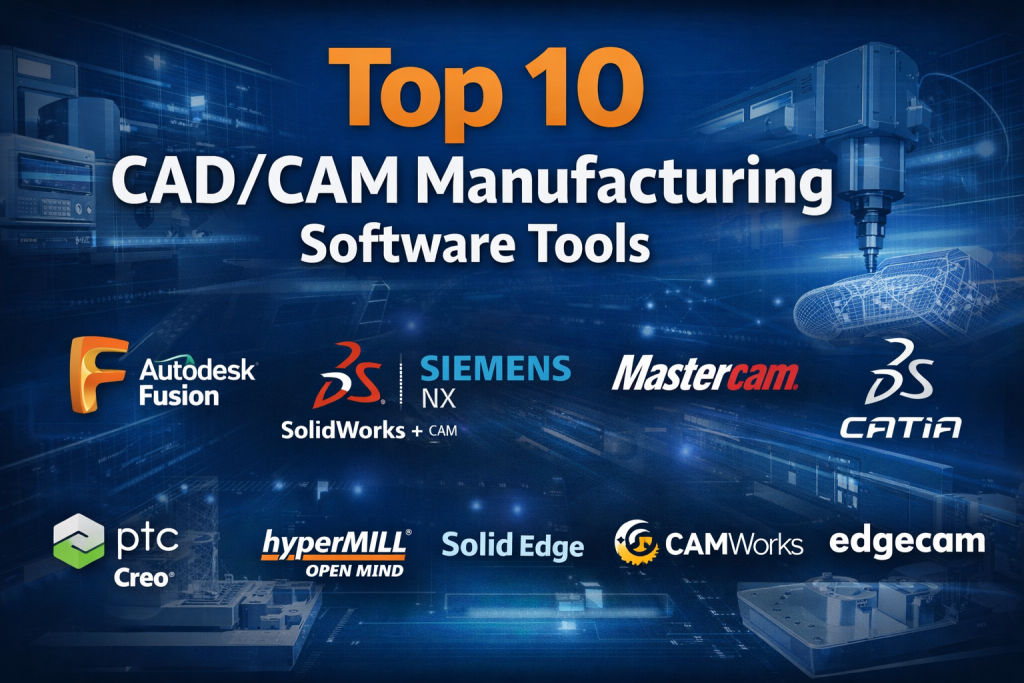
Top 10 CAD/CAM Manufacturing Software Tools
1 — Autodesk Fusion
Short description:
A cloud-enabled CAD/CAM platform combining design, manufacturing, simulation, and collaboration in one environment. Designed for startups, SMBs, and modern product teams.
Key features:
- Integrated CAD, CAM, CAE, and PCB design
- 2.5-axis to 5-axis CNC machining
- Cloud collaboration and version control
- Parametric, direct, and freeform modeling
- Toolpath simulation and collision detection
- Large post-processor library
Pros:
- All-in-one workflow reduces tool switching
- Affordable compared to enterprise suites
Cons:
- Internet dependency for some features
- Performance limits on very large assemblies
Security & compliance:
Cloud encryption, role-based access, SSO support (enterprise plans), GDPR aligned.
Support & community:
Extensive documentation, tutorials, strong global user community, commercial support available.
2 — SolidWorks + CAM
Short description:
A widely adopted mechanical CAD system paired with integrated CAM solutions for professional manufacturing workflows.
Key features:
- Parametric solid and assembly modeling
- Integrated 2.5-axis and 3-axis CAM
- Drawing automation and GD&T
- Large ecosystem of add-ins
- Industry-standard file compatibility
Pros:
- Industry-trusted and widely taught
- Strong ecosystem and partner support
Cons:
- CAM features may require add-ons
- Licensing costs can be high
Security & compliance:
Enterprise-grade access control, data encryption, ISO-aligned processes.
Support & community:
Strong reseller network, extensive training, very large professional community.
3 — Siemens NX
Short description:
A high-end, integrated CAD/CAM/CAE platform used by aerospace, automotive, and advanced manufacturing enterprises.
Key features:
- Advanced parametric and surface modeling
- High-performance multi-axis CAM
- Digital twin and simulation
- Complex assembly management
- Enterprise PLM integration
Pros:
- Exceptional depth and scalability
- Ideal for complex, high-precision manufacturing
Cons:
- Steep learning curve
- Premium pricing
Security & compliance:
Enterprise SSO, audit logs, ISO-aligned, GDPR compliant.
Support & community:
Professional enterprise support, certified training programs, smaller but expert user base.
4 — Mastercam
Short description:
A CAM-focused solution known for powerful toolpath generation and broad CNC machine support.
Key features:
- 2D, 3D, and multi-axis machining
- Extensive post-processor library
- Toolpath verification and simulation
- Wire EDM and mill-turn support
- CAD import compatibility
Pros:
- Excellent machining control
- Industry-leading CNC compatibility
Cons:
- Limited native CAD capabilities
- UI feels dated to some users
Security & compliance:
On-prem deployment; security depends on local IT controls.
Support & community:
Strong training network, active machining community, reseller-based support.
5 — CATIA
Short description:
A premium CAD/CAM platform for complex product design and manufacturing, especially in aerospace and automotive sectors.
Key features:
- Advanced surface and solid modeling
- Integrated CAM and digital manufacturing
- Large assembly management
- Systems engineering support
- High-end simulation tools
Pros:
- Best-in-class surface modeling
- Proven at massive enterprise scale
Cons:
- Very expensive
- Requires specialized training
Security & compliance:
Enterprise security controls, ISO standards alignment, GDPR support.
Support & community:
Vendor-led enterprise support, certified partners, smaller but highly skilled community.
6 — PTC Creo
Short description:
A robust parametric CAD/CAM solution built for complex mechanical design and manufacturing flexibility.
Key features:
- Parametric and direct modeling
- Integrated CAM extensions
- Advanced surfacing
- Additive and subtractive workflows
- Associative design updates
Pros:
- Powerful parametric engine
- Handles complex geometry well
Cons:
- Interface feels less modern
- CAM modules increase cost
Security & compliance:
Enterprise-ready security, role-based access, GDPR compliant.
Support & community:
Professional support, solid documentation, moderate community presence.
7 — HyperMill
Short description:
A specialized high-performance CAM software focused on advanced multi-axis machining.
Key features:
- 3-axis to 5-axis machining
- Collision-free toolpaths
- Optimized roughing strategies
- Machine simulation
- CAD integration support
Pros:
- Exceptional machining efficiency
- Ideal for complex parts
Cons:
- CAD features are limited
- High cost
Security & compliance:
On-prem enterprise deployments; compliance varies by implementation.
Support & community:
Strong technical support, niche but expert community.
8 — Solid Edge
Short description:
A mid-market CAD/CAM solution combining synchronous modeling with manufacturing workflows.
Key features:
- Synchronous and parametric modeling
- Integrated CAM Pro
- Sheet metal and assembly tools
- Simulation and validation
- PLM integration
Pros:
- Flexible modeling approach
- Good balance of power and usability
Cons:
- Smaller ecosystem than competitors
- Fewer learning resources
Security & compliance:
Enterprise data security, GDPR compliant.
Support & community:
Vendor support, moderate documentation, growing user base.
9 — CAMWorks
Short description:
A feature-based CAM system deeply integrated with popular CAD platforms.
Key features:
- Feature recognition machining
- Knowledge-based machining rules
- Multi-axis CNC support
- Automatic toolpath updates
- CAD-embedded workflows
Pros:
- Reduces programming time
- CAD-CAM associativity
Cons:
- Dependent on host CAD software
- Advanced features cost extra
Security & compliance:
Depends on CAD platform security standards.
Support & community:
Good technical support, niche professional community.
10 — Edgecam
Short description:
A production-focused CAM solution aimed at efficient CNC programming and shop-floor reliability.
Key features:
- Automated toolpath strategies
- Multi-axis machining
- Machine simulation
- Production-oriented workflows
- CAD import support
Pros:
- Optimized for production environments
- Strong automation features
Cons:
- Limited CAD tools
- UI learning curve
Security & compliance:
On-prem security; compliance varies by deployment.
Support & community:
Professional support, manufacturing-centric user base.
Comparison Table
| Tool Name | Best For | Platform(s) Supported | Standout Feature | Rating |
|---|---|---|---|---|
| Autodesk Fusion | SMBs, startups | Windows, macOS, Cloud | All-in-one CAD/CAM | N/A |
| SolidWorks + CAM | Mechanical design teams | Windows | Industry standard CAD | N/A |
| Siemens NX | Enterprises | Windows | Enterprise-grade integration | N/A |
| Mastercam | CNC programmers | Windows | Powerful toolpaths | N/A |
| CATIA | Aerospace, automotive | Windows | Advanced surfacing | N/A |
| PTC Creo | Complex mechanical design | Windows | Parametric flexibility | N/A |
| HyperMill | Advanced machining | Windows | 5-axis optimization | N/A |
| Solid Edge | Mid-market teams | Windows | Synchronous modeling | N/A |
| CAMWorks | CAD-embedded CAM | Windows | Feature-based machining | N/A |
| Edgecam | Production CNC | Windows | Automation-driven CAM | N/A |
Evaluation & Scoring of CAD/CAM Manufacturing Software
| Tool | Core Features (25%) | Ease of Use (15%) | Integrations (15%) | Security (10%) | Performance (10%) | Support (10%) | Price/Value (15%) | Total Score |
|---|---|---|---|---|---|---|---|---|
| Autodesk Fusion | 22 | 13 | 13 | 8 | 8 | 8 | 13 | 85 |
| SolidWorks + CAM | 23 | 12 | 14 | 8 | 9 | 9 | 10 | 85 |
| Siemens NX | 25 | 10 | 15 | 9 | 10 | 9 | 8 | 86 |
| Mastercam | 22 | 11 | 12 | 7 | 9 | 8 | 11 | 80 |
| CATIA | 25 | 9 | 15 | 9 | 10 | 9 | 7 | 84 |
Which CAD/CAM Manufacturing Software Tool Is Right for You?
- Solo users & startups: Integrated, affordable tools with gentle learning curves
- SMBs: Balanced CAD/CAM suites with strong CNC support
- Mid-market & enterprise: Scalable platforms with PLM and compliance
Budget-conscious vs premium:
Lower-cost tools suit prototyping and small batches, while premium platforms excel in large-scale, regulated manufacturing.
Feature depth vs ease of use:
Advanced multi-axis machining comes with complexity—match software to team skill level.
Integration & scalability:
Ensure compatibility with existing CAD, PLM, ERP, and CNC machines.
Security & compliance:
Critical for aerospace, defense, and medical manufacturing.
Frequently Asked Questions (FAQs)
1. What is CAD/CAM manufacturing software?
It combines digital design with automated manufacturing workflows for CNC and fabrication.
2. Do I need both CAD and CAM?
Yes, for end-to-end manufacturing control and efficiency.
3. Is CAD/CAM only for large factories?
No, many tools are designed for small shops and startups.
4. Can CAD/CAM reduce production costs?
Yes, by minimizing errors, material waste, and rework.
5. What machines do CAM tools support?
CNC mills, lathes, routers, EDM, and hybrid systems.
6. Is cloud-based CAD/CAM safe?
Generally yes, with encryption and access controls.
7. How long does implementation take?
From days for simple setups to months for enterprises.
8. Are free CAD/CAM tools viable?
They work for learning, but lack production-grade features.
9. What is 5-axis machining?
Advanced CNC machining allowing complex geometries in fewer setups.
10. What is the biggest mistake buyers make?
Choosing tools based on popularity instead of workflow needs.
Conclusion
CAD/CAM manufacturing software is no longer optional—it is foundational to modern, efficient, and competitive manufacturing. The right tool improves precision, accelerates production, and enables innovation across industries.
There is no universal “best” CAD/CAM software. The ideal choice depends on company size, budget, machine complexity, compliance needs, and team expertise. By aligning software capabilities with real manufacturing requirements, organizations can unlock significant long-term value and production excellence.

Find Trusted Cardiac Hospitals
Compare heart hospitals by city and services — all in one place.
Explore Hospitals