
Introduction
CAT (Computer-Assisted Translation) tools are professional software solutions designed to help translators, localization teams, and language service providers translate content faster, more consistently, and with higher quality. Unlike machine translation tools that translate text automatically, CAT tools support human translators by offering features like translation memory, terminology management, quality assurance checks, and collaborative workflows.
In today’s global-first world, organizations must translate websites, apps, software interfaces, legal documents, medical content, marketing materials, and technical manuals across dozens of languages—often under tight deadlines. CAT tools ensure terminology consistency, cost savings through reuse, and scalable multilingual workflows that manual translation simply cannot match.
Common real-world use cases include software localization, SaaS product updates, multilingual documentation, regulated industry translations, eCommerce catalogs, and enterprise knowledge bases. When choosing a CAT tool, users should evaluate translation memory quality, terminology control, collaboration features, file format support, integrations, security, scalability, and usability—not just price.
Best for:
CAT tools are ideal for professional translators, localization managers, language service providers (LSPs), SaaS companies, global enterprises, eCommerce brands, gaming studios, healthcare organizations, and legal firms that manage recurring multilingual content.
Not ideal for:
They may be unnecessary for one-off translations, casual personal use, or teams that rely entirely on raw machine translation without human review.
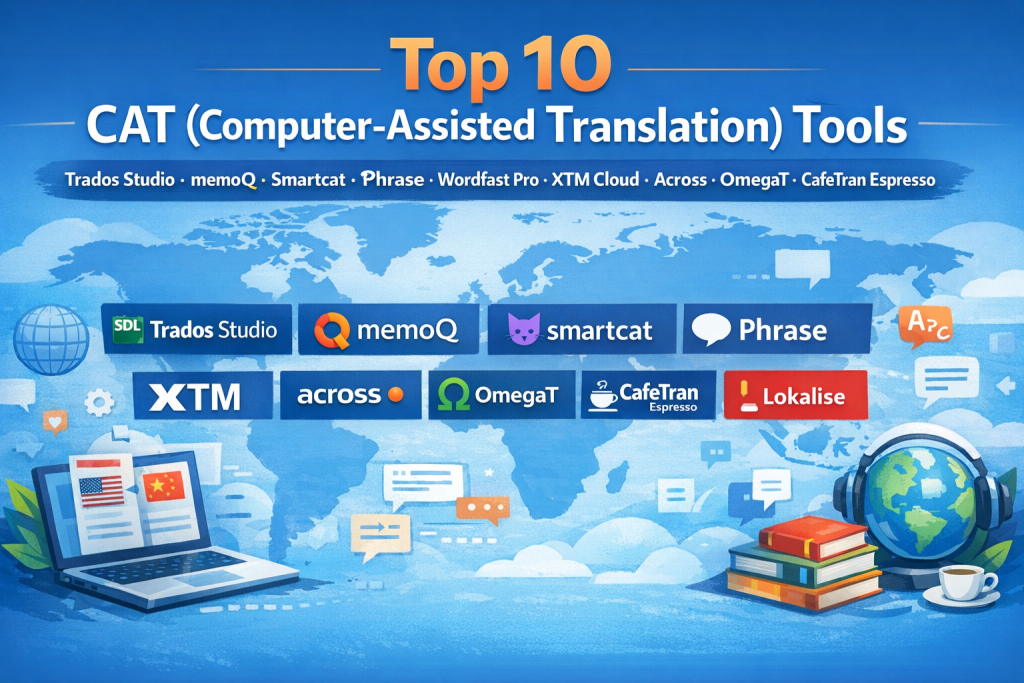
Top 10 CAT (Computer-Assisted Translation) Tools
1 — Trados Studio
Short description:
A market-leading CAT tool widely used by professional translators and enterprises for complex, large-scale localization projects.
Key features
- Advanced translation memory (TM) management
- Terminology databases with QA enforcement
- Extensive file format support (software, web, documents)
- Built-in quality assurance and verification checks
- Desktop and cloud collaboration options
- Strong third-party plugin ecosystem
Pros
- Industry-standard with unmatched maturity
- Extremely powerful for complex workflows
- Strong enterprise trust and adoption
Cons
- Steep learning curve for beginners
- Higher cost compared to newer tools
Security & compliance
Enterprise-grade encryption, SSO options, GDPR support (varies by deployment)
Support & community
Extensive documentation, large global user community, enterprise support plans available
2 — memoQ
Short description:
A robust CAT tool designed for translators, project managers, and enterprises needing flexibility and collaboration.
Key features
- Advanced TM and terminology management
- Real-time collaboration and project management
- Customizable QA rules
- Strong machine translation integration options
- Supports desktop, server, and cloud deployments
Pros
- Excellent balance of power and usability
- Strong collaboration features
- Flexible deployment models
Cons
- Interface can feel dense
- Licensing complexity for new users
Security & compliance
Role-based access, encryption, GDPR compliance
Support & community
Strong documentation, professional support, active user forums
3 — Smartcat
Short description:
A cloud-native CAT platform focused on collaboration, automation, and integrated vendor management.
Key features
- Cloud-based translation memory
- Built-in marketplace for linguists
- Real-time collaboration
- Integrated machine translation engines
- Workflow automation and analytics
Pros
- Easy onboarding and fast setup
- Excellent for distributed teams
- No heavy desktop installation
Cons
- Less control than desktop CAT tools
- Advanced features require higher plans
Security & compliance
Cloud security standards, GDPR compliance, role-based permissions
Support & community
Good onboarding resources, responsive support, growing community
4 — Phrase (Phrase TMS)
Short description:
A modern localization platform combining CAT functionality with software and product localization workflows.
Key features
- Translation memory and terminology tools
- Developer-friendly localization workflows
- API-first design
- Continuous localization support
- Integration with design and dev tools
Pros
- Excellent for software and SaaS localization
- Strong automation and scalability
- Clean, modern interface
Cons
- Overkill for solo translators
- Pricing aimed at teams and enterprises
Security & compliance
SSO, encryption, GDPR compliance, enterprise security controls
Support & community
High-quality documentation, enterprise onboarding, professional support
5 — Wordfast Pro
Short description:
A lightweight, affordable CAT tool popular among freelance translators and small teams.
Key features
- Cross-platform desktop support
- Translation memory and terminology management
- Wide file format compatibility
- Simple QA checks
- No subscription lock-in
Pros
- Affordable and easy to learn
- Good performance on modest hardware
- Ideal for freelancers
Cons
- Limited collaboration features
- Less advanced automation
Security & compliance
Local file security; compliance depends on user environment
Support & community
Solid documentation, responsive support, smaller but loyal community
6 — XTM Cloud
Short description:
An enterprise-grade cloud CAT tool built for scalable, multi-user localization operations.
Key features
- Cloud-based TM and terminology
- Workflow automation
- Advanced QA and reporting
- Vendor and role management
- API integrations
Pros
- Strong for enterprise localization
- Highly scalable cloud architecture
- Good governance controls
Cons
- Interface can feel complex
- Less appealing for individual translators
Security & compliance
SSO, GDPR, enterprise encryption standards
Support & community
Dedicated enterprise support, training resources available
7 — Across Language Server
Short description:
A centralized CAT platform designed for large organizations managing strict terminology and compliance.
Key features
- Centralized translation memory
- Strong terminology enforcement
- Workflow governance
- Offline and online translation support
- Enterprise integration options
Pros
- Excellent consistency control
- Strong governance and compliance
- Ideal for regulated industries
Cons
- Less intuitive UI
- Not beginner-friendly
Security & compliance
Enterprise security, GDPR, audit trails
Support & community
Professional support, structured onboarding, enterprise focus
8 — OmegaT
Short description:
An open-source CAT tool suitable for individual translators and cost-conscious users.
Key features
- Free and open-source
- Translation memory support
- Terminology glossaries
- Unicode and multilingual support
- Cross-platform compatibility
Pros
- Completely free
- Transparent and customizable
- Strong community-driven development
Cons
- Minimal UI polish
- Limited enterprise features
Security & compliance
N/A (depends on local environment)
Support & community
Active open-source community, community-driven documentation
9 — CafeTran Espresso
Short description:
A power-user CAT tool focused on flexibility, customization, and advanced workflows.
Key features
- Advanced TM handling
- Scriptable workflows
- Extensive format support
- Custom QA rules
- Plugin extensibility
Pros
- Highly customizable
- Excellent performance
- Loved by advanced translators
Cons
- Steeper learning curve
- Smaller user base
Security & compliance
Local security; compliance varies
Support & community
Knowledgeable community, developer-led support
10 — Lokalise
Short description:
A cloud localization platform blending CAT features with product, design, and developer workflows.
Key features
- Cloud-based translation editor
- Translation memory and glossary
- Collaboration and commenting
- Design and developer integrations
- Automation and workflows
Pros
- Excellent UI and usability
- Strong for product teams
- Fast collaboration
Cons
- Less control over low-level TM management
- Pricing scales quickly with usage
Security & compliance
SSO, GDPR, enterprise-grade cloud security
Support & community
Strong documentation, responsive support, active customer base
Comparison Table
| Tool Name | Best For | Platform(s) Supported | Standout Feature | Rating |
|---|---|---|---|---|
| Trados Studio | Enterprise & professionals | Desktop + Cloud | Industry-standard TM | N/A |
| memoQ | Teams & LSPs | Desktop, Server, Cloud | Collaboration flexibility | N/A |
| Smartcat | Distributed teams | Cloud | Built-in marketplace | N/A |
| Phrase | SaaS & software localization | Cloud | Continuous localization | N/A |
| Wordfast Pro | Freelancers | Desktop | Affordable simplicity | N/A |
| XTM Cloud | Large enterprises | Cloud | Workflow automation | N/A |
| Across | Regulated industries | Server + Client | Terminology control | N/A |
| OmegaT | Individuals | Desktop | Open-source | N/A |
| CafeTran Espresso | Power users | Desktop | Customization | N/A |
| Lokalise | Product teams | Cloud | UX & collaboration | N/A |
Evaluation & Scoring of CAT (Computer-Assisted Translation) Tools
| Tool | Core Features (25%) | Ease of Use (15%) | Integrations (15%) | Security (10%) | Performance (10%) | Support (10%) | Price/Value (15%) | Total |
|---|---|---|---|---|---|---|---|---|
| Trados Studio | 24 | 10 | 14 | 9 | 9 | 9 | 8 | 83 |
| memoQ | 23 | 12 | 14 | 9 | 9 | 9 | 9 | 85 |
| Smartcat | 20 | 14 | 13 | 8 | 8 | 8 | 12 | 83 |
| Phrase | 22 | 13 | 15 | 9 | 9 | 9 | 8 | 85 |
| Wordfast Pro | 18 | 14 | 10 | 6 | 8 | 7 | 14 | 77 |
Which CAT (Computer-Assisted Translation) Tool Is Right for You?
- Solo translators: Wordfast Pro, OmegaT, CafeTran Espresso
- SMBs: memoQ, Smartcat
- Mid-market teams: Phrase, Lokalise
- Enterprise & regulated industries: Trados, XTM Cloud, Across
Budget-conscious users should prioritize open-source or perpetual-license tools.
Premium users benefit from automation, governance, and scalability.
Choose ease of use if onboarding speed matters; choose feature depth for long-term efficiency.
Security and compliance are critical for legal, healthcare, and enterprise environments.
Frequently Asked Questions (FAQs)
1. What is a CAT tool used for?
It helps human translators work faster and more consistently using translation memory and QA tools.
2. Is CAT the same as machine translation?
No. CAT tools assist humans; machine translation automates translation.
3. Are CAT tools only for professionals?
Mostly yes, but freelancers and small teams also benefit.
4. Do CAT tools reduce translation costs?
Yes, by reusing existing translations and improving productivity.
5. Are cloud CAT tools safe?
Most offer enterprise-grade encryption and GDPR compliance.
6. Can CAT tools integrate machine translation?
Yes, many support multiple MT engines.
7. Which CAT tool is easiest to learn?
Smartcat, Wordfast Pro, and Lokalise are beginner-friendly.
8. Are open-source CAT tools reliable?
Yes, but they lack enterprise features and formal support.
9. Do CAT tools support collaboration?
Most modern tools support real-time or managed collaboration.
10. Can CAT tools scale globally?
Enterprise tools are designed specifically for global scale.
Conclusion
CAT tools are no longer optional for serious translation and localization work. They drive consistency, speed, cost savings, and quality, enabling organizations to scale multilingual content efficiently. The right tool depends on who you are, how large your team is, what you translate, and how regulated your environment is.
There is no universal winner—only the best fit for your specific needs. By aligning features, usability, integrations, and security with your real-world requirements, you can choose a CAT tool that delivers long-term value and sustainable localization success.

Find Trusted Cardiac Hospitals
Compare heart hospitals by city and services — all in one place.
Explore Hospitals