
Introduction
Cloud Workload Protection Platforms (CWPP) are security solutions designed to protect workloads running in modern cloud environments. These workloads can include virtual machines, containers, Kubernetes clusters, serverless functions, and hybrid or multi-cloud infrastructures. Unlike traditional security tools that focus on perimeter defense, CWPP tools work close to the workload itself, providing deep visibility and protection regardless of where the workload runs.
CWPP has become critical as organizations rapidly adopt cloud-native architectures, microservices, and DevOps practices. Dynamic workloads, ephemeral containers, and distributed systems introduce new attack surfaces that traditional security tools cannot effectively monitor. CWPP solutions address these gaps by offering runtime protection, vulnerability management, configuration monitoring, and threat detection tailored specifically for cloud workloads.
Real-world use cases include detecting malicious activity inside containers, preventing unauthorized changes to workloads, ensuring compliance across cloud environments, securing workloads during CI/CD pipelines, and protecting production systems from zero-day attacks.
When choosing a CWPP solution, organizations should evaluate runtime protection capabilities, workload coverage, cloud and platform compatibility, ease of deployment, integration with DevOps tools, compliance support, scalability, and cost-effectiveness.
Best for:
Cloud Workload Protection Platforms are best suited for DevOps teams, cloud engineers, security operations teams, CISOs, and compliance managers working in cloud-first organizations. They are highly valuable for SaaS companies, fintech, healthcare, e-commerce, and enterprises operating in hybrid or multi-cloud environments.
Not ideal for:
CWPP tools may not be ideal for very small teams with minimal cloud usage, legacy on-prem-only environments, or organizations that rely solely on traditional endpoint or perimeter security without cloud-native workloads.
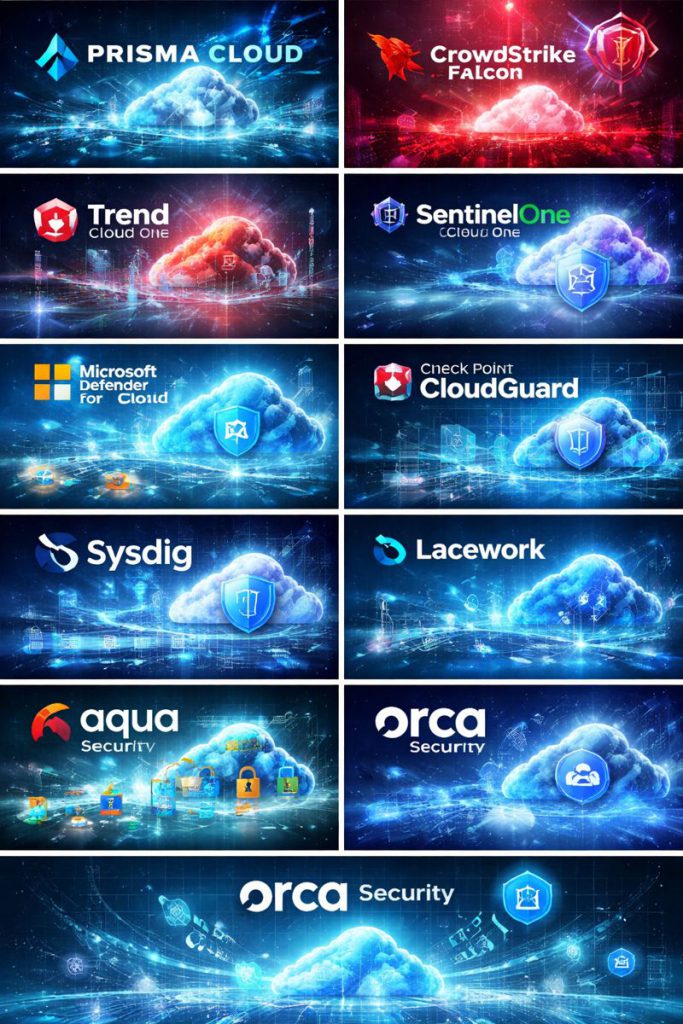
Top 10 Cloud Workload Protection Platforms (CWPP) Tools
1 — Palo Alto Networks Prisma Cloud
Short description:
Prisma Cloud is a comprehensive cloud-native security platform offering advanced CWPP capabilities for enterprises managing complex multi-cloud environments.
Key features:
- Runtime protection for containers, VMs, and serverless workloads
- Advanced threat detection using behavior analysis
- Vulnerability scanning for images and workloads
- Network microsegmentation and firewall controls
- Compliance monitoring and policy enforcement
- CI/CD pipeline security integration
Pros:
- Very strong runtime security and threat intelligence
- Broad coverage across cloud workloads
Cons:
- Complex configuration for beginners
- Premium pricing model
Security & compliance:
Supports SSO, encryption, audit logs, SOC 2, ISO, GDPR, HIPAA, and other major frameworks.
Support & community:
Enterprise-grade support, extensive documentation, and professional onboarding services.
2 — CrowdStrike Falcon Cloud Security
Short description:
CrowdStrike Falcon Cloud Security extends endpoint protection into cloud workloads with unified threat intelligence.
Key features:
- Lightweight agent-based workload protection
- Real-time threat detection and response
- Container and Kubernetes security
- Image vulnerability scanning
- Identity-based workload protection
- Unified console with endpoint security
Pros:
- Strong threat intelligence and detection accuracy
- Low performance overhead
Cons:
- Advanced features require higher-tier plans
- Less configuration flexibility compared to niche CWPP tools
Security & compliance:
Supports SOC 2, ISO 27001, GDPR, and enterprise-grade encryption.
Support & community:
Well-established support ecosystem and strong enterprise customer base.
3 — Trend Micro Cloud One – Workload Security
Short description:
Trend Micro Cloud One provides comprehensive protection for cloud workloads with a focus on hybrid and multi-cloud security.
Key features:
- Anti-malware and intrusion prevention
- Application control and integrity monitoring
- Vulnerability shielding
- Container and Kubernetes security
- Cloud configuration visibility
- Automated compliance reporting
Pros:
- Mature security engine
- Good hybrid cloud support
Cons:
- Interface can feel complex
- Deployment may require tuning
Security & compliance:
Supports SOC 2, GDPR, HIPAA, ISO, and industry compliance standards.
Support & community:
Strong documentation, enterprise support, and global partner network.
4 — SentinelOne Singularity Cloud Workload Security
Short description:
SentinelOne delivers AI-driven protection for cloud workloads with a strong focus on autonomous threat response.
Key features:
- AI-based runtime threat detection
- Behavioral analysis for workloads
- Container and Kubernetes protection
- Automated remediation actions
- Unified endpoint and cloud visibility
- Forensic investigation tools
Pros:
- Autonomous response reduces manual effort
- Strong behavioral detection
Cons:
- Pricing can increase with scale
- Some advanced features require tuning
Security & compliance:
Supports SOC 2, GDPR, ISO standards, and encrypted telemetry.
Support & community:
Responsive enterprise support and active security community.
5 — Microsoft Defender for Cloud
Short description:
Microsoft Defender for Cloud provides built-in workload protection for organizations using Microsoft Azure and hybrid environments.
Key features:
- Native Azure workload security
- Threat detection for VMs and containers
- Vulnerability management
- Compliance posture management
- Integration with Microsoft security ecosystem
- Automated security recommendations
Pros:
- Seamless integration with Azure
- Cost-effective for Microsoft-centric environments
Cons:
- Limited depth outside Microsoft ecosystem
- Advanced features require multiple add-ons
Security & compliance:
Supports ISO, SOC, GDPR, HIPAA, and Microsoft security standards.
Support & community:
Extensive documentation and global Microsoft support network.
6 — Check Point CloudGuard Workload Protection
Short description:
CloudGuard provides robust CWPP capabilities with strong network security and policy enforcement.
Key features:
- Runtime protection for workloads
- Network security and microsegmentation
- Threat prevention and malware detection
- Container and Kubernetes security
- Compliance and posture management
- Unified policy management
Pros:
- Strong network security heritage
- Centralized policy control
Cons:
- UI may feel dated
- Configuration complexity for new users
Security & compliance:
Supports SOC 2, GDPR, ISO, and advanced audit logging.
Support & community:
Enterprise support and long-standing security community.
7 — Sysdig Secure
Short description:
Sysdig Secure focuses on deep container and Kubernetes security with runtime visibility.
Key features:
- Kubernetes-native runtime security
- Container image scanning
- Behavioral detection using open standards
- Cloud-native threat detection
- Compliance reporting
- Integration with DevOps tools
Pros:
- Excellent Kubernetes visibility
- Strong runtime for containers
Cons:
- Less coverage for traditional VMs
- Learning curve for non-Kubernetes teams
Security & compliance:
Supports SOC 2, GDPR, and container compliance frameworks.
Support & community:
Active open-source roots and strong technical documentation.
8 — Lacework Polygraph Platform
Short description:
Lacework uses behavior-based analytics to detect threats across cloud workloads.
Key features:
- Behavior anomaly detection
- Workload activity monitoring
- Container and VM security
- Automated incident prioritization
- Compliance reporting
- Low false-positive rates
Pros:
- Advanced machine learning detection
- Clean and intuitive interface
Cons:
- Premium pricing
- Less control for manual tuning
Security & compliance:
Supports SOC 2, ISO, GDPR, and compliance reporting.
Support & community:
High-quality onboarding and responsive support.
9 — Aqua Security Platform
Short description:
Aqua Security specializes in cloud-native and container security across the application lifecycle.
Key features:
- Container image scanning
- Runtime protection for containers and serverless
- Kubernetes security posture management
- Supply chain security
- Compliance enforcement
- DevSecOps integration
Pros:
- Strong cloud-native focus
- Excellent DevSecOps alignment
Cons:
- Feature-rich UI can feel overwhelming
- Higher cost for full platform
Security & compliance:
Supports SOC 2, GDPR, ISO, HIPAA, and cloud compliance standards.
Support & community:
Strong technical documentation and enterprise support.
10 — Orca Security
Short description:
Orca Security delivers agentless workload security with deep visibility across cloud environments.
Key features:
- Agentless workload scanning
- Runtime risk assessment
- Vulnerability and malware detection
- Compliance monitoring
- Rapid deployment
- Cloud-wide visibility
Pros:
- Easy deployment without agents
- Broad visibility across workloads
Cons:
- Limited real-time response actions
- Less granular runtime control
Security & compliance:
Supports SOC 2, GDPR, ISO, and compliance frameworks.
Support & community:
Strong onboarding experience and growing user community.
Comparison Table
| Tool Name | Best For | Platform(s) Supported | Standout Feature | Rating |
|---|---|---|---|---|
| Prisma Cloud | Large enterprises | Multi-cloud, Kubernetes | Deep runtime security | N/A |
| CrowdStrike Falcon | Unified security | Cloud, containers | Threat intelligence | N/A |
| Trend Micro Cloud One | Hybrid environments | Multi-cloud | Mature security engine | N/A |
| SentinelOne | Automated defense | Cloud workloads | AI-driven response | N/A |
| Microsoft Defender | Azure users | Azure, hybrid | Native integration | N/A |
| Check Point CloudGuard | Policy-driven security | Multi-cloud | Network security | N/A |
| Sysdig Secure | Kubernetes teams | Containers, K8s | Runtime visibility | N/A |
| Lacework | Behavior analytics | Multi-cloud | Low false positives | N/A |
| Aqua Security | DevSecOps teams | Containers, serverless | Supply chain security | N/A |
| Orca Security | Fast deployment | Cloud workloads | Agentless scanning | N/A |
Evaluation & Scoring of Cloud Workload Protection Platforms (CWPP)
| Criteria | Weight | Description |
|---|---|---|
| Core features | 25% | Runtime security, scanning, detection |
| Ease of use | 15% | Deployment, UI, learning curve |
| Integrations & ecosystem | 15% | DevOps, SIEM, cloud integrations |
| Security & compliance | 10% | Certifications, audit controls |
| Performance & reliability | 10% | Overhead and stability |
| Support & community | 10% | Documentation and enterprise support |
| Price / value | 15% | Cost vs capabilities |
Which Cloud Workload Protection Platforms (CWPP) Tool Is Right for You?
- Solo users or small teams: Look for simpler, cost-effective solutions with minimal setup.
- SMBs: Balance ease of use with essential runtime security and compliance.
- Mid-market: Prioritize scalability, integrations, and automation.
- Enterprises: Focus on deep runtime protection, compliance, and multi-cloud support.
Budget-conscious teams may prefer native or agentless options, while security-focused enterprises should invest in advanced platforms with strong detection and response.
Frequently Asked Questions (FAQs)
1. What does a CWPP protect?
CWPP protects cloud workloads such as VMs, containers, and serverless functions.
2. Is CWPP different from CSPM?
Yes, CWPP focuses on workload runtime security, while CSPM focuses on configuration posture.
3. Do CWPP tools require agents?
Some use agents, others offer agentless models depending on design.
4. Can CWPP work in hybrid environments?
Yes, most modern CWPP tools support hybrid and multi-cloud setups.
5. Are CWPP tools expensive?
Costs vary based on scale, features, and deployment model.
6. Is CWPP necessary for Kubernetes?
Highly recommended due to dynamic container workloads.
7. How long does implementation take?
Ranges from hours to weeks depending on complexity.
8. Does CWPP impact performance?
Most tools are optimized for low overhead.
9. Can CWPP replace traditional security tools?
No, it complements them rather than replaces them.
10. What is the biggest mistake when choosing CWPP?
Ignoring integration and operational complexity.
Conclusion
Cloud Workload Protection Platforms play a vital role in securing modern cloud-native environments. With increasing complexity, dynamic workloads, and sophisticated threats, CWPP tools provide the runtime visibility and protection that traditional security solutions cannot.
The most important factors when choosing a CWPP solution are workload coverage, runtime protection depth, integration with existing tools, compliance support, and operational simplicity. There is no single “best” CWPP for everyone. The right choice depends on your organization’s size, cloud maturity, security requirements, and budget.
By carefully aligning your needs with the strengths of each platform, you can build a resilient and future-ready cloud security strategy.

Find Trusted Cardiac Hospitals
Compare heart hospitals by city and services — all in one place.
Explore Hospitals
This article offers a useful and clear comparison of the leading Cloud Workload Protection Platforms (CWPPs), helping readers understand how these tools secure workloads across cloud environments. It highlights key features such as threat detection, vulnerability scanning, behavioral monitoring, and compliance support, making it easier for IT and security teams to evaluate options based on real operational needs. The pros and cons for each platform give practical guidance for choosing the right solution, whether the focus is on performance, ease of integration, or advanced protection capabilities. For anyone responsible for cloud security—especially in hybrid or multi-cloud setups—this breakdown provides valuable insights into selecting and deploying CWPPs effectively to improve overall workload safety and resilience.