
Introduction
Court Docket Management Tools are specialized software solutions designed to help legal professionals track, manage, and respond to court filings, deadlines, hearings, and procedural updates across multiple courts and jurisdictions. At their core, these tools centralize docket information, automate monitoring of case activity, and reduce the risk of missed deadlines or compliance failures.
In today’s fast-paced legal environment, courts generate massive volumes of data every day—motions, orders, hearing notices, rulings, and schedule changes. Manually tracking these updates through court websites, emails, or spreadsheets is inefficient and risky. A single missed filing or deadline can lead to financial penalties, reputational damage, or even case dismissal.
Court docket management tools are widely used in law firms, corporate legal departments, litigation boutiques, government agencies, and compliance-driven organizations. Common use cases include litigation tracking, appeals monitoring, regulatory case oversight, multi-jurisdiction case management, and proactive deadline alerts.
When choosing a court docket management tool, buyers should evaluate coverage breadth, accuracy of docket updates, automation capabilities, integrations with existing legal systems, usability, security, and overall value. The right solution not only saves time but also strengthens legal risk management and operational efficiency.
Best for:
Law firms handling litigation, appellate practices, in-house legal teams managing multiple cases, compliance teams, legal operations professionals, and organizations dealing with high volumes of court activity.
Not ideal for:
Solo professionals with very few cases, non-litigation legal practices, or teams that do not regularly interact with courts or track procedural deadlines.
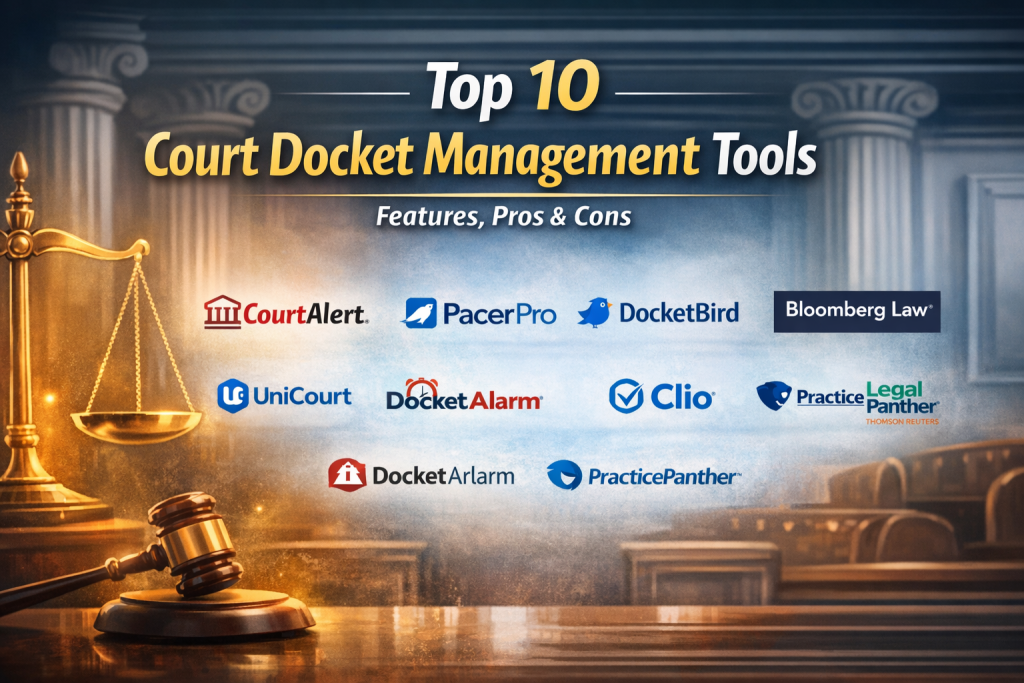
Top 10 Court Docket Management Tools
1 — CourtAlert
Short description:
A comprehensive court docket and deadline management platform designed for litigation-heavy law firms and in-house legal teams.
Key features:
- Automated court docket monitoring across jurisdictions
- Real-time alerts for filings, rulings, and schedule changes
- Deadline calculation and calendar synchronization
- Centralized case dashboards
- Multi-court coverage including federal and state courts
- Custom alert rules and notifications
- Reporting and activity logs
Pros:
- Highly reliable docket updates
- Strong deadline tracking accuracy
- Saves significant manual monitoring time
Cons:
- Interface may feel complex for new users
- Premium pricing for smaller firms
Security & compliance:
SSO support, encrypted data storage, audit logs, GDPR-aligned practices.
Support & community:
Detailed documentation, onboarding support, responsive customer service, enterprise-grade assistance.
2 — PacerPro
Short description:
A docket management and analytics tool focused primarily on U.S. federal court litigation.
Key features:
- PACER integration for federal courts
- Automated docket downloads and alerts
- Filing analytics and case insights
- Document organization and tagging
- Team collaboration tools
- Cost tracking for court filings
Pros:
- Deep federal court coverage
- Strong analytics for litigation strategy
- Intuitive user experience
Cons:
- Limited state court coverage
- Less suitable for global practices
Security & compliance:
Encrypted access, role-based permissions, audit trails.
Support & community:
Good documentation, responsive support, growing professional user base.
3 — DocketBird
Short description:
A modern, user-friendly docket tracking platform designed for law firms and legal operations teams.
Key features:
- Automated docket monitoring
- AI-assisted deadline extraction
- Centralized case timeline views
- Email and in-app alerts
- Multi-jurisdiction coverage
- Calendar integration
Pros:
- Clean, modern interface
- Easy onboarding
- Effective deadline alerts
Cons:
- Fewer advanced analytics features
- Limited customization options
Security & compliance:
Data encryption, SOC-aligned controls, secure access protocols.
Support & community:
Helpful onboarding, live support, knowledge base available.
4 — Bloomberg Law Dockets
Short description:
An enterprise-grade docket monitoring solution integrated into a broader legal research ecosystem.
Key features:
- Comprehensive docket tracking
- Integrated legal research and analytics
- Advanced search and filtering
- Alerts for filings and rulings
- Coverage across multiple courts
- Historical case analysis
Pros:
- Extremely robust data depth
- Ideal for large legal teams
- Strong analytical capabilities
Cons:
- High cost
- May be overpowered for small firms
Security & compliance:
Enterprise-level security, SOC 2, GDPR compliance.
Support & community:
Dedicated account managers, premium enterprise support.
5 — Lexis CourtLink
Short description:
A powerful court docket monitoring and analytics platform built for complex litigation environments.
Key features:
- Automated docket alerts
- Litigation analytics and trends
- Judge and court insights
- Custom reporting
- Multi-court coverage
- Integration with legal research tools
Pros:
- Deep litigation intelligence
- Reliable docket updates
- Excellent research integration
Cons:
- Steep learning curve
- Premium pricing structure
Security & compliance:
Strong encryption, audit logs, enterprise compliance standards.
Support & community:
Extensive training resources, professional support teams.
6 — UniCourt
Short description:
A data-driven court docket and analytics platform offering broad jurisdiction coverage.
Key features:
- Nationwide docket tracking
- Case analytics and trends
- Document access and alerts
- API access for integrations
- Scalable data solutions
- Visualization dashboards
Pros:
- Excellent data breadth
- API flexibility
- Strong analytics focus
Cons:
- UI may feel data-heavy
- Requires setup effort for advanced use
Security & compliance:
Encrypted systems, SOC-aligned practices, data governance controls.
Support & community:
Technical documentation, developer support, enterprise services.
7 — Docket Alarm
Short description:
A specialized docket monitoring tool emphasizing alerts and court analytics.
Key features:
- Real-time docket alerts
- Advanced search and filtering
- Analytics on judges and courts
- Multi-jurisdiction support
- Alert customization
- Document tracking
Pros:
- Strong alert accuracy
- Useful analytics for litigation planning
- Flexible search options
Cons:
- Interface feels dated
- Limited collaboration tools
Security & compliance:
Standard encryption, access controls, compliance varies by region.
Support & community:
Email support, documentation, modest user community.
8 — Clio (Court Integration Use Case)
Short description:
A practice management platform with docket and court deadline tracking capabilities.
Key features:
- Court deadline tracking
- Calendar synchronization
- Case management tools
- Task and reminder automation
- Team collaboration
- Cloud-based access
Pros:
- Easy to use
- All-in-one practice management
- Affordable for small firms
Cons:
- Not a pure docket monitoring tool
- Limited advanced court analytics
Security & compliance:
SOC 2, encryption, role-based access controls.
Support & community:
Large user community, tutorials, responsive support.
9 — PracticePanther
Short description:
A legal practice management solution with integrated docket and deadline tracking.
Key features:
- Deadline reminders
- Case and task management
- Calendar automation
- Document storage
- Reporting tools
- Cloud access
Pros:
- User-friendly
- Cost-effective
- Fast implementation
Cons:
- Limited court coverage
- Basic docket automation
Security & compliance:
Encrypted data, secure authentication, compliance varies.
Support & community:
Knowledge base, onboarding help, customer support.
10 — Legal Tracker (Thomson-style Platforms)
Short description:
An enterprise legal operations platform with docket and matter tracking components.
Key features:
- Matter and docket tracking
- Workflow automation
- Reporting and dashboards
- Integration with billing systems
- Compliance tracking
- Role-based access
Pros:
- Strong for enterprise legal ops
- Scalable architecture
- Good reporting
Cons:
- Complex setup
- Not litigation-focused by default
Security & compliance:
Enterprise security standards, audit trails, GDPR-aligned.
Support & community:
Dedicated enterprise support, structured onboarding.
Comparison Table
| Tool Name | Best For | Platform(s) Supported | Standout Feature | Rating |
|---|---|---|---|---|
| CourtAlert | Litigation-heavy firms | Web | Automated deadline accuracy | N/A |
| PacerPro | Federal court litigation | Web | PACER analytics | N/A |
| DocketBird | SMB law firms | Web | Modern UI & alerts | N/A |
| Bloomberg Law Dockets | Large enterprises | Web | Research + docket integration | N/A |
| Lexis CourtLink | Complex litigation | Web | Litigation intelligence | N/A |
| UniCourt | Data-driven teams | Web / API | API-based analytics | N/A |
| Docket Alarm | Alert-focused users | Web | Real-time alerts | N/A |
| Clio | Small firms | Web / Mobile | All-in-one practice tools | N/A |
| PracticePanther | Budget-conscious teams | Web / Mobile | Ease of use | N/A |
| Legal Tracker | Enterprise legal ops | Web | Workflow reporting | N/A |
Evaluation & Scoring of Court Docket Management Tools
| Tool | Core Features (25%) | Ease of Use (15%) | Integrations (15%) | Security (10%) | Performance (10%) | Support (10%) | Price / Value (15%) | Total Score |
|---|---|---|---|---|---|---|---|---|
| CourtAlert | 23 | 12 | 13 | 9 | 9 | 9 | 10 | 85 |
| PacerPro | 22 | 13 | 12 | 9 | 9 | 8 | 10 | 83 |
| DocketBird | 20 | 14 | 11 | 8 | 8 | 8 | 12 | 81 |
| Bloomberg Law | 24 | 10 | 14 | 10 | 9 | 9 | 8 | 84 |
| Lexis CourtLink | 24 | 9 | 14 | 10 | 9 | 9 | 8 | 83 |
Which Court Docket Management Tool Is Right for You?
- Solo users: Lightweight practice management tools with deadline tracking may be sufficient.
- SMBs: Tools like DocketBird or Clio balance usability and cost.
- Mid-market firms: PacerPro or UniCourt offer deeper analytics and coverage.
- Enterprise teams: Bloomberg Law Dockets or Lexis CourtLink provide unmatched depth and compliance.
Budget-conscious teams should prioritize ease of use and automation, while premium buyers may value analytics, integrations, and coverage breadth. Always align tool choice with case volume, jurisdiction scope, security requirements, and growth plans.
Frequently Asked Questions (FAQs)
1. What is a court docket?
A court docket is an official summary of all filings, events, and actions in a legal case.
2. Do these tools replace court websites?
No, they enhance access by automating monitoring and alerts.
3. Are docket updates real-time?
Most tools provide near real-time updates, depending on court systems.
4. Can small firms benefit from these tools?
Yes, especially for deadline management and risk reduction.
5. Are these tools secure?
Most offer encryption and compliance controls suitable for legal data.
6. Do they integrate with calendars?
Yes, calendar integration is a common feature.
7. Are global courts supported?
Coverage varies; many focus on U.S. courts.
8. How long does implementation take?
Anywhere from hours to weeks, depending on complexity.
9. Are free options available?
Limited functionality options exist, but full features are paid.
10. What is the biggest mistake when choosing a tool?
Overbuying complexity without matching actual needs.
Conclusion
Court Docket Management Tools have become essential for modern legal operations. They reduce manual effort, improve accuracy, and protect organizations from costly procedural errors. While some tools excel in analytics and enterprise coverage, others shine in usability and affordability.
There is no single “best” solution for everyone. The right tool depends on case volume, jurisdiction coverage, team size, budget, and risk tolerance. By clearly defining your needs and evaluating tools against them, you can select a docket management solution that delivers long-term value and confidence in your legal workflows.

Find Trusted Cardiac Hospitals
Compare heart hospitals by city and services — all in one place.
Explore Hospitals
This is a very practical and well-organized comparison of court docket management tools. Highlighting specific features like automated scheduling, deadline tracking, and integration capabilities helps legal professionals better understand how each system can streamline case workflows and reduce costly errors. The side-by-side pros and cons make it easier to evaluate what matters most for different practice sizes — whether it’s robust reporting for larger firms or simple, intuitive interfaces for smaller teams. For anyone looking to improve efficiency, reduce administrative burden, and ensure compliance with court timelines, this guide provides clear insights to make a more informed selection.