
Introduction
Creative Project Management Tools are purpose-built platforms that help creative teams plan, organize, collaborate, and deliver projects efficiently—without sacrificing flexibility or creative freedom. Unlike traditional project management software that focuses heavily on rigid workflows and task dependencies, creative-focused tools are designed to support visual thinking, iterative feedback, asset collaboration, and fast-changing requirements.
In today’s environment, creative work is rarely linear. Designers, writers, marketers, video editors, and product teams juggle multiple stakeholders, shifting priorities, tight deadlines, and continuous revisions. Creative project management tools bring clarity to this complexity by centralizing tasks, timelines, files, approvals, and communication in one place.
Why these tools matter
- Reduce miscommunication between creative and non-creative stakeholders
- Improve visibility into timelines, workloads, and dependencies
- Speed up feedback cycles and approvals
- Help teams deliver consistent, high-quality creative output at scale
Common real-world use cases
- Design and branding projects
- Marketing campaigns and content calendars
- Video production and post-production workflows
- Product design and UX collaboration
- Agency-client collaboration and approvals
What to look for when choosing a tool
When evaluating Creative Project Management Tools, buyers should consider:
- Visual workflows (boards, timelines, calendars)
- Collaboration features (comments, mentions, approvals)
- Asset and file handling
- Ease of use for non-technical users
- Integration with creative tools
- Scalability and permissions
- Security and compliance requirements
Best for:
Creative professionals, design teams, marketing departments, agencies, media companies, product teams, and fast-growing startups that rely on collaboration, iteration, and visual workflows.
Not ideal for:
Highly regulated environments with rigid, linear workflows (e.g., heavy manufacturing, pure IT infrastructure management) or teams that only need basic task lists without collaboration depth.
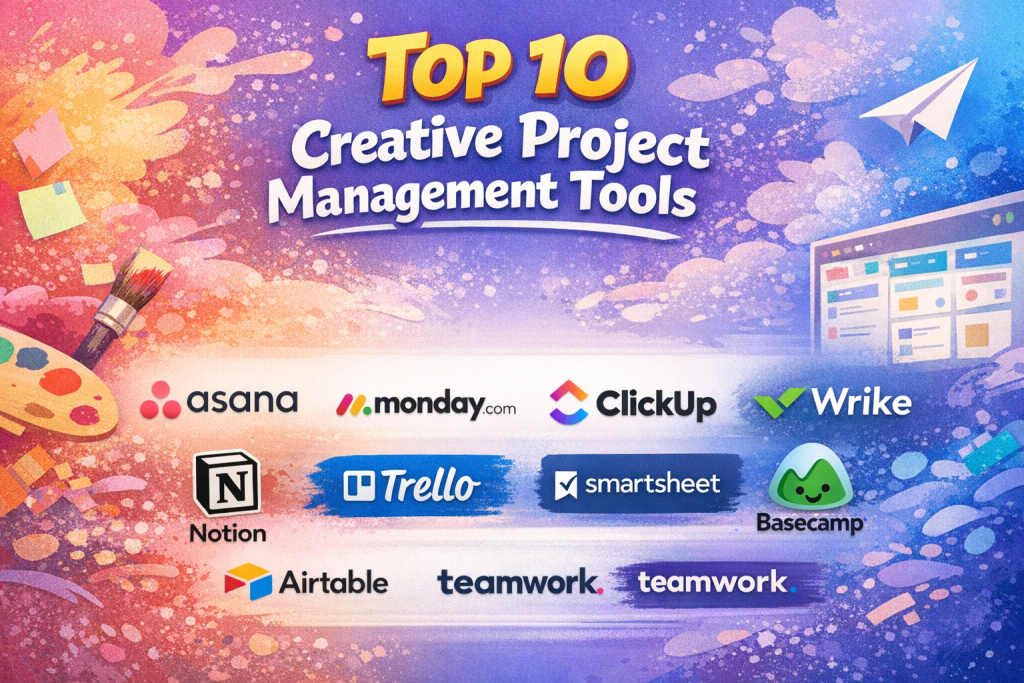
Top 10 Creative Project Management Tools
#1 — Asana
Short description:
Asana is a flexible work management platform widely used by creative teams to plan projects, track tasks, and collaborate across departments with clarity and structure.
Key features
- Task lists, boards, timelines, and calendars
- Creative-friendly templates for campaigns and launches
- Custom fields for creative workflows
- Real-time collaboration and comments
- Automation rules for recurring processes
- Workload and progress reporting
Pros
- Intuitive interface for creative and non-technical users
- Scales well from small teams to enterprises
Cons
- Advanced features require higher-tier plans
- Can feel complex for very small teams
Security & compliance:
SSO, data encryption, SOC 2, GDPR compliance
Support & community:
Strong documentation, onboarding resources, active user community, enterprise support available
#2 — Monday.com
Short description:
Monday.com offers a highly visual, customizable work OS that is especially popular with marketing and creative teams managing complex, multi-stage projects.
Key features
- Visual boards with custom statuses
- Timeline, calendar, and workload views
- Automation for approvals and handoffs
- File sharing and proofing
- Dashboards for campaign tracking
- Extensive integrations
Pros
- Extremely customizable for creative workflows
- Strong visual clarity across projects
Cons
- Pricing increases quickly with team size
- Initial setup can be time-consuming
Security & compliance:
SSO, SOC 2, ISO 27001, GDPR
Support & community:
Robust documentation, responsive support, enterprise onboarding options
#3 — ClickUp
Short description:
ClickUp positions itself as an all-in-one productivity platform, offering creative teams deep customization and multiple views in a single workspace.
Key features
- Tasks, docs, whiteboards, and goals
- Multiple views (list, board, Gantt, mind map)
- Native docs for creative briefs
- Automation and recurring workflows
- Time tracking and reporting
Pros
- Feature-rich at competitive pricing
- Replaces multiple tools for many teams
Cons
- Interface can feel overwhelming
- Performance may vary with heavy use
Security & compliance:
SSO, SOC 2, GDPR
Support & community:
Large knowledge base, active community, email and chat support
#4 — Wrike
Short description:
Wrike is a powerful project management platform tailored for marketing, creative, and professional services teams that need structured workflows.
Key features
- Custom workflows for creative stages
- Proofing and approval tools
- Gantt charts and workload management
- Request forms for creative intake
- Real-time analytics dashboards
Pros
- Excellent for agency-style workflows
- Strong reporting and visibility
Cons
- Less intuitive for beginners
- Higher cost for advanced features
Security & compliance:
SSO, SOC 2, ISO 27001, GDPR
Support & community:
Comprehensive documentation, onboarding programs, enterprise-grade support
#5 — Notion
Short description:
Notion combines project management, documentation, and creative planning into a highly flexible workspace favored by designers and content teams.
Key features
- Custom databases and kanban boards
- Collaborative documents and wikis
- Creative briefs and content calendars
- Templates for design and marketing teams
- Cross-functional collaboration
Pros
- Extremely flexible and customizable
- Excellent for documentation-heavy workflows
Cons
- Limited native automation
- Requires setup discipline
Security & compliance:
SSO, GDPR, SOC 2 (higher tiers)
Support & community:
Large creator community, extensive templates, email support
#6 — Trello
Short description:
Trello is a lightweight, card-based project management tool ideal for simple creative workflows and small teams.
Key features
- Kanban-style boards and cards
- Easy task assignment and comments
- Power-Ups for added functionality
- File attachments and checklists
- Simple automation rules
Pros
- Very easy to learn and use
- Ideal for visual thinkers
Cons
- Limited scalability for complex projects
- Basic reporting
Security & compliance:
SSO, SOC 2, GDPR
Support & community:
Good documentation, large global user base
#7 — Smartsheet
Short description:
Smartsheet blends spreadsheet-style familiarity with project management capabilities, often used by creative operations and marketing teams.
Key features
- Grid, Gantt, card, and calendar views
- Resource and budget tracking
- Automation for approvals
- Reporting dashboards
- Enterprise-grade controls
Pros
- Strong operational visibility
- Familiar spreadsheet-style interface
Cons
- Less visually inspiring for creatives
- Learning curve for advanced features
Security & compliance:
SSO, SOC 2, ISO 27001, GDPR
Support & community:
Strong documentation, training programs, enterprise support
#8 — Basecamp
Short description:
Basecamp focuses on simplicity and communication, making it suitable for small creative teams that value clarity over complexity.
Key features
- To-do lists and message boards
- Centralized file storage
- Client-friendly collaboration
- Automatic check-ins
- Simple scheduling
Pros
- Clean, distraction-free interface
- Easy client collaboration
Cons
- Limited advanced project controls
- Not ideal for large teams
Security & compliance:
Encryption in transit and at rest, GDPR
Support & community:
Clear documentation, responsive support
#9 — Airtable
Short description:
Airtable combines database flexibility with visual collaboration, making it powerful for creative operations and content planning.
Key features
- Customizable tables and views
- Kanban, calendar, and gallery views
- Asset tracking and metadata
- Automation and integrations
- Visual dashboards
Pros
- Highly adaptable to creative workflows
- Strong data organization
Cons
- Requires thoughtful setup
- Costs rise with scale
Security & compliance:
SSO, SOC 2, GDPR
Support & community:
Extensive learning resources, templates, community forums
#10 — Teamwork
Short description:
Teamwork is designed for client-facing teams and agencies managing creative projects, timelines, and billable work.
Key features
- Task and milestone tracking
- Time tracking and budgeting
- Client access and permissions
- Project templates
- Reporting and analytics
Pros
- Strong agency-focused features
- Good balance of simplicity and control
Cons
- Interface feels dated to some users
- Limited creative proofing tools
Security & compliance:
SSO, GDPR, SOC 2
Support & community:
Helpful documentation, onboarding guides, customer support
Comparison Table
| Tool Name | Best For | Platform(s) Supported | Standout Feature | Rating |
|---|---|---|---|---|
| Asana | Cross-functional creative teams | Web, iOS, Android | Flexible workflows | N/A |
| Monday.com | Marketing & design teams | Web, iOS, Android | Visual customization | N/A |
| ClickUp | All-in-one creative ops | Web, iOS, Android | Feature depth | N/A |
| Wrike | Agencies & enterprises | Web, iOS, Android | Proofing & approvals | N/A |
| Notion | Content & design planning | Web, iOS, Android | Unified workspace | N/A |
| Trello | Small creative teams | Web, iOS, Android | Simplicity | N/A |
| Smartsheet | Creative operations | Web, iOS, Android | Spreadsheet-style PM | N/A |
| Basecamp | Small agencies | Web, iOS, Android | Communication focus | N/A |
| Airtable | Content & asset tracking | Web, iOS, Android | Database flexibility | N/A |
| Teamwork | Client-based agencies | Web, iOS, Android | Client collaboration | N/A |
Evaluation & Scoring of Creative Project Management Tools
| Tool | Core Features (25%) | Ease of Use (15%) | Integrations (15%) | Security (10%) | Performance (10%) | Support (10%) | Price/Value (15%) | Total Score |
|---|---|---|---|---|---|---|---|---|
| Asana | 23 | 13 | 14 | 9 | 9 | 9 | 13 | 90 |
| Monday.com | 24 | 12 | 14 | 9 | 9 | 9 | 12 | 89 |
| ClickUp | 24 | 11 | 14 | 8 | 8 | 8 | 14 | 87 |
| Wrike | 23 | 10 | 13 | 9 | 9 | 9 | 11 | 84 |
| Notion | 21 | 13 | 11 | 8 | 8 | 8 | 14 | 83 |
Which Creative Project Management Tool Is Right for You?
- Solo users: Notion, Trello
- SMBs: Asana, ClickUp, Monday.com
- Mid-market teams: Wrike, Airtable, Teamwork
- Enterprises: Wrike, Smartsheet, Asana
Budget-conscious: Trello, ClickUp
Premium solutions: Wrike, Smartsheet
Ease of use: Asana, Basecamp
Feature depth: ClickUp, Monday.com
Security needs: Asana, Wrike, Smartsheet
Frequently Asked Questions (FAQs)
1. What makes creative project management different?
It emphasizes flexibility, visual workflows, and collaboration over rigid task control.
2. Are these tools suitable for agencies?
Yes, many are designed specifically for agency-client collaboration.
3. Do creative teams need automation?
Automation reduces repetitive admin tasks and speeds up workflows.
4. Which tool is easiest to learn?
Trello and Basecamp are generally the most beginner-friendly.
5. Can these tools handle approvals?
Several tools include built-in proofing and approval workflows.
6. Are they secure for client data?
Most offer encryption, SSO, and compliance with major standards.
7. Do they support integrations with design tools?
Yes, many integrate with common creative and productivity platforms.
8. Are they scalable?
Tools like Asana, Wrike, and Monday.com scale well with growth.
9. What is the biggest mistake buyers make?
Choosing feature-heavy tools without considering team adoption.
10. Is there a “best” tool overall?
No—success depends on your workflow, team size, and priorities.
Conclusion
Creative Project Management Tools play a critical role in helping teams balance structure with creative freedom. The right platform improves visibility, collaboration, and delivery speed—while reducing friction and burnout.
When choosing a tool, focus on how your team actually works, not just feature checklists. Ease of adoption, workflow alignment, integrations, and scalability matter far more than raw functionality. There is no universal winner—only the tool that best fits your creative process, team size, and long-term goals.

Find Trusted Cardiac Hospitals
Compare heart hospitals by city and services — all in one place.
Explore Hospitals