
Introduction
Data Integration & ETL (Extract, Transform, Load) tools are the backbone of modern data-driven organizations. They enable businesses to collect data from multiple sources, clean and transform it, and load it into a centralized system such as a data warehouse, data lake, or analytics platform. In today’s environment—where data comes from SaaS tools, databases, IoT devices, APIs, and applications—manual data handling is no longer practical.
These tools are critical for business intelligence, analytics, reporting, machine learning, and operational decision-making. Without reliable ETL or data integration, organizations risk working with incomplete, inconsistent, or outdated data, which directly impacts accuracy and trust.
Common real-world use cases include:
- Consolidating sales, marketing, and finance data for dashboards
- Migrating data during cloud or system modernization
- Powering analytics platforms and AI models
- Synchronizing operational systems in real time
When choosing a Data Integration & ETL tool, users should evaluate:
- Ease of use vs. flexibility
- Supported data sources and destinations
- Scalability and performance
- Security and compliance
- Cost and long-term value
- Support, documentation, and ecosystem
Best for:
Data engineers, analytics engineers, BI teams, data analysts, startups, SaaS companies, enterprises, healthcare, finance, e-commerce, and any organization that relies on accurate, timely data.
Not ideal for:
Very small teams with minimal data, single-database setups, or organizations that only need occasional manual exports. In such cases, native connectors or lightweight scripts may be sufficient.
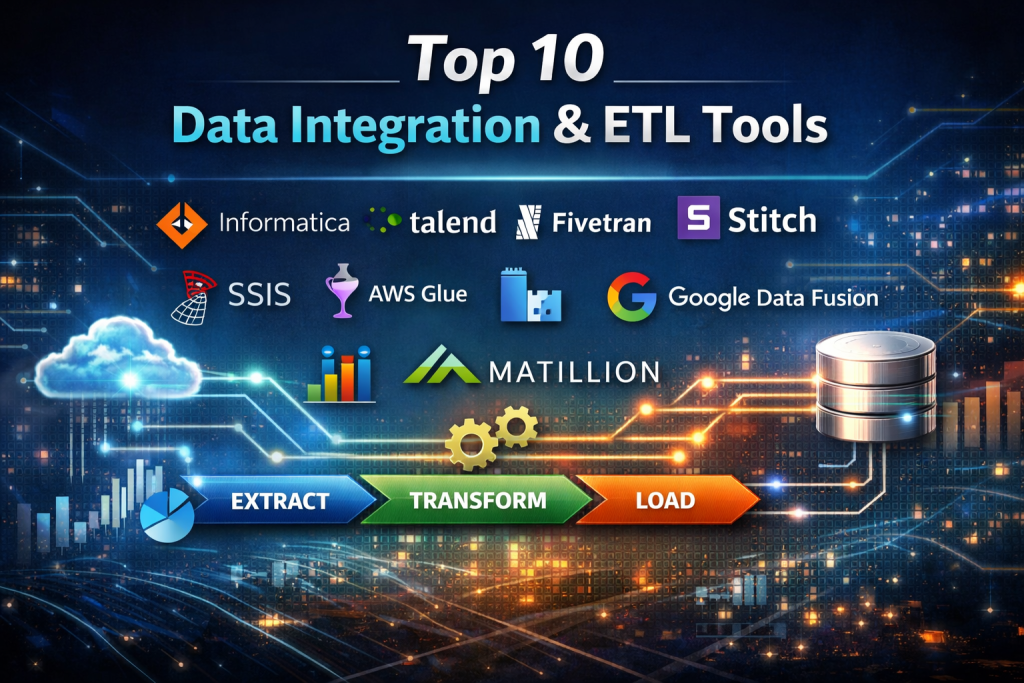
Top 10 Data Integration & ETL Tools
1 — Informatica PowerCenter
Short description:
A long-standing enterprise-grade ETL platform designed for complex, large-scale data integration across hybrid and multi-cloud environments.
Key features:
- Advanced data transformation capabilities
- Batch and real-time data processing
- Extensive enterprise connectors
- Metadata management and lineage
- High-performance parallel processing
- Data quality and governance tools
Pros:
- Extremely powerful and mature platform
- Trusted by large enterprises globally
Cons:
- High cost of ownership
- Steep learning curve
Security & compliance:
SSO, encryption, role-based access, GDPR, SOC 2, HIPAA (enterprise configurations)
Support & community:
Enterprise-grade support, extensive documentation, strong partner ecosystem
2 — Talend Data Integration
Short description:
An open-core data integration tool that balances flexibility and usability, popular among data engineers and mid-to-large organizations.
Key features:
- Open-source foundation
- Broad connector library
- Data quality and profiling
- Cloud and on-prem deployment
- ELT and ETL support
- Job scheduling and monitoring
Pros:
- Strong customization capabilities
- Open-source option available
Cons:
- UI can feel complex
- Performance tuning may require expertise
Security & compliance:
Encryption, access controls, GDPR, SOC 2 (enterprise editions)
Support & community:
Active community, good documentation, enterprise support available
3 — Fivetran
Short description:
A fully managed ELT platform focused on simplicity and automated data replication from SaaS and cloud databases.
Key features:
- Fully managed connectors
- Automatic schema evolution
- Near real-time sync
- Minimal configuration
- Cloud data warehouse focus
- Monitoring and alerts
Pros:
- Very easy to set up
- Low maintenance overhead
Cons:
- Limited transformation logic
- Pricing can increase with volume
Security & compliance:
SOC 2, GDPR, encryption at rest and in transit, SSO
Support & community:
High-quality documentation, responsive support, strong SaaS user base
4 — Stitch
Short description:
A developer-friendly cloud ETL service designed for fast data replication into modern data warehouses.
Key features:
- Open-source Singer framework
- Wide range of SaaS connectors
- Simple configuration
- Cloud-native architecture
- Incremental data loading
Pros:
- Lightweight and fast to deploy
- Transparent data pipeline logic
Cons:
- Limited advanced transformations
- Not ideal for very complex workflows
Security & compliance:
Encryption, GDPR alignment, role-based access
Support & community:
Good documentation, active open-source community, commercial support
5 — Apache Airflow
Short description:
An open-source workflow orchestration tool widely used for building and managing complex ETL pipelines.
Key features:
- Python-based DAGs
- Highly customizable workflows
- Large plugin ecosystem
- Cloud and on-prem support
- Scheduling and monitoring
- Strong dependency management
Pros:
- Extremely flexible
- Large open-source community
Cons:
- Requires engineering effort
- Not a plug-and-play ETL tool
Security & compliance:
Depends on deployment; supports RBAC, encryption, SSO (varies)
Support & community:
Very strong community, extensive documentation, enterprise support via vendors
6 — Microsoft SQL Server Integration Services (SSIS)
Short description:
A Microsoft-native ETL tool designed for SQL Server and Azure-centric environments.
Key features:
- Deep SQL Server integration
- Visual workflow designer
- Strong transformation components
- On-prem and cloud support
- Scheduling via SQL Agent
Pros:
- Ideal for Microsoft ecosystems
- Cost-effective for existing SQL users
Cons:
- Limited outside Microsoft stack
- UI feels dated
Security & compliance:
Active Directory integration, encryption, role-based access
Support & community:
Extensive Microsoft documentation, large enterprise user base
7 — AWS Glue
Short description:
A serverless ETL service optimized for AWS cloud-native data integration and analytics workloads.
Key features:
- Serverless architecture
- Automatic schema discovery
- Integration with AWS ecosystem
- Spark-based processing
- Scalable data catalogs
Pros:
- No infrastructure management
- Strong AWS integration
Cons:
- AWS lock-in
- Less intuitive UI
Security & compliance:
IAM, encryption, GDPR, SOC, ISO (AWS shared responsibility)
Support & community:
Strong AWS documentation, enterprise support plans
8 — Azure Data Factory
Short description:
A cloud-based data integration service for building ETL and ELT pipelines within the Azure ecosystem.
Key features:
- Visual pipeline design
- Hybrid data integration
- Built-in connectors
- Scheduling and monitoring
- Scalable cloud execution
Pros:
- Excellent for Azure users
- Low-code experience
Cons:
- Complex pricing
- Limited non-Azure optimization
Security & compliance:
Azure AD, encryption, GDPR, ISO, SOC
Support & community:
Strong Microsoft support, extensive learning resources
9 — Google Cloud Data Fusion
Short description:
A managed ETL service built on open-source foundations, optimized for Google Cloud data platforms.
Key features:
- Visual pipeline builder
- Prebuilt transformations
- Cloud-native scaling
- Integration with BigQuery
- Open-source CDAP base
Pros:
- Strong Google Cloud integration
- Flexible transformation logic
Cons:
- Smaller ecosystem
- Higher learning curve
Security & compliance:
Google Cloud security standards, encryption, IAM, GDPR
Support & community:
Good documentation, enterprise support via Google Cloud
10 — Matillion
Short description:
A cloud-native ETL/ELT tool focused on transforming data inside cloud data warehouses.
Key features:
- Push-down ELT processing
- Visual job designer
- Cloud warehouse optimization
- Fast deployment
- Version control support
Pros:
- High performance ELT
- User-friendly interface
Cons:
- Cloud-warehouse dependent
- Licensing cost
Security & compliance:
Encryption, SSO, GDPR, SOC 2
Support & community:
Strong onboarding, responsive support, growing community
Comparison Table
| Tool Name | Best For | Platform(s) Supported | Standout Feature | Rating |
|---|---|---|---|---|
| Informatica PowerCenter | Large enterprises | Hybrid, Cloud, On-prem | Enterprise-grade transformations | N/A |
| Talend | Mid to large teams | Cloud, On-prem | Open-source flexibility | N/A |
| Fivetran | SaaS analytics teams | Cloud | Fully managed ELT | N/A |
| Stitch | Developers & SMBs | Cloud | Singer-based connectors | N/A |
| Apache Airflow | Data engineers | Cloud, On-prem | Workflow orchestration | N/A |
| SSIS | Microsoft-centric orgs | Windows, Azure | SQL Server integration | N/A |
| AWS Glue | AWS users | AWS Cloud | Serverless ETL | N/A |
| Azure Data Factory | Azure users | Azure Cloud | Visual pipelines | N/A |
| Google Data Fusion | GCP users | Google Cloud | Managed CDAP | N/A |
| Matillion | Cloud analytics | Cloud | Push-down ELT | N/A |
Evaluation & Scoring of Data Integration & ETL Tools
| Criteria | Weight |
|---|---|
| Core features | 25% |
| Ease of use | 15% |
| Integrations & ecosystem | 15% |
| Security & compliance | 10% |
| Performance & reliability | 10% |
| Support & community | 10% |
| Price / value | 15% |
This scoring framework helps organizations objectively compare tools based on both technical strength and practical usability.
Which Data Integration & ETL Tool Is Right for You?
- Solo users / startups: Lightweight tools like Stitch or managed ELT platforms reduce setup time.
- SMBs: Talend, Matillion, or Azure Data Factory offer balance between power and usability.
- Mid-market: Fivetran with transformation layers or Airflow for customization.
- Enterprise: Informatica, Talend, or cloud-native services with strong governance.
Budget-conscious:
Open-source tools or cloud-native pay-as-you-go services.
Premium needs:
Enterprise tools with governance, compliance, and SLAs.
Ease of use vs depth:
Low-code tools favor speed; code-based tools offer flexibility.
Security & compliance:
Regulated industries should prioritize audit logs, encryption, and compliance certifications.
Frequently Asked Questions (FAQs)
1. What is the difference between ETL and ELT?
ETL transforms data before loading, while ELT loads raw data first and transforms it in the destination system.
2. Do I need coding skills for ETL tools?
Not always. Many tools offer low-code interfaces, though advanced use cases may require scripting.
3. Are cloud ETL tools secure?
Yes, most provide encryption, access controls, and compliance certifications when configured correctly.
4. Can ETL tools handle real-time data?
Some support near real-time or streaming, while others focus on batch processing.
5. How do I choose between open-source and managed tools?
Open-source offers flexibility and control; managed tools reduce maintenance effort.
6. Are ETL tools expensive?
Costs vary widely based on data volume, features, and deployment model.
7. Can ETL tools scale with my business?
Most modern tools are designed to scale, especially cloud-native options.
8. What are common ETL mistakes?
Poor data quality checks, ignoring schema changes, and underestimating costs.
9. Do ETL tools replace data engineers?
No. They enhance productivity but still require design and oversight.
10. Are there alternatives to ETL tools?
Yes—custom scripts, APIs, and database-native integrations for simple use cases.
Conclusion
Data Integration & ETL tools are essential for turning fragmented data into reliable, actionable insights. From fully managed ELT platforms to enterprise-grade integration suites and open-source orchestration tools, the market offers solutions for every scale and skill level.
The most important takeaway is that there is no single “best” tool for everyone. The right choice depends on your data complexity, team skills, budget, compliance needs, and long-term growth plans. By carefully evaluating features, scalability, security, and usability, organizations can select a solution that not only meets today’s requirements but also supports future data ambitions.

Find Trusted Cardiac Hospitals
Compare heart hospitals by city and services — all in one place.
Explore Hospitals
