
Introduction
Database Administration Tools are specialized software solutions designed to help database administrators (DBAs), developers, and IT teams manage, monitor, optimize, secure, and troubleshoot databases efficiently. These tools act as a control center for databases, allowing users to handle tasks such as performance tuning, backup and recovery, user access management, schema design, and system health monitoring from a single interface.
In today’s data-driven world, databases power almost everything—from websites and mobile apps to financial systems, healthcare platforms, and enterprise analytics. As data volumes grow and architectures become more complex (cloud, hybrid, distributed systems), manual database management becomes risky, slow, and error-prone. Database administration tools reduce this complexity by automating routine tasks, improving visibility, and ensuring stability and security.
Key real-world use cases include:
- Managing multiple databases across environments
- Detecting and fixing performance bottlenecks
- Ensuring backups, disaster recovery, and high availability
- Enforcing security policies and compliance
- Supporting DevOps and CI/CD workflows
When choosing a database administration tool, users should evaluate:
- Database types supported (SQL, NoSQL, cloud-native)
- Ease of use and learning curve
- Automation and monitoring capabilities
- Security, compliance, and audit features
- Scalability, performance, and cost-effectiveness
Best for:
Database administrators, backend developers, DevOps engineers, data engineers, IT operations teams, startups, SMBs, enterprises, SaaS companies, finance, healthcare, e-commerce, and government organizations.
Not ideal for:
Very small projects with a single lightweight database, static websites without backend logic, or teams fully reliant on managed cloud databases with minimal customization needs.
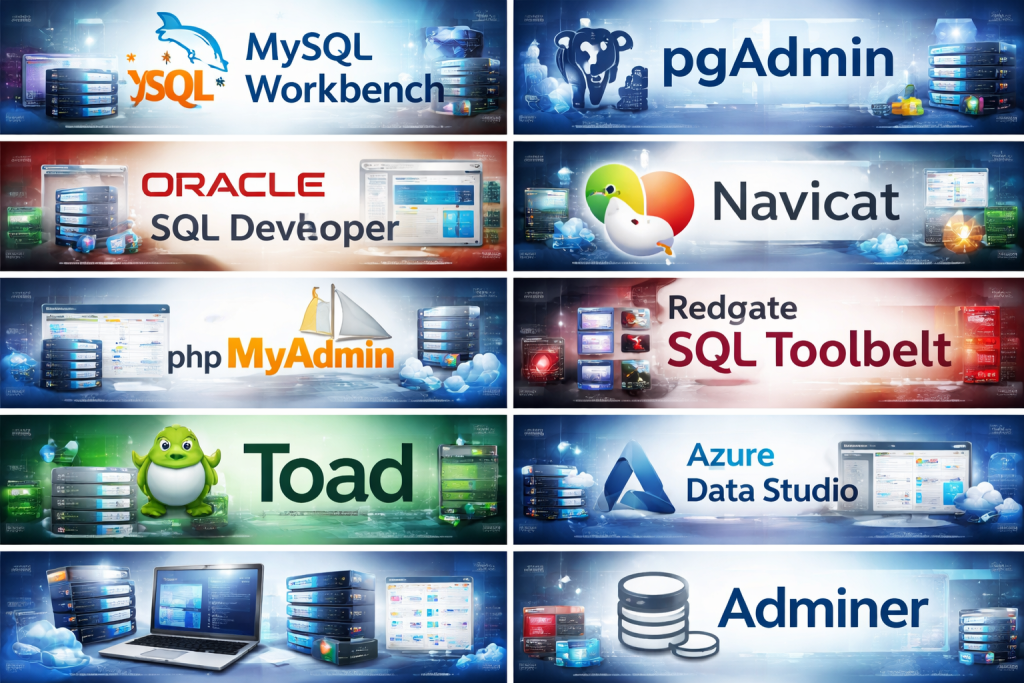
Top 10 Database Administration Tools Tools
1 — MySQL Workbench
Short description:
A widely used visual tool for designing, managing, and administering MySQL databases, suitable for beginners and experienced DBAs alike.
Key features:
- Visual database design and modeling
- SQL development and query execution
- Performance monitoring dashboards
- User and privilege management
- Backup and restore tools
- Server configuration management
Pros:
- Free and officially supported by MySQL
- Beginner-friendly UI with powerful capabilities
- Strong integration with MySQL ecosystem
Cons:
- Limited support for non-MySQL databases
- Performance issues with very large schemas
Security & compliance:
Supports SSL connections, role-based access control, and encrypted connections. Compliance depends on database configuration.
Support & community:
Extensive documentation, large global community, and long-term vendor support.
2 — pgAdmin
Short description:
An open-source administration and management platform designed specifically for PostgreSQL databases.
Key features:
- Web-based and desktop interfaces
- Advanced query tool and explain plans
- Server monitoring and statistics
- Role and permission management
- Backup, restore, and maintenance tasks
- Schema comparison tools
Pros:
- Free and open-source
- Deep PostgreSQL feature support
- Strong analytical and debugging tools
Cons:
- PostgreSQL-only focus
- UI can feel complex for new users
Security & compliance:
Supports SSL, authentication controls, and PostgreSQL-native security features.
Support & community:
Very strong open-source community, frequent updates, and detailed documentation.
3 — DBeaver
Short description:
A universal database management tool supporting a wide range of SQL and NoSQL databases, ideal for mixed environments.
Key features:
- Supports 80+ databases
- SQL editor with auto-completion
- ER diagrams and schema visualization
- Data export/import tools
- SSH tunneling and secure connections
- Plugin-based extensibility
Pros:
- One tool for many databases
- Cross-platform support
- Free community edition available
Cons:
- Advanced features locked behind paid version
- Can be resource-intensive
Security & compliance:
Supports encrypted connections, SSH tunnels, and credential storage.
Support & community:
Active community, good documentation, and professional enterprise support options.
4 — Oracle SQL Developer
Short description:
A feature-rich database administration and development tool tailored for Oracle Database environments.
Key features:
- Advanced SQL and PL/SQL development
- Database object management
- Data modeling and migration tools
- Performance tuning and reporting
- User and security management
- Version control integration
Pros:
- Deep Oracle database integration
- Free for Oracle users
- Enterprise-grade capabilities
Cons:
- Best suited only for Oracle
- Steep learning curve
Security & compliance:
Strong role-based access, encryption support, and enterprise compliance capabilities.
Support & community:
Vendor-backed support, extensive documentation, and strong enterprise adoption.
5 — Navicat
Short description:
A premium database administration tool designed for ease of use while supporting multiple database platforms.
Key features:
- Visual query builder
- Data synchronization and migration
- Backup automation
- Cloud database support
- Secure SSH and SSL connections
- Collaboration features
Pros:
- Polished and intuitive UI
- Excellent for data migration
- Broad database compatibility
Cons:
- Expensive for small teams
- Licensing complexity
Security & compliance:
Supports encryption, SSH tunneling, and access control.
Support & community:
Professional documentation, responsive customer support, smaller community than open-source tools.
6 — phpMyAdmin
Short description:
A lightweight, browser-based tool for managing MySQL and MariaDB databases.
Key features:
- Web-based database access
- Table and data management
- SQL execution interface
- Import/export in multiple formats
- User privilege management
- Server status overview
Pros:
- Easy to deploy
- Free and widely available
- Ideal for shared hosting environments
Cons:
- Limited scalability
- Security depends heavily on configuration
Security & compliance:
Supports authentication methods and SSL; requires careful hardening.
Support & community:
Large user base, extensive documentation, community-driven support.
7 — Redgate SQL Toolbelt
Short description:
A professional suite of tools focused on SQL Server administration, performance, and DevOps.
Key features:
- Database version control
- Automated deployments
- Performance monitoring
- Schema comparison
- Backup and recovery
- CI/CD integration
Pros:
- Strong DevOps focus
- High reliability for SQL Server
- Excellent automation tools
Cons:
- Expensive
- SQL Server–centric
Security & compliance:
Enterprise-grade security, auditing, and compliance features.
Support & community:
Strong vendor support, enterprise documentation, training resources.
8 — Toad (Quest)
Short description:
A comprehensive database management solution supporting multiple database platforms with advanced automation.
Key features:
- Query optimization
- Database health checks
- Automation and scripting
- Schema and data comparison
- Reporting and analytics
- Multi-database support
Pros:
- Extremely powerful feature set
- Trusted in enterprise environments
- Broad database coverage
Cons:
- High licensing cost
- Complex interface
Security & compliance:
Supports encryption, auditing, and enterprise security standards.
Support & community:
Enterprise-grade support, certifications, and training programs.
9 — Azure Data Studio
Short description:
A modern, lightweight database tool optimized for SQL Server and cloud-native workflows.
Key features:
- Cross-platform support
- SQL editor and notebooks
- Dashboard extensions
- Cloud and container support
- Git integration
- Performance insights
Pros:
- Free and modern UI
- Strong cloud and DevOps alignment
- Extensible architecture
Cons:
- Limited advanced admin features
- Best suited for Microsoft stack
Security & compliance:
Supports Azure security models, authentication, and encryption.
Support & community:
Growing community, strong documentation, regular updates.
10 — Adminer
Short description:
A lightweight, single-file database administration tool for quick and simple database management.
Key features:
- Single PHP file deployment
- Supports multiple databases
- Basic CRUD operations
- SQL execution
- Import/export features
- Minimal resource usage
Pros:
- Extremely lightweight
- Easy to deploy
- Free and open-source
Cons:
- Limited advanced features
- Not suitable for large-scale operations
Security & compliance:
Basic authentication support; compliance depends on environment setup.
Support & community:
Small but active open-source community.
Comparison Table
| Tool Name | Best For | Platform(s) Supported | Standout Feature | Rating |
|---|---|---|---|---|
| MySQL Workbench | MySQL DBAs | Windows, macOS, Linux | Visual modeling | N/A |
| pgAdmin | PostgreSQL users | Web, Desktop | Deep PostgreSQL insights | N/A |
| DBeaver | Multi-database teams | Windows, macOS, Linux | Broad DB support | N/A |
| Oracle SQL Developer | Oracle enterprises | Windows, macOS, Linux | Oracle-native tooling | N/A |
| Navicat | Power users | Windows, macOS, Linux | UI and migration | N/A |
| phpMyAdmin | Shared hosting | Web | Lightweight access | N/A |
| Redgate SQL Toolbelt | SQL Server DevOps | Windows | CI/CD automation | N/A |
| Toad | Enterprise DB teams | Windows | Advanced optimization | N/A |
| Azure Data Studio | Cloud-first teams | Windows, macOS, Linux | Cloud notebooks | N/A |
| Adminer | Small projects | Web | Single-file simplicity | N/A |
Evaluation & Scoring of Database Administration Tools
| Criteria | Weight | Avg Score |
|---|---|---|
| Core features | 25% | High |
| Ease of use | 15% | Medium–High |
| Integrations & ecosystem | 15% | High |
| Security & compliance | 10% | Medium–High |
| Performance & reliability | 10% | High |
| Support & community | 10% | Medium |
| Price / value | 15% | Medium |
Which Database Administration Tools Tool Is Right for You?
- Solo users: Lightweight tools like Adminer or phpMyAdmin
- SMBs: DBeaver, MySQL Workbench, pgAdmin
- Mid-market: Navicat, Azure Data Studio
- Enterprise: Toad, Redgate, Oracle SQL Developer
Budget-conscious teams should focus on open-source tools, while enterprises benefit from premium automation, compliance, and support. Choose ease of use for smaller teams and feature depth for complex environments.
Frequently Asked Questions (FAQs)
- What is a database administration tool?
Software that helps manage, monitor, and optimize databases efficiently. - Do I need one for a small project?
Not always, but it improves visibility and reduces errors. - Are open-source tools reliable?
Yes, many are industry-proven and widely adopted. - Do these tools support cloud databases?
Most modern tools support cloud and hybrid setups. - Is security built-in?
Security features vary by tool and configuration. - Can one tool manage multiple databases?
Yes, tools like DBeaver and Navicat are multi-database. - Are these tools DevOps-friendly?
Many support automation, scripting, and CI/CD. - What is the biggest mistake when choosing a tool?
Ignoring scalability and long-term needs. - Do these tools replace DBAs?
No, they enhance DBA productivity. - Which is the best overall tool?
There is no universal best—it depends on your use case.
Conclusion
Database administration tools play a critical role in maintaining performance, reliability, and security in modern data systems. The right tool can save time, prevent outages, and support long-term growth. Rather than chasing a single “best” option, focus on your specific databases, team size, budget, and compliance needs. When chosen wisely, a database administration tool becomes a powerful partner in managing data with confidence and control.

Find Trusted Cardiac Hospitals
Compare heart hospitals by city and services — all in one place.
Explore Hospitals
